What's New in MojoPad
1.92.8 — 2026-09-11
- The folder tree and your pages are one list again, unless you want two areas. The Pages panel is back to a single list that scrolls together: folders, then the pages beneath them. Splitting it into a folder area and a page area, each scrolling on its own with a line between them to drag, is now your choice — Settings ▸ Links & Pages ▸ Folders ▸ Show folders and pages as two areas in the Pages panel. If you were using the two areas, turn that on and they come back as you left them. The Unfiled heading at the foot of the tree looks like the headings above it again.
- With two areas, the line between them stays within reach. With a long list of pinned pages, the folder area, the line below it and the page list could all end up past the bottom of the sidebar, so the line could not be dragged and the page list could not be scrolled to its last page. All three now stay on screen: the folder area makes room, and a pinned list too long to fit scrolls on its own instead of pushing everything below it out of view. Dragging the line as far as it will go and then further no longer changes the height MojoPad remembers, and both areas keep their place when the list is redrawn instead of jumping back to the top.
- Clicking a panel's edge no longer changes its width. A click on the line beside the sidebar or a side panel, or the double-click that hides the sidebar, saved whatever width the panel had at that moment — so a panel squeezed by a narrow window stayed narrow after the window was made wider again. A click on the line no longer saves a width; only a drag does. Double-click still means what it always did: hiding the sidebar, or putting a pane back to its default width.
- A citation goes back to the wiki it came from. Copy a citation out of a reader and it carries the page it names — and that was all it carried, so following one in a manuscript meant hoping the right wiki was in front. If you keep the same notebook twice, which is what a copy or a restored backup is, both hold that page and nothing could tell them apart: you could be shown a quote from the wrong document, with the right words in it, and never know. A citation now names its document as well, and the citation wins over whatever window happens to be in front. If that wiki is not open, MojoPad asks before opening it, and if its disk is not connected it says so rather than showing you the same page from another copy. The wiki is named as a fingerprint rather than a folder, because a citation ends up in exported documents and a paper that spells out where you keep your work has published something you did not mean to publish. Citations written before this still work the way they always did.
- A card no longer stands in for its wiki. With a page open in a card, and the wiki's own window closed or opened after the card, things meant for the wiki could stop at the card: a citation followed from another app went to the card and did nothing, choosing that wiki in the document switcher only brought the card forward, a clip or a Mail Drop item could wait unseen with the wiki open, and an agent's writes or Settings' new-page template could land on the card, which quietly refuses them. Each now reaches the wiki's own window, and a citation still asks before opening one.
- A wiki stops being shared, and locks again, when its last window closes. With a page still open in a card, closing the wiki's own window — or pointing that window at another wiki — left it published on your network and unlocked, so opening it again showed every page without asking for its password. Sharing, the password and the watching for outside changes now all end as soon as the last window on that wiki goes, a card included.
- Suggestions while you browse work again. With highlighting switched on, MojoPad offers pages from your wiki that are about what you are reading — and it had been offering nothing at all, on every page, since the release that stopped handing your wiki's folder to the browser. The part that reads your wiki's index was still looking for a folder, found none, and reported an empty result rather than a fault. The words you highlighted were never affected. The suggestions need your wiki's meaning index to come from an Ollama model; one built with MojoPad's own model cannot be asked from the browser, as the manual explains.
- Your list of wikis is harder to lose. MojoPad keeps a list of every wiki you have opened, which sets the wikis an agent is allowed to read and the ones the web clipper offers, and it is rewritten each time you open a document — in place, so a crash or a full disk at the wrong moment could leave half a list, or an empty file. It is now written aside and moved into place in one step. And a list file left empty that way no longer keeps new wikis from being added to it; the Open Recent list had the same trouble and is fixed with it.
1.92.7 — 2026-09-10
- A link to a page in another wiki keeps working when you move that wiki. A link carries where a wiki was, so moving or renaming one broke every link anybody had ever made to it — and broke them silently: clicking one did nothing at all, which from the outside looks exactly like a link that never arrived. MojoPad looks for the wiki now rather than giving up. A link names a page, and a page's id is its filename inside the document, so it asks the wikis it knows which one holds that page — which works on links written years ago, and on a wiki that was moved and renamed, where nothing about the old address is true any more. When it opens a document the link did not name, it says so. When more than one could be the answer — you keep a copy, or a restored backup — it asks you rather than picking, and remembers your answer so it only asks once. A wiki MojoPad has never opened at its new home is one it cannot look inside, so the first time you move a wiki, opening it once teaches MojoPad where it went.
- Everything comes out when you export. A link from one page to another was written into a Markdown export as plain words — the words stayed, the link went — so a wiki exported as a folder of Markdown arrived with its structure gone, in files that otherwise looked perfect. And attachments were left behind entirely: a notebook full of papers exported as Markdown and none of the papers, each one's page holding only the text that had been read out of it. Links between your pages now come out as real links, in Markdown's own form or as
[[wikilinks]]if you prefer them (Settings ▸ Exporting), and your attachments come out as themselves, in afiles/folder, with each one's page linking to it. Properties keep arriving as frontmatter. Pages you have protected with a password are still left out, because an export is a plain file. - The manual says what a
.mojopadis. A new part of FAQ and Troubleshooting explains the document format, why MojoPad keeps your wiki as one document rather than a folder of separate files — including what that costs you — and exactly what you can take with you, and how, if you decide to stop using it. - The web clipper is set up for every browser Settings names. Brave, Edge, Arc and Vivaldi were listed alongside Chrome, but the piece that lets the extension reach MojoPad was only ever installed for Chrome and Chromium.
1.92.6 — 2026-09-10
- You can write after a comment again. A
%%comment%%at the end of a paragraph is something you cannot type inside, and there was no position after it for a click to land on — so the cursor went to the end of the text before it and everything typed next appeared in front of the comment. Reopen the page and the spot after a comment is yours again. Inline formulas had the same fault and are fixed with it. - The folder tree and the page list are two areas. Each scrolls on its own, with a line between them you can drag — so reaching a folder no longer scrolls your pages away, which matters most when you are dragging one into the other. Double-click the line to put it back. A wiki with a handful of folders looks exactly as it did.
- Unfiled, or every page. The heading at the foot of the tree is a switch. Unfiled still lists the pages in no folder; All pages keeps every page in view however many folders you have gathered them into — which is what you want when that list is the drawer you fish things out of while you write.
- Focus one folder. Right-click a folder and choose ◎ Focus this folder and the tree shows only that one: a clear desk for what you are working on today. The row above it names the folder and takes you back. Nothing is hidden and nothing is moved — the view narrows, and it says so.
- A pane's header moves its page to the editor; it no longer trades one page for another. Open an article beside the one you are writing, click the pane's title, and the article you were working on stayed open — before, it was replaced, leaving the same page on screen twice and your work in progress nowhere. The page goes to the tab that already shows it, or to a new one, and the pane closes behind it. The reading pane's ⇄ still swaps the two if that is what you want.
- A database view can ask a question with brackets. Views could only want all of their conditions — one flat list, joined by and. The row of chips under the title is now the question itself: it starts with All of or Any of, that word is a button, and ( ) adds a bracket with its own word and its own conditions. So papers from 2025 or 2026 that I have not read is one view rather than three. Brackets nest a few deep, and one you have not filled in yet asks nothing, so the table holds still while you build it. Every view you already have reads back exactly as it was.
- A property filled by AI uses the model you gave it. If you set a property to answer with a particular model, it now does — whatever the Ask panel happens to be set to. It was following the panel instead, so a property pinned to a local model was quietly answered by whichever model you had last chosen for chat, and the only clue was the length of the reply.
- The status bar says who is answering. A small mark shows whether questions are answered on this Mac, by your own agent, or by a provider you set up — quiet for the first, plain for the other two, and gone entirely when AI is switched off. Click it to change it. It says what will answer by default; an answer a property wrote still carries its own ✦ naming the model that wrote it.
- A row in an embedded view opens once, not twice. A page whose body is a database view lost its own tab the moment you clicked a row — and the page you clicked opened twice. One click was being answered by two things: the row, and the link the auto-linker had made of the row's title. The row now defers to the link, and it follows the same Settings ▸ Links & Pages choice as everything else instead of always opening over the top of what you were reading.
- A page you already have open is not opened again. Following a link or a row to a page that is already in a tab takes you to that tab, rather than making a second one to close later.
- An embedded view says how many rows it is not showing. A view embedded in a page shows its first twelve rows and offers to open the rest — but the line saying so was never drawn, so a view with forty-three pages showed twelve and left you to wonder. It reads “…and 31 more — open the view”, and pressing it opens the view.
- Ask your wiki, with your own agent, can search the whole wiki. “How many pages mention this?” and “list every page about that” used to be answered from the few pages the question happened to be matched to — so the count was a count of those, offered with no sign that it was. It searches all of them now, leads with how many it found, and says plainly when it is naming only some of them. The tool only reads: it cannot change a page, add one, or move anything, and a wiki you have not opened in MojoPad is still off limits to it.
- That search took the place of the agent's web access. Worth knowing about, because it is a trade rather than an addition. A question about your notes carries the text of your pages with it, and pages arrive from the clipper, from mail, and from wikis other people send — so some of those words were written by somebody else. That was the one path where a stranger's words sat beside a tool that could reach the internet, and now there is no such tool on it. Ask anything still searches the web, and connected tools you have granted a wiki still work exactly as you allowed.
- A property filled by AI is answered in the words you asked for. If your property says bullet points, you get bullet points. MojoPad had been adding a page of layout guidance of its own underneath your instruction — eight shapes, most of them phrased as orders — which is right for the Ask panel, where nobody has said what they want, and wrong for a property whose instruction you wrote yourself. It showed most on models running on your Mac, which follow the longest and most specific instruction they are given; a property named for one shape could come back in another. The shape chooser in the Ask panel is unchanged.
- A MojoPad link pasted into a Markdown page survives saving. A link to another wiki's page, to a folder, or to a card was turned back into plain words by the next save — the words stayed, the address went, and it went from the file and not only from the screen. Links inside one wiki were never affected, which is why this went unnoticed: those are written as
[[brackets]]and came through fine. - A page you have sealed with a password keeps its words to itself. That now includes the text inside a PDF, which was readable by an agent reading your wiki from outside even while the page it belongs to was sealed. A wiki with a password on the whole document is left alone entirely.
- Clips go to the wiki you told them to. If you keep more than one wiki, the browser extension had been attaching a destination of its own to every clip — whichever wiki your last clip went to — including on the clips it takes the moment you press it, where you were never shown a chooser. MojoPad read that as a decision you had made and let it outrank Settings ▸ Web Clipper ▸ “Clip to”, so that setting did nothing at all for anyone with two wikis, whether it named a wiki or was left on “whichever wiki is in front”. Your setting decides now; a wiki you pick yourself in the chooser still wins, as it always did.
- A clip filed under your clip folder is shown there. It was being filed correctly and drawn in the wrong place. The sidebar is painted while the clip is still arriving and was not painted again, so a clip safely inside Clippings appeared under Unfiled until something else happened to redraw the tree. Two other ways of saving a page had the same fault and are fixed with it.
- A page clipped with the bookmarklet stops clipping itself. A whole-page clip that had worked perfectly was never marked as delivered, so MojoPad held on to it and clipped it again every time that wiki opened — for two weeks, the same page arriving as “Title 2”, “Title 3”, with a fresh question about the format each time. It is also asked about in the right words now.
- The clipper extension is set up for the browsers we say it is. Settings names Chrome, Brave, Edge, Arc and Vivaldi; the piece that lets the extension reach MojoPad was only ever put in place for Chrome and Chromium. If clipping never worked for you in one of the others, it should now.
1.92.5 — 2026-09-07
- Clicking a pane no longer takes the page you were on. A pane's header opens that page in the editor, which is what it says and worth keeping — but it did so by replacing whatever you were working on, so reading something beside your work cost you the work. It now follows the same Settings ▸ Links & Pages choice as everything else, so "in a new tab" keeps both. Both panes did this and both are fixed: the one you add, and the reading pane from Open Beside This Page.
1.92.4 — 2026-09-07
- Opening something no longer closes something. A clip from your browser, a file imported, a page fetched from a URL, an archive brought over — each of them used to be shown to you by replacing the page you were reading. You asked for something to be added and something was taken away. They open in a tab beside your work now, unless the tab you are on is empty, which is what an empty tab is for.
- A link to a stored paper opens in its own tab. Following a link to a page swaps some words for others and Back brings you home; a document replaces the whole reading surface, and following a citation while you read is looking something up rather than leaving. Both ways of reaching a paper do this — an ordinary wiki link, and a citation in your prose that resolves to your own copy.
- One setting for how pages open. A wiki link, a row in a database view, and a page picked out of a list now all follow the same choice in Settings ▸ Links & Pages — in the same view, or in a new tab — instead of each surface deciding for itself. Hold ⌘ while clicking to do the opposite. The default is unchanged.
- A model for each AI-filled property. A property that asks for a careful analysis and one that asks for a two-line summary need not go to the same model. Each can name its own in the property's panel, or keep following the model the wiki uses, which is still what they do unless you say otherwise.
- Tooltips move out from under the pointer. They appeared centered below the control, which is exactly where a pointer sits — so a reader with an enlarged pointer had the middle of a tooltip hidden behind the hand. They sit above the control now, and where there is no room above they step out of the pointer's column instead.
1.92.3 — 2026-09-07
- Enter License… opens the License page. It opened Settings on Appearance — the same screen as Settings…, because the menu had no way to say which page it meant. Reported by a reader an hour after buying a license, which is the only hour that menu item is ever used. Two other buttons had the same fault and now go where they say: the trial badge in the status bar opens License, and the badge naming which machine answers your questions opens AI.
- Open in Main Window opens a tab. It did exactly what it said and replaced the page you were on, so coming back from a quick look in a small window cost you your place. The page now arrives as a new tab and the card closes behind it; if that page is already open in a tab, you land on that one rather than getting a second copy. A link followed from outside MojoPad still opens in place, which is what a link means.
- Panes can be resized. An added pane now has a divider on its left edge — the same one the reading pane and the sidebar have. Drag it to set the width, double-click to put it back. The width is remembered, so the next pane opens at the width you like.
- A license MojoPad cannot read is not an expired trial. If your license file is ever unreadable — a file still syncing, or one whose permissions changed — the status bar has always said so and left everything unlocked. Settings ▸ License disagreed with it and said your trial had ended, next to an invitation to buy the app again. It now says the same thing the status bar does, tells you that nothing is locked and nothing is at risk, and offers the one thing that fixes it: paste your key again.
- The Mail Drop notice opens Mail Drop. When Mail Drop switches itself off because your mail server refused the sign-in, the notice says to open Settings ▸ Mail Drop. Pressing it now goes there.
1.92.2 — 2026-09-07
- Looking at a source no longer costs you the list. In Insert from Your Sources…, opening one of the results beside the page — or in a window, or a pane — now steps the chooser aside instead of leaving it in front of what it just opened. A bar at the foot says how many you have checked and what you are reading; Resume choosing brings the list back exactly as you left it, checks, search and all. Before, the dialog's own backdrop covered the paper it had opened, so the first click at it closed the chooser and lost every check.
- If Mail Drop switches itself off, MojoPad tells you. When a mail server refuses the sign-in, MojoPad stops rather than trying a rejected password every quarter of an hour — but it only said so to a Settings window that happened to be open, and nobody leaves Settings open. So a feature you had set up turned itself off and you went on sending mail to an address nothing was reading. It now says so where you will see it.
- Diagnostics reports on Mail Drop. The settings were already there; what it could never tell you was whether any of it was working. It now says whether this Mac can still read the app password, whether the wiki it files into is still where it was, when it last ran and what happened — and that Mail Drop only runs while MojoPad is open, which is the thing everybody forgets. No address, no sender list and no password, as before.
- Mail Drop says why it is not fetching. Switched on and quiet, it used to say nothing anywhere — there were six ways for a fetch never to start, and every one of them was silent. The log now names the reason: an incomplete setup, no wiki chosen, a wiki that has moved or been deleted, no sender allowed, or an app password this Mac can no longer read. Once per reason rather than once per attempt. The log is at
~/Library/Logs/MojoPad/mojopad.log.
1.92.1 — 2026-09-06
- Indexing for search by meaning says what it is doing. Add a batch of pages and MojoPad tells you how many it has to read, counts them off as it goes, and says when search by meaning is ready. It stays quiet for one page saved while writing.
- Open in Main Window closes the card. It always did send the page to the main window — but the card stayed open, in front of everything, still showing the same page, so nothing appeared to happen. A thing that moves somewhere else stops being here.
- Right-click a tab for the same four ways to open a page as everywhere else: beside, in a window, in a pane.
- A Markdown page previews as it reads. In search results, a Markdown page showed its own source in a monospace box while the page one click away rendered it. It renders here too. (Put a page in source mode with ⌃⌘P and the preview follows.)
- There was never a limit of five panes. There is no cap on how many you may add — the panes simply refused to give any width back, and the row they sit in could not scroll, so the sixth was pushed off the edge of the screen. A pane now narrows to a width prose is still readable at, the row scrolls past that, and the page you are writing on keeps a floor of its own so it can never be squeezed away.
- + on the tab strip opens a new page. It used to open a tab on the page you were already reading — the same page, twice. It now makes a blank page and opens it there, with no name to type and nothing to choose; ⌘N is still the one that asks.
- The pages an answer cites open where you want them. Right-click a page under Cited or Also read, or a citation inside the answer itself, for the same four ways every other list of pages offers: open it, put it beside what you are reading, give it a window, or add a pane.
- Asking for a pane on a paper opens the paper. A pane holds a page; a PDF, a book or a video needs the reading pane's controls. Asking for one used to produce a paragraph explaining which other pane to use — a dead end, on a wiki where most pages are papers. Now the paper opens in the reading pane and the status line says so.
- An answer links to your copy of the paper, not to the web. A DOI, a PubMed number or a page name in an answer from Ask your wiki now opens the page in your wiki that holds it — the same rule the rest of the app has always followed: write the identifier once, and it opens your copy if you have one and the registry if you do not. Answers were the one body of text that never went through that pass, so every link in one was either an address the model had copied out of your notes or nothing at all.
- Write them in does what you asked, in the shape you asked for. The instruction you type is passed to the model as you wrote it. It used to arrive wrapped in rules of ours — plain sentences, no heading, no bullet — so a reader who asked for "a very short bullet point summary and a very short bullet point rebuttal" could not have gotten one however he worded it, and the answer was then escaped into a single paragraph, which flattened any list that did survive. Both are gone: your words are the ask, the answer is rendered as written, and the only rule kept is about honesty rather than shape — never invent a finding, a number or an author.
1.92.0 — 2026-09-06
Reading two pages at once, and asking one thing of several sources
- Every list of pages now opens one in a window of its own. Right-click a row in search results, in Context, Backlinks, Related and Rediscover, in the Pages pane, or in the source picker, and choose Open in Small Window — or ⇄ Open Beside This Page to put it in the split pane. Comparing two pages no longer means opening one, going back, and searching again. A window on the same wiki saves into it and says so if you have both open on the same page.
- Panes stack. + Add a Pane in any page list puts one more page beside everything already on screen — as many as the screen fits, each with its own ✕, each able to leave for a window with ⤢. It is a second verb rather than a change to the one you have: ⇄ Open Beside This Page is still the single reading pane that holds a PDF, a book or a canvas, and an extra pane holds a page. Ask for one twice and you get the pane you already have, not two columns of the same words.
- The split pane pops out. ⤢ in its header turns the pane into its own window, which is what a wide screen wants: the pane is one more page, a window is as many as the screen holds.
- Write in several sources as one answer. Insert from Your Sources… has always written a paragraph about each checked paper in turn, which is right when the ask is about each paper and cannot answer an ask about the set. Write them in as now offers one answer about all of them together — a comparison, a table of methods, a list in a style we do not ship — with every source labeled so the answer can say which is which, and all of them linked underneath. Each source's share of the reading shrinks as more are checked; where that would leave too little of each to be reading at all, the ask is refused with the number that would work.
- A paper's number in the Info pane is a link. A DOI, a PMID or a PMCID listed under Aliases opens the registry's page for it; right-click for the link or the identifier itself.
- The view column called Type is now called Format, and shows the words the rest of the app uses — Formatted text, Markdown, Canvas — rather than the value underneath. Three columns could be read as "type" and this was the one that meant none of the things people reached for it for. Views you have already saved go on working, including ones written against the old spelling.
- An empty database view says why it is empty. A filter on a column that no page in the wiki fills could never have matched anything, and saying "loosen a filter" about one of those sends you off to widen a condition that was right. It now names the column — and where the value you typed is a Kind rather than a Page type, it says so and tells you which column to use.
Fixed
- Settings ▸ Editing: the heading sizes are readable again. The six boxes had their captions — H1 to H6 — written as plain words rather than as labels attached to the box each names, so the card's layout swept the boxes to one side and left the words behind them, overlapping. They are labels now, which fixes the overlap and gives six number boxes the names they never had for a screen reader. The same repair reaches the custom paper Trim row, and the backups folder field.
- ...and the numbers in them are not cut off at the larger interface sizes. Those boxes were a fixed width in pixels while every font around them grows with Interface size, so at Roomy a value like
0.95did not fit. They are sized in step with their own text now, at every interface size.
1.91.0 — 2026-09-05
One paper, three names
- Look a paper up once and its page learns all three of its names. Its DOI, its PubMed number and its PubMed Central number each land in a property of their own, filled whenever a catalog states them — and a citation written any of the three opens your copy, scrolled to the sentence you quoted. A page that knew only its DOI is asked of PubMed for the other two, and the button says so before anything is sent. The three properties are added to your wiki the first time a lookup runs; you define nothing.
- Find what is missing in two clicks. ⌕ Papers missing a number… in the Properties palette selects every stored paper that does not yet carry its DOI and its PubMed number; ⌕ Look up… then fills them. A shelf of thousands is an overnight run, you can stop it at any point, and a page that already carries both is skipped when you start it again. A PubMed Central number is not asked for, because most papers are not in PubMed Central and never will be.
- A paper named for a DOI with underscores instead of slashes — the way a fetching program writes one when it cannot put a slash in a filename — is found by checking its possible spellings with the registry, and one is taken only when it is the only spelling the registry knows. Where the page already carries a Title, the record's title has to match that as well. The page's name is left exactly as it is.
- Your connected assistant can record a paper's numbers as a draft for you to confirm with a press of ⌕. It can also read which names a page answers to, and find a paper by any of them. Recording one is asked about every time, whatever standing permission you have given, because an identifier decides which page your citations open. A field that already holds an answer is reported back to the assistant and left exactly as it is, and a protected page is refused — whether or not you have it open.
- A draft is confirmed by something other than itself. Asking a catalog about the very number that was drafted can only ever get that number back — every real DOI is registered, including the ones belonging to other people's papers. So a page carrying a number nobody drafted is looked up by that one, and the record it brings back is what settles the draft. Where there is nothing else to go on, the row says the catalog answered for the drafted number and offers nothing to press; giving the page a Title, or looking it up by its PubMed number, is what settles it.
- When two pages answer to the same paper, the one holding it wins. A page named for the work outranks one that keeps its number in a field, and a page holding the document outranks one that only writes about it — so a note mentioning a paper can never take a citation away from your copy of it. Where even that is a tie, the same page wins on every machine that opens the wiki. Diagnostics lists every identifier two pages claim, so you can settle it yourself.
- Nothing you have written is replaced. A field that holds several identifiers only ever grows, so an ISBN you typed in by hand keeps its place beside the numbers a catalog adds. A learned name becomes an alias as well as a property — that is what makes writing
PMID32766779in a note into a link — and a name another page already answers to is never taken.
Writing from what you have collected
- A write-in you can see, and stop. Writing sources in used to show a few words in the corner of the status bar and nothing else — no way to see what had been read, and no way to stop it. It is a run now: it appears in Research runs & scripts the moment it starts, with a card on screen that says which source it is reading and a Stop beside it. Stopping ends the call in flight; the sources that had already answered are written in, and the run keeps a line per source — what it was read from, what was written, and why nothing was. Check What Your Sources Say… and filling a property across a kind appear and stop the same way.
- The model you chose is the model that runs. A reader who had picked his own agent, or a provider he set up, got a small local model for every write-in instead — and nothing on screen said so. That is why a request as plain as a reference list in Vancouver format came back as something else. Everything you start yourself now runs on what the chooser says, the run's row and its log both name it, and a local model is given room to read the whole of what it is shown rather than a fragment — measured from what is actually being sent, so a source in Japanese or Chinese is not quietly cut off where an English one would fit. The same substitution was happening one feature along, to the four book cards on a canvas and to ✦ Grow and the questions you type into a card; those run on your own chooser now too, and the Playground's own switch still decides on its own whether a paid provider may answer. Work the app starts on its own still stays on this Mac.
- A real reference list. Insert from Your Sources… has a third button: Reference list, in Vancouver or APA 7. Each entry is built from the paper's own details — its properties, or the catalog record reached through the same lookup and the same kind of question as ⌕ Look up this source — and never by a model. A field the record does not state is left out rather than guessed at, an entry with too little to cite is named in the run's log instead of printed broken, and every title is a link to its page. A page you have locked is left out and named too, rather than printed as a bare filename inside a numbered list. In APA the journal's name is printed in that style's title case, which is how the style wants it and not how a catalog spells it — a word already written with a capital in it is left exactly as it was, so PLOS ONE and eLife come through untouched, and a name that says it is in another language — by an accent, or by a word like de, und or tijdschrift — is left alone entirely — and the entries hang their second line the way that style does. Where a paper has no DOI, an APA entry ends at the address its PubMed or PubMed Central number stands for — a paper known only by one of those used to print as a title, a year in brackets and nothing else. Ask Write them in for a reference list or a citation style and it points you at this button instead of writing prose about each source — press it again and it writes the prose you asked for.
- Volume, issue and pages come back from a lookup now — and are kept. Looking a paper up brought back its authors, year, title and journal and left the volume, issue and pages behind, which is most of what a reference needs. All three come back now, and so does the journal's abbreviation, from every catalog that has them; ⌕ Look up this source offers them for review like any other field. And they are kept whichever route you take: looking up a whole shelf at once used to report them as fields with nowhere to go and throw them away, while looking one paper up kept them — so the same lookup filled in different amounts depending on which button you pressed. That is also what lets a reference list built a second time need no requests at all.
- A paper's bibliography is no longer what the model is handed. Reading a paper from both ends was right, and the end of a paper is its reference list — so the model was being shown the citations instead of the conclusion, and a faithful model wrote them in as prose. The end is now read from just before the references, the model is told the list was left out, and the run's log says when that happened and how far in the list began. It finds a reference list, not every kind of back matter: an index, a license or an appendix at the very end of a document is still read as part of it.
- A PubMed Central lookup no longer writes the wrong number on the page. A page looked up by its PMC number kept the bare digits as an identifier — which read back as a PubMed number for a different paper — and never kept the paper's real PubMed number at all. The number keeps its letters, and the PubMed number is kept beside it.
- A freshly imported PDF is no longer called unreadable by the citation check. It was asking the text cache before the paper had been read at all.
Watching what the app is doing
- The list of what is running shows you a run now, instead of stopping it. Clicking a run in Research runs & scripts stopped it, and stopping it was the only thing clicking did — so the gesture for tell me about this and the gesture for end this were the same gesture, and the dialog then sent you somewhere else to read what the run had printed. Picking a run opens it: what it is, how long it has been going, and every line it has printed — with the model named on the runs that used one. A job you started carries a Stop inside that view, and it is deliberately not the button under your finger when the view opens; a research run keeps the Stop it already had, which asks you a second time before it ends anything. A run that has finished carries no Stop at all, and keeps its lines where you went looking for them — including a research run, which until now had the same dead end. A job's view opens at its newest line rather than its oldest — it was opening at the top of a long log and staying there — and follows along while you watch, unless you have scrolled back to read something.
- A second job no longer takes the first one's Stop away. Starting a citation check while sources were being written in removed the write-in's card for good, so when the check finished you were back to a job with nothing on screen and no way to end it. One card at a time still, but whichever job is still going comes back to the front when the one in front of it ends.
The thought you had while reading, and the way back to it
- Notes, in the Context pane. Every thought you have pinned into the page you are reading and every passage you have marked, in the order they appear in the page, each with the sentence it sits in dimmed beneath it. Click a row and the page scrolls to it and flashes. Catching a thought against the exact sentence that prompted it has been four keystrokes for years —
%%, the thought,%%— and nothing had ever listed them, so there was no way to come back and decide what to develop and what to delete. Context is pinned to the sidebar and refreshes as you move, so this arrives without being looked for. - Add Note Here… now sits on the right-click menu, in Edit, and in the command palette — on a bare cursor as well as on selected words, because catching a thought is something you do at a place rather than to words you picked out first. Typing
%%either side of it is still the fast way; the menu is how you find out it exists. - Make a page on a note turns that one thought into a page of its own, named from its first words — its opening clause, in a language written without spaces between words — and carrying a link straight back to the paragraph you wrote it against, while the note stays exactly where it is. Your notes sit outside the writing on purpose, and turning one into visible prose in the middle of a paper would change the paper. Develop the page, then delete the note when it has done its job.
- A note is still invisible to everything automatic, and that has been made a test rather than an intention. It is not counted, not searched, not part of what search-by-meaning reads, not in any export but Markdown files, and never shown to a model or a connected assistant. Listing your notes in a side panel does not change where they live.
- The word count in the Info pane now agrees with the one in the status bar. On a page kept as Markdown the pane was reading the file itself as writing, so it counted the private asides you had left and a second copy of every passage you had marked — two totals for one page, a few inches apart, both on screen at once.
- Your notes stay out of the comparison that tells you how your thinking changed between two versions of a page. On a page kept as Markdown both versions were being read as plain writing, asides included.
- Copy Link to Selected Words and Add Note Here… can now be given a keyboard shortcut in Settings ▸ Shortcuts. Neither could be, because neither was in the list that pane offers.
Marks that stay put, and links that say when they cannot
- A passage marked on a Markdown page is no longer deleted by the next save. The mark is what the link points at, so the link you had just copied pointed at nothing — silently, a second and a half after any keystroke on the page, with the words still highlighted on screen until you reopened the page. Marks made on Markdown pages from now on survive being saved, reopened, and saved again; existing links that lost their mark cannot be recovered, and following one now tells you so.
- Following a link to a passage that is no longer there now says so. A page whose marked words have since been rewritten, a paragraph that was deleted, a heading that was renamed: all three opened the page at the top and said nothing, which reads exactly like a link that was never pointing anywhere in particular.
- Landing on a heading or a paragraph flashes it, the way landing on marked words always has.
- Marking a selection that crosses two paragraphs is now refused before anything happens, with a line saying why. It used to appear to work — the words were painted and the link was copied — and then the next save removed the mark, because a mark lives inside a single paragraph.
- The Anchors pane lists Markdown pages too, now that a mark survives on one.
- Adding a note where a note cannot be kept is refused rather than lost. A plain-text page has nowhere to put one; a Markdown page read as source takes
%%typed either side of the thought, which is the file's own way of writing one, rather than the dialog; and a code block on a Markdown page keeps only its code. MojoPad says which, instead of making a note the next save would remove — and marking a passage inside a code block is refused the same way, for the same reason. - Following a link to a passage on a page you had switched to Markdown source now switches it back to Formatted and lands on the words. Marks are drawn in the formatted view, so the link was reported as pointing at writing that had been rewritten while that writing sat on the screen.
- Reading aloud, and the sentence shown beneath a note, now follow Japanese written with the full-width period (.) — the convention a great deal of academic and technical Japanese uses, in which MojoPad previously found no sentence ending at all and cut every few hundred characters instead. An English quotation, an abbreviated name or a bracketed citation inside a Japanese sentence no longer cuts that sentence in two either.
- An English sentence with a Japanese word in it is a sentence again. One Japanese term anywhere in a paragraph made the whole paragraph read as a single sentence: read aloud without a pause and with the follow-along highlight lit over all of it, and shown beneath a note as the entire paragraph instead of the line the note was written against.
- A paragraph of one sentence now shows that sentence beneath a note. Its period is the last thing in the paragraph, which MojoPad did not count as an ending, so the line beneath a note written there — where most notes are written — was a fixed count of characters cut wherever they fell, usually part-way through a word.
- Where there is genuinely no sentence to show, the line begins and ends on whole words, in writing that has spaces between them. Half a word tells a reader less than nothing.
Choosing what a recording is made of
- Choose which parts of a document become a recording. Save as Audiobook… now shows you what it found — every chapter, section or group of pages, each with how long it will take to read and the words it opens with — and everything is chosen to begin with, so pressing straight through still gives you the whole document; with nothing selected, a document that divides into only one part has nothing to choose between and goes straight to saving as it always did.
- The length and the room it needs follow what you chose, not what the document holds: drop nine tenths of a book and MojoPad asks for a tenth of the room, warns you about a tenth of the hours, checks for a tenth of the space where you are saving it, and the card in the corner counts toward the end of the reading you actually asked for.
- The chapter marks in the finished file are the parts you kept, in the document's own order and under its own names, with no gap where a dropped part used to be.
- Your choice comes back with the reading. It is settled before any of the work starts, so a recording paused overnight or interrupted by a quit carries on through exactly the parts you kept, with nothing to choose again.
- Select a passage first and you can record only that, from a button beside the list — in a note, a PDF or an ebook. The whole document stays chosen unless you press it, because a selection you made for some other reason must never quietly shorten a recording, and what you have checked is remembered on both buttons so comparing them costs you nothing.
- A book's own front matter was already being left out where the book marks it as outside the reading order — its table of contents, and the files its pop-up notes open into — and the list now makes plain what is left for you to decide: a preface, an acknowledgements page and a reference list are normally listed, and they are yours to uncheck.
- The MojoPad Voice is only loaded when the parts you chose actually need it, so a reading in your Mac's own voice no longer waits on a download it was never going to use.
Reading in two languages
- Japanese is never given to a voice that cannot say it. Pick one of MojoPad's own voices, then either choose Don't switch voices or simply work on a Mac with no Japanese voice installed, and the Japanese went to that voice anyway — which does not mispronounce it so much as read out a short English description of each character in turn, fluently, as though it were the sentence you wrote. Nothing on screen said so, and a saved audiobook would have kept it. Those words now go to one of your Mac's own voices instead; where the machine has none that can say them, they pass in silence rather than being replaced by something you did not write.
- A book being saved is held to the same rule, including one that was already part-made when you updated. A reading runs for hours and picks up where it left off, so a passage planned before this was fixed would still have been recorded — it is turned away now at the moment the voice is asked for it, rather than found on a commute.
- If you read Japanese, there is a free upgrade you were never told about. Every Japanese voice a Mac comes with is its plainest kind, and better ones are free downloads in the same window you pick a voice in. MojoPad cannot tell which you have, so it now says where to look in Settings ▸ Reading Aloud rather than leaving you to wonder why the Japanese sounds flatter than the English.
- And the app points at the right panel again. macOS has renamed the settings panel that holds your voices, and MojoPad still named the old one everywhere it sent you — in Settings, in the reading bar and throughout the manual — so the instructions led somewhere that is no longer there.
Your folders come with you when you export
- Exporting your wiki as Markdown, plain text or Word files now writes your folders as real folders, with each page's file inside the one you filed it under, nested as deeply as you nested it — so the folder you export into ends up looking like your sidebar instead of holding every file in one heap. A page you never filed sits at the top beside the folders, so a wiki with no folders still comes out as one flat folder of files.
- A folder you have not filled yet comes out too, as an empty folder — so does one holding only pages you keep out of exports. Your arrangement can be rebuilt from the export alone rather than only the parts of it that happened to have a page in them.
- Nothing is left out to make the shape work. A folder whose name your disk will not accept is adjusted rather than skipped, two folders whose names differ only in capitals stay two folders, two pages of the same name in one folder both survive, and names in Japanese, Greek or Cyrillic are kept as they are.
- A page filed in two folders is written once, in the first one, so the number of files you get still matches the number of pages you have.
- Links between pages in a Word export now survive the folders — a link from a page in one folder to a page in another still opens it, where before every link assumed the two files were sitting side by side.
- Your file names are tidied for the disk, in a flat export as well as a nested one. Two pages of the same name no longer overwrite each other — until now one of them was silently lost, with nothing on screen saying so — and the handful of names a disk refuses outright are adjusted, so a page with one of those names, or one beginning with a dot, comes out under a slightly different file name than it used to.
- A very long page or folder name no longer stops an export part-way through a folder. Names are now measured the way a disk measures them and shortened to fit, which is why a wiki written in Japanese could fail where the same wiki in English would not — and why a very long name in one of those scripts comes out shorter than before.
- An export tells you before it replaces anything it did not write, with a count, and names any page it could not write instead of stopping part-way through with everything after it missing.
- You can still have one flat folder if something you have written reads that folder and expects every file at the top of it: turn off Keep your folders when exporting to a folder of files in Settings ▸ Exporting.
Filing after the fact
- A script can now move a page into a folder, not only say where a new one lands.
mojo.move(page, 'Reading/Papers')puts a page that is already in your wiki where it belongs — the half of filing that matters when you are going back over a library rather than adding to one. A slash nests, a folder that is not there yet is made, and a page lives in one folder, so it moves rather than being copied. - It never makes a page and never removes one. A name that answers to nothing is refused and says why, so a repair run cannot turn a typo into an entry in your wiki; an empty folder name is refused too, rather than read as an instruction to unfile the page.
- One offer covers a whole run, and it waits for you. A script moves in a loop, so an offer per move would replace itself and leave you able to take back only the last one — instead every page a run moved goes back at once, to the position it held, along with any folders the run invented to hold them and nothing has been put in since. The offer carries no timer: a script on an Event: page finishes while you are looking at something else.
- And that offer can be closed like every other notice. It was the one left with no ✕ on it and no way out but answering it — and because it deliberately never times out, it stayed on screen until you did; it now carries a ✕, and Escape closes it too, which leaves the pages where the run put them and brings any older offer behind it forward.
- A run's entry in the Scripts palette says what it moved, a line per move naming the page and the folder — and where a long run has more moves than it lists, it says so and gives the count, rather than letting twenty-five lines pass for the whole of it. Pages it did not list are covered by the offer just the same.
- Your connected assistant can put a page in a folder too, which is the half an audit of a library needs. Its moves collect the same way, so a run of two hundred is one offer rather than two hundred that replace each other.
- The question names what will actually happen. The page by the name your wiki spells it — an assistant often holds a paper's number rather than its title — and the folder your page will really land in, after the limits a folder path is read under. As with every change to a wiki you already have, you are asked each time unless you have given a standing yes in Settings ▸ AI Agents.
- A move never becomes a way of reading your filing. It answers with where the page is now and never with where it was: nothing a connected assistant can ask returns which folder holds a page, and moving one must not be the way around that.
An assistant can see your folders, and a move that made one says so
- A connected assistant can now ask what your folders are called. It gets the names, how they nest, and the exact wording it must use to file a page into each — so an assistant going through a long reading list files into the folders you built instead of naming one from memory.
- It is told which folders exist and never what is in them. No page names, no counts, nothing about which pages you put where; the page list does not say either, and a move still answers with where a page went and never with where it came from. Which folders you keep is one thing, and how you have sorted your work into them is another — that second one stays yours.
- A move that had to make a folder now says so, instead of reading like a move into one you already had. A name recalled slightly wrong — Papres for Papers — used to be reported as a plain success, and half your papers ended up in a folder that looks identical to the real one in the sidebar.
- The question you are asked before a move now names the folders it would make, and says nothing of the sort when it would make none. That line was on every one of them, which turned the one warning worth reading into something to click past — and one sentence covered a path that quietly made three folders.
- An assistant can be told to refuse rather than make a folder at all, which is the right setting when it is tidying folders you already have: a name that matches nothing then comes back as something to look at rather than as a second folder.
- A folder that no wording can reach is listed with none. A folder with a slash in its own name, one differing from another only in capital letters, one with a very long name, or one whose accented name your Mac stores in a form that will not survive being repeated back: none of them can be filed into by any spelling, so an assistant is told that rather than handed a wording that would quietly make a new folder beside it.
- A folder a move makes can no longer be given a name that cannot be shown. A name carrying an invisible character was stored as sent but printed back cleaned up, so filing a second page under the name you were shown made a second folder.
- A link to selected words now lands on those words inside your own wiki too. Followed from a mail message or another app it always did; clicked on a page in the wiki that holds it, the same link opened the top of the page and left you to find the sentence again. That is the way it is most useful — a thought filed beside the passage that prompted it — and it is the half that did not work.
A page you deleted is deleted for your assistant too
- A connected assistant no longer reads the pages in Recently Deleted. It listed them beside your live pages, searched their words, and — worst of the three — could answer a question about a deleted copy of a page instead of the page that replaced it, because both answered to the same name. Anything you have thrown out is now invisible to an assistant reading your wiki, exactly as it is to everything inside MojoPad; restoring a page brings it back to both at once.
- A citation that names a paper you deleted no longer opens the deleted page. The same rule now covers every way an assistant can reach a page: by name, by an alias, and by a DOI or PubMed number the page carries.
- The tool that converts an identifier into a filename now says what the rule is for, so an assistant naming a file, a page or an alias for you follows the one form MojoPad can read a work back out of, rather than a form of its own that looks similar.
Links that name two things now do both
- A link that names a page and a folder now opens the page and reveals its folder, instead of honoring the page and dropping the folder without a word.
- A link to a card on a board now lands on the card wherever you follow it from. Clicked inside the wiki it always did; followed from a mail message or a task it opened the board and left you to find the card.
- The whole of the
mojopad://link scheme is now in the manual — every link there is, every part of a link to a page, and where to copy each one from. Only two of them had ever been written down. - A plugin can now tell one folder from another by something other than its name. The folder tree it reads hands over each folder's own identity, so a plugin no longer breaks when you rename a folder, and no longer confuses two whose names differ only in capitalization.
- The manual now says which parts of a page are decisions rather than words — whether it arrived from elsewhere, which file its words live in, whether it is deleted, whether it is sealed — for anyone whose own program writes pages into a wiki. Editing what a page says has never changed any of them.
- How to name a paper so MojoPad recognizes it is now signposted from importing and from linked folders, which is where you are standing when you need it. The rule itself has always been in the Properties chapter, where nobody looking for a file-naming rule would think to open it.
Also
- The manual described the wrong failure, and blamed the wrong voice. It said a Mac handed Japanese falls back to reading out the words "Japanese character" once per character; a Mac voice with no Japanese to fall back on in fact makes no sound at all, and the reading carries on as though the passage had been read. Announcing the characters is what MojoPad's own voice does. Both are now described as they actually behave, and the diagnostic report no longer names the wrong one either.
- A folder named by a very long piece of text is found again on the next run instead of being made over. A folder name is kept to a readable length, and it was looked for by the full text and made under the short one — so a script filing two hundred papers under one long journal name left two hundred identical-looking folders holding one page each. Folders you already have are untouched.
- Opening a page by name and pressing Return no longer leaves a blank line at the top of it. The keystroke that opened the page also landed inside it, and a new first paragraph takes over the old one's identity — so every link anyone had made to that paragraph opened the page and stopped on an empty line.
- Running a command by name and pressing Return no longer types into the page. With words selected it replaced them, which meant asking for a link to the selected words could delete the words it had just been asked to mark.
- A PubMed number is now stored with its letters (
PMID…) in a set of identifiers, so a saved filter written against the bare digits will not match rows filled from now on. Values already in your wiki are untouched. - A paper imported with a
… 2name — which is what happens when you had already made a page for it — is recognized again. - ⊕ Add sources now really does ask PubMed, as its dialog says: a work landed by its DOI learns its PubMed and PubMed Central numbers too, rather than only on the other two routes.
- A PDF arriving in a watched folder is no longer left out because a note somewhere names the same paper in a property. It is filed as its own page beside the note, and the note is untouched.
- A filtered page list stays filtered while you read what it found. Narrowing the list to a word and opening one of the results used to empty the box, so the other results were gone and the word had to be typed again — which is what it looks like when you are comparing two pages and deciding which to keep. The filter now stays until you clear it, with Escape or the ✕ in the box.
- “Ask each time” now asks — and it can reach a wiki that is not open. It only ever offered the wikis you already had open, and it stayed quiet altogether unless two of them were. If you keep a wiki per project and file a paper into the one you are not working in, that was every wiki you could not reach and, most days, no question at all. The question now offers the wikis you have open, the ones you have used lately, and a way to choose any other on this Mac. A wiki that is closed is opened for it; one with a password holds the file at its unlock screen and files it the moment you type the password. Don’t Add adds nothing and leaves your file exactly where it was.
- And it asks about the folder in the same breath. The question carries the folder the files will go under, filled in with the one you used last, so a batch that belongs somewhere else can be sent there before anything happens rather than moved afterwards. Clearing the box is an answer as much as filling it in — it means the top level, and the next question starts blank rather than back on your setting. A whole selection is one question, naming how many — the Services menu hands MojoPad one file at a time, so twelve papers would otherwise have been twelve questions.
- Every notice that offers you something can now be closed. The one that says where an import went — Filed 12 files into “PDF Library” — carried Move… and nothing else, so the only deliberate way to be rid of it was to start a move you did not want and cancel it. It, and every notice like it, now has a ✕, and Escape closes it too. They still go on their own if you leave them. Canceling a move now says the files were left where they are.
1.90.0 — 2026-09-04
Writing from what you have collected
- Check what your sources actually say. You have written a section that cites eleven papers. Run this once and each cited sentence comes back with a verdict: the source bears it out, the source’s own words differ — with those words quoted — or nothing supporting it was found. Click a row to open the paper beside your draft.
- Every quote is one the source really contains. A model asked to copy a sentence will sometimes paraphrase, and a paraphrase inside quotation marks is a fabricated receipt on the one part of a claim nobody would think to check. A quote that is not literally in the source is thrown away rather than shown with a caveat, so nothing you are shown as the source’s words is anything else.
- And “not found” is never dressed up as “your source disagrees”. Looking cannot prove a paper does not say something — only that this did not find it — and those are different things to be told. A source with no readable words says so too, rather than being counted as one that failed. Nothing here offers to rewrite your sentence: it shows you the paper’s words and you decide.
- Sources are read from both ends now, not just the beginning. Writing a paper up used to read its opening, on the reasoning that a paper says early on what it did and what it found. A reader who writes from evidence corrected that: in the sciences the abstract matters and so does the end — the conclusion and the discussion of limitations — while the middle is methods and tables. Both ends are read now, and where the middle is left out the model is told so, so it cannot read across the gap and claim a connection the paper never made.
How a document looks when it leaves
- A page can say what kind of document it is. Under Exports as in the page's Info panel: Plain, Paper, Report, Letter or Chapter. A paper leads with its title, its authors and where it appeared, and numbers its sections. A letter has no title at all — a date, a narrower column, and headings that stop shouting. A chapter indents its paragraphs the way a book does, and only the ones that continue a thought. A report puts a rule under its heading and gives itself room for tables.
- A template reaches Word as well, and says what it cannot carry. A Word file has no stylesheet, so everything a template does to a PDF it does in a way that could never reach a .docx — which would mean choosing Chapter, exporting both, and finding out much later that only one of them was a chapter. The indenting is carried across properly, on the paragraphs that continue a thought and not the ones that start a section. Numbered sections are named in the report you already get after an export, rather than quietly going missing.
- A page with properties printed its own title twice in Word. The check for "does this page already begin with its name?" looked at the very first thing in the document, and on a page carrying properties the very first thing is the properties. So the name was added again above a page that already had it — in the first line of somebody's document.
- And a kind can say it for every page at once. If you keep a Kind: Paper, give it a template and every paper exports that way without being asked — the row names what it inherited, so you can see where the answer came from. Your own choice on a page still wins, including choosing Plain: a page can be exported plainly without being taken out of its kind. Leave it on Use my kind's and the kind decides; with no kind at all, the setting in Settings does.
- Every PDF printed its links purple. A submitted manuscript had black text, black endnotes and black reference numbers — those were fixed when they were reported — and ordinary hyperlinks in the prose stayed the color they are on screen. The ink of a printed document is now decided in one place rather than by naming one part of it at a time, so headings, quotations, captions and links are all black together, and so is anything added later.
- The typography you set now survives the trip. The screen settings and the paper settings each wrote the same rule, and which one applied was decided by the order they happened to be joined in — so a setting could be honored in one kind of export and quietly ignored in another. They are separate answers to separate questions now: paper decides face, size and spacing for a printed page, and everything else follows what you chose for reading.
Writing
- Asking for a text size gave you a different one. Set the size on a whole link, or a whole bold run, and you got 48 point whatever you picked — because the size was written onto the link itself, and only a plain stretch of words was ever corrected afterwards. It lands where you asked for it now, on all of them.
- …and it no longer eats what it resizes. Sizing a whole link, or a highlighted phrase, rebuilt it as plain text: the link stopped being a link and the highlight lost its color. The size is applied to what is there rather than replacing it.
- Your own link colors, and the underline is yours too. Settings ▸ Editing now has a color for links to your pages and another for links to the web, each with a Reset that hands the answer back to your theme — which is where it starts, so a theme you chose still governs both until you say otherwise. Underline links can be turned off beside them; it stays on unless you say otherwise, because color alone is easy to miss and invisible to a reader who cannot tell your two colors apart.
- A link to a file on your Mac can have its own color. It wore the same one as a link to the web, so one color had to stand for both — a link that opens Preview and a link that leaves for the internet. Unset, it still follows the web color, so nothing changes for anybody who does not want them apart.
- Each heading level can be given its own size. Settings ▸ Editing now has a box per level, as a multiple of your body text — 2 means twice the size of the words around it — so the ladder keeps its proportions when the body size changes. Leave a box empty for the size it has always been; filling one in changes one level and no others, and the Heading size slider still scales whatever they come to. This is where a heading's size comes from, so it is the answer to "my heading is the wrong size" that changes every page rather than one word in one place.
- And the line under a link is the link's own color. It was a fixed violet from a palette that stopped being the only one, so every theme drew its own color of link with the same purple rule underneath — and a color of your own left it there as well.
- A size you set inside a heading jumped back. Make one word in a heading smaller and it looked right until the page was drawn again, when it returned to the heading’s own size — every time, with nothing said. Headings heal themselves of font sizes that were carried into them rather than chosen: text that was styled as a paragraph and then turned into a heading, or a page brought in from another app. That healing could not tell those apart from a size you had just set, so it removed both. It can now, and yours stays. The healing itself is unchanged, so a page arriving from elsewhere still comes out looking like a heading.
- Moving a heading now moves the section under it. Move Block ↑↓ and Move Line ↑↓ moved the heading on its own: it swapped with whatever was above it and its paragraphs stayed where they were, which quietly filed them under somebody else's heading. Nothing on screen said so — every word was still there — so it was found later, by reading, in a piece that had been edited around the fault since. A heading is a name for what follows it, so the section is what moves, and it moves over the whole of the neighboring section rather than over its first line. A folded section travels whole, and the first section will not be shuffled beneath an untitled opening.
Properties that hold prose
- Writing in one now feels like writing. A property that holds prose was a plain box: no
[[to link a page, no/menu, no formatting bar — the one field in the app where none of that worked. It has the writing surface now, the same one the page has. - Why it took a while: the app decided "which editor is this?" with one question, and the answer was used both for running a command and for deciding what the page contains. Letting a property answer it — which is what earns the
/menu — would have meant a save, while you typed in the property, writing that property over the whole page. The two questions are separate now. Undo still belongs to the page rather than to the field, so a change inside a property is undone by editing it, not by ⌘Z.
- ✦ Fill stopped offering you what you already had. A property holding formatted prose was compared against the model's suggestion by two different measures — the words on one side, the markup on the other — so a field already holding exactly the right answer was offered it again on every run, under the words "values the page doesn't already have". They are compared the same way now.
- Importing a set of kinds can no longer flatten a formatted field. A property type the importing copy did not recognize was quietly rewritten to plain text, and a plain value has its formatting stripped when it is saved. Because a kind's default is inherited by every page of that kind, one imported file could have taken the formatting out of a value across a whole wiki. An unfamiliar type is still handled, but the formatted kind is no longer among the ones it could be mistaken for.
- Setting a formatted property across many pages at once no longer cuts it up. That box splits what you type at commas and semicolons, which is right for a field holding several answers and wrong for one holding a paragraph.
Searching
ANDis a word the search box understands. Putting two words together has always meant and, but typing it out did not:ANDwas read as an ordinary word, so(carpal OR cubital) AND endoscopicquietly asked for the literal word "and" as a third condition. Because "and" is in nearly every document, the search still returned something — which is the worst way for it to fail. It is an operator now, uppercase likeORandNOT, and searching for the ordinary word and still works.NOT,ORand brackets now work ontag:,in:,type:,name:andprop:too. Those terms used to be lifted out of a query before it was read, which quietly made them and-only:NOT prop:Yearhad nothing to negate, andtag:draft OR tag:finalasked for pages carrying both. They are part of the query now, so every operator applies to them —NOT prop:Yearfinds the papers with no year,type:pdf NOT tag:readfinds what you have not got to, and(tag:draft OR tag:review) AND prop:Year=2025means what it reads as. A query may also begin withNOT, which is how anybody writes "the ones without".sort:is the exception and stays as it was: it orders results rather than choosing them.- Searching your other wikis now understands the same query as the box above it. That search has been there since 1.51, but it only ever matched plain characters — quotes, wildcards,
OR,NOTandANDall meant nothing in it, so a real query found nothing out there and said so. It now reads exactly what the search box reads. - …and it is where you can see it. The control sat at the very bottom of the results, under every page and every saved chat, so on any search with more than a screenful of results it was below the fold. It is now directly under the results header.
- A saved choice of which wikis to search could quietly become none. That setting remembers wikis by where they are, so renaming one, moving it, or leaving it on a drive that is not mounted stopped it matching — and the search narrowed to nothing while still offering itself, then reported finding nothing. If the choice no longer names any wiki, all of them are offered again and it says so.
- And it says which part of a search it cannot take with it.
prop:and the date terms are not applied to your other wikis — a property belongs to the wiki that defines it — so a search using them is answered on the words alone. That is now stated before you press the button rather than left to be inferred from the results.
1.89.0 — 2026-09-04
Writing from what you have collected
- Insert from Your Sources… — type
/sourceswhere you are writing, or find it under Edit and in the command palette. Search your wiki with the full query language, check the papers you want, and then either link them all at once — as a list, or as A, B and C in the line you are writing — or say what you want taken from each and have it written in. Written up, each source is read separately and lands as its own paragraph with a link back to it: a model handed six papers at once blends them, and afterwards you cannot tell which sentence came from which. Nothing is written until every source has answered, so a run that fails part way leaves your draft as it was. Linking needs no model at all. - Check off results and put them in the page you came from. Every search result now carries a checkbox. Check the papers you want and press Insert — they go into the page you were writing in, at the cursor you left, as a list or as A, B and C in the line. Copy puts the same links on the clipboard instead. A search is how you find the six papers a paragraph needs, and until now the only way out of that list was one page at a time.
- Searches can ask about your own fields.
prop:Year=2025finds pages with that value,prop:Authors=Kellyfinds an author, andprop:Titleon its own finds every page that has one — which is mostly useful for finding the ones that do not. It matches what you see: a field holding a link to another page is found by that page's name, and a checkbox by Yes. It reads through a page's kind as well as the page itself, so a library that keeps its shared fields on a kind is searched properly. Like the other terms —tag:in:type:name:— several field terms all have to match; the words in a search still take the full OR and NOT.
Your library, and getting around it
- A paper that prints no identifier can still be looked up. Plenty of documents carry neither a DOI nor a PubMed number — an offprint, a manuscript accepted for press, a chapter scan, anything from before identifiers were universal — and until now that was the end of it: nothing to look up, and every field a catalog could have filled stayed empty for good. Now the title is used as the key. ⌕ Look up this source appears on those pages too, and a batch offers to search by title for the ones that have no identifier, saying how many before it asks.
- It matches exactly or not at all. A catalog will happily rank five near-misses above nothing, and a wrong identifier here would become an alias and start linking your writing to somebody else's paper. So a work is accepted only when its title matches yours word for word — punctuation, capitals and typesetting aside — and where two works answer to the same title and nothing can tell them apart, neither is taken. Anything found this way is counted separately at the end of a batch, because a work matched by its title is a judgment worth a glance and a printed identifier is not.
- Right-click a folder to copy a link to it. It goes on the clipboard and opens that folder in this wiki from anywhere on this Mac — a task manager, an email, another page. The folder opens along with every folder above it, so it is actually on screen. 1.88.0 added a way to point words in a page at a folder; this is the other half — the folder's own address, from the folder itself, which is where you would look for it.
Your writing, and the copies of it
- A damaged reminder file could silence real reminders and repeat old ones. MojoPad keeps two records: which task reminders are due, and which it has already shown you. A file it could not read was treated as "none set" and written over — so a reminder that was due never arrived, and one you had already been shown arrived a second time, because that record was the only note that it had. It is left alone now, and written in a way that cannot leave half of it behind. The list of reminders MojoPad has created in the Reminders app is handled the same way: rather than risk making a second copy of every one, it stops and says so.
- Five more files that could be written over after a failed read. The places MojoPad keeps for you — which tabs and split layout each wiki had open, where you had reached in a PDF or a book, the list of wikis you have opened, which wikis it knows about, which wikis you have allowed or refused for sending, and which documents may run their own code — were each read with "if that failed, assume nothing" and then saved back whole. A damaged copy of any of them was replaced rather than kept, and because these files hold every wiki at once, saving one wiki's place could drop every other wiki's. They are left alone now when they cannot be read, and written in a way that cannot leave half of one behind — which is what produced the unreadable copy in the first place.
- Two indexes that could be thrown away without a word. What MojoPad has read of your books and papers, and what it has learned of your pages' meaning, each live in a file beside your wiki and are written back whole. Every way of failing to read either — a syncing folder mid-write, a permission that did not hold, a copy that would not open in a locked wiki — was read as "there is nothing indexed yet", and the next save replaced it all with whatever had been re-read since the wiki opened. Search by meaning then answered from almost nothing, quietly, and re-reading a book is work you have to ask for. Both are left alone now when they cannot be read.
- "Ask every wiki again" could take nothing back. The setting that forgets which wikis you have allowed or refused to send from could, on a launch where that record could not be read, clear nothing at all and tell you there was nothing to clear — while every answer stayed on disk and came back the next time it could be read. A wiki you believed you had revoked could send again. The one control whose whole purpose is to empty that record now does so.
- A file of no bytes is damage, not an empty record. 1.88.0 taught MojoPad to leave alone a file beside your pages it could not read — but a file that had been emptied, as a syncing folder can leave one mid-copy, still counted as a successful read of nothing. For the file that remembers which pages you have been spending time in, that meant it was written over rather than kept. It is treated as unreadable now, like every other kind of damage.
1.88.0 — 2026-09-04
Your writing, and the copies of it
- A backup of one wiki could delete another wiki's backups. Archives are kept eight deep per document, and "which ones are mine" was answered by the start of the filename — so a wiki called Research claimed every archive belonging to Research 2024, and pruning its own deleted all of theirs. Permanently: backups are removed outright rather than put in the Trash. Worse for the wiki doing it, which could never keep a backup at all — the eight it had just claimed filled every slot, so the archive it wrote seconds earlier was deleted too, while the log said it had been written. A wiki whose name begins like a busier one had no backups and was told the opposite every time. It now matches only its own.
- Review history could be wiped by opening a wiki. Practice schedules live in a file beside your pages, and every way of failing to read that file — written by a newer version, a permission it could not get past, a half-written copy from a syncing folder, a link to somewhere else — was treated as "you have never reviewed anything". An empty record was then written over the top, within a moment of the wiki opening and without a word. Measured on a real document: eight hundred reviews and a fitted schedule replaced by an empty file. A file that cannot be read is now left exactly as it is, and says so. The same fault, and the same fix, in the file that remembers which pages you have been spending time in.
- Changing a wiki's password could lock it against its own password. If any page could not be read at the moment the password changed, only the pages that had been read were re-keyed — and the salt the rest were still using had just been replaced. Afterwards nothing opened the document: the new password was accepted and a page still would not open, so the whole wiki was refused. Every page was intact on disk the entire time. Changing the password now stops before anything is altered if a single page cannot be read, and names the files.
- A wiki already locked out by that older fault can now be opened again. When a password change had left one page under the previous password, nothing ever tried the keys the wiki carries forward against a page — so the right password was accepted and the wiki still refused to open. Those carried keys are now offered to any page the current one cannot open, and the page repairs itself the next time you save it. Nothing that opens today opens differently.
- A wiki you had locked could lose the one thing that opens it. The salt a password is turned into lives in the wiki's own index file, and every page is encrypted with a key derived from it. If that file could not be read for a moment — a syncing folder mid-write, a permission that did not hold, a half-written copy after a crash — the next save treated it as a brand-new wiki and wrote it back without the salt, while every page stayed encrypted. No password could open it again, ever. A save now stops and says so rather than writing over what it could not read, and a genuinely new wiki is unaffected.
- A damaged license file could lock you out of your own writing. MojoPad reads that file on every launch, and it could not tell "you have never had a license" from "I could not read the one you have" — so a file left half-written by a crash, a syncing folder or a permission change was replaced with an empty one, taking the paid key with it. Because the trial's start date is remembered elsewhere, the result was not a fresh trial but an expired one: the editor went read-only and a paywall appeared over your own pages. Worse, releasing the seat needs the very identifier that had just been deleted, so buying your way back reported the key already in use — on that same Mac. A license file that cannot be read is now left untouched and said so plainly, the file is written in a way that cannot leave half of it behind, and nothing about licensing can stop MojoPad opening your documents.
- A damaged settings file could reset every setting. Preferences are saved whole, so a file MojoPad could not read was replaced by defaults plus whichever setting you had just changed — taking with it the folders you had allowed it to read, the wikis it remembers, and the rest. The same shape in BOTH stores that keep your keys for outside services — the one for AI models and the one for connected tools: adding one key rewrote the whole file, and that store is tied to this Mac's keychain, so a restored backup or a migrated machine leaves it perfectly intact and unreadable today. Neither file is overwritten now — an unreadable one is kept beside the new one so nothing is lost, and both carry on working.
- A page file missing a field could stop a whole wiki from opening. A
.mojopadis a plain folder of files, so people script against their wikis, sync them and occasionally repair them by hand. A page arriving from any of those without its list of alternative names gave you no wiki at all: the window drew its toolbar and stopped, with nothing said and every page intact on disk. Missing pieces are filled in as a page is read now — anything actually written there is kept exactly as it is, and the file itself is left alone.
Importing files, and what they are called
- A paper you import now carries its own title, not just its filename. A document fetched by its identifier arrives as pnw107.pdf — the last piece of its DOI, because a web address had nothing else to give — so a folder of four hundred reads as a list of serial numbers, and the one thing you would search for is written nowhere MojoPad can see. A PDF usually knows its own title, and that title is now read as the words are read and put in two places: a Title property, and an alias. From then on the page lists under its title, typing
[[finds it by title, and writing the full title in brackets links to it. The filename still works exactly as before. - And the identifier a paper prints inside itself. A journal article states its own DOI on its first page, which is picked up as an alias too — so that DOI links to the paper, and Look up details can find the work. It could not before: it reads a page's name, its aliases and its properties, and all three said pnw107.pdf.
- It will not guess. Plenty of documents carry junk where the title should be — a word-processor filename, untitled, a typesetting job number. A wrong title here is not cosmetic: it becomes an alias, so it would start matching your prose and linking your writing to the wrong paper. Anything that does not read like a title is refused and the page keeps its filename. Nothing already there is overwritten, and an alias that would collide with another page is left alone rather than made to mean two things.
- After an import, one line says where things went and offers to move them. A batch handed in from outside now announces itself once — Filed 12 files into "PDF Library" — with Move… beside it. Choosing it lets you send that batch somewhere else, and typing a path that does not exist yet makes it, so the batch that belongs in a new subfolder can be put there in one step. Nothing is asked while files are arriving: the import runs start to finish uninterrupted, and the offer waits until it is done. The move itself can be undone.
- The import folder can be a path, so a library can grow subfolders. PDF Library/Endoscopy files two deep and makes whichever part is missing. Change it between batches and each batch lands where you last said — nothing is asked at the time, so a hundred files still go in without a hundred questions.
- Imported files can go straight into a folder. Settings ▸ Files & Backups ▸ Importing files now names both the wiki a file goes to and the folder it is filed under, created for you if it is not there. Neither asks a question at the time, so a hundred files can go in at once without a hundred dialogs. Leave the folder blank and they stay at the top level, as before.
- The Add to setting — which wiki a file handed in from outside lands in — has moved there too. It was filed under Web Clipper, which is where nobody importing a paper would look for it.
Searching
- Looking at a search result no longer takes the keyboard with it. Type part of a word into the search box, click a PDF or book among the results, and its find bar opened seeded with what you had typed — focused, and with the text selected. The next letter therefore went into that find bar instead of the search box, and replaced the seed on its way in: a search for arthritis ended up as arth in one box and ritis in another, with nothing on screen to say the keyboard had moved. Opening a preview to look at something now leaves the keyboard where you put it. The find bar still opens and still lands you on the word, and ⌘F still puts the cursor in it, because that is you asking for it.
- The search box says which wiki it searches. It reads Search this wiki… now. Each wiki is searched on its own — there is no search across all of them — and a box labeled only Search… let that be a surprise discovered halfway through a query.
Reading
- A highlight spanning two lines no longer loses the space between them. Selecting a phrase that wraps could store it with the words run together — statistically significantsymptomatic, bacterial endocarditisfour months — because a PDF's text layer keeps each run of type in its own piece with no space between them, and some papers leave no line break for MojoPad to find. Every highlight, every quote pulled into a page and every citation built from one carried it. The space is put back where the page has one, and only there: within a line the same layer splits words wherever the type changes, so adding spaces everywhere would break difficult into dif ficult. A hyphen the page itself put in at a line break is left as written.
Links
- Copy Link to Selected Words now works in a paper, not only on a page. Select a sentence in a stored PDF, right-click, and take a link to it — the same command by the same name. A page keeps the mark by wrapping the words; a PDF cannot be written into, so the words are highlighted where they sit and the link points at that mark. Following it opens the paper beside what you are reading, scrolled to the sentence with the highlight showing. It was absent rather than broken: that whole right-click section is built only for an editable selection, and a paper is not editable.
- Words can link to a folder, not only to a page. Link Selection to Folder… sits beside its page twin in the right-click menu and the Edit menu: pick any folder in Collections and the selected words point at it. Clicking one opens that folder in the tree — along with every folder above it, so it is actually on screen — and shows its pages as a gallery, which is what the folder's own ⊞ button has always done. Asked for by somebody whose project notes wanted to point at the folder their papers live in, not only at one paper.
- A page whose name contains a bar could not be linked to.
[[…]]uses a bar to separate the page from the words to show, so a page whose own title has one — which podcast, video and news titles almost always do — was looked up as only the part before it. Nothing was called that, so the marker was left on the page as plain brackets, which is how MojoPad says a link points nowhere. The page was there the whole time, and MojoPad's own exports write that marker, so a working link could be lost simply by exporting a page and reading it back. A page actually called the whole thing now wins; a bar only separates when nothing is named that, so ordinary shorthand still works. - Along with it, the words shown in a link may no longer contain a bar of their own — the same rule already applied to square brackets, for the same reason: it makes a marker that splits where nobody meant, and the rest of the words vanish at the next render.
Properties
- A confirmation counted pages it was about to leave alone. Changing a property between an ordinary one and a note, in a wiki where some pages carrying it are locked, said how many pages held an answer and promised each would read the same afterwards — then said in the next breath that the locked ones were untouched. It counts only the pages it will actually convert now, so the two sentences agree.
1.87.2 — 2026-09-03
A page you locked in 1.87.1 may have left words in the clear
- Please re-lock any page you gave a password while running 1.87.1. Locking a page puts what the password covers — its writing, its summary, your notes on it, its properties, and the transcript of any recording — inside an encrypted block. In 1.87.1, and only in 1.87.1, saving a page at the moment it was locked could also write those same words in plain form beside the encrypted block, where anyone with the file could read them. Every later save of that page repeated it. This affects a password you put on a single page; a password on the whole wiki is unaffected, because everything is sealed a second time on the way out.
- Updating stops it happening, and does not clean up what is already there. The words are in the page's own file inside your wiki, and only re-locking that page replaces them. Open each page you locked while on 1.87.1, remove the password, and set it again — the file is rewritten properly and the plain copy goes. If you have not put a password on an individual page, there is nothing to do.
- This was ours, and it was new in 1.87.1: a change meant to stop a locked page losing its details went too far and put back words that had just been encrypted. Both halves are now told apart properly, and there is a test that writes a real wiki, locks a page and reads the file back to prove it.
Making a property a note
- The button for it was where nobody would look. 1.87.1 let a property change between an ordinary one and a note, and put the control between the panel's heading and the name box — where it read as a label belonging to the name box rather than something to press. It now sits on its own line below the name, under a sentence saying what a note is and what changes if you press it.
- A property whose answers already carry formatting now asks what you meant. Where an answer arrived as formatting rather than as words, making the property a note used to keep every tag on screen — the exact thing that made you want a note in the first place. It now shows you one of your own answers done both ways and asks which you meant: read as formatting, or kept exactly as it reads today. The second is for a property whose answers are genuinely about markup rather than made of it.
- Reading it as formatting is the one direction that does not simply reverse, so the question says so where it is asked, and there is an Undo beside the confirmation.
- An address in angle brackets is no longer mistaken for formatting. A Contact holding a name followed by an email address in angle brackets — the way mail programs have written them for decades — was treated as though it carried formatting, and making that property a note could take the address off the screen, because what sits inside those brackets looks exactly like an instruction to a machine reading it. Only real formatting is offered as formatting now; anything else is kept as the characters you typed.
- A page you unlocked was treated as though it were still locked. Its answer was skipped while the property's kind changed around it, so the page you were looking at ended up the odd one out — and a value with a bracket in it could vanish from the strip. A page whose password you have already given is now converted with the rest. Pages still locked are left alone as before, and the confirmation now says what those will look like the next time you open them, rather than only that their file is untouched.
- Two messages along the way were telling you the wrong thing. The confirmation promised that every answer would read exactly as it does now, which is the opposite of what you had just chosen; and a property that could not become ordinary text again said it held a picture, a table or a link when it held none of those. A third counted the pages it was about to leave alone among those it was about to change, and the confirmation after the fact could report that nothing had been rewritten at the very moment it had done what you asked.
- The manual covers it now, under Properties — what a note is, how to change a property from one to the other, which of the two questions to answer when your answers already carry formatting, and what to do when the way back is refused. It had never described either the note type or the change, so the only way to find out was to press the button.
1.87.1 — 2026-09-03
Properties
- An answer could arrive as its own source. A property filled by AI showed the words wrapped in the code that was meant to format them — the opening tag sitting above the text instead of shaping it. Three separate things caused it and all three are fixed: an answer that begins as formatted text is read as formatted text again; a property that holds a line of words now keeps only the words, whatever it is answered by; and a question put to a connected tool asks for plain words instead of a layout.
- A property can change between an ordinary one and a note. Until now a property's kind was decided when it was made and could never be changed — so a note, which holds formatting and is drawn rather than shown as source, could not be given to the properties that most wanted it. Properties ▸ the property ▸ Make it a note, and back again. Every answer it already has reads exactly as it does now: only the way it is stored changes. There is an Undo beside the confirmation.
- Only those two, deliberately. A property of words cannot become one that holds a number or a date, because turning “$1,200” into a number, or “1965” into a day, invents something you never wrote.
Documents that leave
- An exported document now looks like somebody made it. Headings, paragraphs, quotations and lists had no styling of their own in any export, so a PDF, a Word file or a saved web page used whatever the machine reading it happened to default to. They are set now — and the typefaces, heading size, line spacing and column width you chose in Settings travel with them, which they never did before. What you see is what is sent.
- A paper's authors, year and journal look like a record. The details a page carries were exported as bold labels in a row of prose. They arrive as a proper block now.
- A mind map exported as a bare list of bullets. A map and a storyboard hold the same thing, and every export converted the storyboard and not the map — so a mind map in a PDF, a Word file or a published page lost the shape you drew.
- A whole-document PDF gives its pages their titles. Printing one page styled its title and printing the whole wiki did not.
1.87.0 — 2026-09-03
Choosing the agent that answers
- Pick your copy of Claude Code from a list instead of typing a path. Settings ▸ AI now shows every copy it finds on this Mac, each with the version it reports, so two of them can be told apart. Choose… is still there for one installed somewhere unusual, and choosing one now updates the model list above it right away — the hint has always said it would, and until now you had to close Settings and open it again.
- And MojoPad says plainly that it runs Claude Code and not any agent. The setting took any path and checked only that the file could be run, so naming a different agent put that agent in the model chooser still labeled Claude Code (your own agent) — and MojoPad went on to start it and hand it your question. It could never have worked. Everything MojoPad allows or refuses a run — which tools it may use, which folders it may see, that it may not reach the tools you have connected — is written in Claude Code's own instructions, and another program takes none of them. You would have been promised a boundary and given a sentence. MojoPad now asks what a program is before offering it, and quotes back what it said for itself when the answer is no.
- A folder counted as a program. Every folder on a Mac can technically be run, so naming one was accepted, reported in Settings as found, and then failed every question with an error that blamed Claude Code. It is now recognized as a folder and said so.
- "Not installed" was the answer to three different problems. A copy that was never installed, one moved after you chose it, and a program that turns out to be something else all got the same sentence — including in the diagnostics report you would send to show what was wrong. Each now says which it is, and where MojoPad looked.
- A warning about your own agent stopped appearing over and over. With your own agent chosen, work MojoPad starts by itself — the quiet thinking that happens while you are elsewhere — cannot use it, because that work stays on this Mac by design. Rather than doing what it has always promised and quietly using a model here instead, it stopped and told you, every time, about work you had never asked for. It now uses a model on this Mac, which is what it would have done if you had never touched the chooser.
- A research run can be stopped in the moment after you start it. A run was only stoppable once it was properly under way, so pressing Stop in the first seconds found nothing to stop, said nothing had stopped, and the run started anyway.
- Settings no longer pauses while it asks your agent what it can do, and a run that has been given one of your connected tools now says, in its own steps, that it is held inside its boundaries by one instruction rather than two. It still may not write files or run commands, and may still use only the tools named — but that is a change you should hear about rather than infer.
- A wiki set to stay on this Mac now says everything a research run would send — your question, and any pages you pin to it. It named only the question before.
Papers a script collects
- "Did not arrive" now says which kind of nothing it was. Collecting the papers a report cites, every way a fetch could fail arrived as the same empty answer: a publisher refusing automated downloads, a paper that was never there, a file over the size limit, a question you had declined yourself. Worse, the commonest case carried no explanation at all — when a site simply answers no, that answer reached your script with nothing attached. There is now
mojo.fetchResultbesidefetchData: the same request through the same door and the same permission, saying whether anything arrived, what the site answered, which kind of failure it was in a word your script can act on, and where the answer actually came from after redirects — which is how you tell a publisher's landing page from the file you asked for.fetchDatais unchanged, so scripts you have already written keep working. - And the reason is written into the run's log. It has always been described that way and it went to the status line instead, which clears after a few seconds — so a script fetching twenty papers overwrote it nineteen times and a run you stepped away from left no trace. A file that could not be kept is written down the same way: a paper that arrived and could not be filed used to look exactly like one that never arrived.
Asking permission
- Twenty papers no longer means twenty questions stacked on top of each other. Fetching from several sites at once raised a question for each, all at the same moment, each answered against an answer the one before it had not finished saving — so you answered the same site twice. Questions for the same site now wait for each other, and the second usually has nothing left to ask. Different publishers still ask separately, because they are separate decisions.
- A site you were sent to says it was a redirect. When one site handed you on to another, MojoPad asked about the new one with Remember this already checked — so a site could arrange a permanent permission for somewhere you never chose, just by pointing at it. The question now says the site was not the one your script asked for, and the box starts empty.
Moving pages
- Moving pages from the Pages palette can be taken back. The Undo beside a move arrived last release on the row menu only; the bulk bar in the Pages palette had its own Move that offered none, which is the control most likely to be moving twenty pages at once. Both go the same way now, and each page returns to the folder it came from at the position it held.
Getting things into MojoPad
- "Add to MojoPad" is in the Finder. Right-click a file — a PDF, a Markdown note, an image — and MojoPad is in the Services menu alongside everything else that can take it. It arrives as a page, and MojoPad says what came in and where it went, rather than leaving you to go and look.
- And you can say which wiki things land in. With more than one wiki open, Settings ▸ Web Clipper ▸ Add to decides where a file added this way goes: a wiki you name, or ask each time.
- A script started from the Plugin menu shows up while it is running, not only once it has finished.
Writing plugins
- The scripting reference documents what a script can actually do. Two calls that exist were written down nowhere —
mojo.readData, which hands back the bytes of a file page, andmojo.exportFolder, which writes files into a folder you choose. The calls that reach the tools you have connected were missing too, which read as though a plugin could not reach them; it always could. - And one sentence in it was simply wrong. Under What a script cannot do it said no call opens a connection — in the same chapter that documents fetching from the web. That is the sentence somebody careful would have relied on. It now says what is true: a script reaches the pages of the wiki you have open; it reaches the web only where you have allowed it, one site at a time; and it writes outside the wiki only into a folder you choose, every time.
1.86.0 — 2026-09-03
Properties a kind answers
- An AI property would not fill unless the model was on this Mac. With the model set to Automatic, or to your own agent, pressing ✦ did nothing at all — no answer, no error, nothing in any log. Two halves of one action disagreed about whether a person was waiting on it: the part that chooses a model was told you had asked, so it offered your agent and the providers you had set up, and the part that sends was told you had not. MojoPad only ever asks whether a wiki may use a model elsewhere when somebody is waiting, so the question was never put, the wiki could never be allowed, and the answer could only ever be no. A model running on your own machine needed none of that, which is why it alone appeared to work.
- A kind can now answer its questions without asking first. Give a page a kind whose properties are answered by AI and MojoPad offers to answer them; the dialog now offers Always answer, don't ask as well. Choose it and every page you give that kind from then on arrives with its questions already answered — which is what you want when you are filing a library and every new paper should come in with its author, year and status filled.
- And the two standing answers say what they do. The old third button read Don't ask again in this wiki, which is true of both of them: either way the asking stops. It was read as "answer them without asking me" and did the opposite — the offer was the thing that filled the properties, so accepting it quietly stopped them being filled at all. The two now read Always answer, don't ask and Never answer, don't ask, and Answering a kind's questions in the command palette says which of the three you are in and lets you change it.
Papers and citations
- A citation whose paper you already have says so. A link to a downloaded PDF has read duodenoscope.pdf (PDF) since the last release — but only when you named the page yourself. A reference in a research report is an ordinary web address carrying a DOI or a PMID, and clicking one already opened your own copy; only the mark disagreed, so the links that most needed it were the ones that never got it. Both kinds are marked now, and still drawn rather than written: your page keeps the words you typed, and exports and published pages are unchanged.
- A script may collect a file as big as a file. A plugin fetching a paper was held to the same small ceiling as one reading a web page, so articles that plainly had a full text simply never arrived — and from inside a script that failure looks exactly like a paywall. A file may now be up to 25 megabytes, which is room for a published paper with its figures, and going over any limit says which one was hit instead of coming back as nothing.
Clipping
- The "this may not be the whole page" note can be turned off. A clip that came back as a cookie dialog or a sign-in wall looks exactly like one that worked, so MojoPad writes a note at the top when very little of the article survived. It measures how much of the page was kept — which cannot tell a failed extraction from clipping you have deliberately set up to keep one part of a page. If that is you, the note was describing your own choice as a fault, permanently, on every page: Settings ▸ Clipping ▸ Warn on a page when the clip may not be the whole article.
1.85.1 — 2026-09-02
Moving pages
- Moving several chosen pages moves all of them. Checking twenty pages and choosing Move from a page's menu moved one — the page you had right-clicked — and left the other nineteen where they were, without saying so. A command used on a page that is part of your selection now applies to the whole selection, and says how many before it does it. Used on a page outside the selection it still applies to that page alone.
- And a move can be taken back. Filing has never been undoable: ⌘Z belongs to the editor and knows only about text, so twenty pages into the wrong folder cost twenty moves to repair. There is an Undo beside the confirmation now, and it puts each page back exactly where it was — in the folder it came from, at the position it held, which is not the same as dropping it at the end.
Citations that name a sentence
- A link that points at a quote now marks it in your own paper. Reference managers and “copy link to highlight” write an address that names the exact sentence somebody meant. MojoPad opens your copy of a paper in place of the publisher's page — and the sentence was being lost on the way, leaving you in a hundred-page PDF with no sign of which line the link was about. The passage is now found and highlighted, and you are taken to it. Clicking the same citation again goes to the mark that is already there rather than making a second one, and a quote that is not in your copy says so instead of failing quietly.
- Such a link opens your own copy again at all. An address carrying a whole sentence is longer than MojoPad allowed an identifier to be, so it was not recognized as a paper reference — which silently switched off “open what I have” for exactly the links that carry quotes.
- A web address with a bracket in it survives being saved. On a Markdown page a link was written in a form that ends at the first
), so any address containing one — a quote about organisms (MDROs), a Wikipedia page ending in (disambiguation) — was quietly cut short the first time the page was saved, and the link became a different, shorter link with nothing to say so.
Links
- A link to a paper says so. A link whose page is a downloaded PDF now reads duodenoscope.pdf (PDF), so you can see there is a full text at the end of it without going to look. It is drawn on the link rather than written into it — your page keeps the words you typed, and exports and published pages are unchanged.
Seeing what is running
- A script running now appears in the list that says what is running. Research runs in the command palette listed research and nothing else, so a plugin fired by an event — the case where nothing at all is on screen — was answered with "nothing has been started in this document". The list holds both now, running first, and it is called Research runs & scripts. Picking a script stops it, in the same place you found it.
- And the Scripts pane keeps up. A pane already open on "Nothing has run yet" stayed on that sentence for the whole of a run started while you watched it — the one moment the pane exists for. It now shows the run the instant it starts, with the time climbing and a Stop beside it.
- A script you stop yourself says so, rather than reporting itself as a failure.
Searching
- Back returns you to your results. Open a page from a search and the back arrow took you to whatever you had been reading before the search — the results themselves were gone, and finding them again meant typing the query a second time. The arrow now goes back to the search you came from, with the same results; a second press carries on as usual.
- A paper you pick is now readable beside the list. Choosing a result opened a preview that, for a PDF or a book, showed only the file's name. If your wiki is mostly papers that was every result, and the pane read as broken. It shows the document itself now, opened at the word you searched for and with every match marked — a split you can read in without leaving the results.
- The list takes the room it needs. Results held a fixed share of the screen whatever they contained, so two matches meant two lines and a tall empty band. The list now grows with what it found, and gives the rest to the paper.
- A saved web page shown on a canvas, and a book shown in the graph, appear as themselves rather than as a line naming the file.
1.85.0 — 2026-09-02
Watching a script, and stopping one
- A script now appears in the Scripts pane while it is running, saying how long it has been going. Runs were written down only once they were over, so a script collecting two hundred papers looked exactly the same as one that had never started — and the only way to find out was to wait.
- And there is a Stop beside it. A script cannot be interrupted mid-calculation; what Stop does is refuse the next thing it asks MojoPad to do, which ends any run that is actually doing something. A script that only computes has to be waited out, and the manual says so.
- An event script that will not finish no longer silences the rest. Only one event script runs at a time, so one that hangs quietly stopped every other event page in that wiki until MojoPad was restarted — and the message saying why did not mention where to look. It names the pane now, where the run can be seen and stopped.
A script can put things away
- A plugin can now say which folder its pages and files belong in. Until now everything a script made arrived Unfiled. For one page that hardly matters; for a plugin that collects every paper a report cites, it is the difference between a library and a heap — and there was no way to sort it out afterwards except by hand, one file at a time. Both
createandaddFilenow take a folder, a slash nests one folder inside another, and folders that are not there yet are made. - Running it again does not leave you a second folder. The name is matched without regard to capitals or spacing, so a plugin that runs every morning files into the same folder every morning rather than adding one to the sidebar each day.
- A page that was already there is left where you put it. Asking to create a page that exists has always done nothing; it now also files nothing, because a call that makes no page should not quietly move one you had already put away.
- An option this version has never heard of now says so. A script written for a later MojoPad used to fail in complete silence — an unrecognized setting does nothing at all, so files went on landing in Unfiled with no error and nothing to search for, and the script looked correct because it was, for a different version.
- And the folder tree is documented at last. The call that reads it has existed for a while without appearing in the manual, so the only way to find out was to open the wiki's own file and look.
Saving a page asks once, and asks about the right thing
- Saving a page no longer asks about its pictures at all. Clicking Save is the decision. An article's photographs usually live on a handful of other sites, and MojoPad asked about each one — half a dozen questions for a single page, every page. They are simply saved now.
- Why that is safe, since it is a permission being removed. A plugin's address can be built out of what it has read, which is why MojoPad asks about those. A saved page's pictures are quite different: their addresses were written by the page you chose to keep, and your own browser fetched every one of them while you were reading it. Nothing of yours can travel out that way, so there was nothing for you to weigh — and a question with no decision in it only teaches people to dismiss the ones that have.
- A site the page did not name is still a question. MojoPad works out where the page keeps its pictures from the page itself, not from what asks for them, so this quiet only ever covers the page in front of you.
- When it does ask, it asks once, naming the sites. It used to ask per site — and refusing one abandoned every picture on the page, so yes was the only workable answer. A declined site now costs its own pictures and nothing else; they stay as links.
- Sites that are not secure are included in that question. Pictures served over an insecure connection were the one kind never mentioned, and they were fetched anyway.
- And that answer stays about pictures. It used to be written into the permission that says which sites a wiki's plugins may reach — so allowing one photograph gave every plugin in that wiki standing access to that site, forever. They are two separate answers now, and both are listed in Settings where you can take either back.
- Keeping a snapshot of a page now asks too. It reaches further than anything else here — every address the page names — and it was the one door that asked nothing at all.
- Bringing a page in by its address follows the same rule. The same page saved two ways behaved two ways: one asked about each site its pictures came from, the other fetched them all in silence.
- A site you allowed can no longer hand the request to a different one. Permission names a site; anything it forwards to is somewhere else, and is now checked rather than assumed.
A file that is not what it says it is
- MojoPad no longer calls a file a scan when it is not a PDF at all. A publisher that refuses automatic downloads usually answers with a web page saying so — and answers as though nothing were wrong. Kept under the name of the paper that was asked for, that page will not open, and MojoPad used to explain it by saying the file looked like a scan and suggesting text recognition. Two different problems with two different answers, and it was naming the wrong one. It now says what actually happened and that fetching the file again is what fixes it.
- And a plugin can no longer keep one by mistake. Anything a script fetches is checked against the name it is being saved under before it is kept, so a page that arrives where a paper was expected is refused there and then, while you are still watching — rather than months later, one file at a time.
What your settings carry, and what “forget” means
- An exported settings file no longer describes your wikis. Two of the permissions MojoPad remembers travelled when the rest did not: the sites a wiki's plugins may reach, and the tools a model may use in a wiki without being asked each time. Both are recorded wiki by wiki, by each wiki's full location on this Mac — so a file meant to carry your preferences to another computer also listed every wiki you had ever answered those questions for, where each one lives, and what each was allowed. Settings files are the kind of thing people keep in a synced folder. They stay on this Mac now, like every other permission always has.
- And a wiki can no longer see what other wikis are allowed to do. MojoPad hides your standing permissions from the wiki you have open, so a page's own scripts cannot read them — but it recognized them by how they were named, and one was not named that way. It was readable: which wikis exist, where each one lives on this disk, and what each may already do without asking. That is the map you would want before trying anything, and it is closed.
- Taking back permission to reach a site now takes it back at once. Forgetting a site in Settings removed the standing answer but left the site allowed until MojoPad was next restarted — so a permission you had deliberately withdrawn went on working for the rest of the day. It is withdrawn immediately, and a no you gave earlier is cleared at the same time, because reopening a question means asking it again rather than making the refusal permanent.
1.84.1 — 2026-09-02
Your own agent
- A research run now says when it cannot be confined as tightly as usual. MojoPad tells your agent not to read the settings files on this Mac — your own, and any belonging to a folder the run can see. A copy of the agent too old to understand that instruction is run without it rather than refused, because refusing over an option a copy has never heard of once stopped every research run outright. But that was recorded in a log and nowhere a person would look, so a weaker boundary was indistinguishable from a strong one. It is now said in the run itself, in words, with what to do about it.
1.84.0 — 2026-09-02
Papers named by their identifier
- Write a citation, get a link. A PubMed number, a PMC number or a DOI written anywhere in your prose now becomes a link by itself — to the paper's page if you have one, and to the registry if you do not. It changes its own mind: the words you wrote months ago start opening your own copy the day the file arrives, with nothing rewritten and nothing to re-run.
- A bare run of digits is never treated as a citation. In medical and legal writing a number is a case number, a docket number or a record number far more often than it is a paper, so only a labeled identifier counts. An identifier inside somebody else's web address is left alone too — a publisher's link carries the identifier in it, and taking that apart would destroy the link you wrote.
- PubMed Central is understood, and keeps its letters everywhere. Without them the digits are a valid PubMed number belonging to a different paper, which is the kind of mistake that arrives looking correct.
- Lists show the paper, not the key. If you name a page after an identifier — the one thing about a work that never changes — the sidebar, search, the page picker, the backlinks panel and the graph show the work's Title instead, with the identifier a hover away. Nothing is renamed and nothing is written into your pages; the name stays the key, so every link keeps resolving.
- Papers turn up by themselves. Once you have read a library folder, MojoPad watches it: a paper added by another program appears without going back to the menu, and one that arrived while MojoPad was closed is picked up when you next open the wiki. What happened goes in the status line rather than a dialog.
- And a paper joins the page you already made for it. A stub you wrote months ago becomes the paper itself, so every mention starts opening your copy. If that page has your own writing on it, MojoPad leaves it completely alone and says which ones it skipped — a file page holds a file instead of words, so filing on top would take your notes with it. A page you have put a password on is refused without being examined.
- The connector can do the conversion for you. A new read_identifier tool takes an identifier written any way — bare, labeled, as a web address, or as the filename form — and answers with the key, the name to save a file under, and the address it stands for. It reads no wiki and makes no request. The manual documents the same rule in words, with a working script in each direction.
Citations and sources
- Reference lists printed the identifier where the article's title belongs. In-text citations have always composed themselves from a paper's own properties; the reference list was never taught to, so a page named for its identifier rendered as "Smith AB, Jones C. (2013). PMID12345678. Nature" — on screen and in every export.
- A bulk lookup threw away every title it fetched. Looking up a shelf of papers at once filled in the authors, the year and the journal and discarded the title on all of them, reporting nothing but a count of fields it had nowhere to put. The one action that populates a library was the action that lost the most useful thing in it.
- A year in a property no longer offers to look itself up as a paper. MojoPad decided what a page could be looked up by from the shape of its values, ignoring what the field was called — so a page with a year on it offered to fetch a real paper that had nothing to do with it.
- The citation check no longer reports real papers as unfindable. Identifiers from several large medical publishers legitimately contain angle brackets, semicolons and parentheses; the check stopped reading at those, kept the fragment, and asked the catalog about the fragment.
- A lookup can now find a page by the name you gave it, rather than only by a value in a property — so a page called
PMID12345678is no longer told it has nothing to look up.
Fixes
[[opens the picker on a line that follows a link. Pressing Return at the end of a row ending in a link carries that link's formatting onto the new row, so the two brackets landed in different places and the picker never opened — you had to delete both and type them again.- Exporting a single page as text, Markdown, web page or PDF no longer breaks when the page's name contains a slash or a colon. Five ways out of the same page; two of them had never been taught to clean the name.
- Restoring a page from Recently Deleted keeps its old name as a second name when something has taken the original, instead of silently disconnecting every link that pointed at it.
- A database view's first column is now called Page, and sorts and groups by what it actually shows. It was labeled Title, which is also the name of a standard property — so both could sit in one view under the same heading meaning different things.
1.83.6 — 2026-09-01
Where your writing goes
- A research run now asks before it sends. Answering Keep This Wiki on My Mac covered questions asked in the drawer, and did not cover a research run — which sent your question, any pages you had pinned to it, and whatever the run went on to read. The permission MojoPad asks about a wiki says it covers your own agent; the research path never consulted it. It does now, and a refusal is said in words rather than leaving you with a button that quietly does nothing.
- And Settings no longer claims your writing stays here when it does not. The line under the model chooser decided by asking whether you had set up an outside provider. Your own agent is not a provider — it sits in the same list and reaches the internet to answer — so with the agent selected and no provider configured, the one pane you would open to check where your writing goes told you it never leaves. It now says plainly that questions go to your agent, and that indexing, search by meaning and resurfacing stay on this Mac.
- Pages a research run is given are kept separate from folders you granted it, so the difference between "somewhere I chose" and "prose that arrived from elsewhere" survives all the way to the command that runs.
- A document's own scripts can no longer reach out to the web unasked. Fetching a bookmark, importing an address, fetching pictures and reading an image for an export all now ask the same question a plugin's own fetch has always asked: may this document reach this site? Once per site, remembered if you say so — and once per site rather than once per picture.
- Nor change your mailbox password, read which services you have keys for, deactivate your license, or delete your unprotected backups. Each of those was reachable from a page's own scripts. The backup deletion in particular asked its question in a window a script could skip; it is asked where the deleting happens now.
Your own agent
- There is a setting for it. MojoPad still finds the usual installs by itself, so most people never need it — but if yours lives somewhere unusual you can name it, in Settings ▸ AI ▸ Your own agent, and the line underneath says where MojoPad looked and what it found. It can be set there and nowhere else.
- And MojoPad stops disagreeing with itself about whether you have one. Two parts of Settings searched different places, so a reader whose agent was installed by its own migration step could be told by one pane that it was available and by the model chooser that it was not — and the diagnostic report agreed with the wrong one.
Scripts
- A script written on a formatted page no longer fails for an invisible reason. MojoPad's editor leaves a zero-width character where the cursor was, and one between two words of code stopped a script running, reporting a syntax error with no line number against code that looked perfect. Those characters are removed before a script runs, and the note says which repair was made rather than blaming your quotation marks.
- Testing an event page from the menu reports what happened. A failure went to the status line, which clears after a few seconds — so choosing it and getting an error looked exactly like choosing it and nothing happening.
- An answer you saved remembers that you saved it. The button said Save as Page again every time the drawer redrew, with nothing to show which answers had already been kept. It now says so, and takes you to the page it made.
1.83.5 — 2026-09-01
Finding the Scripts panel
- Scripts is a tab in the side panel now, beside Pages and Backlinks. It holds the script runner, the record of every run, your plugins, and the event pages added in 1.83.4. Until now it opened from Plugin ▸ Open Script Runner and from nowhere else — no tab, no keyboard shortcut — so a reader told his event pages were listed went looking, found nothing, and reasonably concluded the feature had not arrived. It had; there was no way to get to it.
- Event pages can also be tested from the menu, under Plugin ▸ Test Event Page. That menu lists the other programs kept in pages, and it is where anyone would look for this one.
1.83.4 — 2026-08-31
Working on an event page
- An event page can be tried without waiting for the event. The Scripts palette lists every Event: page in the document, each with a Test button that runs it immediately with stand-in details. Until now the only way to try one was to copy it into a plugin — and a plugin is the one place
mojo.eventis not set, so the copy could not run the thing it was made to test. - A run from an event page is kept, like every other run. It appears in Recent runs with what it printed and the line a failure came from. The palette had always said event runs landed there; they did not.
- And when an event page does not run at all, the reason is kept. A page that arrived from elsewhere, a page with a password, scripts turned off for the document — each says so, once, rather than doing nothing. A name that matches nothing stays quiet on purpose: most documents have no page for most events. If nothing appears at all, the Event pages list is how you check the name, because a page missing from it is one no event will ever find.
1.83.3 — 2026-08-31
Research that carries on without you
- A finished research run can set your own script going. A page named Event: Research Done runs the moment a report has been written — not when you next open it — and is told which page it is and what was asked. A run works on its own for as long as it takes, so the answer usually arrives while you are somewhere else; this is how the rest of the work happens there too. The report itself still never runs anything: it was written by a model, so it is marked as having arrived from elsewhere. What runs is the page you wrote.
For plugins
- A plugin can fetch a file, not only a page.
mojo.fetchDatagives you the bytes of something on the web — a paper, an image — where the ordinary fetch reads it as text and would quietly ruin it. It goes through the same door: secure addresses only, and you are asked once for each site, and again wherever a redirect leads. With it, a plugin can read a report, find the papers it cites, fetch each one and keep it in the wiki under the name the report cites it by.
1.83.2 — 2026-08-31
Linking to words you selected
- Right-click a selection and copy a link to those exact words. It was already possible from the handle at a paragraph's left edge and from the command palette, but not from the menu you get by selecting words and right-clicking them — which is where anyone who has just selected words will look. One step marks the words where they sit, and while the wiki is shared it asks whether the link should open in MojoPad or in a browser.
A page remembers where you were
- Come back to a page and it opens where you left it, rather than at the top. It always did this for a page you had been writing in; a page you had only read remembered nothing, so scrolling half way down and going somewhere else cost you the scroll every time — and the further you had read, the more it cost.
- Opening a page beside another keeps your place too. The column is narrower than the page was, so the words are in different places; you land on the paragraph you were on rather than at the same distance down.
- Two pages at once is one feature with one name. The command palette offered Write in Both Columns… directly beneath Open Beside This Page…, which read as two separate things — the same pair the View menu had already been reduced to avoid. It is now Open Beside This Page, Ready to Write…, borrowing the words from the setting that does the same thing. Searching for the old name still finds it.
- The ◫ button says what it will do. With no page beside the one you are reading it offered to close a split view that was not open — and clicking it opened one. Its words are kept in step with what it does now.
For plugins
- A plugin can keep a file in the wiki — a paper it fetched, a chart it built — and give it other names to answer to, so a report that cites the paper links to it without anybody linking it by hand.
1.83.1 — 2026-08-30
Editing one cell no longer takes the whole table
- Changing part of a table with ✦ Edit with AI could replace the entire table — every row and column — with the few lines meant for one cell. It depended on the shape of the answer: a rewritten sentence came back as a paragraph and went into the cell correctly, while a quote or a list came back as something a paragraph cannot hold, and the table was swapped out instead of the words. Undo brought it back, but it should never have happened.
- What you select is what changes, whatever shape the answer takes. A quote or a list asked for inside a cell now goes in the cell; asked for inside a paragraph, which cannot hold one, it arrives as lines instead.
- The list keys could do the same thing. With the cursor inside a table, making a bulleted, numbered or to-do list rebuilt the whole table as a single list item. It says no now, and says why.
1.83.0 — 2026-08-30
Plugins can put things on disk
- Write a folder out, not just a file. A plugin can hand MojoPad a set of files and get one place to put them — subfolders and all, in a single dialog rather than one per file. An emailed message and the papers that came with it land as a folder you can hand to another app.
- A plugin can read an attachment, not only its words.
mojo.readDatagives a PDF, a Word file or an ePub exactly as it was filed, so a plugin can copy it somewhere without going through text. - A plugin can see how your pages are arranged.
mojo.collectionsgives the folder tree — what is in what, and which page each row points at. Until now a plugin could list your pages but not tell which ones arrived together. - The export panel opens where you put the last one, so sending the same kind of thing to the same place is one press rather than a walk through your folders. You still choose, every time.
- Nothing a plugin writes can land outside the folder you picked.
What a plugin says, and where it goes
- A plugin can make a note without interrupting you. What it logs is kept in Scripts in the command palette, under Recent runs — the last few runs, each with what it printed and, where one failed, the line it failed on. Errors still stop you; notes no longer do.
- Plugin code survives being pasted. Typing three dots gives you an ellipsis and two hyphens give you a dash, and both are ordinary characters your Mac inserts — but one is spread syntax and the other is a decrement, so pasted code could fail to run for a reason nothing on screen explained. Long files were affected and short ones were not, which made it look like anything but what it was.
Your assistant can add to a page it did not write
- A connected assistant can add lines to a page you already have — a finding under what is written, a row for a table. It is asked first, naming the page.
- It still cannot revise or delete anything you wrote. There is no tool that replaces a page, edits a line or removes one, so the worst an assistant can do to a page is add to the end of it.
- And a page keeps a copy of itself before anything but you changes it, so an addition you did not want can be walked back from the page's own history.
Also
- Explanations that a settings pane fills in itself — what is empty, what is being shared right now — sit where every other line does, with room beneath them.
1.82.1 — 2026-08-30
The model you pick is the model that answers
- Whatever the box says, answers. Choosing a model in the Ask panel now wins over everything else — including a persona paired with a different model, and the built-in personas that ask for your fastest or your deepest one. Those are what ✦ Auto means while a persona is chosen; they never overrule a model you picked and can see.
- The panel says who is doing a research run. A run is carried out by your own agent whatever the box was set to, and the box now names it instead of going on showing the last model you chose.
- A model that cannot answer is not offered. An entry you began setting up and never gave an address to is left out, and so are all of them while the switch above them is off — a name you can pick but nothing can answer with is worse than a shorter list.
- The mark beside what you type names the model that would really answer it, including when a persona's pairing is what chose it.
Personas
- Pair a persona with any model you could pick yourself — one on this Mac, your own agent, or one you set up in Settings. Only models installed here could be paired before, so half the models you own were unavailable in the one place for choosing one.
- The list says what each thing in it is — your own agent, the models on this Mac, the ones you set up — each under its own heading, the same as everywhere else you choose a model.
- A pairing whose model is no longer there is kept. Opening a persona while the model it names is unavailable used to show Model: auto, and saving then threw the pairing away. It now says which kind of thing has gone and leaves your choice alone.
- Your own starter questions are offered in every scope, Research it included — a persona written for finding published work now offers its own questions in the scope that goes and finds it. The journal keeps its own, which teach the time windows.
- A starter that trails off waits to be finished, whether you typed the ellipsis character or three periods. Only the character counted before, so a question you meant to complete was sent as it stood. In Research it a suggestion always fills the box, finished or not: a run reads for as long as it takes, and that is not a thing to start with one click.
1.82.0 — 2026-08-30
Links that name a passage, not just a page
- A link to the paragraph you are looking at. Hover the left edge of a block, click the handle, and copy a link that lands on that paragraph — flashing it, so you can see where you arrived.
- Or a link to the exact words. Select a phrase and copy a link to those words. They stay marked in the page with a tint and a dashed underline, so following the link a year later shows you the sentence you meant rather than the paragraph it sat in.
- Or a link to any page in the sidebar. Right-click a row and copy a link that opens the page you pointed at, rather than the one you were already reading.
- For this Mac, or for the web. While a wiki is shared, every copy-link command asks which you want: one that opens in MojoPad, or an ordinary web address anyone on your network can open in a browser — carrying the passage with it, so a colleague lands on the words you meant.
- Written by hand,
[[Page#Heading]]and a marked passage both work, so a link kept in a task manager or a mail message goes where it says.
Share one page instead of the wiki around it
- Share Only This Page on the Web serves the page you are looking at and nothing else from that wiki. The rest is not refused to a visitor — it does not exist on that site.
- Links out become plain words, so nobody can walk from the page you shared into the rest of your wiki. Anything that page embeds from a page you did not share is left out, because an embed brings another page's words in.
- A locked page is never shared, nor is one set to stay out of exports, and what a visitor can reach is said plainly when sharing starts.
- Or keep a wiki you are happy to share: right-click a page, Copy to Another Document…, and share that wiki as usual. The fields the page uses travel with it.
Every answer you have given, in one place
- Settings ▸ Sharing lists every standing answer this Mac holds — which wikis may be shared and which may not, which may run their own scripts, which may use the tools you have connected, which addresses their plugins may fetch from, which tools a model may choose among, and which folders each may read, write to or publish into.
- Forget takes an answer back. It hands the question back rather than answering it the other way, so the wiki asks again the next time it needs to. Forgetting a sharing answer also takes that wiki off the network.
- Settings can say whether anything of yours is on the network — what is being served, the address each is at, and a Stop beside it. It says so plainly when nothing is.
The model you choose is the model that answers
- Whatever you picked was being resolved to something else, so two different models could give the same answer to the same question, word for word. Your choice is now what answers, whether it is a model on this Mac, one you set up yourself, or your own agent.
- The model list says what each thing in it is — your own agent, the models installed on this Mac, and the ones you set up — each under its own heading, in the Ask panel and in Settings alike. A half-finished entry is not offered, because it cannot answer.
- A model you set up can answer a property, an outline or a mind map, not only a typed question.
An agent is asked, rather than deciding once about everything
- An agent that wants to add to a wiki you already keep is asked about it — which wiki, and what it wants to add. A yes buys that one change and nothing else. Being asked is where a new install starts.
- Ask your assistant to list your MojoPad wikis. Names and locations and nothing else, with the app closed and with your local AI switched off.
- A tool that stops mid-job to ask you something now reaches you, in MojoPad's own dialog, named as you named it.
- Ready-made questions from the tools you connect. Type
/in an empty Ask box and the moves they offer are listed; picking one fills the box, so you read it before anything is sent. - Six moves for working from what you have read — have I already read this; what in my reading supports this claim; where my sources disagree; what my collection misses; ask my wiki, then check its answer; and a background with the gaps left standing as gaps.
- Ask whether the works a draft cites are real. MojoPad pulls out the identifiers, asks you before anything leaves the Mac — naming how many and which catalogs — and sends only those identifiers, never your writing.
- An assistant can read a page's properties, and every line says who worked the value out: you, a model by name and date, or a catalog and the record it answered from.
- A plugin can use a tool you connected, calling it by the name you gave it, and you are asked before its first use in each wiki.
- Your attached papers count as pages. A wiki of PDFs, ePubs and Word files can be read and searched like any other; a wiki of sources used to answer as though it held nothing.
Writing
- Another page's words, dropped in where you are writing. Yours to edit from that moment, under a line naming where they came from, and you can take a single section.
- Read a web article in at the cursor, marked down its left edge with the address it came from above it, instead of only ever becoming a page of its own.
- Type the word you already know. Both ways of putting one page inside another answer to "transclusion" in the
/menu and the command palette, and a name with a space in it keeps matching as you type it. - Your persona's own starter questions wait on every page, after that page's own tools — and the Ask panel keeps up with the page you turn to.
- Follow-up questions come back with the conversation when you reopen it.
Research
- Watch a run while it works. Every step it has taken, in order, with the time each was said, so a run that is thinking looks different from one that has gone quiet — and Stop is there if it has gone the wrong way.
- A finished run says how long it took, and one still going says how long it has been going.
- A run knows its report lands as a formatted page, so asking for a shape it cannot literally produce gets you that shape as real headings and tables on the first run.
Your keys, and what is written down
- The key you give a tool you connect over the web is kept encrypted by your Mac, in a file of its own, instead of as readable text in your settings. Existing keys move across on the next launch.
- Removing a tool forgets its key with it. If your Mac will not offer encryption the key is kept nowhere at all, and says so, rather than being written out in the clear.
- Settings no longer promises everything runs on this Mac while a model somewhere else answers. The line under the AI settings says which of the two is true, and so does the diagnostic report.
- A reply is not a record. One catalog answers for an identifier that was never issued with an ordinary-looking success; that is read as not found rather than as verified.
- A wiki an agent made is held to the pages it wrote itself, permanently — it could be read back in full once the assistant restarted.
- The record of what agents did now covers the live connection too, and no longer writes down which folder on your disk an import came from.
Also
- An emailed note with files attached arrives as one thing: the message and everything that came with it, in a closed folder named for the message.
- A persona's icon can be picked from a grid instead of guessed at.
- The repeated offer to answer a kind's questions can be stopped in one wiki, and turned back on from the command palette.
- The manual explains the small mark beside a page's name, and why a clipped page has one only when it was saved whole.
1.81.0 — 2026-08-29
Ask anything, and mean it
- The Anything scope reaches the web. A reader set up a search key, asked for today's news, and was told MojoPad had no access to the internet and might try the BBC. The key was working. That sentence was ours: the scope's own instructions opened "You are a helpful assistant running locally inside MojoPad" and told it to answer from its own knowledge — and that scope had never searched anything at all. It searches now, with whatever you have set up, or with free sources if you have set up none, and the answer arrives with the addresses it drew on listed underneath.
- Where nothing can be found, it says so. A question about something current, with nothing to check it against, now gets "I cannot check that" rather than a confident guess.
- Your own agent searches for itself. It is better at it, and it saves whatever your provider allows you.
Tools you have already set up
- Bring them in rather than typing them again. Settings ▸ AI ▸ Tools ▸ Bring in ones you already have… reads what Claude Code and Claude Desktop have on this Mac and lists them to check. Adding one is not the same as letting a wiki use it — that is still a separate yes, per wiki, and this does not touch it.
- What cannot be added is shown anyway, with the reason on it. MojoPad's own server is refused — its tools write to the wiki that is open — and one you already have says so instead of quietly going missing.
- Each server can say what it is for. There is no way to ask a server what it does without first being allowed to ask it, so the line is yours to write; a first draft is filled in when one is brought across. It shows wherever you choose between servers.
Research that files itself
- A Research folder appears the first time an answer lands, holding every run you have ever made. Nothing is moved into it, so a research page still lives wherever else you put it, and deleting the folder loses no pages. It is an ordinary smart folder — rename it, edit it, throw it away.
An agent that is working, and looks like it
- A run is no longer cut off mid-thought. Your own agent can spend a while reading before it writes a word, and it says what it is doing at every step. Those steps were being thrown away, so a run that was plainly working was canceled — under a message suggesting the model was too large for this Mac, about a model that does not run on this Mac. The steps now show while you wait, and a run that is working is left alone.
- And the clock stops while MojoPad is waiting for YOU. The question about whether a wiki may send anything out is a window of its own; the timer had been running behind it, so an unanswered question came back as a model that had not responded.
- Asked what it can do, it answers instead of guessing. With nothing connected it used to describe settings panels and configuration files that do not exist. It is told what it has, including when that is nothing.
Clipping
- A page that stops a fetch at the door is recognized as such. The message written for exactly that case — open it in your browser and clip from there — was missed for want of the words a particular site uses, so those clips got the vaguest message instead.
- A page that is an index says so. A home page of links is not a failed article: the clip now says what the page is, and that the pages it links to will clip in full.
- A thin clip is told it can be taken again, whole. That offer lived where a thin clip could never reach it, so the case that lost the most was told the least.
Also
- A tag, an alias, a custom link or a page property with a long name can be removed again — the ✕ was being pushed out of its row and clipped away, and for three of those four it is the only way to remove the thing.
- A folder with a long name can still be opened as a gallery, and an AI edit can still be applied when the model's name is long.
- A long page name no longer widens a task board's column, and the graph's replay timeline stays over the graph.
- Names shorten with dots at a word, rather than being cut through the middle of a letter, everywhere they are shortened.
- A list of things to check is a list, one per line.
1.80.0 — 2026-08-29
The models you set up, not the model
- Set up as many models as you like, each with its own name and its own key. There was room for exactly one, so choosing a second meant replacing the first and typing its key again to get back. They are a list now: name them whatever you call them, mark one as the one to use by default, and switch between them per question. Keys are kept encrypted in a single file of their own, and the one you already had moved across on its own with nothing for you to do.
- One control in the Ask panel says which model answers. There were two and neither did: a chooser that listed only the models installed on this Mac, and beside it a label naming a model it could not offer. The chooser lists everything that can answer now — what is on this Mac, your own agent, then the ones you have set up — and choosing is per question rather than per conversation, because the wiki remembers the last one it used.
- An address that works elsewhere works here. A provider address ending in
/v1was refused as though it were wrong. It is not, and MojoPad now completes it the way every other app that speaks to these services does. A refusal that does happen says what was asked for, so there is something to compare against. - A wiki asks once whether its questions may leave this Mac, and the answer covers every model. It named whichever model was set up at the time, which stopped being true the moment a second one existed. Your own agent slipped past the question entirely, so a wiki you had never allowed could still send.
- Settings reads like a place rather than a form. Six groups down the side, each thing in a card of its own with its explanation under it instead of beside it, and every address set in type you can check a character of.
Research where the things it needs already are
- Research is one of the things you can ask for. It was a command-palette entry with a one-line box, so a run could take a question and nothing else — while the persona you wrote for exactly that work, and the tools you allowed, are chosen in the Ask panel and nowhere else. It is a scope there now, below a line, because it is a different kind of thing from the four above it: those answer from what is in front of them in seconds, a run goes and reads and comes back as a page. The persona and the tools go with it.
- Hand a run the pages you already have open. Pin pages the way you would for any question and the run is given them as reading, first, as the context the question was asked in. A wiki with a password on it hands over nothing and says so before the run starts — giving a run pages means writing them where it can read them, which is the one thing a password is for.
- A run's page keeps the whole question. It was cut at seventy characters, which halves most real questions, and the title was the only record of what had been asked — so an hour of reading could arrive under a question you could not read back. The question is written into the page as well now, above the answer.
- The panel says what will happen before it happens. The folders a run may read, the tools it may use, the persona it will be written as, and the pages you pinned — all named in the sheet that asks whether to start. What cannot travel says so too: a run is carried out by your own agent on this Mac, so the model chooser stops offering models that cannot take one.
Panels that hold their shape
- Nothing in the Ask panel is squeezed off its own row any more. At an ordinary width the ✕ that closes the panel and the button that turns a conversation into a page had both been squeezed to nothing and clipped away; three of the personas MojoPad ships pushed the send button out through the card's border. Rows fold now, the way the toolbar has always folded — what does not fit goes behind a ⋯ rather than being shrunk out of existence — and the way out of a panel is never what goes.
- A pinned page with a long name can be unpinned. Its ✕ was being pushed outside the chip and clipped away, so a page pinned by a long name was pinned for good — and pages named after a question, which is what a run makes, hit it every time.
- A long name is shortened at a word, with dots, rather than cut through the middle of one. This was the whole app, not one panel: a name declared as ending in "…" was in fact being cut through the middle of a letter almost everywhere it appeared, because of how the truncation had been written. A filename badge, a clipped-from address, a bookmark's domain, a page in the picker, a saved search in the sidebar — all of them now shorten where you can see they were shortened.
- A tag, an alias, a custom link or a page property with a long name can be removed. The ✕ beside it was being pushed out of its row and clipped away, and for three of those four the ✕ is the only way to remove the thing — so one typed long enough was permanent.
- A folder with a long name can still be opened as a gallery, and an AI edit can still be applied when the model's name is long. In both cases the button had been pushed out of view by the name beside it, leaving — in the second — only the button that throws the rewrite away.
- A long page name no longer widens a task board's column and pushes the one beside it across, and a group name no longer wraps to three lines and hides that lane's cards.
- The graph's replay timeline stays over the graph on a narrow pane, instead of hanging off both edges with its play button outside them.
Work that was going missing
- Paragraphs written in a storyboard's fullscreen panel are kept. They reached the card only if you left the panel by one of three particular routes. Click another page in the sidebar instead, or quit, and everything written there was gone.
- "Move Selection to Page…" into a board no longer deletes what you selected. The refusal was right — a board holds a layout rather than text — but the words had already been taken out of the page they came from, and the refusal was thrown away.
- An emailed note that today's page cannot take is no longer destroyed and reported as filed. Nothing is acknowledged now that was not taken.
- Pasting over selected rows replaces them. Four lines pasted over three selected rows added seven. The replacement also lands where the selection was, rather than after it.
- Editing a link on a Markdown page survives the save, and six link commands now ask which editor is open rather than which kind of page it is — which is what actually decides whether an anchor can be written at all.
- Typing "- " in Markdown source view no longer deletes the dash and eats the space.
- A mind map is a mind map in six more places. It stores what it stores the way a storyboard does, and half the app was reading it as prose.
What a wiki lets out, and what it keeps
- A research answer is sealed under a key the wiki still has. It is written into the wiki the moment it arrives — which makes it the third thing sealed that way, and it was in neither pass that adds or removes a password.
- A plugin allowed to fetch from one address stays allowed for that address only. Consent was decided at the door on the address asked for; where that address sent it next was decided somewhere with no idea which document was asking.
- "Stop Reading a Library…" actually stops it. It reported the permission withdrawn and left it standing, because it was guessing at which folder had been granted rather than being told.
- Publishing says how many pages it published. "Published -8 pages" meant nothing had been, and the permission it needed had been lost by renaming, moving, or opening the wiki on another Mac while the setting travelled with the file and still looked set.
Answers that are about your notes
- A question over a long stretch of journal is answered from your days, not from placeholders.
- Date filters in a view match what you meant. "Modified after 2026-01-01" matched nothing at all; typing a bare year matched every page in the wiki.
- Reopening a conversation brings back its own arrangement, including the deliberate absences — no persona, no tools, no pinned model are all real answers, and all three were being read as "unset" and filled in from the last conversation.
- "No model is set up" is no longer said to somebody with three. The panel and the part that answers a tool-backed question disagreed about what the default setting meant.
- "✦ Fill" no longer detaches a page from its kind, quietly, with nothing saying it would.
- A click on the graph opens the page. A trackpad reports movement for a perfectly still finger, so whether a node opened depended on how steady your hand was — and the same press could link two pages instead.
- Every citation exported to Word is the citation, rather than the word "(citation)".
- Deleting a property asks first, and says how many answers go with it. There is no way back from that one.
1.79.2 — 2026-08-28
Research that goes the distance
- Research runs work again. Every run was failing the moment it started, on a setting that newer copies of Claude Code understand and older ones do not. MojoPad now asks the copy you have what it accepts and uses only that, so a run works whether or not you have updated lately.
- A run can use the tools you have set up. Until now a run reached the web and nothing else, which is right for most questions and wrong for one: a literature review searched with a general web search is a much weaker thing than one searched with the index you actually use. Tools research runs may use… in the command palette allows a tool for runs in that wiki, and takes it back the same way. Nothing is allowed until you say so, and MojoPad's own tools are never on the list — they write to the wiki that is open, and a run is a program that reads.
- A run follows the shape you asked for. Ask for a table with named columns, a citation style, a reference format or a length and you get that, including where you ask for two things at once — author-and-year in the prose and a numbered reference list means both. Where one of them cannot be done, the run says in a line which one and why, instead of quietly picking the easier half.
- And it will not invent a reference. A citation that looks right and does not exist survives every reading that is not a check, which is what makes it the dangerous kind. A run gives the identifiers it actually saw, and marks anything it is telling you from its own knowledge rather than from a page it read.
- A question too big for the Ask panel now says where to take it. An answer there is bounded on purpose — somebody is usually watching it — and a long literature review runs past that no matter which source feeds it. The message now points at research runs, which are built for exactly that. And when a turn does run out of time, the words already written are kept with a line saying it was cut short, instead of being thrown away and replaced by a sentence about the clock.
Your writing, exactly as you left it
- An escape stays an escape. A line written as
\#came back as a heading with the hash gone from your words on the very next save. The same happened to an escaped dash, plus, quote marker or numbered-list marker. They survive now, and nothing gains a stray backslash in the process. - A fenced code block inside a bullet stays a code block. It was collapsing into a single run-on span with its language and its line breaks gone.
- A footnote nobody references is still yours. Deleting the last reference to a note deleted the note itself on the next save. And a line inside a code block that merely looked like a footnote was being lifted out of your code.
- A transcript stays out of the page. On a Markdown page holding a video, the whole transcript was written into the source as ordinary paragraphs — and gained another copy every time the page was opened.
- Pressing Return runs "Related by meaning". Pressed at ordinary speed it never did, because the live search that was still on its way cleared the results a moment later. Pressing Return again after a pause worked, which made a working feature look unreliable.
- A typo fixed in the search preview stays fixed. When the page you were previewing was the one already open behind it, the correction vanished on closing the results and was overwritten by the next character you typed.
- A page rewritten from elsewhere shows up. Merging a page into the one you have open, rebuilding an index you are reading, or receiving an emailed note on the page in front of you all left the editor showing the old words — which the next keystroke wrote back over the change.
- The manual copied into a wiki says which manual it is. It is a snapshot and does not update itself, so the release it came from is now on it.
1.79.1 — 2026-08-28
Work that was going missing
- An equation, a diagram or a figure at the top of a page stays at the top of the page. All three keep what you wrote inside them rather than in the words on screen, which meant every check for a blank line agreed they were nothing — so a page that began with one lost it the next time you opened the wiki. Nothing said so; the page simply came back with whatever followed. The same was true of a page that began with a stray blank line and then a diagram, which is the more common shape of the two.
- Turning on Outline View keeps your code blocks and your quotes. A code block became a single run-on bullet in ordinary type — its indentation, its line breaks and the language it was written in all gone — and turning Outline View back off did not bring it back, because the change had already been saved. A quote became a plain bullet. Each is now a row that still holds the block.
- A space at the edge of bold or italic survives the save. Bold a word and the space after it and "the word next" came back as "the wordnext". Italic was worse: the words joined and asterisks appeared in your prose that you had not typed, which the next save made permanent. The space now sits outside the emphasis, where it belongs, instead of being thrown away.
- Filing a task onto a board no longer empties the board. A board holds a layout rather than lines of text, so adding a task line to one left a file that could not be read: the board came back empty from then on, and the task was not in your list either. Boards and maps are no longer offered when you file a task, and are refused if reached another way.
- A board or a mind map found by search is shown, not opened for editing. The preview offered somebody's map as a bullet list you could type into, and a canvas as the raw layout behind it — and typing in either rewrote the real thing on disk a second later. Both are drawn read-only now, the way a storyboard already was.
- Merging a document keeps each page's kind and its fields. Pages arrived with no kind at all and their Author, Year and Source fields nowhere to be seen: a kind is identified by the page that defines it, every page is renumbered on the way across, and the definitions the fields are read through were never carried over at all. Both now travel with the pages.
What a password covers
- A password stops a wiki being shared. The manual has always said that adding one stops the sharing regardless of what was checked before, and only half of it was true — the setting was hidden on a protected wiki, but a wiki already being shared went on being served in full to everyone on the same network, attachments included. Setting a password now stops it, and the toolbar stops saying otherwise.
- Closing a shared wiki's window stops sharing it. It carried on being served with nothing on screen to say so — the indicator goes with the window, and reopening the wiki showed it as not shared. Pointing a window at a different wiki does the same. Only quitting MojoPad ended it, and on a Mac closing every window does not quit anything.
- A protected day in the Journal is shown as protected. It appeared as an empty line inviting you to write, and what you typed there was written beside the protected copy rather than inside it, then lost when you next opened the wiki. The day now says it is locked, and a locked page refuses to write its words down whatever asks it to.
- A password now covers your stamps, your desks, and what you last compiled. A saved bulk edit is a name you typed and the tags and values it applies; a desk is a name and the pages that were open on it; and a compile remembers what the paper was called. All three were added after the protection was written and none of them had been added to it, so they stayed readable beside a wiki you had locked. Everything a document holds is now either protected or listed as deliberately not, so nothing can be added later and quietly miss.
1.79.0 — 2026-08-28
Conversations that last
- A conversation is kept now, rather than thrown away when the drawer closes. A good question is usually the second one — you ask, the answer is nearly right, you ask again with what you have learned — and the thread that got you there is worth more than any single answer in it. Recent conversations keep themselves: the last two hundred, newest first, rolling off on their own with nothing asked of you. Press ☆ and one becomes yours instead: saved conversations sort above the rest, never roll off, and can be filed in a collection folder.
- Reopening one continues it rather than replaying it. The persona that was answering, the tools it was allowed to ask, and the model all come back with the words. A conversation reopened without its arrangement is a transcript, not a conversation.
- A page shows the conversations that were about it, the way it already shows what links to it — so opening a paper next year brings its argument with it, not just its text. You can also drop a link to a saved conversation into a page wherever your caret is.
- They are found by their words, and by what they were about. Searching by meaning reaches conversations now, so the one where you argued at length about why a paper was wrong turns up under critique even though neither of you used the word. Keyword search finds the conversation you can quote; this finds the one you can only describe.
- A locked wiki seals them with everything else. A conversation quotes the pages it answered from, so it is protected with them rather than left beside them.
A source you can check, and the shelf you already own
- Under any answer that names a DOI, a PubMed number or an ISBN, there is now Check citations. The way an answer fails that looks most like success is a reference that does not exist: ask for twelve and you get twelve, formatted and plausible, and the moment you are least likely to check is the moment you are about to paste them into something. MojoPad asks the catalog that settles each one and says, in a sentence, what it found — naming the ones that did not resolve rather than reporting a score, because "eleven of twelve verified" leaves the twelfth for you to find by hand, which is the whole problem over again. A catalog that was too busy to answer is counted and said separately from a reference that is not real. The sentence stays with the answer, so next month you see what the catalogs said that day.
- If you keep references in Zotero, MojoPad asks it before it asks anybody else. It is already on this Mac, so it costs nothing, needs no key, and has no allowance to run out — and unlike a public catalog it knows what you decided about a work: the tags you filed it under arrive as Keywords, which is the one thing no registry in the world can tell you. Where a catalog and your library both know a field, the catalog wins; where only your library knows something, nothing competes with it. Each value is marked with whichever answered. Nothing is sent anywhere for any of it — MojoPad reads the copy already on your computer, and only ever reads.
- A fourth catalog answers what became of a work — how often it has been cited, and whether there is a copy anybody can read. Knowing what a paper is does not tell you whether to read it; deciding which of four hundred sources to open first is the job this is for, and a shelf looked up in bulk comes back with counts you can sort by.
- Your keys are no longer kept in the settings file. They are encrypted by your Mac in files of their own, so they are not carried along when settings are copied to another machine or sent to us with a report. Keys you had already were moved once, quietly, with nothing for you to do.
Your own agent, and research that outlives the window
- Research this… starts a run that goes away and works. Asking in the drawer holds one window's attention and stops after a few minutes. A run reads the web, reads folders you have allowed, divides the job up if it is large, and takes as long as it takes — while you carry on writing. The answer arrives as a page of its own, named for the question, rather than landing in the middle of prose you have been editing for the last hour.
- A run outlives the window that started it. Move to another page, open another wiki, close the window — it keeps going, and the answer is written down the moment it arrives, so it is waiting the next time you open that wiki. Quitting MojoPad ends it: the run is a program this one started, and leaving it going with nothing here to receive what it found would be worse than stopping it.
- Folders it may read are given one at a time, by you. The permission belongs to that one wiki and can be taken back the same way. Two are refused however you pick them: the wiki itself, because a password on a page is meant to protect its words from exactly this, and your whole home folder, because that is what a chooser hands you when you click past it. No run may create or change a file, or start a program, in either mode.
- If you use Claude Code, it can answer here too. It appears among the engines only when it is already installed on your Mac, and it runs as your own copy.
Books that arrive whole
- Every audiobook carries its title and its author. They were arriving in a library as a bare filename with an empty author field.
- Chapters a player can actually find. A book was written with chapters that no player would show, so a ten-hour book opened as one unbroken block.
- A ten-hour book is ten hours long. A long book was being cut short, and the part you lost was the end.
- A book in Japanese is read once, in one voice. It could be read twice over; English quoted inside it was read by the wrong voice; and a section mark at the head of a line could stop a book outright.
- Every voice your Mac has can be recorded with. Some were refused before the save panel even opened, as voices the Mac no longer had — including one MojoPad picks for itself when a book mixes two languages. They were there all along: the two lists that name a voice spell its language differently, and now they agree.
- Reading aloud says each chapter's name once. It said it twice — once from the divider between chapters and again from the chapter's own heading — and it recited the whole table of contents before reaching chapter one. A saved audiobook already skipped both. Now a book sounds the same whichever way you listen to it.
Clipping the article, not the page around it
- An article inside a form is no longer thrown away. On much of the academic web the whole page is one form, and clearing the form cleared the piece.
- A cookie dialog is not the article. A clip that turns out to be a consent wall or a sign-in page now says so, rather than filing quietly and looking like a page you had saved.
Smaller things
- Every answer is told what day it is. Without it a model cannot weigh how recent anything is — whether a paper is new, what "last month" means, how old a note of yours is — and asked outright it would say it had no way to know. It is told roughly what part of the day it is as well, and not the clock.
- A diagram that failed once no longer keeps failing until you quit. A diagram that could not be drawn — usually because the drawing engine was still arriving — remembered the failure and reported it forever, and only restarting cleared it.
- A saved conversation can be deleted. Anything you saved out of it as a page stays where it is.
- The switch that chooses one search service actually moves it. Turning it on changed nothing.
- A key typed into Settings ▸ Sources saves. The box accepted a key and kept nothing.
- What MojoPad can ask are called tools now, rather than servers. "Servers" sent people looking for something else — a file server, a drive on the network, somewhere their writing was being sent. They are tools: one fetches a page, one searches your mail, one looks an identifier up. And a tool offers several things it can do, which are its actions.
1.78.1 — 2026-08-26
- A connected server is no longer asked what it can do on every single question. Every question began by asking each server you had chosen to list its tools — and on a server you reach over the internet, that request is checked against your key. Asked over and over through a working day, some services begin refusing, which arrived as a run that failed for no reason you could see. What a server offers is now remembered for a few minutes and forgotten the moment anything about that server changes, so the question is asked when it needs to be and not otherwise.
- A long turn is no longer cut short. How long the assistant was given to think was a single fixed figure, whatever was answering and however much it had been handed. Asking it to add to something it had already built — a table you have been growing, say — means sending all of that back with the request, and that work does not finish inside the old limit: the run stopped and said the model had taken too long, when nothing had gone wrong. The time allowed now follows what is answering, and the clock for the whole run has grown with it.
- Choosing which servers a conversation may ask stays open until you are done. It closed after every single choice, so turning two on meant opening it twice.
- A new conversation keeps the settings you were using. Starting a new chat emptied the servers and put the persona back to the default, so anybody working through several questions of one kind had to set them again each time. They now stay as you left them — and reopening an earlier conversation brings back the persona, servers and model that produced it, rather than only its words.
1.78.0 — 2026-08-26
Answers take a shape you choose
- There is a chooser for the shape an answer comes back in. Eight of them: a comparison, a brief, steps in order, a timeline, questions with their answers, what it comes down to, for and against, and a wall of cards. The chooser draws each one instead of naming it, so you pick by looking rather than by imagining — and Choose for me sits first and stays the default, because the shape that fits is usually obvious from the answer and nobody should have to learn a vocabulary before asking a question.
- The shape is drawn from what the answer actually is. Asking a model to write in a particular shape is a request, and a request is sometimes simply declined — so MojoPad reads what came back and draws the shape itself. A comparison written as an ordinary table becomes a comparison; a history written in eras becomes a timeline; five findings become findings, whether they arrived numbered or bulleted. Where an answer plainly is not the shape you asked for, it is left exactly as it is: a plain answer is better than a mangled one.
Answers stay inside their own box
- An answer can no longer change how the app looks. Asked for a formatted answer, a model may bring styling of its own — and that styling reached the whole application. One answer could repaint the window in colors of its choosing; another, carrying its own widths, pushed the panels into a third of the screen and left them there until the app was restarted. Anything an answer brings now applies to that answer alone. You can still ask for a particular look and get it; it simply stops at the edge of what you asked about.
Smaller things
- A numbered citation is a link. An answer built from the web writes its references as
[1], and those arrived as their own source code with a full web address sitting in the middle of the sentence. - A caveat appears only when there is something to do about it. When part of a run fails and then works on the next attempt, nothing is left for you to act on — and saying "not everything worked" under an answer that is complete only teaches you to ignore the line on the day it matters.
1.77.0 — 2026-08-25
Nothing is quietly dropped
- Clipping a page from the bookmarklet tells you it worked. It set an address and the browser showed no sign at all that anything had happened, so there was nothing to do but wait and wonder — and clicking again, which clipped the page a second time. It now says Sent to MojoPad on the page itself the moment you click, and a second click while you are waiting says the first one is still on its way instead of sending another.
- A caveat about an answer travels with the answer. When a run ends without everything you asked for — a server that could not be reached, a tool that refused — MojoPad says so under the answer. That warning was drawn on screen and kept nowhere, so it lasted exactly one viewing: inserting the answer into a page, saving it as a page, or saving a whole conversation all carried the words and left the caveat behind, and reopening the conversation from 🕘 lost it there too. It now goes wherever the answer goes, and in a page it stays as a quoted note above your own writing. An answer that arrives in a page without it reads as complete, and the only person who would know otherwise is the one who watched it fail.
- A property holding several answers arrives as several answers. Exported to a web page, a PDF or Word, a property with more than one answer was joined into a single line with commas — which reads perfectly for a row of tags and falls apart the moment the answers are sentences, since every period then has a comma after it and a list of findings becomes one long unreadable sentence. Answers short enough to sit on one line still do; anything longer is written out as a list, in each of those formats and as indented lines in plain text.
- A list short enough to read no longer offers a box to search it. A chooser with two options put a filter above them. There is no answer to what you would type.
1.76.0 — 2026-08-25
Answers you can build on
- A follow-up question keeps what came before it. Ask a connected server to research something, then ask for that answer to be built on — expanded, narrowed, turned into a table — and the second question arrived on its own, with no sight of what had just been found. The reply would be that there was nothing there to work from, which was true. Every other kind of question in the drawer was handed the conversation; the one place with tools to go and research was the one with no memory of what it had researched. Follow-ups now carry the thread.
- How much of that conversation travels follows what is answering it. A model running on your own Mac is given a generous slice of it; one running on a provider, which can hold far more, is given ten times that — so there a conversation has to become extraordinarily long before any of it is trimmed at all. The most recent exchange is always carried whole, and older ones are shortened rather than dropped.
- Writing underneath a table is writing, not source. A model asked for a comparison usually builds the table itself and then carries on writing underneath it. MojoPad took that table as the start of the layout and treated everything after it the same way, so the table drew correctly while the findings below it arrived as raw source — headings, bullets, bold and quoted sources all showing their markings, run together on a single line. An answer is now read a piece at a time: the layout draws, and the writing around it reads, whether it comes before the table, after it, or between two of them. One thing that follows from it — an answer showing you example markup in a code block now stays an example, instead of being drawn.
1.75.1 — 2026-08-25
- A link you make from a selection is a link right away. On a Markdown page shown formatted, Link Selection to Page wrote the link correctly and then left its source sitting on the page as ordinary text, until switching the view or leaving the page and coming back redrew it. It looked as though the command had done nothing. It is drawn the moment you make it, and the cursor is left after it, ready to carry on.
- A document can be taken off the list you switch between. That list only ever grew: a wiki you had finished with stayed in it until eleven others pushed it out. There is now a ✕ on each row. It takes the document off the list and does not delete it — deleting a whole wiki belongs in the Finder, where you can see what you are removing and get it back out of the Trash.
1.75.0 — 2026-08-25
When something goes wrong, MojoPad says what
- A question that could not reach a server said the wrong thing about it. Asked to research something through a server you have connected, and unable to reach it, MojoPad reported that the server no longer offered the tools you had allowed — and sent you to check a list that was correct all along. Two different problems were arriving at one sentence: a server that cannot be asked offers nothing, and so does one that answers with none of your tools in it. They are told apart now, and a server that could not be reached says so, along with why it could not.
- The reason now reaches the screen. When a tool refuses, the server says why — a key it will not take, too many requests just now, trouble at its end — and that sentence used to be read by the model and by nobody else. It is shown to you now, everywhere an answer arrives: beside the answer in the panel, under a property you filled, and at the end of a fill across a whole kind.
- An answer is no longer proof that everything worked. Ask two servers and have one of them refuse, and you would get a confident answer written from the other, with nothing to say half of what you asked was never consulted. What was missing is now said underneath the answer.
- A server offering fewer tools than you allowed says so. Servers hand back a smaller set of tools to a caller they do not recognize, so a key that quietly stops being accepted breaks nothing at all — it just makes every answer thinner from then on. That is now reported rather than left for you to notice as a gradual decline in quality.
- A run that stopped no longer claims it used what it never reached. It listed every attempt, including the servers it could not reach and the tools it had refused, as things it had used — and then advised you to ask a narrower question, when the answer had nothing to do with your question.
- Filling a property across a whole kind stops when it is clearly not going to work. It counted the failures and kept none of the reasons, so hundreds of requests could go out, all fail for one cause, and report only a number. It now says the cause, and after a few identical failures with nothing yet succeeded it stops rather than paying for the same wall again — and says that it stopped.
- A link in an answer goes where it says. A model summarizing a page it has just read writes that page's own links, and those are usually relative to it. Those links did nothing when clicked, in the panel and in any page you inserted or saved them into. They are resolved against the page the answer was actually written about.
Your settings stay as you left them
- The tools you allowed survive editing the server. Saving a change to a connected server — its name, its address, its key — silently discarded every tool you had checked under AI may use…. Nothing said so; the list simply read as though you had never chosen anything.
- A server's other variables survive it too. The form shows one variable and used to rebuild the whole set from it, so any others were discarded on save. And a variable typed without an
=is now refused rather than quietly removing the one that was there. - The panel shows what you have actually allowed. Reopening the tool list could show boxes checked that you had just cleared, while the count beside it showed the truth — and the next thing you checked would write the stale version back over your choices. A tool you allowed that the server has since stopped offering is now listed rather than hidden, so it can be seen and withdrawn instead of counting towards a number with nothing behind it.
Quieter about you
- A key is never sent over a connection that would expose it. A key on an address that is not a secure one crosses the network in the open. Adding a server has always refused anything else, but a settings file can be edited by hand or carried between machines, and the part that actually sends the key trusted whatever it found.
- A key granted to one address does not follow the server to another. Leaving the key box blank has always meant "keep the one it has" — and that was applied even when the address had been changed, so a key given to one place was sent to whatever was typed in its place. Blank still keeps it at the same address, and keeps nothing at a new one, and says which happened.
- A key is no longer shown in order to edit the name beside it. The variable a server needs is where MojoPad tells you to keep a key, and it was printed in full every time you opened the panel to change something else. The name is shown; the value is not, and is kept unless you type a new one.
- The diagnostic report stops naming you. It is a file people send to support and paste into forums, and it printed the full path to your home folder — which is your name — from every setting that holds one. It now shows those paths from your home folder onwards. A mail account's login, and the addresses of everyone allowed to write in, are named as set rather than printed: those addresses belong to other people.
The manual
- The manual you open is the one written for the version you are running. It said which release it belonged to from 1.74.0, and for some people it went on quietly saying an older one — the copy you read and annotate is replaced when a new manual ships, and the test for whether it was time to do that could get stuck. It compares releases now, so it cannot. And if the manual is already open when a newer one arrives, it says so rather than handing you the old one again.
Reading aloud
- A voice your Mac has is no longer reported as missing. Saving an audiobook could refuse a voice you were, at that moment, listening to — on a Mac running in a language other than English, where the same voice is named two different ways by the two parts of the system that know about it. It works out which voice you meant now. That mattered more than it looked: the name it could not match is also the name it hands to the speech tool, which does not refuse an unfamiliar one — it reads in the default voice and says nothing, which is a whole book in the wrong voice.
- The voice list reads properly in every language. Voices whose names are decorated in your Mac's own language kept that decoration in a list meant to be tidy.
1.74.0 — 2026-08-24
Save as Audiobook
- Anything MojoPad reads aloud can now be kept. Edit ▸ Speech ▸ Save as Audiobook… turns a page, a PDF or an ebook into a file with chapter marks, in a player you already have. The thirty pages you have to read before Thursday, on the walk to the station. Your own draft heard back on the drive home, where the sentence that does not work is obvious in a way it never is on screen.
- It is the same reading you would have heard. The same sentences, the same voices, and the same turn-taking inside a sentence that mixes two writing systems — which is the part no audiobook app can do for you, because it does not have your second voice.
- Your voices are matched for loudness. Voices are not built to a common volume and they are a long way apart; the one chosen automatically for Japanese happens to be among the quietest of all. Reading aloud you never notice, because you set the volume once and listen. In a file you cannot adjust as it plays, every change of language would be a change of volume. So each voice is measured against the book it is about to read, and brought to the same level as the other.
- Chapters come from whatever the source already knows. An ebook brings its own. A PDF with a table of contents is divided by it, however deeply its sections are nested; one without — most scans — is divided by page, so you can still jump to roughly where you were. A page you wrote is divided at its headings, at whichever level you actually used. A page with no headings is a single chapter, so give a long one headings before you save it.
- It takes as long as reading takes, and says so before you commit. A book is hours. You are told how long it will be, how much room it needs while it is being made, and how much you have — and if there plainly is not room, it does not start. Then it is made in the background while you carry on working, with a small card in the corner showing which book and how far in. Quit part way through and it picks up exactly where it left off.
- A word no voice on your Mac can say is passed over, and said. One stray character in another script should not refuse a twenty-hour book — but a language your Mac has no voice for should not be left out in silence either. Below about a minute of missing speech the reading goes ahead and tells you what it left out; above it, the reading is refused while you are still standing there, rather than after a night of work.
- For listening to your own material — your notes, your drafts, the papers and books you are working through.
Plugins that reach further
- A plugin can read from the web, once you have said which site. Asked for the first time a plugin wants a particular site, per document, and remembered — so a plugin that pulls in a price, a reading list or a reference does it with your say-so rather than quietly.
- Ask the servers you choose, and watch it work. The tools of every server you have connected are offered as one list, and what a question is doing is visible while it does it rather than after it finishes.
- A Mac that curls your quotes no longer breaks your plugin. A plugin page is an ordinary editor, so macOS turned its apostrophes into curly ones and the code stopped parsing — with nothing on screen to say why. Understood now.
- When something goes wrong it says where. Writing a plugin used to mean failures that happened in silence. They now say what went wrong and which line it happened on, and the Scripts palette keeps the last few runs so you can look back at one.
- And every command is written down. The manual now lists the whole plugin vocabulary with its arguments — what each one takes, what it gives back, and which ones change your pages — instead of leaving it to be discovered by trial.
A note card on a board keeps what you put in it
- A video pasted into a note card on a canvas survived until you clicked away. The card is rebuilt from its own text when you leave it, and the rebuild was missing the step that turns a video into a video. So were embedded pages, diagrams and math — unnoticed, because a missing video is the one you can see. They all stay now.
Room on a board
- A card can be made far wider. Cards were held to the width of a comfortable column of prose, which is the right size for a note and the wrong one for a video, a table, a wide image or a whole embedded page — and wrong on a large screen generally. A card is now as wide as you want to drag it.
Also
- The manual says which release it belongs to, and Help offers every release note rather than only the newest.
- The band behind a property reaches the values that are one of many. A property with several values draws each on a pill of its own, and those pills followed no setting — so asking for no band left a row of tinted pills anyway. One choice drives both now.
1.73.0 — 2026-08-24
A question gets the room it needs
- The room an answer is given now depends on what is answering it. The limits on a question that reaches out to a server you connected — how many goes it gets, how much of each page it may read, how long it may take — were measured against a model running on a Mac, and then applied to everything, including a model on a provider you pay for that holds hundreds of times more. So a request to read five papers and argue with them was having each paper cut to roughly its abstract before the model ever saw it, and then being asked for objections to material it had never been shown. The answer came back thin, and nothing on screen said why. A provider now gets twelve goes instead of four, far more of each page, and longer to think. A model on your own Mac keeps its smaller ration — the sizes it can actually hold — though it gains the extra goes and the final question too.
- A long question cannot run away with itself. Reading a great deal from a server, over and over, adds up — every exchange carries everything before it — so a big question could end by sending far more than any model will accept, after you had already paid for the earlier part of it. There is a ceiling on the whole run now, and what a tool returns is trimmed to what is left of it rather than to a fixed size: wide reading early, narrower as it fills.
- And when it does stop, it says why it stopped. A refused key or a rate limit was being reported as "stopped after so many goes, try a narrower question" — a confident wrong answer, and the last thing you were told. You get the real reason now.
- Running out of tries no longer means running out of answer. When the tools have already found something and the model is still reaching for one more page, MojoPad now asks it once more with the tools taken away: answer from what you have, and say what is missing. What used to be a dead end after a minute of waiting is usually the answer it was reaching towards.
- Ask your wiki knows that what it writes is going to be shown. Every one of these answers is rendered — has been for two releases — and not one of the questions MojoPad asks on your behalf mentioned it. So a reader who asked for an answer to be redone with a white background and red lettering was told, quite reasonably, that it was a text model and could not change how anything looks. It could. Every route that asks a question now says so, in the same sentence, so the next one added cannot quietly not know.
- Your instruction outranks ours. MojoPad asks a model to lay a set of things out as cards, which is right when you have not said otherwise — and wrong when you have. If your own instruction asks for something particular, that is what you get now, and our preference is not put to the model alongside yours to argue with it.
Something that failed says so, and stays said
- The AI failures worth reading no longer flash past. They all came out the same way: four seconds of small text at the far corner of the screen, no button. Reading one meant happening to look in the right place at the right moment, so the ordinary experience of a model failing was that nothing appeared to happen at all — and the message it took away was often the only thing explaining why. A property that could not be filled, a card that could not be grown on a canvas, a book that could not answer, a voice that would not load: those now keep their words where you can read them, and go when you dismiss them. The rest of MojoPad's brief notices are unchanged.
And something that was quietly not working
- Search by meaning was running on nothing for anyone whose wiki was indexed by a model on their own Mac. The index records the model that built it and checks it is still installed — against a list that, by design, never contains that kind of model. The check could not pass, so the index was thrown away every time the document opened. Nothing said so; searches simply stopped finding things they used to find. If this was you, your existing index is picked up again on the next open — nothing to rebuild.
Stop means stop
- A question put to a server can be stopped. When a property answers itself by asking a server you connected, the work happens in rounds — the model reads something, thinks, reads again — and nothing could reach it. Stopping an answer stopped the answer beside it and left this running: on a provider you pay for, that is minutes of a question you had already decided against. Stopping now reaches these runs too, wherever they are up to — mid-thought, or between one reading and the next — so + New in the AI panel ends one. A Stop of its own, on the property being filled, is still to come.
The properties at the top of a page, on a dial of their own
- You can set the size of property text. Every other kind of writing in MojoPad could be sized and this one could not, because it had never been described as a relation to anything — it was simply small, and stayed small. In Settings ▸ Editing ▸ Properties it can now sit a step under your page text, at the same size, or a step over it. The choices that mention the page follow it, so changing your page text later brings the strip with it rather than leaving it behind at a size you set once.
- And its color, and what sits behind it. Keep the strip in the page's own ink or drop it a shade; give each property a soft band, a stronger one, or nothing at all. Everything stays inside whichever theme you are using, so the strip still reads as part of the page.
- Ask for five lines and you get five lines. How much of a long property shows was counted in lines of one particular size — the only size the strip could be — so at any other size it quietly stopped meaning five, and a summary was cut off mid-word under a fade. It is measured now, so the number says what it says at whatever size you choose.
- One theme was drawing its properties invisibly. In the theme that pairs a dark app with a white page, the multi-value chips and the row text were being drawn in the app's ink rather than the page's — near-white lettering on a white page. They were there the whole time and could not be read. They can now.
An answer tells you what it actually checked
- A page name an answer invents is marked as one. MojoPad checks every page name in a cited answer against your wiki. It only did that when the answer had something to check against — so an answer that found nothing and then named three pages anyway was the one case that went unmarked, which is exactly the case worth marking.
- The same is now true on the map. Chatting with your wiki from the graph view ran the one question that promises every name is checked, and then checked none of them. Those answers share a history with the drawer and with your saved conversations, so an unchecked answer made on the map turned up later looking exactly like a checked one.
- A summary now says which page it read rather than showing you the page's name beside an answer that was never compared to it.
- And an answer that was never asked to cite anything is not judged on its brackets. A summary or an open-knowledge answer may write a chemical formula, a figure number or a source in brackets; none of those is a claim about your wiki, and marking them would spend the mark on noise until it stopped meaning anything. Only answers asked to name your pages are checked against them.
A picture in an answer waits for you
- An answer can arrive carrying a picture from somewhere on the web — either because a model wrote one in, or because it was reading a page that had one. Fetching it announces to whoever keeps that picture that somebody is reading, and roughly where from. MojoPad now holds each one and tells you where it wants to come from, so nothing is asked for on your behalf until you click Show. There is a switch in Settings ▸ AI if you would rather they simply appear. Pictures already in your own pages are unaffected.
Security
- A round of security hardening. This release closes a number of ways a document could reach past its own boundaries — changing settings that belong to your Mac rather than to any wiki, running code without asking, or drawing something that looked like MojoPad and was not. None of it required anything you would recognize as unusual, and none of it is known to have been used. If you open documents that other people send you, this is the release to be on.
- Two of those you will notice. Changing what a persona tells the model now asks you first — a persona's instructions are added to every question you ask while it is chosen, so it is worth a moment's confirmation, and it is one of the things a document could previously have written for you. And a clipping that is a program now obeys the same answer as everything else: if you told a document not to run scripts, inserting one no longer runs it.
Room to work
- Both side panels expand as far as you have room for them. They were held to fixed widths chosen for a laptop, so on a large screen the space was there and nothing could use it. They now take whatever share of the window you give them, and the page in the middle keeps enough room to stay readable.
1.72.1 — 2026-08-23
Read Aloud can load its voice again
- The MojoPad Voice would not download. Clicking Read Aloud answered "The voice couldn't load" on every Mac, and had done since 1.67.0 — reported by a reader who hit it on two of his own machines, which is what showed it was ours rather than his. Four releases ago we narrowed the list of places MojoPad is allowed to reach out to, down to the ones anything actually called. The list was drawn up from what we could see written in the app, and the voice's own download is not written there — it is the speech engine's own address — so it was left off, and the download was refused by our own rule. The same omission stopped the model behind search-by-meaning from downloading on a machine that did not already have it.
- The list now includes the one address those two downloads use, and a test reads that address out of the engine itself rather than from a note somebody kept up to date by hand — so if it ever moves, that fails here rather than in somebody's speakers.
1.72.0 — 2026-08-23
A Word file that looks like the page
- A wall of cards arrives in Word as a wall of cards. An answer laid out as cards kept its design when it was exported to the web, printed or published — and lost every bit of it on the way into Word, arriving as a heap of identical gray paragraphs. Word is the file you hand to somebody who does not have MojoPad, so it was the one place the design most had to hold, and the only one where it did not. Each card is now its own box: the colored edge down its left side, the source in small capitals, the headline, the sentence under it, and a Read more that still opens the story. Cards are set against whatever body size your paper is, so they stay in proportion, and they keep their color when the page is printed rather than going white on white.
- Anything written after a paragraph is where you left it. A line added below a block of text was being quietly moved to the top of whatever contained it, so a Word file could come out with its sentences in an order nobody typed — a closing remark above the quotation it followed, a trailing note above the paragraph it was about, a card's button above its own headline, the end of a footnote above its own citation. It was the same mistake written out in six separate places and it is now in one.
- A list written with space between its items no longer exports to nothing. Where the items are sentences rather than words, a list is stored with each one wrapped as its own paragraph — and the Word export read only the words directly inside each item, found none, and wrote out an empty list. The whole list vanished from the file without a word about it, which is the worst thing an export can do.
- A list inside a quotation keeps its bullets instead of arriving as one run-on line with every item welded to the next.
- A table inside a table stays inside it. A nested table was lifted out and printed before the table that held it, while its rows were also swallowed into the outer one — the same content twice, in two shapes, one of them in the wrong place.
- Two tables one after another stay two tables. Word merges neighboring tables unless it is told not to, so a page with two of them arrived as one welded block.
- Footnotes that cite one another no longer stop the export dead. Two notes referring to each other sent the export around in circles until it gave up — and what you got was not a flawed document but no document at all, after a minute of waiting. A note cited from inside another note also used to lose its text, leaving a marker pointing at nothing.
- A line break is a line break again. Every soft return — the kind you make with shift and return, holding an address block or a verse together — was arriving in Word as a plain space, because it was being written into the file as a character rather than as a break.
An answer is laid out the same way every time
- A wall of cards no longer depends on the model agreeing to draw one. Whether an answer arrived laid out used to rest entirely on the model taking the hint — so the same question, asked twice on the same page, could come back beautifully arranged one time and as a bare list the next. It is still asked, and asked in the same words on every route now; but when it answers with a plain list of three or more things that each have a name and a real line about them, MojoPad lays that out itself. From any model, including the ones running on your own Mac.
- However you fill it, a note now arrives the same way. A property answered by a model alone was being told to reply in plain words while the same property answered through a server you connected was being asked for a layout — one question, two different-looking answers, decided by a setting that has nothing to do with how an answer looks. And filling every property at once left a note holding its own asterisks and brackets as literal characters, where filling that one property on its own drew them properly.
- A numbered answer keeps its numbers. Cards have no numbering of their own, so an answer that came back in order carries its number on each card — a sequence still reads as a sequence instead of arriving as a heap of boxes.
- It stays out of the way of everything else, deliberately: a plain list, a short answer, a name with a bare figure beside it, a list with anything nested under it, or a list that is not the last thing in the answer all stay exactly as they were written. The bar for rearranging what a model wrote is high on purpose.
Also
- A property that asks its own question is no longer put to the button that reads the page. ✦ Fill with AI works out which of a page's properties the page itself states a value for. A property carrying its own instruction — or answered by a server you connected — is not answered by the page's words at all, so listing it there could only ever come back empty, and it was: "no values the page doesn't already have", which reads as though the page had nothing to offer rather than as though the wrong button had been pressed. It now names the property and points at the ✦ beside it, which is the one that runs its question.
- Returning to a page puts the cursor back where you left it, on that page, so pressing return carries on the line you were writing rather than starting one at the top.
1.71.1 — 2026-08-22
Three things a reader ran into
- ✦ Fill with AI asks about the properties the page has — properly this time. It had been narrowed on the wrong question: whether the page had a kind. But a page carries a property without a kind whenever you type a value into one, or make a page from a template — and those pages were still offered every question defined anywhere in the document. It now asks what the page actually carries. Only a page carrying nothing at all draws on the document, which is still how you fill in a note you have just written; and a page whose kind names nothing says so rather than quietly widening back out.
- A property that asks a server no longer refuses to run on an empty page. If the question is "the five most recent stories on a news site", it needs no page in order to answer — so starting from a blank page and letting the fill bring the material in now works, which is one of the plainest things to want from it. Where the page really is what is being read, an empty one is still refused, and a document whose words have not been read yet still says so rather than asking about nothing.
- A page made from a template can be asked again. A template's answers came across without the note that a model had written them, so they arrived looking like your own typing — and something you typed is never offered up for replacement. The ↻ is back on those pages, marked as written from an earlier draft, because that is exactly what it is.
1.71.0 — 2026-08-22
Put an answer straight into what you are writing
- Type
{{on a page and pick a property. Its answer lands where the caret is — a wall of cards, formatting and all — as ordinary content you can then edit, cut and rewrite. Until now the only way to get a property's answer into your prose was to build aTemplate:page first and insert that: it worked, and nothing on screen told you so, which is a poor way to hide the best part of a feature. It is the same gesture as[[for pages, so there is nothing new to learn. - On a
Template:page the same{{writes the placeholder instead, because there you are describing what to fetch rather than fetching it. The list tells you which of the two it is about to do, and a property with no answer yet says so rather than leaving braces sitting on the page. - It is offered on formatted pages, in prose. Inside a code block your braces stay your braces —
{{belongs to other people's templating languages too, and a picker over somebody's Handlebars example would be an interruption.
An answer that leaves MojoPad looks like an answer
- A card wall now keeps its design when it goes. Exported, printed, made into a PDF or published as a site, an answer laid out as cards arrived as a heap of unstyled text with class names nobody can see — so the one artifact you actually send to another person was the one that fell apart. The cards, their accent rail and their buttons now travel with the page.
- Printing keeps its color too. A card's rail and a link's button are painted rather than drawn, and a browser drops backgrounds when it prints unless it is told not to — so they came out of File ▸ Print as white shapes on white paper: present in the file, invisible on the sheet.
1.70.1 — 2026-08-22
Three things the release before it got wrong
- A property in a template is written in braces now —
{{Top stories}}. The first spelling,$Top stories$, collided with how you write a formula, and a formula had the older claim on it: on a formatted page MojoPad turned the variable into italic mathematics as it was typed, which is not something anybody could be expected to work out. The older spelling still expands wherever it survived, so nothing you have written needs changing — but braces cannot be mistaken for anything, and they are what the manual now teaches. If a variable of yours turned into a formula, delete it and retype it in braces. - "Read more" is a link again — including the ones that were never going to work. An answer that arrived as a wall of cards ended each one with a button that looked exactly like a link and did nothing at all when you pressed it. Worse than the button being dead: a model writing about a page it has just read copies that page's links, and those are usually written in short —
/2026/politics/visa-banrather than the whole address — so the commonest real answer was the one that could never have worked. Short links are now resolved against the page the answer was actually about, so they open where they mean. Where MojoPad cannot know what a short link was written against, it leaves it alone rather than guessing at a plausible address: a link that goes somewhere wrong is worse than one that does nothing. Answers filled in before today are covered, and so are the links in a page you export, where the address was being dropped from the file altogether while the links in the same page's body kept working. - ✦ Fill with AI asks about the properties the page has. On a page whose kind carries a single question it could come back offering values for every question defined anywhere in the document — nine answers on a page with one field, most of them belonging to something else. A page that has been told what it is now gets asked only about that. A page that has not still draws on everything the document defines, which is how you fill in a note you have just written, and is the half worth keeping.
- And a model that refuses a setting is asked again, however the refusal is worded. Providers phrase the same objection in more than one way, and one of those phrasings was slipping through as a plain failure.
Written down properly
- Templates and Placeholders in the manual now covers using a property as a variable end to end — the Monday-report case it was built for, why you get a fresh copy each time, when to make the template a formatted page so a laid-out answer keeps its design, and why braces rather than dollars.
1.70.0 — 2026-08-22
An answer that looks like something, not like a wall of text
- When an answer is a set of things, it now arrives laid out. Ask a property for the five most recent stories on a site, with a summary and a link for each, and you get five cards — a section label, the headline, the summary, and a button through to the source. Not because you asked for a layout: because the answer is a list of things that each have a title, and MojoPad knows what that should look like.
- The design is MojoPad's, not the model's. Left to itself a model reaches for gray boxes and default type, which look wrong on every theme and worse on a dark one — it has never seen your theme and cannot. So MojoPad supplies the appearance and the model supplies only the words. The same answer written this morning still looks right tonight, and looks like your wiki whichever palette you are in.
- It knows when not to. Two items, a single explanation, a sentence — those stay as writing. Cards to dress up two lines would be worse than no cards at all.
- Everywhere an answer appears now draws it the same way, so an answer in a property and an answer in the AI drawer look like the same application made both.
A kind that writes the first draft for you
- Any property is now a template variable. Write
$Top stories$in a template page and it becomes that page's answer. So a kind holds the questions, ✦ goes and gets the answers, and a template turns them into a piece of writing — the material dropped into your own headings, with a section left empty for what you actually think. - A fresh copy each time, which is the point. Insert it, edit it as freely as anything else you have written, and next week insert another. Nothing tries to keep your edits in step with anything, so nothing can overwrite them.
$date$and$pageName$still work, and a name that is not a property is left exactly as you typed it — somebody writing about money keeps their$100$.
How adventurous the model should be, for this wiki
- A temperature setting, per document. Research and reference work want a model that is literal and repeatable — ask twice, get the same answer. Drafting and persuasive writing want one that reaches. Those are different wikis, often open at the same time, so the setting lives on the document: Info palette ▸ Document ▸ Model temperature. Leave it empty and it follows the app-wide setting in Settings ▸ AI.
- And some models refuse to be told. Several newer ones decide it for themselves and reject the request outright — which, until now, looked like the model simply not working. MojoPad drops the setting and asks again rather than failing, and if a request is refused for any other reason you now see the provider's own words instead of a shrug.
Fixes
- ✦ Fill on a page filled things that were not on it. A page carrying one question could come back with four answers — properties belonging to an entirely different kind, written onto a page that had never carried them. The button counted correctly and then did something else. It now fills what the page actually asks, and so does the offer you get when you give a page a kind.
- A wiki link no longer loses its heading or its block marker.
[[Notes#^ab12cd]]and[[Notes#A Heading]]kept their brackets but quietly lost everything after the name the next time the page was saved. Your source now comes back exactly as you typed it, including on a page whose link target has since been deleted. - Plain-text pages keep their brackets. A plain-text page holding
[[Some Page]]could have the brackets stripped by an automatic save, leaving the words behind. Plain text means the text is the text. - Converting a page to Markdown keeps its links. Every hand-made page link on it used to come out as plain words — the same for moving a page out to a file, or dragging one into a followed folder.
- A model asked for a layout is no longer shown its own source code. An answer written as HTML arrived as HTML characters, which is the least useful possible outcome.
- A server that stops answering no longer hangs the question, and a link inside styled content keeps its appearance when MojoPad makes it clickable.
1.69.0 — 2026-08-21
Ask a question in words; MojoPad works out which tool answers it
- A property can now hold a question rather than a wiring diagram. Connect a server and a property could already reach it — but only by naming one tool and one of its fields, and deciding forever which value went where. That is exactly right when you know the tool you want: an address goes to a scraper, an identifier goes to a lookup. It stops being right the moment what you have is a question. Ask a search tool to scrape and it will tell you your question is not a valid address, which is true and no help at all.
- So pick ✦ Let AI choose the tool, and write the question. "Show me the five most recent headlines on that site, with a summary of each and a link to its source." A model reads the page, decides which of that server's tools answers it, writes what to send, reads what comes back, and answers in your property — reaching for a second tool if the first one did not settle it. When it gets something wrong the server says so and it tries again, which is the part you cannot do by hand: by hand, a wrong argument is just an error message.
- You decide what it may ever reach for, and it is two separate yeses. In Settings, beside each server, you check the tools a model may choose among. Nothing is checked to begin with, and nothing checked means it may not choose at all. Then the first time a wiki wants to use them, MojoPad asks — and names the tools in the question, because "allow AI to use this server?" is not something anybody can answer. A wiki that arrives from somebody else can ask for this and get nowhere: the list it would need is not in the file.
- The answer says what produced it. Not a model name but the server and the tool it actually ran, kept with the value. When a fact has been assembled by something that made its own choices, what it reached for is part of the fact.
- It works across a whole kind, from the kind's own page, and says how many pages it will ask about and what it will send before it does anything. There is a full walkthrough in the manual, from checking the tools to the finished answer.
Text you can read, whatever theme you are in
- Paste from another app and the words are legible. A note pasted onto a dark theme could arrive as black text on a dark page — present, selectable, and impossible to read. The cause was never in what you copied: most apps send no color at all, and the black is added on the way in, taken from the light background of wherever it came from. MojoPad now looks at the color a piece of text will actually be seen against, and drops the ones that cannot be read there. Black goes on a dark theme and stays on a light one; white does the reverse.
- Anything you chose survives. A red, a blue, a highlight — those are decisions and they are kept whatever theme you are in, and text sitting on a highlight is judged against the highlight rather than against the page. Only the grays and blacks that another app supplies by default are dropped, because those are the ones nobody picked.
- Emailed pages get the same treatment. Mail is written on white paper almost without exception, so a message arriving in a dark wiki had the same problem, and now does not.
[[Page Name]] is a link where you write it
- Write a link that way and you see a link. MojoPad has understood
[[Page Name]]on the way out for a long time — in a compiled paper, a PDF, a published site. On the page itself the brackets simply sat there, and the only reason any of it lit up was the auto-linker noticing the name between them. So a contents page written as a list of[[Section]]read as a page of punctuation. It now resolves where you are reading it:[[Page Name]],[[Page Name|call it this]], and a link to a particular block all become real links you can click. - Your source is untouched — exactly as you typed it. On a Markdown page the brackets stay put, including a heading or a block marker inside them: the link is how the page is drawn, not what it stores. A name that is not a page keeps its brackets too, so a broken link is easy to spot and anybody writing about the syntax keeps their example. Plain-text and formatted pages are left alone entirely — the first because its whole promise is that the text is the text, the second because it stores the link itself. Use the Link button or ⌘L on those, which is what they keep anyway.
- And a link made this way no longer disappears. Link Selection to Page, the Relates-to strip and Link to a Row all write that form into a Markdown page, and the page picker — ⌘L, or typing
[[— made a link that the next save quietly turned back into plain words. Those links now survive being saved, which they should have done all along. - Wiki links count as links. One written by hand now carries the same weight in the graph and in Backlinks as one made with the Link button, instead of being scored as a passing mention.
Smaller things
- A server that stops answering no longer hangs the question. Asking a connected server what it can do had no time limit, so one that had quietly stopped responding could leave a ✦ spinning with nothing to show and no way to try again short of restarting. It gives up and says so now, and the connection is dropped rather than handed out again.
- Panels stop offering settings that belong to something you are no longer using. Controls that were meant to disappear sometimes stayed on screen, depending on how they had been styled — a small thing that made a panel read as though it were asking two questions at once.
1.68.1 — 2026-08-21
Two things 1.68.0 got half-right
- An answer that arrives as a list now shows as formatting, not as asterisks. When a server replies with results rather than prose — a web search is the usual case — MojoPad renders them into labeled lines and bullets so they can be read. It then neglected to say that what it had written was Markdown, so a property that holds formatting showed you the marks instead of the meaning. The two places that produce that text now both say what it is, rather than one of them saying so and the other being added later.
- The property panel says when you have unsaved changes. Change the tool a property asks for, press ✦ before pressing Save, and the old tool ran — then failed for a reason that had nothing to do with what you had just chosen. Nothing on screen suggested Save was the missing step. It says Not saved yet — press Save now, from the moment you touch any of the pickers until the save lands.
1.68.0 — 2026-08-21
Give a wiki an email address
- Send an email and it becomes a page. A confirmation you will want a reference number from in eight months. A colleague's PDF. A thought you had on a train with your laptop at home. All of that arrives as email and dies there, because filing it means opening the wiki, finding the page and pasting. Now you mail it, from a phone with nothing installed, from somebody else's computer, or from a colleague who has never heard of MojoPad and only needs to know an address.
- The subject line decides where it lands. A subject makes a page with that name —
Re:andFwd:are stripped, so a forward files under the original subject. Start the subject with+and it is added to the end of a page you already have. Leave the subject empty and it goes to today's note. The page says who sent it and when, which is the thing you want when you find it a year later. - Attachments are kept. Each becomes a page of its own — a PDF you can read and search inside, a picture you can see — and the message page lists what came with it. A picture pasted into a message stays in the writing, where it was put. Everything one message brings is filed together, in a folder called Emailed Items unless you name another.
- The address is yours, not ours. MojoPad has no mail server and never will: nothing you send passes through anything of ours. You make an address at the provider you already use, point it at one folder, and MojoPad reads that folder only, from your own Mac. It works with Fastmail, iCloud and a personal Gmail address. Outlook.com, Microsoft 365 and Google Workspace cannot be used at all — all three withdrew password sign-in for other programs, and no setting here will change that.
- This is the only way into a wiki where a stranger picks the page name, so three things are true whatever arrives. An emailed page cannot run: a page called
Event: Opennormally runs when a document opens, and one that arrived by post never will. It cannot fetch anything: pictures kept on somebody else's server are not loaded, because a remote picture in mail tells the sender you opened it, when, and roughly from where — and a wiki page is opened again every time you search. It cannot damage what is there: mail aimed at a board, or at a page that holds code, is refused rather than pasted in. - Only addresses you list may write. Anything else is turned away and the sender is told nothing — a bounce would confirm to a stranger that the address is real and watched. An empty list means nobody, and MojoPad will not even connect. There is a chapter in the manual, with the setup start to finish.
Properties that ask a server, and the traps in setting one up
- The page did not redraw when you added or removed a property. It kept the old shape until you left and came back, which on a kind's page — where every property in the wiki is listed — made the panel and the page disagree about what existed. A reader reported it as properties he had deleted still being there.
- A connected server can be edited. There was only Test and Remove, so changing an address or a key meant deleting the server and adding it again — which quietly broke every property that pointed at it, because a re-added server is a different one as far as your properties are concerned. Edit keeps them working. The key is not shown again; leaving it blank keeps the one you gave it.
- "Answered by a server you connected" now appears when you make a property. Before, you had to already know that clicking a property's name opened a panel with a server row in it. Nothing said so.
- And the field that decides what gets sent must now be chosen. It used to start on this property, which means the property answers itself with whatever it already holds — on a blank page, a blank. The commonest way to set one of these up wrong was to leave it alone. It will not save until you pick.
- Answers arrive readable. A server that replies with its content wrapped up now gives up the content inside, instead of putting the wrapper in your page; and an answer written as Markdown lands as real formatting in a Note property rather than as asterisks and brackets.
- A tool's other settings can be filled in too. A property supplies one value, and real tools want more than one — a search takes your question and how many results to return, and without the second it answers with everything it found. The tool's remaining fields now appear beside the one your property fills, with the names and descriptions the server itself gave, and you set them once. In the case that prompted this, that is the difference between an answer of 295KB and one of 66KB.
- Only one place says what a page is. A page's kind can be set from the pill above the title or from the inspector, and choosing it in one left the other showing the old answer. They never disagreed about the page — only about which of them had been told.
- The manual shows it, step by step with screenshots, from connecting the server to filling the property across every page of a kind.
Fixes
- A picture that is a page of its own now shows the picture. It showed a card with the filename on it. PDFs, saved pages, books and video all drew themselves; images fell through to the card, and nobody had met it because a picture you drag in becomes part of a page rather than a page. One arriving by email is the first that does. It sits on the same reading column as the title, so the width control moves both.
- Text sent into today's note keeps its formatting instead of arriving as markup. A journal kept as Markdown was given HTML, which it stored as characters — font names and all. Every route into the daily note had this; the one that made it obvious was mail.
- Text pasted from another app is no longer black on a dark theme. This was fixed once and reported again, because the fix answered half of it. Apple's writer sets the color two ways: on every run of text, which was handled, and in a stylesheet of classes at the top of what it hands over, where nothing was looking. A stylesheet is scrubbed now rather than thrown away, so borders and spacing survive and only the other app's idea of "default" is dropped. A color you actually chose still comes through — a red, a gray, a highlight.
- Link Selection to Page works on a Markdown page read as source. It has been fixed twice and reported a third time, because both fixes asked which view was open rather than what the page stores. On a page that keeps Markdown, an ordinary link is written into the words themselves; anything else looks made, navigates, and is gone at the next save. The Relates-to strip had the same fault and said "Linked to …" while doing it.
- Text added to a page from outside can no longer carry code that runs. Anything added to a page you wrote inherits your page's permission, and one of the two places that adds text had never been given the rule the other one has. Nothing that arrives — by mail, by link, from a program on your Mac — can put runnable code into a page this way.
1.67.2 — 2026-08-20
Connecting a server actually works now, and your boards keep their history
- The two buttons for connecting an MCP server did nothing at all. Not sometimes, and not on some Macs — they had never worked, from the day the feature shipped. Both asked for the server's name using a kind of pop-up box this app cannot show, got nothing back, and gave up without a word. There is a proper form now: name, command and arguments for a program on your Mac; name and address for one on the web. Enter adds it, Escape closes it, and where something is missing it says which field and puts the cursor in it.
- And the panel says what kind of thing it wants. These are MCP servers — the same sort you connect to Claude or another assistant — not a REST API, and not any web address you happen to have. A reader asked which was meant, and the panel had never said in either direction. It does now, along with the difference between a program you install on this Mac and a server somebody else hosts.
Boards keep a history, like every other page
- Mind maps, storyboards and canvases never had version history. Not one, ever. Nothing was switched off: history was recorded by the text editor's save, and a board saves through its own path, so the pages you type in accumulated history and the pages you draw did not — and nobody would notice until they needed it. The snapshot is now taken where pages are written, so every kind of page gets one, including whatever kind is added next.
- If you nudge a node you did not mean to, there is something to go back to.
Fixes
- The text cursor no longer draws over a mind map or a board. Opening a map straight after a text page could leave a cursor blinking on the map, in a node it had nothing to do with. A cursor is a claim about where your next keystroke lands, and over a board that claim is not true.
1.67.1 — 2026-08-20
Pasted text you can actually read, and a manual that answers when you search it
- Text pasted from another app no longer arrives black on a dark theme. Apple Notes and its like stamp an explicit black on nearly every line they write, because in their document black is what the text is. Carried here faithfully, that is black words on a dark page. A pasted color that is essentially pure black or pure white is now dropped — those are what "default" turns into at either end of the light/dark divide, not decisions anybody made — so your theme decides the color, as it should. A color you actually chose still comes through: a gray, a red, a highlight all survive. A near-white background goes the same way, being the same problem from the other side.
The Settings window says what it holds
- Editing had one heading over nineteen controls — fonts, spacing, the cursor, what happens as you type, pasting, and one property setting stranded among the fonts. It now has sections with those names.
- Two options had drifted under the wrong feature. The word-completion settings sat beneath a different checkbox and gray out with completions, so turning completions off appeared to gray out something else entirely. They sit under their own control now.
- Three things were filed where nobody would look. Keeping small windows in front is about windows, so it is in Appearance. Sharing on your local network was under Files & Backups, which is where documents live on disk, not how they are served over Wi-Fi — it has a Sharing pane. And the export settings were split across two panes and named for neither; they are an Exporting pane, with the paper setup.
The manual answers to the words you search
- The local API had a chapter nobody could find, because it never used the word "API" — searching returned pages about other things with similar names. It is now a chapter called The Local API, and it says which API it is not.
- Linked files and followed folders were nine sections buried inside another chapter; searching "linked file" landed on Settings. They are a chapter of their own.
- Roughly seventy corrections besides. A Settings pane that does not exist was cited eight times. A menu item was named wrongly in five places. The theme names, the page widths and several menu paths had drifted from what the app says on screen. A duplicated section explained the same feature twice, differently.
- Two things the manual had wrong about the app. A Markdown round trip no longer flattens a property that holds several answers — it hasn't for a while. And a document set to share itself does ask the first time, on each Mac, whatever the setting says.
- And one it never said at all: encrypting a page deletes that page's saved versions. They were plain-text drafts sitting beside the ciphertext, so they go. The app has always said so when it happens; now the manual says so before you get there.
1.67.0 — 2026-08-20
Kinds you can hand to somebody — and a door for everything else you run
- A kind now travels as a file. File ▸ Export Document ▸ Kinds… writes every kind in the document to one
.mojokindsfile — the kinds themselves, the fields each one gives, which of those it promotes, and any kind-of-a-kind relationship between them, together with the name and type of every field they use. File ▸ Import ▸ Import Kinds… takes that file into whichever document you have open. It is small enough to send in an email, so the same Kind: Paper can live in every project wiki you keep — or in a colleague's. - What is not in it: the pages of those kinds, and none of your answers. Exporting Kind: Paper does not export your papers.
- Importing one you already have asks once — Overwrite, or Keep mine — and applies your answer to all of them. Overwriting replaces what a kind offers and nothing else: the writing on the kind's own page stays, and so does every answer your pages have already given. A field the new definition drops stops being offered; it is not erased, and putting the field back brings every answer with it.
- Field names merge by name. If the arriving kind wants a Year and that document already has a Year, its pages are pointed at yours — you do not end up with two fields called Year in every table and every filter.
- A locked kind is not exported. Nothing encrypted is read out to write into a file, and the export says how many were left out rather than passing over them quietly.
- A Kinds folder makes itself. Name a page Kind: Something and it is filed there, in the folder you already keep them in if you have one. It is a convenience only — a kind is a kind because of its name, so moving one out changes nothing.
A kind is a form you fill in, not a form that fills itself
- A new kind now starts with no fields. It used to arrive holding every property the document had ever defined, which meant a kind you had just made was already full of fields you never chose — and the ✕ beside them appeared to do nothing, because the row was redrawn a moment after it was removed. Both buttons had been working the whole time. A kind now shows the fields it actually defines; add them from the Properties palette, and ✕ removes one and it stays removed.
- Two controls moved onto the page they are about. How much of a long answer shows before it fades, and whether a kind's properties fold behind + more, are now adjustable where you meet them rather than only in Settings.
- Copying a folder to another document carries its kinds. The property names and types travel with it, pages arrive still knowing what kind they are, and a kind's choice of which fields to promote survives the trip. Where the destination already has a field of the same name, the arriving pages are pointed at its one.
Let something else answer a property
- MojoPad can now connect to servers you choose. It has been available to assistants since 1.43; this is the other direction. Connect a server in Settings and a property can be answered by it — hand it an identifier, an address or a ticker and let the thing you connected turn that into the value. No integration is built for one service, because every specific integration is one somebody else chose for you.
- You pick the server and the tool from a list, without having to know what a server offers before you connect it.
- A shared kind carries which server to ask, never how to reach it. The name travels; the address, the command and the key stay in your preferences, on your Mac. Import a kind on a machine where that server is set up and it reconnects itself; import it where it is not, and the instruction arrives without the connection, said out loud.
Drive MojoPad from anything you write
- The local API is now documented and worth using. With Let agents reach the wiki that's open right now switched on, MojoPad answers nine requests on your own machine — read a page by name, list what the wiki holds, read a page's properties, search by meaning, ask your local model a question, and (behind a second switch) add a page, add to one, or write to today's note. A Shortcut, a Keyboard Maestro macro, a shell script or another app can use it.
- A web page cannot. The door is on your own machine, it needs a key that lives in a file only your account can read, and it refuses anything that arrives looking like it came from a browser.
- It has its own version number, separate from the app's, so a script can tell the difference between MojoPad being newer and MojoPad being different.
- Nothing may write code into your wiki through it. Text that would add a scriptlet is refused outright rather than cleaned up and accepted, a page that is a program cannot be appended to at all, and a board refuses a line of prose rather than having it written into the shape that holds its cards.
Outlines that survive the journey
- An outline written somewhere else keeps its shape. Pasting from another notes app used to arrive either flat or as indented paragraphs that only looked like an outline — nothing was a row, so Tab, Return, folding and collapsing all did nothing to it. Both shapes are now rebuilt into real rows, keeping bold, links and the rest.
- Return at the end of a row with children behaves. It used to delete the row it had just made — the cursor appeared to jump to the end of the page and a level of the outline quietly vanished on every press. That is fixed, and so is the half underneath it: the children now stay with their parent instead of being dragged into the new row. This was already right on outline pages and wrong on every ordinary bulleted list; it is the same everywhere now.
- Return on an empty row promotes it, so pressing it twice is how you climb back out to a main bullet.
Properties that hold more than a line
- A property can hold prose. Paragraphs, lists and emphasis, kept as written rather than flattened into one long line — because an answer that comes back as three paragraphs is part of what the document says, not a header on top of it.
- Properties belong in an export, in every format. They now travel with the page whichever way it leaves.
A password on a page now covers the page
- Locking a page used to leave almost everything in the clear. It hid the words and wrote the rest as it stood, so a page's summary, its notes, its property values and the transcript of any recording on it sat beside the protected text rather than inside it. Everything a page carries is now sealed with it, and unlocking gives it all back.
- Pages you locked with an earlier version are unchanged and still open normally. To get the fuller protection on one, unlock it and lock it again.
- A drawing can no longer reach the internet as it is drawn. A diagram that named a remote picture, or styled itself from a remote address, made that request every time the page was opened.
- Checking a checkbox no longer fetches every remote picture on the page. Editing a page behind the scenes — re-indexing a wiki, checking one task — quietly requested every image the page pointed at somewhere else. Nothing about that depended on where the page came from, so it was happening on your own pages too.
Fixes
- Stopping following a folder offers a third answer: keep the folders, drop the pages — for when you liked how something was organized but not what was in it.
- A file that stays behind when a page is deleted now says so where you will see it, rather than in a place you would have to go looking.
- A Word export no longer opens or closes a paragraph with a space nobody typed.
- A page's name is looked up in the page list rather than in the auto-link index, so a page found by search can always be opened by name.
- The caret no longer draws itself over a dialog that has opened on top of it.
A security pass over everything added since the last one
- Two rounds of audit across the whole of this release's new surface — the local API, the server connections, page locking, exports, and the paths that read and write files — with every finding fixed and the fixes verified rather than assumed.
- Updating is worth doing, particularly if you open documents other people have sent you, or if you have connected anything to MojoPad.
1.66.0 — 2026-08-19
Look a source up, and let the catalog fill the page in
- A page about a paper, a book or an article usually starts with one thing you already have: a DOI, an ISBN or a PubMed number. Put it in a property and press ⌕ Look up this source in the page's properties panel. MojoPad asks the catalog that answers for that kind of identifier — Crossref for a DOI, OpenLibrary for an ISBN, PubMed for a PubMed number — and comes back with the authors, the year, where it was published and the work's own title.
- Nothing is applied behind your back. Every field arrives as a proposal you accept or ignore, one by one or all at once. A field you have already written in is never overwritten — where the catalog disagrees with you, it says so and leaves yours standing. A value that came from a catalog is marked as such, so months later the page can still tell you where that year came from.
- Only the identifier leaves your Mac. Not the page, not your notes, not the name of your document — the identifier alone, to one of those three catalogs and nowhere else. A protected page sends nothing at all. Nothing is ever looked up because a page opened, saved or was imported; a lookup happens when you press the button.
- Nothing is invented. A field the catalog does not state is left empty rather than guessed at. If the identifier is wrong, you get told it is wrong instead of somebody else's book.
- A whole shelf at once. Select pages in the Pages panel and press ⌕ Look up… to run the same thing across all of them, filling what is blank and leaving what is written. It reports how many were filled, how many the catalogs had nothing for, and how many disagreed with what you already had — and leaves those last ones selected, so you can go and look.
A paper, a saved page or a book is a page like any other
- Properties now appear on documents, not only on pages you typed. A PDF, an ePub or a saved web page can carry an author, a year, a rating and a status, can be given a kind and can be filled in — the same strip, in the same place, doing the same thing. Giving one of these a kind used to look as though it had done nothing at all.
- A saved web page is searchable. Its words are read out of it and indexed like any other page's, so a page you clipped months ago comes up in search, in the meaning index and in what the model is allowed to read. Clipping a page as a snapshot no longer costs you the ability to find it again.
- Summaries, tags and questions work on documents too — anything that reads a page's words now reads these pages' words.
Answers you can see all of
- A long answer no longer stops at three lines. Settings ▸ Editing now sets how much of a long property value shows before it fades — three lines, five, ten, or all of it, in which case nothing is ever hidden and the value takes whatever room it needs. Any single value can also be dragged by its corner to whatever height you want it.
- The strip shows the properties you asked for. A kind's properties were being folded away behind +1 more on their first appearance, so the questions you had just defined were the ones you could not see. The eye control now says plainly which of the three things it is doing, and the fold names the kind whose properties it is holding.
- ↻ asks again. An answer that is already filled in can be asked again with one press, rather than having to be cleared out first. It also appears on answers that were fine — asking again is a thing you are allowed to want.
Naming a page without leaving the sentence
- Typing
[[has always opened the picker. Settings ▸ Links now offers the other way around: type the name yourself. Write[[Some Idea]], and when you close the brackets the link is made where you are — to that page if it exists, to a new one if it does not — and you are not taken there. A note says what was made, with a way to open it once you have finished the sentence. ⌘L follows the same setting.
Fixes
- Stop following a folder, and the folder goes too. Removing the pages left the whole empty folder tree standing in the sidebar. Folders MojoPad made to mirror the disk are now cleared away with the pages that came from them — a folder still holding a page you filed there by hand is left exactly where it is.
- Following a folder inside one you already follow is now refused, and says which folder above it already covers it. It had been allowed silently, and because every file in it was already there, it looked as though MojoPad had ignored the folder you picked and taken the one above. Every confirmation now shows the folder's whole path, so the folder you meant and the folder above it can no longer read as the same question.
- An alias or tag you add appears immediately instead of on the next visit to the panel.
- Link Selection to Page keeps the words you had selected. Opening the picker dropped them, so the link was made from nothing.
- A link made on a mind map or a storyboard stays. It was written to the card and then lost when the card was next drawn.
- More than one page can be chosen in the sidebar. Rows now draw a real checkmark when you are choosing, rather than only a tint — and shift-clicking back across a run now clears it, where before it could only ever add.
- All Pages to Plain Text. The document-wide conversion offered Markdown but not plain text. Boards and mind maps are left alone by both, rather than being flattened.
- Word opens an exported page. Every
.docxMojoPad wrote named the two separator notes that belong to a footnotes section, whether or not the page had any footnotes — and when it had none, that section was not in the file. Word answered by calling the document corrupted and offering to repair it, which is why the error came up on every page rather than a particular one. A page with footnotes was always fine, which is how this went unseen. - What cannot be written into a Word file is now taken out of it rather than breaking it. A few characters are forbidden outright in the format, and they arrive invisibly with almost any text copied out of a PDF; one of them anywhere in a page was enough for Word to refuse the whole document without saying where.
- The gaps inside Japanese words are gone. MojoPad leaves an invisible marker where it makes a link, and Word puts its automatic spacing on either side of one — which between two Japanese characters draws what looks like a space and cannot be deleted, because there is no space there. Nothing invisible travels into a Word file now. Joined emoji, Devanagari and Arabic are untouched: the characters that hold those together are invisible too, and they stay.
- Pasting a web address keeps what was around it. An address pasted after a word ran the two together, and pasting a whole copied line — the address plus the line ending that came with it — lost the ending, so the line never broke. The spaces and breaks either side of a pasted address are yours, and they are kept now.
- The first thing typed after a pasted address is no longer swallowed by it. A space and the letter after it were joining the link, so the next word came out stuck to the address, and the address itself was quietly the wrong one by a letter.
- A Markdown page no longer writes an invisible character into the file where a link was made — it had been reaching the file, the exports and a published site.
- A handful of places treated a mind map as though it were an ordinary page — a conversion, a preview and a save — because a check written for storyboards was never widened when mind maps arrived.
Safety
- A security audit of everything added since the last one. It found a consent dialog that could be dressed up by the thing it was asking about, a page that could stay legible after being locked, an off switch for the model that could be gone around by a document, and several places where a stricter check the app already had was not the one being used. All are fixed. Updating is worth doing, particularly if you open documents other people have sent you.
- One of them was in the browser extension rather than the app. The card that appears when you hover a marked word on a web page could be read by the site it was appearing on, which meant a page name and a little of what you had written on it. The extension is fixed too — but Chrome updates extensions on its own schedule once the store has published them, so that one arrives separately from this update rather than with it.
1.65.0 — 2026-08-18
An outline you can read as a document
- An outline page can now be read as prose.
View ▸ Prose Modeputs the bullets and the indentation away: each row's line becomes the heading for what sits under it, and the prose you wrote beneath that row becomes the body. Nested rows read as smaller headings, so the shape is still there — shown the way a document shows shape rather than the way an outline does. - Not a copy, and not a conversion. It is the same page, the same words and the same file, read a different way. Write in either one. Move a row in the outline and its prose moves with it, because the row and its prose were always one thing. It is remembered per page, so a chapter you read as prose opens as prose.
- A row you never named says what is under it. Write first, name later: a row with no line of its own shows the opening sentence of its own prose, faded and in italics, where the heading would be. It is never saved — not into your page, your exports or your site — and it goes the moment you type a name of your own. A row you have named is never touched, never re-worded and never marked.
- Return inside a paragraph makes another paragraph rather than another row, because in a document that is what Return means.
Desks — a way of working you can come back to
- Writing wants the page and nothing else. Researching wants two sources open, the backlinks up and the tree showing. A desk is that arrangement, saved under a name — which pages are open, which one you were reading, what stood beside it, and which panels were up. Set the window up the way you want it, save, and Go to Desk… puts it all back.
- A desk holds no writing, so going to one can never change a page, and deleting one throws away the arrangement and nothing else. A desk that names a page you have since deleted still opens — it simply opens without it, and says how many it could not find.
What a page is, asked once
- Kind and Type now live in the same control, at the top of the page rather than in a panel, each described by what it does: a kind brings its properties with it, a type is a color to spot the page by. The two words are near enough synonyms to have sent people to the wrong one.
- ✦ Make this page a kind… turns the page you are on into a kind. A kind has always been a page named Kind: Something; now you do not have to know that. Every link that pointed at the old name still works.
Answers that arrive when you ask for them
- Pressing ✦ is the yes. An answer now lands in the field instead of waiting behind a second confirmation. What that was protecting is kept by the mark: an answer wears a ✦, hovering says which model wrote it and when, ✕ clears it, ↻ asks again, and typing over it makes it yours for good. Nothing on that path can land on words you wrote.
- ✦ Fill 3 at the end of the properties strip asks a page's unanswered questions in one press, one at a time so you can watch it. It says ✦ Update 3 when some of them are answers that have gone out of date.
- Giving a page a kind offers to answer its questions — naming them, and waiting. Nothing is ever asked of a model because a page happened to open, or save, or be imported.
Fixes
- The cursor lands after a link you have just made, not in front of it. It had been sitting at the start of the line while what you typed still went to the right place — and the same fault put it in the wrong place after a custom web link and after an inserted image.
- Date properties no longer sort, filter and group a day early. A date written as a bare day was being read as midnight in Greenwich, which is the day before across the Americas — invisible in a table, and wrong everywhere it was used as a number.
- Page summaries are written from the page rather than from the end of it. The summary behind a hover card and in the graph pane was being shown about a tenth of what it was given; so were suggested tags, a group's topic label, and suggested pages you have not written yet.
- Turning a page into an outline no longer breaks links pointing into it. Rebuilding its paragraphs as rows dropped the marks that block links and embeds elsewhere aim at, so a page quoting a passage of it quietly lost the passage.
- Undo no longer blanks a parent task's done-count until the next keystroke.
- The manual and the website no longer describe a way of drawing a database view that was removed in July.
1.64.0 — 2026-08-18
Ask a question once, and every page answers it
- A property can now fill itself. Write the question on the property — "Summarize this page in two sentences.", "List the main ideas as separate points.", "What would a careful critic say against this?" — and a ✦ appears beside that field on every page that carries it. Press it and the page is read. You see the answer before it is written, and take it or throw it away; until you choose, your page is untouched. Ask in any language and the answer comes back in it. Properties you already have can be given a question too — click a name in the Properties panel, which says so with a line you can press until one of them has. (It reads the first part of a page — roughly a thousand words — so for a long source, ask it of the page holding your notes.)
- Put those on a kind and every page of that kind arrives already thought about. A Kind: Reference carrying Summary, Main ideas and Argument against turns a reading list into a library that has read itself. From the kind's page, one command fills the empty ones across all of them — after showing you the question it is about to ask, how many pages that is, and how many it will skip, and then waiting.
- A value the model wrote wears a ✦, and hovering it says which model and when. Some of these questions read your page back to you; others produce something that was never on the page at all, and both land in a field that looks like a fact. Type over one and it is yours: the mark goes and it is never asked about again. Edit the page, or the question, and the mark fades to say this came from an earlier draft — with a ↻ beside it. It never re-asks on its own.
- Locked pages are never read, and nothing ever fills itself: not on opening a page, not on saving one, not on import. Every answer comes from a press.
Word documents that are actually Word documents
- Word joins HTML, Markdown, Plain Text and PDF under File ▸ Export Page As. And the two that already offered Word — compiling a manuscript, and writing a whole document out as a folder — now produce real Word files rather than something Word merely agrees to open. Headings, lists, tables, pictures, links and real footnotes that Word numbers itself, on the paper size and margins you set, in the face and spacing you chose.
- A Word file tells you what it could not carry. Diagrams, audio, video and mathematics cannot cross, so they are counted and named rather than dropped in silence.
- A folder export keeps its cross-links: a page that links to another chapter opens that chapter's file.
A board that writes itself
- Write
[[a name]]on a card and it arrives, connected, in the space below — a fresh dashed card if the name is new, and the page itself, live, if you already have one of that name. Take the link out and the line goes. A line points both ways when both cards call for each other, and boards made before this rule follow it too. - A panel beside the board shows whatever card you are on — its name, its words — so a board can be written in as well as arranged. It opens with the board once; close it and it stays closed for the rest of the session.
- Walk the board without the mouse: arrows move to the nearest card in that direction, Tab reads them in order.
- Right-click a connector for Automatic — follow the words: the line points both ways when both cards call for each other, and a head you set by hand always wins.
Asked for by readers
- An embed can be called what you want:
![[Page|Chapter Two]]shows your words instead of the page's name, and![[Page|]]reads as part of your page with no heading at all. - The page list takes several pages at once — tag, retype or delete a run of them in one go — and Recently Deleted does too, including restoring or emptying a selection.
- Dropping a task into a board's Done lane now finishes it exactly as checking it does, rescheduling a repeating task instead of ending it.
Fixes
- Typing after a pasted web address no longer joins the address. Paste a link at the end of a line and the next words you typed became part of the link — as did the next line, if you pressed Return — with no way out but the mouse.
- Remove Link now removes the link. It put the plain words back and the scanner turned them into a link again a moment later, so the only thing that worked was the Unlink command, which did it properly.
- Recently Deleted's Restore, Delete Forever and Empty no longer close the window they are in — including when you cancel.
- Restoring many pages at once is no longer a multi-second freeze.
- A delete that could not move files to the Trash says so instead of reporting success — those pages would otherwise come back on the next folder scan.
- An abandoned drag in Tasks no longer lets the next drop finish a task nobody dragged.
- Checking a repeating sub-task reschedules it rather than ending the repeat.
- A page that had been told to have no type could not be given back to its kind's. The type menu now offers ↩ Use the kind's type, naming the type it would return to.
- The page picker says how many pages it is filtering. It shows the first 200 and always has — on a large wiki the list stopped part-way through the alphabet and looked complete, so a page you knew you had simply was not there. Typing has always searched all of them; now the box says so.
- The keyboard sheet on a map or board can be closed from the sheet itself. It had a title and no ✕, so the only ways out were a keystroke listed inside the panel you were trying to close and a menu item you had to go looking for.
- Making a property is possible again on a narrow panel — the Create button was off the edge of it — and the menu for saying what a page IS now appears before you have made your first kind, which is exactly when you need it.
1.63.0 — 2026-08-17
Say what a page is, once
- A page can now say what it IS, and stop you filling in the same fields. Make a page named Kind: Interview, put the fields an interview needs on it, and every interview you make arrives with them. Change your mind next month, edit that one page, and everything you have already made changes with it. A kind can also give its pages a color, a reading width, a starting text, and say which fields are worth seeing at the top.
- MojoPad notices when you have been keeping a form by hand. Open Properties and it will say "4 pages are already the same shape — each of them answers Source and Date", and name them. One click makes them a kind, retroactively, without changing a word you wrote.
- A property can hold more than one answer — three authors in the order credited, or a set of topics. Group a database view by one and a page appears under every answer it holds.
- Import your references. File ▸ Import References reads the .bib file your reference manager exports and makes one page per source — authors, year, where it appeared, keywords — all of Kind: Reference. They are pages, not records: put the PDF on one, highlight it, link your notes both ways.
- Cite as you write, and let the source say what the citation reads. /cite puts the citation in your sentence and works the words out from the source page every time, so correcting a misspelled name once makes every citation of it right. /references keeps a list of what a page cites, updating itself as you write.
- Captions number themselves. Add a figure halfway down and everything below renumbers on the spot — including the sentence that says "as Figure 3 shows".
- Keep a change worth making twice. Turn on Select in the Pages palette, tag and retype and re-file a handful of pages, and save what you just did as a stamp to press onto any other selection later. You can now set what many pages ARE in one go, too.
- A task you finish on your phone is finished here. Check one off in Apple's Reminders and MojoPad picks it up when you come back to it — rescheduling a repeating task exactly as it would if you had checked it yourself, and telling you what it caught. Unchecking a reminder never re-opens a task: of the two directions, only one can lose work, and that is the one it does not take.
- Lines on a board are drawn the way you would draw them. A connector now meets a card anywhere along its edge rather than at one of four points, so it slides around the corner as you drag instead of hopping, and two lines out of the same card no longer start in the same place. Each is a single clean arc that leans over the gap — never an S, never a sag.
- Renaming a page stops breaking what you already wrote. The old name is kept as one of that page's other names, so every embedded page and every mention that used it goes on working — including on pages you are not looking at.
- A page that begins with an embed can be written on. There was no way to put the cursor above one, and a page holding nothing but an embed could not be typed on at all. Click the margin above it, or use Insert line above in the block menu.
- Dragging a block by its grip works. The handle, the line showing where it will land, and the reorder were all there; one thing stopped any of it from running.
- Fixes: the cursor no longer appears at the far left edge of the page instead of where you are writing — on an empty page, in front of an outline's first row, or in a row's note. And a mind map's line runs level under words that ride it.
A check counts wherever you make it. Putting a task's reminder on a phone was already the answer to "the thing I must not forget is a phone call and I am out" — but it only ran one way. Finish the task in your wiki and the reminder went; finish it on the phone you were holding when it rang, and MojoPad went on believing the work was outstanding. The half that reached you was the half that could not answer back.
It answers back now, in one direction only, and the asymmetry is the design rather than an unfinished edge. Checking something already done costs one keystroke to undo. Un-checking real work destroys the record of having done it AND puts the reminder back on the phone, where it returns forever. So completion travels home and nothing else does: an unchecked reminder is not read as a signal at all.
Three details worth knowing. It goes and looks rather than waiting to be told — when you come back to MojoPad, when your Mac wakes, and every few minutes while it is open — because nothing changes on this side when somebody finishes a task on a train, and a check arriving hours late attached to nothing is worse than one that never arrives. A repeating task checked on your phone reschedules instead of striking out, because that rule now lives in one place rather than in the two copies it had drifted into. And the promise the feature was built on is unchanged and still literally true: nothing outside MojoPad's own list is ever read or touched — finding our own reminders already checked is reading our own list, which it has always done in order to recognize them.
Words riding the line sit level on it. A thought drawn as words on the branch is meant to read as written along the line, and a wide one did not: the limb kept descending underneath it, touching the words at one end and floating clear of them at the other. The limb was trying to flatten by easing towards level over the last stretch, which fails exactly where it matters — a label wider than its branch is long asks the curve to reach back past its own beginning, and a curve reaching backwards bulges instead of flattening. The curve now finishes where the words begin and runs dead level beneath them to the far end. Level is drawn, not approached.
Stamps — keep a change worth making twice. Select a handful of pages and the actions above them could tag, untag, retype, refile and delete, but not set one of your own properties — the one kind of change a document's vocabulary is actually made of. Now they can, and leaving the box empty clears the property rather than storing emptiness. Once you have changed a few pages, ❖ Save as stamp keeps what you did under a name, and ❖ Stamp… presses the same change onto any other selection later. A stamp is recorded rather than written — there is no editor for one and no language in it, because the only things it can contain are things you already did by hand. Press one onto pages that already match and it says so, instead of claiming to have done something.
1.62.0 — 2026-08-14
Changing your AI model lets the old one go. A local model stays loaded for about five minutes after its last use, which nobody notices until they change model — and then two of them are holding memory at once. On a Mac with a lot of it that is merely wasteful; on a Mac without, it is a stall: while comparing two models here, answering fell to a crawl and an ordinary question timed out. The model you are switching away from is now released the moment you switch.
MojoPad asks a model what it is, instead of guessing from its name. Which models appear where — one list for answering, another for searching by meaning — was decided by looking at the name: anything with "embed" in it was treated as an embedding model and everything else as a model that could hold a conversation. That is a rule about naming fashion rather than about what a model can actually do, and it has been behind the most common question there is: MojoPad can't see my models. MojoPad now asks each model what it can do. An embedding model whose name says nothing about embedding is offered for searching; a chat model with "embed" somewhere in its name no longer vanishes. A model that does not answer for itself is judged by its name exactly as before, so nothing disappears from a setup that has always worked.
A board's format bar holds nothing until there is something to format. Over a wall of cards the bar kept a few controls that governed nothing on it — there is no cursor on a board, and no reading column for a width control to set. It is empty now until you open a card to write in, and it keeps its height while empty, so opening a card moves nothing under your hand.
1.61.3 — 2026-08-14
A task board inside one project shows that project's own columns. Open a project, switch to the board, and it could draw a single column named after the project with every task piled into it — telling you nothing about which of them was Home and which was Work. Grouping by page is the ordinary way to arrive there, and a project is a page, so that grouping could only ever produce one lane. The board now falls back to grouping by area whenever the grouping would divide the view by the very thing it is already narrowed to. And inside a single project the lanes are the ones that project actually uses — two tasks in Home and Work draw two columns, not two columns and four empty ones. On the whole board every area is still drawn whether it holds anything or not, because there an empty lane is where you drop a task to give it that area; inside one project that argument does not hold, and an area is still one click away on any task's own chip.
1.61.2 — 2026-08-13
The cursor stays with the writing in a row's note. Press Return inside a note on an outline row and the cursor jumped to the very top of the note — several lines above the words you were about to type — while the typing itself still went to the right place. The line break was being made in a way that left the cursor at a position between two breaks, and a position like that has no shape on screen, so it was drawn at the top-left corner of whatever held it. Each line of a note is now a line in its own right, which can be drawn, so the cursor is where the writing is. Splitting a line in the middle divides it properly too.
Typewriter scrolling stops throwing you across an imported book. The same reader who found the first typewriter fault found the one hiding behind it, and this is the sharper of the two. Press Return in a chapter imported from an EPUB, then press the up arrow onto the blank line you just made, and the page leapt somewhere else entirely with the cursor nowhere in view. A caret on an empty line cannot be measured directly, so the line was measured by asking which block held it — and that question was answered with the outermost block, the one sitting directly in the page. In a page written here that IS the paragraph. In a chapter imported from a book, where the whole chapter arrives wrapped as one, it is the entire chapter: so the middle of three thousand pixels of text was carefully placed on the typewriter line, and the sentence being written went off the top of the screen. How far wrong it went depended on where in the chapter you stood — nothing at all at its midpoint, over a thousand pixels near either end — which is why it stayed hidden until somebody sat down to write inside a book. The line is now measured as the line, and a measurement that could not be a line at all is not acted on.
The new-page template is where people look for it. Every new page can begin as a copy of a page named Template: New Page — a link back to your index, a heading, a date — and that has been true for a long time. But it is a naming convention with no presence in Settings, so a reader coming from VoodooPad, where it was a small box in the preferences, looked there, found nothing, and had to ask whether MojoPad could do it at all. It could. Settings ▸ Links & Pages ▸ New pages now says so, and its Show me button opens your template — or starts one if you have not got one yet. Searching Settings for "template" finds it. The page stays a page, because that is what lets a new page begin as anything at all rather than as one box of text.
1.61.1 — 2026-08-13
Typewriter scrolling stops throwing you off the page. With it on, clicking a line and then pressing Return moved the page a quarter of a screen in one unanimated leap — onto the blank line Return had just made, which has no words to catch your eye. As one reader put it: the screen jumps and you have no idea where your cursor went. The cause was a kindness that backfired. Clicks were deliberately left alone so that reading stayed free, but that let the view drift out of step with the typewriter line, and the next keystroke then paid off the whole accumulated distance at once. Now the line comes to the typewriter position whenever you place the caret, clicking included — so a keystroke can never move the page by more than the line you just left — and any movement large enough to lose your eye is eased instead of jumped. Scrolling with the wheel is still never hijacked: reading stays exactly as free as it was.
1.61.0 — 2026-08-12
Think outward from one idea. Some thinking has no order in it yet — the shape of a talk, a decision with six things pulling on it, the argument of a paper you have read enough for but not yet understood. A page is the wrong shape for that: it asks you to commit to an order before you have one. File ▸ New Mindmap (or the toolbar's new button) asks only what hangs off what: one thought in the middle of an open canvas, and everything else grows outward from it. Tab grows a branch, Return a neighbor, Esc is done — or point at any thought and small + tabs appear on its edges. Because a map lives inside your wiki, it does what a whiteboard cannot: any branch of it can become a page, in place, and the map is searched, linked, versioned and exported like everything else you keep.
Everything a thought can do arrives around the thought. Right-click one and its commands come as a ring centered on it — grow, fold, carry, remove, and the rest — each naming itself as you point at it, none needing a menu bar's worth of travel. Right-click open ground and the map's own ring appears where you asked: a new thought there, a label, zoom, framing, undo. The ring re-reads itself while ⇧ is held, so the harder version of a command is asked for rather than stumbled into. It keeps its middle clear — a wider hole sits just beyond the thought, so what you are deciding about stays visible inside the ring you are deciding with, and clicking the thought through it puts the ring away. And a segment can be carried, not only pressed: take hold of ⤳ and let go on another thought, and the branch you asked from now hangs there — no dialog asking you to choose a target, because the aiming is the gesture.
How a branch looks is chosen where the branch is. Click any limb and a dial opens on it — three rings of color from wash to glow, a rail for weight, straight or curved, solid or dashed — so dressing a map never means leaving it for a palette. Press and turn the ring's % segment to zoom about the very spot you asked, with true size one notch's rest away. Drag any thought and it stays where you put it, with everything under it traveling along — and the arrangement is part of the page: which side of the center each branch sits on is saved with the map, so opening notes beside it, stepping away and back, or restarting the app never re-deals a layout you have settled into. ↺ lets the map arrange it again whenever you hand the layout back — thought by thought, or ✤ on the ground's ring re-deals the whole map at once, evenly, when what grew lopsided deserves a fresh start. Double-click open ground for a second beginning — maps in real life have islands — and T puts down a bare label: words on the canvas, belonging to no branch.
A branch can be bent by hand. Bring your pointer near any limb and it offers small white beads, each ringed in the branch's own color — drag one and the branch bends to follow you, each bend splitting its stretch so both halves offer a bead of their own, up to seven; click a placed bead to take its bend out again. A bend belongs to the branch rather than to a spot on the screen, so it keeps its shape when the map re-flows or folds. And a bend is only ever dragged into being — let a bead go without moving it and the dial opens where you clicked, so the middle of a branch answers the way the rest of it does.
Restructuring is a drag, and the corner has the camera. Drag a thought onto another and its whole branch re-hangs there — the target lights up while you are over it, a branch refuses to hang from its own descendant, and it is one undo. The corner holds zoom out, frame the whole map, and zoom in, for the hand that never opens a ring.
A thought need not be a pill. ◇ on a thought's ring opens a panel of shapes, each drawn as what it will look like rather than named — a pill, a box, bare words standing in the line's own gap, or words riding the line that runs on beneath them. The panel stays open so one can be tried against another, and a shape belongs to the one thought it was given, never spreading down the branch.
A mind map you can ask to grow. Right-click any thought and the ring has two new segments. ✦ Ask what branches from here, asked at the center, lays out the whole subject in one go — five to seven broad areas, each already carrying the particular things that belong under it — and frames it all so you can see what you have. After that you are navigating rather than asking: fold a branch away, open it again, follow the one you want. Asked further out it gives a single level, because a thought that is already specific has no hierarchy to invent. ❖ Ask about this, and keep the answer writes a page about that thought, opens it beside the map so you can read it while still seeing where it sits, and hangs a link to it below — so coming back to that thought opens what you already have rather than asking again. Your own words are left untouched, and a Discard button waits at the foot of the window while you read: it takes the page and the link together, so the map is never left pointing at nothing. And if you have written about it already, your page opens instead of a second one being made — which is the whole point of keeping a wiki rather than a pile of answers — with Ask anyway there for when the model's version is wanted too. Everything that arrives is ordinary thoughts and ordinary pages — renamed, moved, folded, edited or thrown away like anything else, and ⌘Z puts the shape back.
And it asks where the answer should come from, every single time. Ask the model — the model's own knowledge, and not one page of yours goes near it. From pages I pick — only the pages you choose are read, and the model is told to use nothing else. Both. That question is not a setting you set once and forget: which source answered is exactly what you would want to know afterwards, and a promise that nothing of yours was sent is worth something only when it is made where you can see it.
The map asks who should write it. Choose ❖ Ask about this, and keep the answer and the ring turns over to your personas — all of them, each naming itself as you point at it — then turns again for the source question. The page is written in that persona's hands, and if the persona pins a model, that model writes it.
It applies to that page alone. Picking the Professor to write one page is not the same as saying every answer from now on is the Professor's, so the persona the rest of the app is using is left where it was.
This was a fault, not a gap. The map wrote every page with its own fixed instruction — "one clear, compact explainer" — which did not merely ignore the persona you had chosen, it argued with it: choosing the Professor for depth and getting a compact explainer anyway. That word now only stands when no persona is in force. ✦ Ask what branches from here answers to your persona too, but only in which things it names — never in the form, because what comes back has to be thoughts for a map.
An answer arrives where you are. Asking ✦ what branches from a thought used to end by framing the whole map — right when a first ask laid a subject onto an empty canvas, because then the new branch was the map, and wrong everywhere else: on a large map the camera flew out to hold a hundred thoughts you were not looking at, and the place you were working was gone. The map now brings just the asked thought and what grew from it into view — sliding the least it can, zooming out only as far as the new branch itself needs, and never zooming in. If it already fits where you are, nothing moves at all.
A thought you are writing in stays on the screen. Open one that sits over the edge, or let a long one grow past it, and the map slides just as far as it must to bring the thought back into view — gently enough that you can see which way it moved — while a hand panning the map still stays exactly under the hand.
And you can see it working. Asking a model used to leave the map sitting exactly as it was for as long as it took, with nothing to separate a model thinking from a click that never landed. Now the answer's shape arrives before the answer does: faint thoughts on limbs of their own, breathing outward from the thought you asked, in the space the real ones are about to occupy — a handful of them for branches, a single document-shaped one for a page. The map slides just far enough to bring them into view if they would otherwise be off the edge, and says so plainly if the wait runs long.
A handful of looks for a map. The swatch in the bottom-left corner now opens with a row of them — Charcoal, Ocean, Aurora, Ember, Nord, Neon, Sand, Forest, Rose, Pop, Mono — each chip drawn as what it is, its own ground carrying its own first few branch colors. A look sets the ground and the branches together, because that is the only way either is any good: colors chosen to sing against near-black turn to sludge on cream, so offering the two halves separately would be handing you a decision you could make wrong. Mono is for a map that has to sit in a document without shouting. Muted is how every map looked before there was a choice, kept deliberately. A look is a starting point rather than a cage — the ground picker underneath still works, and a branch you colored by hand is never touched. And one switch under the looks — Thoughts wear their branch's color — gives every thought a quiet wash of the color of the branch that reaches it, so a grown map tells you which territory you are in at a glance. The words keep their ink, painted thoughts keep their paint, and each map decides for itself.
And a thought is drawn on the look rather than on the app's theme. The pill used to be the editor's paper, so a map dressed in Charcoal still asked the wiki whether it was light or dark and took its color from the answer — near-black thoughts on a dark theme, white ones on a light one, on a canvas that had already been given a color of its own. Each look now carries what a thought is drawn on, the words on it, and the beginning's own fill and edge. Only the looks that pin a ground pin these, so a map that never chose one does not move; and only while the map is still wearing that ground, since changing the ground on its own breaks the set.
A thought can have a color of its own. Under the shapes on a thought's ◇ panel there is now a row of fills — the look's own eight, and a first chip that takes the color off again. The words on a filled thought turn light or dark to suit it, so a pale fill never leaves pale words sitting on it. A fill belongs to the THOUGHT: color chosen on the ring runs down the whole limb and everything under it, while a fill stops where you put it. That is the rule shape already follows, which is why the two share a panel.
Branches are colors again. They had gone dusty — and the palette was only half of why. Every limb was painted at 85 percent, so the ground came up through all eight of them: on a deep backdrop you were looking at eight muddied versions of that backdrop rather than eight colors, which is not something a palette can fix from underneath. The veil is gone and the eight are brighter, further apart, and easier to tell one from another across a crowded map. The first five keep their family — orange, blue, green, pink, gold — so a map with five branches or fewer looks like itself, only cleaner. A branch you have colored by hand is untouched; that color is yours and is stored on the thought.
A map can sit on any color you like. The round swatch in the bottom-left corner already held eight backdrops and Match my theme; it now has Pick a color… as well, and the map takes the color as you move through it rather than after you commit. Any color means any color, including a pale one, so the map turns itself over to suit: thoughts take a fine edge where the ground would swallow them, words written bare on the canvas swap to dark ink, and the controls in the corners stop fading into the paper. Nothing changes for a map already sitting on one of the eight. Two smaller things fixed alongside it: a color of a length no screen can paint is no longer accepted and then quietly ignored, and a canvas backdrop now survives being closed and opened again — it was being saved faithfully and dropped every time the board loaded.
And the ground's own ring is made of the map. Right-clicking the canvas opened a wheel in the wiki's accent color — the last thing on a map still answering a question about the app rather than about the map. Once a map could wear a look of its own that became a clash: a near-black warm canvas with a wheel in somebody's blue. It is now drawn from the ground it sits on, lifted on a dark one and deepened on a pale one, so it cannot fight the look because it is made out of it. A thought's own ring is unchanged: that one wears its branch's color, because it belongs to the branch.
Words riding a line belong to it now. A thought drawn as words on its branch was written in the page's ink, and selecting it drew a short bar underneath — landing exactly where the line runs, in a different color, so the branch looked severed at the word. The words now take the branch's own color, the line runs on unbroken beneath them, and a small chevron is cut INTO the line beneath them — the ground's own color, spanning the branch, the way Coggle notches its lines — anchoring the words to a point on the branch and saying which way it travels. A free label on open canvas is unchanged — it has no branch to belong to.
The map's keyboard grew to match its ring, and a sheet teaches it. ⇧Return adds a thought above the selected one — the pair Return always implied. ⌘C carries the selected branch and ⌘V pastes it onto the selected thought, the same carry as the ring's ⧉, clipboard outline included. And the same docked shortcuts sheet the storyboard keeps on its right edge now sits on the map, with the map's own keys on it — ⌘/ tucks it away and brings it back, remembered across maps. A bare ? could not be the toggle: typing any plain character onto a selected thought starts writing in it, and that promise is worth more than a punctuation shortcut. And while writing, ⇧Tab backs up a level — finish the thought you are in and carry on in the one it hangs from — so a whole map can be written without ever touching the mouse.
The keyboard sheet has a road back. Hide the map's or the board's shortcut sheet and forget the key, and you were stranded: the only place the toggle was written down was the sheet itself. It is now in View ▸ Show ▸ Hide/Show Keyboard Sheet, and the command search knows it by name — the same recovery every other hidden panel has.
Pasting a carried branch lands it ON the thought you asked near. It used to make a separate island every time, wherever you pasted — so joining a copied branch to the map meant paste-then-drag-then-rehang, three gestures for the ordinary case. Ask for the paste near a thought and the branch now joins that thought's children; ask in the clear and it is an island, as before. The segment says which it will do — Attach the carried branch to "…" or Put the carried branch down here — before you press it.
The map stops re-dealing itself when something grows. Which side of the center each top-level branch sat on was decided fresh on every layout, balanced by weight — so typing a word, an answer arriving, or a branch pasted on could flip half the map across the root, and a paste in particular sent thoughts jumping to the other side while you watched. A side, once dealt, is now kept for as long as the map is open: balance decides where NEW branches go, and what is already on the map stays where your eye left it, however lopsided it grows.
No two thoughts overlap, whatever put them where they are. The layout never overlaps anything on its own — collisions came from hands: a thought placed somewhere deliberate keeps its offset while the map re-flows beneath it, and after a remove, an undo, or just reopening the map, an offset that used to point at open ground pointed at a neighbor, sitting on it until you dragged it off. Overlaps are now resolved after every layout: the center never moves, the hand-placed give way before the flowed, a branch moves whole so it stays a branch, and nothing stored is touched — your own placements are left exactly as written, nudged only on screen and only as far as clear.
A caret never gets left behind on the canvas. Write in a thought and then move it, and a blinking caret could stay where the words used to be — belonging to nothing, sitting on open ground until something else was clicked. Closing a thought now takes the caret with it, and a thought that leaves the map mid-edit takes its caret too.
⇧-remove takes the branch it says it takes. Holding ⇧ turns the ring's remove segment into Remove this and everything under it — and it did the quieter thing instead: removed the one thought and handed its children to whatever it hung from. The ring closes itself before it runs what you chose, and closing reset the very flag the segment consulted, so the label always told the truth and the click never matched it. The choice is now sealed into the segment when the label is drawn, so what you read is what runs.
Somewhere to write, beside the map. ✎ on the ground's ring opens a page to write in alongside the map: the canvas on one side, a real editor on the other, with the divider between them draggable. It is a proper page — auto-linking, formatting, search, all of it — and there is one per map, remembered, so tomorrow it opens what you wrote rather than a fresh blank one.
Until now the app could do each half and never both together: the pane that opens beside a page is for reading, and the two-column arrangement had no way to hold a map. It has one now — with the full format bar over the writing side, since that column is a real page being written in.
Save a map as an outline. A map and an outline are the same shape seen two ways, so ≣ on the ground's ring — right-click anywhere on the canvas — or File ▸ Save Mindmap as Outline… writes the whole map out as an outline page — every thought a row, every branch nested under the one it grew from. A real outline from that moment, foldable and reorderable, and a good next step when the thinking is done and the writing starts. It writes a new page and leaves the map alone: a map carries positions, colors and bent branches that an outline has no way to show, and the map is usually the thinking while the outline is what you do next with it. Both are worth keeping. Save the same map a second time and it asks — Replace it brings the outline you already have up to date, Keep both leaves the old one as a snapshot — rather than leaving you two near-identical pages with a number between them to reconcile by hand. The two are paired by the map itself, not by name, so renaming either keeps them together. Related: turning Outline View on directly over a mindmap or a storyboard is now refused with a pointer to the right command. Boards were already fenced off; maps were not, and doing it would have left every position and color still in the file with nothing able to read them again.
And a map could be opened as an editable list of itself, which would have wrecked it. The two-column view refuses a storyboard, for a stated reason: a board is stored as rich text, so it passes the type test and then arrives in a plain text editor as an editable bullet list of somebody's cards. A map is stored the same way and was never named, so it went through. Editing that list rewrites the page, and everything that makes it a map rather than an outline — where each thought sits, its color, its bends — lives in attributes on those list items. The words would have survived and nothing else. It was reachable three ways.
A map now says it is one, in every list. It carries a ⊨ before its name — a stem with two branches leaving it to the right, the way a map grows — in the page list, the tabs, search results and every picker. Outlines, boards and canvases have always been marked this way and a mindmap never was, which made it the one page type you could not identify without opening it.
And a Mindmap button for the toolbar, beside Canvas and Storyboard, where the other two rides already were. Anything arriving in the toolbar from now on lands next to its own kind on whichever strip you actually use: a new tool used to be placed properly in the top bar and simply added to the end of the left rail, so for anyone who keeps their tools in the rail — the way it comes out of the box — a button for making something new turned up underneath Delete.
A map has no format bar. It used to keep a strip of it — the S/M/L/F width, the calendar and read-aloud — none of which a map has any use for. The width sets the reading column, which a map ignores entirely; the calendar's job is to take you off the map to a daily note. They were there because that strip is what the bar keeps on a page it cannot format, which was decided for plain text and PDFs, where all three still make sense. A map inherited controls meant for something else. It is gone, and the map has the height.
The manual now teaches the map by being one. A new chapter — The Three Rings — a live map — is not a page about the mindmap: it is a mindmap, alive in the manual, one branch per ring. Right-click any thought on it and the ring it describes opens on the thing describing it; the segments, the keys, the dial and the ground's own commands are all on the map, each a thought you can fold, carry and play with. It wears the Ocean look, which also makes it the manual's own demonstration that a map can dress itself. Help ▸ Add the Rings Map puts a fresh copy of it into your own wiki — to keep as a cheat sheet, or to wreck while learning, since deleting one and making another is the point. It is read from the shipped manual each time, so the copy and the chapter can never drift apart. Under the same door, a fix: the manual's chapters now travel with their page settings, so a chapter that is a map arrives as a map rather than as a list of itself.
A way out of a quote block, and code that keeps its lines. Three faults in one report, all in the same corner of the editor. Pressing Enter inside a quote made another quote, twice made two more, and nothing followed the last one to put a caret in — so there was no way down and no way out. An empty line at the end of a quote or a code block now means done with this block: the line goes, a plain paragraph opens after it, and the caret lands there. A click in the empty margin below a trailing quote, code block, table or list opens a line too, instead of dropping the caret back inside the thing you were trying to leave.
Text dragged in from another app now lands. A quotation dragged from a reference manager — or anything else carrying words rather than files — dropped into a page as nothing at all. The editor claimed every drag as its own and then only handled the ones carrying files, and the browser, told the page had it covered, withheld its own help. If you remember this working: you are right. The old reading pane sat outside that claim, and text dropped there landed — until 1.59.0 unified the two-pane views and writable beside-pages moved under it. The editor now claims only the drags it handles: a dragged quotation arrives the way it would paste — text, citation links and all, at the point you dropped it, in every pane you can write in.
And a code block's lines survived on screen and not on disk. A line break inside code is written as a <br>, and a <br> counts for nothing when an element is read as plain text — so three lines of code were written to the file as one continuous line. Correct while you typed, wrong the moment the page was saved and read again, which is why it lasted. Blocks already flattened stay flattened; there is nothing left in them to recover.
The pane beside a page names itself quietly. Its header carried a full-strength title and a row of buttons at all times — because unlike the two-column arrangement, which a reader asked to be pared back to "small headers which show the title of the page and an ✕", this one has controls it cannot do without. So the controls stayed and the noise went: the title is now the same small, dimmed serif the other view uses, flanked by the same hairlines, and the buttons rest at low strength and come up to full the moment the pointer is anywhere over that pane. Nothing moved, nothing was put behind a menu, and a lit control — excerpt mode running — stays lit whether or not a hand is near. The header's HEIGHT is untouched: it is the same figure the folded page header uses, so the two dividers still line up across the window.
And the way into two editable columns says what it is. It was a pencil among five other marks in that header — which is not a door, it is a rumor. The reader who has spent four rounds asking for the compact two-column arrangement had never found the one control that opens it. It now reads ✏ Write here too, in words, resting as quietly as everything else beside it. It is not a second menu item: two of those sat next to each other once, distinguished by a parenthetical, and were merged into one on purpose after a reader read the manual and stayed confused. The command list carries it by name for anyone who searches instead.
The page list loads the side you are working in. With a page open beside another, clicking in the list used to change the left-hand one always — so a reader who had been reading in the right-hand pane for ten minutes clicked a page and watched the wrong side move. It now loads whichever side you were last working in, and that side wears a colored line down its inner edge so you can see which it is before you click. ⌘-click still opens a new tab either way.
Worth knowing why this was not simply "whichever pane has focus": the pane beside holds something to read, so clicking into it focused nothing at all — focus only ever moved there through ⌥⌘O, which sets a tabindex by hand to make it possible. Reading in a pane for ten minutes left no trace anywhere. A click there now counts, and takes the keyboard with it.
And the divider between two columns stays where it is put. It described the right behavior in a comment and did not do it: both columns based themselves at half the window, and the left could be shrunk. Dragging to seventy percent asked for a hundred and twenty between them, the row overflowed, both were squeezed to fit, and the divider slid back toward the middle wherever you let go.
Slimmer headers when a second page is open, for anyone short of screen. A page opens under its own title, set in serif, with the date it was made — and that masthead is a good part of what MojoPad looks like. Open a second page beside it, though, and you pay for that introduction twice, while the page beside you begins right under the toolbar: the two halves start 121 points apart, and on a small laptop that is a real amount of writing gone. Settings ▸ Appearance ▸ Slimmer headers when a second page is open folds the masthead onto a single line, at exactly the height of the header on the other side, so both halves begin on the same line. Nothing is put away to do it — the title (still click to rename), the type, any source or linked-file chip, the ◫ and the created-and-edited line all keep their places, on one row instead of five. Off unless you turn it on.
Excerpt mode says what it is waiting for. The scissors in that pane need a canvas open for the cards to land on, and without one they refused with a status line that had gone by the time you looked up — so it read as a button that does nothing for no reason. It is now dimmed until a canvas is open, and says so when you point at it. Its neighbor has worked this way for months; this one was missed. (Both reported on the forum.)
The trash is a place now, not a button that empties. Clicking the trash in the toolbar used to delete the page you were reading. Everywhere else on a Mac the Trash is somewhere you open to see what is in it — so a reader clicked it expecting exactly that, lost several pages, and had to go to the manual to discover they were recoverable at all. It now opens your deleted pages: the last thirty days of them, newest first, each with Restore and Delete Forever. A dot sits on the trash whenever there is anything in it, which says the thing nobody knows until the day they need it — that deleting is not final.
Deleting the page you are reading is unchanged and has three doors as before: ⇧⌘D, Edit ▸ Delete Page, or right-click it in the page list. And the failure mode has turned over: the worst a mistaken click there can do now is show you a list. (Requested on the forum.)
And Recently Deleted fits its panel. The list declared itself wider than the box holding it, so on every deleted page the Restore and Delete Forever buttons hung off the right-hand edge — which mattered little while it was a menu item nobody found, and matters a great deal now it is what the trash opens.
Import the page a link points at, from the link itself. Right-click any web link in a page and there is now Import This Page beside Copy URL. It captures what the link points at and files it as a page of your own — and it does not take you there, because the moment you want a source is the moment you are reading something else, and a page worth following usually cites more than one. An Open it button waits at the foot of the window instead. The capture was always there; only the door was in the wrong place — until now the way to keep a source you were looking at was to copy the address, open a menu, and paste it back. (Requested on the forum.)
The graph's Semantic overlay says when it cannot run. It needs a local model, and without one it did nothing at all — no lines, no message, no reason. A reader with eight thousand pages reported trying it and finding that "nothing much changed": he was pulling a lever that was not connected to anything, and the app let him. It is now dimmed, and says what it needs. The diagnostics report can describe a map. It used to count a mindmap as just another page, which left "my map looks broken" with nothing to stand on. It now says how many maps a document holds and, for the largest: how many thoughts, how many starting points, how many placed by hand and how far the furthest went, how many branches are bent or styled — and warns outright when a thought has been carried off the edge of every screen, naming the command that brings it back.
And a line in the diagnostics report stops crying wolf. Each import used to print "first complaint: Command failed…" directly beneath a line saying thousands of pages came across — which reads as a failure sitting under a success. It now says what it is: one page's details would not read, kept once for the log, and the counts above are what actually happened.
1.60.0 — August 9, 2026
Every checkbox in your wiki, without moving any of them. Some tasks only make sense where they are written — a step in a recipe, a follow-up under the meeting note that caused it. Until now the only way to see them all together was to import them, which takes them off the page that explains them. On your pages, in the Tasks sidebar, is every checkbox in the whole wiki gathered under the page holding it, and every one still lives exactly where you wrote it. Check it here and the line on the page is checked; nothing is imported and nothing moves. It arrives grouped by page, and the grouping you were using is handed back when you leave.
1.59.1 — August 9, 2026
A VoodooPad import puts your pictures beside your pages, not inside them. They used to be written into the page itself, as text. On a small wiki you would never notice; on an archive built up over decades the pictures can be most of what the document weighs. And because MojoPad reads all of a page before it can show it, that is a wait every time you open the wiki — for photographs you are not looking at. Beside the pages, they cost nothing until you look at one. A picture used on many pages is now stored once, which an archive built up over decades does constantly. And a picture that cannot be read says so where it was, instead of leaving a broken frame with no explanation — those were becoming references to files that were never there.
Saved web pages show their pictures again. A snapshot kept a note of the page it came from and left its shorter picture addresses to be worked out against it. Inside MojoPad they never were: the app refuses that note outright, on purpose, because it is the kind of thing a saved page could otherwise use to point somewhere it should not. So the addresses were worked out against MojoPad itself and every one of them failed — a busy article could show none of its pictures at all, and had done since the rule was written. The addresses are worked out properly now, when the page is saved — and old snapshots are repaired as they open, since the note they kept is exactly what was needed to fix them. Pictures the archive captured still show with no network at all; anything it did not capture comes from the original site, as it always meant to.
And saved web pages now keep their pictures, rather than borrowing them. A snapshot that points at the original site is only as durable as that site: the day it reorganizes or closes, the page you saved precisely so you would still have it is a column of broken frames — and you find out years later, far too late to go back for them. It also meant a saved page could not be read on a train, and that opening your own notes told the site you had done so. The pictures are fetched once now, as the page is saved, and kept in your document. For pages saved before this, Keep This Saved Page’s Pictures in the Document in the command palette does the same for one you already have, and tells you if anything has gone missing in the meantime. A page is never allowed to send MojoPad to an address on your own network or machine, and nothing that comes back is stored unless it is a picture.
Your VoodooPad to-do lists arrive as to-do lists. A checkbox in VoodooPad is not a character, it is a small file tucked inside the page — so a page of them came across as a column of broken attachments, which is a poor welcome for a list you have kept for years. They are real to-do rows now, each still checked or unchecked as you left it, and a run of them gathered into one list the way it looked on the page. Anything else the page carried that cannot be found now says so, instead of pointing at a file that was never there.
You can choose how many copies of a document to keep. MojoPad zips a complete copy of each document when it opens and hourly while it changes, and kept the eight most recent. Eight is invisible at a few megabytes and quite different at a gigabyte and a half, where it quietly asks for twelve gigabytes of a disk you may not have. Settings ▸ Files & Backups ▸ Copies to keep of each document, anything from one to fifty. Two things that were never said out loud and now are, in the manual and in the diagnostic report: old copies are cleared when that document is copied again, so a document you have stopped opening keeps everything it has — and deleting copies by hand has always been perfectly safe.
The diagnostic report was looking in the wrong place for your backups. It always read MojoPad's own folder, so anyone who had pointed backups at another disk — which is exactly what someone short of room does — saw an empty list. It now reads the folder you chose, totals what is there, and names any document holding more copies than your setting, since those are the ones nothing will ever clear.
A summary no longer takes the place of what it summarized. Select some words, choose ✦ Summarize, and until now the summary replaced them — which is right for Tighten and Fix grammar, where keeping the sentence you asked to have corrected would be strange, and wrong for a summary. A reader had collected a quotation, summarized it, and watched the quotation go. There is a second button beside Apply now: Keep both puts the result underneath and leaves what you selected exactly where it was. Useful for Make a table too — you often want the table and the list it came from.
Side by Side gives up the rest of its margins. Two columns pay for their margins twice, which is why a 13-inch screen feels it and a large one does not. The last attempt shrank them in proportion to the display, which on any Mac you would actually work on came out at the number they already were — so the reader who asked sent a drawing with arrows pointing at the same gap. They are a plain twelve points now, on every screen, which is about 88 points of writing width back. The row carrying each column's name is about a third shorter, with a smaller title, as he drew it.
One Full Screen in the View menu, not two. macOS puts its own full-screen item into any menu called View, and MojoPad was declaring one as well — with the same label, which is why they read as an exact duplicate rather than merely a spare. Ours is gone and the system's stands alone; it also renames itself to Exit Full Screen once you are in it, which ours never did. One thing this costs: ⌃⌘F is no longer a shortcut for it — the system's is fn F.
The Journal's ↑ Today button has stopped standing on its neighbors. The bottom-right corner of the window has three tenants that arrived at different times and never introduced themselves: the microphone, the Relates to suggestions that appear as you write, and the Journal's ↑ Today button. Two of them already made room for each other. Today did not — it was written as though the corner were empty, so it sat on the ✕ that dismisses the suggestions, on the microphone, and, with the Ask your wiki drawer open, on the drawer's own text box while floating over the drawer entirely. It now lives in the same column as the writing it belongs to, keeps to the editor when the drawer opens, and parks above whatever else is in the corner rather than on top of it.
1.59.0 — August 9, 2026
MojoPad sets up its own AI now, and you will not need a Terminal. Everything MojoPad writes, summarizes and answers happens on your own Mac — no account, no subscription, nothing sent anywhere. The price of that has always been one free app called Ollama and a command typed into a window most people quite reasonably fear. Being asked to write the steps down is fair. This does better than write it down.
Reach for any ✦ command with no model installed and MojoPad offers to set it up. It knows the difference between Ollama not being installed and Ollama being installed but asleep — it used to give the same advice for both, which meant telling people to install something already sitting in their Applications folder. It opens the download page, notices by itself when Ollama appears so there is nothing to come back and click, picks a model sized to your Mac's memory so there is nothing to choose, downloads it with a real progress bar, and says Ready. Set Up Local AI… in the command palette gets there any time, and it is also how you fetch a bigger model later.
MojoPad will not download or run an installer for you, and that is deliberate rather than lazy: the promise this app makes is that nothing happens to your Mac that you did not ask for. That one step stays yours. Everything either side of it is handled. There is a new Getting Started with Ollama chapter in the manual, and a few older messages that sent people to a command line for a model MojoPad already brings itself have been corrected.
A recording that will not play now says why. Drag an .mp4 into a page and, if something is wrong, you used to get a black rectangle with 0:00 and dead controls — no duration, no explanation, nothing to do. It now tells you which of the two things happened: a format MojoPad cannot decode (it plays H.264 in .mp4 and VP9 in .webm; ProRes and some iPhone recordings need converting first), with a button to open the clip in another app — or that the file has left the document, in which case dropping it in again puts it back. The clip's shape is also right before it loads, so a video no longer arrives as the wrong rectangle. And dropping a recording onto the page list makes a page you can play, which these notes have claimed since 1.53 and which has never actually worked.
Two ways to open a second pane became one. "Open Page in Split View…" and "Open Side by Side (Second Editor)…" sat next to each other in the View menu, told apart by a parenthetical — and with the right setting the first silently became the second, so the same choice did different things on different days. A reader read the manual, could not tell them apart, and was right not to. There is one command now, Open Beside This Page…, and what you get depends on the page rather than the door: a page you can write in opens ready to write in if you have asked for that, and a PDF, a book or a locked page opens as a reading pane. The ✏ that turns a reading pane into a second editor now appears only where it can actually do something, and a hairline under a column's name shows which one has the cursor.
Full width now means full width. Every editor surface kept 44 points of margin on each side no matter what — invisible at the other widths, where the reading column is narrower anyway, but at Full it was simply 88 points of the window you had asked for and did not get. It was pointed out twice, because the first attempt at it changed nothing on a small screen — which is a fair thing to be told. The Side by Side divider drags now too, remembering where you put it, and the toolbar above a PDF or a book is about a third shorter — it sits above the document the whole time you are reading, so its size is not a small thing.
Where you were in a page comes back. MojoPad has always reopened the right page and always put you at the top of it — while remembering your place in a PDF or an EPUB perfectly. Moving between open documents kept the cursor, so the fault only showed after quitting, which made it look like a quirk rather than a gap. It is written down now, and restored when you come back.
Look at a picture properly. Click an image and press space — or right-click it and choose Quick Look — and it fills the window. Scroll to zoom, drag to move, double-click to fit. Zooming goes towards the pointer, so the part you are looking at stays where it is.
Sharing that survives an update. A document shared on your local network stops being shared when MojoPad quits, including when it quits to install an update — exactly when you are least likely to notice. Check Share this document whenever it is open in the Info palette and it starts again each time you open it. A document with a password never shares itself: the setting is not offered on one, and adding a password later stops it whatever was checked before.
And your own markup can travel as markup. Exports protect characters like * and _ so that words you typed arrive as words. That is right for most writing and backwards if you write Markdown or Org by hand — a reader hit it twice, in two different exports. I write my own markup in the Info palette hands your text over as written, per document.
1.58.1 — August 8, 2026
A very large document opens again. A big VoodooPad wiki could come across successfully and then refuse to open at all — MojoPad closing three seconds later with no message, no window and no menu, every single time. There is nothing to read that as except a destroyed file. It was not destroyed, and was never even damaged — every page of a MojoPad document is its own file on disk, and none of them is being written when this happens.
Reading a document gathered every page and handed it all to the window in one piece. Past a certain size that does not go slowly, it stops — and where the line falls depends on the machine, because the limit comes from how much memory the Mac has rather than how much is free. The same document opens on one Mac and closes the app on another, which is why this was never seen here. A document now crosses a few hundred pages at a time, and one that used to be fatal at this size leaves MojoPad using a few hundred megabytes while it opens.
The same fault was in three other places — unlocking a password-protected document, merging another document into this one, and importing from VoodooPad. Only the import had been fixed, in the release before this one. All four now share the same machinery, so a wiki with a password is no longer one unlock away from the same ending.
And if it ever does happen again, MojoPad will say so. Until now the log simply stopped, which is indistinguishable from a normal quit — so the app would reopen the same document and close again, and there was no way for anyone, including us, to tell that the document was what caused it. It now leaves a note before reading and clears it after, and the next launch says which document it did not come back from.
Backups stopped repeating themselves. MojoPad copies your document when you open it, so that a version from before today's work always exists. It was doing that whether or not anything had changed — and when a document could not be opened, each failed attempt wrote another full copy. A large wiki caught in that loop could fill several gigabytes with identical copies in minutes, written by an app that never got as far as a window. It now copies only when your pages or attachments have actually changed since the last one, and never starts a second copy of the same document on top of the first. Nothing about the promise changes: edit a page and the copy comes back.
A document missing a setting opens instead of failing. A document.json written by an older MojoPad, or by another tool, or restored from a half-finished sync, could arrive without a field this version expects — and the window opened completely empty, with nothing said. Settings that are absent now simply take their normal values.
One-word page names can link everywhere. A page name of two words or more always becomes a link wherever it appears. A single word normally links only where two pages are genuinely about the same thing, because one common word in a sentence is usually just the word — you do not want every "ideas" turned into a link. That is right for a wiki of ordinary notes and wrong for one brought over from somewhere that linked every occurrence, particularly if the page titles are mostly single words. Info palette ▸ Link one-word page names everywhere switches the judgment off for that document.
And the VoodooPad import report now says the two things everybody notices. That the pages are narrower than they were in VoodooPad, and that one setting — Settings ▸ Appearance ▸ Default page width ▸ Full — changes every imported page at once, because none of them carries a width of its own. And that one-word linking exists, and where it is.
1.58.0 — August 8, 2026
Settings grows when you do. Settings was reported as too small to read comfortably — and the control being asked for already existed and had simply never reached that window. MojoPad has had an interface size for a long time, and every window honored it except one. So somebody who chose Roomy because the type was too small got a bigger app and a Settings window exactly as small as before — the very window they were reading at the time. It scales now, all of it, in the same proportion as everything else, and Compact takes it the other way.
And the explanations under each setting have stopped being fine print. They were the smallest text in the whole app — smaller than the page list, smaller than the prose you write in the editor — which is a strange thing to do to the longest and densest writing MojoPad puts in front of you. The size was not the mistake; the filing was. Those paragraphs had been grouped with the little uppercase headings, which get away with being tiny because they are two or three letterspaced words. A paragraph does not. They are ordinary body text now, and stay in the background by color rather than by shrinking. The setting itself is the largest thing in its row, because that is what you came to change.
Settings has a search box. Fourteen panes is more than anyone keeps in their head, and this is a window that only ever gains rows. Type what you are after and the panes stop being one-at-a-time: every pane holding a match appears at once, each labeled with its own name so you learn where things live while you look for them, and the setting that matched is marked down its edge. Its neighbors come with it deliberately — a control that arrives on its own, without the sentence explaining it, tells you less than you came for.
You do not have to spell it, and you do not have to know the exact wording. typewrter finds "Typewriter line sits at". spellng finds "Check spelling while typing". wordcompletion — no space, and not what it is called — finds "Suggest word completions as I type". Typing what you half-remember from a description works too, because the explanations are searched as well as the names.
Where the typewriter line sits is yours to choose. Turn on typewriter scrolling and the line you are writing stays put while the page moves underneath it — but where it stays was one fixed spot, chosen by us. Some people want dead center, some want it lower so more of what they have already written stays in view, some want it higher so there is room to see where the page is going. It is a slider now, in Settings ▸ Editing, anywhere from a quarter of the way down the window to three quarters. Where it always sat is where it starts. (Asked for in those exact terms: "Make that a slider and let people choose.")
Side by Side gives your screen back. The bar across the top was asked to go entirely, in favor of small headers carrying nothing but each page's title and an ✕ to close the column you did not want. That was right, and the bar was worse than merely thick — it announced Side by Side in large type with a sentence explaining what you had just chosen, above two column headers that already named both pages. It told you something you knew, twice, and charged you the height for it on every screen forever.
It is gone. Each column now carries an ✕ beside its own name, and closing one leaves the other page open by itself — which is the honest description of what happens. You are not leaving a mode; you are putting one of two pages down. Point at the ✕ and it names the page you will be left with. Nothing is stranded: a column's name still opens that page alone, and the View menu still toggles the whole arrangement.
And the margins answer the screen. Two columns each paying separately for generous margins is a comfortable trade on a large display and an expensive one on a laptop — which is exactly where somebody notices that the space they can actually type in is smaller than it needs to be. The columns keep their air narrow where room is short and hold the margins they always had where it is not.
Every count is a door. A reader asked the obvious question twice over: if the masthead says 3 linked here, why does saying so not take me to them — and if the counts along the bottom are worth listing, why can I not click them? Each count is the answer to a question, and the list behind it is the better answer. So each now opens the view it is counting. N linked here opens the pages that point at what you are reading. N pages shows and hides the page list. N links opens the Graph — that number counts every link in the wiki, and a flat list of several hundred is not a readable answer, while the Graph is the same links arranged so you can see them. N today opens Updates, whose Recently Modified list is exactly what it counts.
The masthead count is written to read as part of the sentence rather than as a control bolted into it: it takes the words' own face and color, and underlines only when you point at it.
The manual caught up. It had been telling readers to click a button that was removed in this same release, and it had nothing at all to say about the typewriter position, the counts, or searching Settings. All four are written up now, in Folding and Longform, Formatting, and Settings.
1.57.0 — August 7, 2026
A large VoodooPad import no longer dies at the finish line. A big import could run for many minutes, report success, and then be lost entirely when MojoPad quit less than a second afterwards. Nothing was wrong with the reading. Every page had been converted correctly; the failure was in handing them over, all at once, in a single message too big to send. Pages now cross in batches as they are made, so the size of your document no longer decides whether the last step survives.
It had been hiding behind the import bug fixed in 1.56.0: while that document imported nothing, there was nothing to hand over and nothing to fail. Reading it correctly is what made the handover big enough to break.
And the same import is roughly twice as fast. MojoPad asked macOS to read each page's details in a format it cannot produce for a page carrying a date — which is all of them — then asked again the correct way. On a document of eight thousand pages that is eight thousand wasted conversations. It now takes the hint after the first one.
Storyboards and outlines have buttons now. They lived in the File menu and the command palette and nowhere you could see, which is a poor showing for one of the better things in MojoPad — a whole feature you had to already know the name of to find. The same was true of File ▸ New Outline — a good outliner that nothing in the window pointed at. Both now have a tool in the left icon rail beside Canvas — Storyboard, and New outline — each opening a fresh one. Like every other tool they can be moved to the top bar or reordered in Settings ▸ Appearance ▸ Toolbar.
"Search by meaning" now says why your models aren't listed. If Ollama is running and you have models in it, but none of them turn up in that list, it looked broken — you have a Mac full of models and MojoPad is offering you none of them. Nothing said what was going on. Searching by meaning needs an embedding model, which is a different kind of thing from the ones that write, and a machine with a shelf full of chat models can easily have none of these. MojoPad now says so where the empty list is, names the distinction, and gives the one command that fixes it — and Automatic is labeled with what it will actually do, since with no embedding model installed it quietly resolves to MojoPad's own, which made two entries that behave identically look like a choice.
Plain-text pages can embed other pages. Put ![[Page Name]] on a line of its own and it renders there, whole page or single section, exactly as it does on a formatted or Markdown page. It was the one page type left out, for no reason a reader could see — and he was right to ask.
What the file holds is the marker you typed, never the borrowed words. A plain-text page's whole promise is that the text is the text, so ![[Page Name]] stays five characters and a page name on disk, in any editor, however much you write around it. The embed is a way of seeing the other page rather than a copy of it. (The marker has to be alone on its line: ![[Notes]] and more stays as written, because a block that swallowed the words beside it would be taking liberties with a page whose point is that it doesn't.)
And it travels — HTML, PDF, Markdown, Word, ePub, a published site, a card, the split view. An embed that only worked in the window you typed it in would be a decoration rather than a way of building something, so a plain-text page assembled out of embeds exports as the whole thing, the same as a formatted one.
A wiki can be an outline wiki. Info palette ▸ New Page Format now offers Outline alongside Formatted text, Markdown and Plain text — so every new page in that document opens as an outline, and all your outlines can live together in one place instead of being made one at a time. Your daily note follows it too: set it once and every day arrives as an outline.
That list is also the reason the outliner has been so easy to miss. It was built from the three ways a page can be stored, and an outline is not one of them — it is a formatted page wearing a different set of keys. So the one screen in MojoPad that tells you what kinds of page exist had never mentioned outlines at all. A good outliner that nothing in the window pointed at. The formats are now named in plain words rather than in MojoPad's internal ones, and a page's Type says outline or storyboard where it used to say richtext for all three.
A new outline opens with its first row waiting, and the cursor is in it. It used to open looking like an ordinary blank page — no bullet, and the cursor stranded at the far left edge of the pane rather than after the bullet, so the page read as empty and unfocused until you typed a letter and everything snapped into place. The first line you typed also came out oddly bold. Three faults, one culprit. The row was really there — the link scanner, which sweeps a page a moment after it opens, was throwing it away; that pass exists to find page names and addresses and has no business reshaping an outline, so it now restores any row it disturbs and puts the cursor back in one if it was left stranded. The stray boldness had the same root, one level down: MojoPad styled top-level rows bold, and the pass mistook that for bold you had turned on and kept faithfully re-applying it as real markup. That is now recognized and unwrapped wherever it can still arise — and the boldness itself has gone. Outline rows are ordinary body text now, at every level. The heavier first level was borrowed from another outliner's templates and earned its keep nowhere: a brand-new outline is a single top-level row, so the first thing you typed came out bold before there was any structure for the weight to mean anything; it only ever applied in the editor, so the same outline was body weight in the split view, in every export and on your published site; and it was what invited the stray markup in the first place. The bullets and the indentation were always saying it better.
And File ▸ New Outline now actually makes an outline. It marked the page as one a moment after creating it — too late for the editor, which had already opened it as ordinary formatted text. Rows did not nest, Return did not make a new row, and the page only came right if you left it and came back. It is made as an outline now, in one step, so it behaves like one from the first keystroke.
Typing a link the Markdown way now works every time. Writing [some words](an address) has made a link since 1.53.0 — but only if you typed the whole thing briskly. Pause anywhere in the middle and MojoPad's own link scanner, which runs a moment after you stop, would quietly take hold of the address, or of the words in the brackets if they happened to be a page name. Either one broke the link before it formed, and you were left with the brackets. Nothing said so, and it reproduced for nobody who typed at a normal speed. The scanner now leaves a link you are in the middle of writing alone.
Pasting is the half that never worked at all. The addresses this matters most for — a DEVONthink item, a Bookends reference, anything with a long identifier — are copied from the other app, never typed, and a paste fires no keystroke for the old rule to catch. Paste [the paper](x-devonthink-item://…) and you get the link. Prose is untouched: [see note](above) names no address and stays exactly as written.
Exporting a Markdown page gave you a transcript of it, not the page. Export ▸ Markdown ran a converter over the page's source instead of over the page, so it escaped the markup that was already there — [a](url) came out \[a\](url), **bold** came out \*\*bold\*\*. Every other route (Compile, HTML, the website) had always rendered it properly first; this one was the exception, which is why the same page could compile correctly and export wrongly. Canvas pages went out through the same gap, as escaped board data under a heading. Both now export as what they are. (Reported by a reader keeping his wiki beside DEVONthink, twice — the second time because the first fix was in a part of the app his case never reached.)
Locking a wiki now locks its history too. Setting a password protected your pages and left your saved versions of those pages sitting beside them readable — and a saved version is a complete copy of a page as it was earlier. A wiki you had kept for months was sealed at the front and open at the back. Setting a password now takes all of it in the same moment: every saved version, including versions of pages you have since deleted, along with the meaning index and the text pulled out of your books. If any of it cannot be taken, MojoPad says how much and what kind — saved versions of your pages, or the search text built from them — rather than reporting a document as protected while part of it is still readable. A file it cannot even read counts as one it could not take, which sounds like a technicality and is the opposite: those are precisely the ones that stay in the clear. Help ▸ Save Diagnostic Report now answers the same question directly, so you can check rather than take our word for it. Changing a password is unaffected and stays instant — those files are already sealed under a key that travels with you.
A folder can lead. If you keep a literature folder, things in it move and go: you throw out a paper you have finished with, and its page sits in your wiki for another week until you delete that too. Right-click a followed folder and choose This Folder Leads… and the two match in both directions — a file you put in the Trash takes its page to Recently Deleted, and a page you delete puts its file in the Trash. Off until you ask for it, and asked for one folder at a time, because which side leads is a property of the arrangement rather than of the app: a journal you only add to is nothing like a literature folder.
Nothing is destroyed in either direction — the Trash is the Trash, and Recently Deleted holds a page for 30 days. And being unable to see a folder is never treated as it being empty: a page is only ever taken when the file's own folder is right there, readable, and simply without it. Unplug an external disk, lose a network share, leave a sync half-finished, and nothing happens at all. Each folder is judged separately, so one share going quiet doesn't stop MojoPad noticing a deletion on your desk. Turning it on counts what has already drifted apart and asks before touching any of it.
Deleting several pages at once follows the same arrangement as deleting one, and restoring a page from File ▸ Recently Deleted brings it back for good. A page whose file went to the Trash comes back as a page of its own rather than pointing at something that is no longer there — otherwise the next look at the folder would find the file missing and take the page straight back, which is not a restore. A page whose file is still sitting in the folder keeps its link and goes back where it was.
The hover preview stopped covering the thing you were dragging onto. Hover a page link and a small preview appears after a moment. Start dragging a row in the sidebar and aiming it between two others takes rather longer than that moment, so the preview would open squarely over the line showing where the row would land — while a drag is running, mouseleave never fires, so it sat there until the drop. It already knew to stay out of the way of a menu or a dialog; a drag is the same rule and was the one missing. Reported by a reader hours after we told him drag-to-reorder existed.
And a few things were cut off or ran off the edge. The Add alias field in the Info panel stopped mid-word at "press Re" — it was an input with no width of its own, dropped somewhere with nothing to stretch it, while every field around it spanned the panel. It spans the panel now. Dialogs that name a file's location no longer push a long path off the side of the card, and one that has something to say in more than one paragraph now shows them as paragraphs instead of running everything together.
Properties before you have any. The Properties palette used to offer AI only once you had already defined a property, so the one person who most needed to see what a property is — somebody who had never made one — was the only one who couldn't. On a wiki with none, it now reads the page and offers the two or three it actually states: an Author from the byline, a Published date, an Identifier that is really a DOI. Accepting one adds it to the wiki and fills it in.
The names come from the vocabularies catalogs have long since settled on, and that is the useful part. Wanting Writer on one page and By on the next costs nothing until the day you want every book sorted by who wrote it and find three fields holding the same fact. Once your wiki has properties of its own it goes back to filling only those — the names are yours, and it will never rename one you chose.
1.56.0 — August 6, 2026
Your tasks can reach your phone. A reminder in MojoPad has always been a real notification — and it arrives on the Mac MojoPad is running on, which is no help when the thing you must not forget is a phone call and you are out of the house.
Turn on Settings ▸ Dates & Time ▸ Put dated tasks in Reminders and every task you have given a reminder — the 🔔 chip, or @remind(…) — becomes a row in Apple's Reminders app, in a list called MojoPad. A due date alone is not enough: a date says when something is due, a reminder is the part that says tell me, and that is what travels. iCloud carries the list to your iPhone and iPad, and Apple rings it there. No account, nothing on anybody's server, no second app to keep in step by hand.
It stays in step in the direction that makes sense: your wiki is where tasks live, so finishing or undating one here removes its reminder. Nothing outside the MojoPad list is ever read or touched — reminders you keep elsewhere are none of its business, and anything you add to that list yourself is left alone. Change your mind and deleting the list undoes all of it at once. macOS asks permission the first time, and it is a separate question from the calendar one: that only ever reads, this one writes, and those deserve separate answers. A wiki with a password is never sent — blank reminders on a phone help nobody.
Stages you name, and a pipeline for each project. A book goes Drafting → With editor → Out. A house move goes Booked → Packed → Done. Neither is "Doing", and one universal set of stages becomes a ceiling the moment you are running both at once.
Group the Tasks board by Status and the lanes are yours: a + Add stage column sits before Done, double-clicking a stage heading renames it and every task in it follows, and removing a stage tells you how many tasks are in it first, then sends them back to To do rather than losing them. Open one project's board and the stages you add belong to that project — boards that span everything keep your default set, so naming a book's stages does not impose them on the shopping. To do and Done are not stages and cannot be renamed: one means no stage yet, the other is the check. Stage names sit behind a document password like areas and tags do, because a stage can be a phrase as private as awaiting biopsy results. (Asked for by a reader who chose this over the simpler version knowing it would take longer. He was right.)
Grouping by Area or Tag gained the same: a + Add column at the end of the board, and double-click a lane heading to rename it. Every task carrying the old name comes along, with its color, its visibility and any saved view that filters to it. A tag you have made but never used now gets a lane too.
The three layouts are in the open. List, Board and Calendar were behind a button marked Display, and a reader told us plainly he had no idea the board existed. They now sit in the bar where you can see them; what stays behind the button is grouping, sorting and filters, which is why it is now called Arrange.
Use no AI at all. Not everybody wants any of it, and some work should not go near a model. Settings ▸ AI ▸ Use no AI at all switches off the whole of it: nothing is generated, nothing is indexed by meaning, nothing is sent to a model — including the by-meaning suggestions the browser extension makes about pages you visit, which run in a helper Chrome starts and so used to carry on regardless. The buttons, menu items and panels that offered any of it go away.
A single wiki can also refuse on its own, in the Info palette ▸ Document, and that travels with the wiki rather than with the Mac — so a set of records that should never meet a model keeps refusing wherever it is opened. Nothing you have already made is touched, and the marks saying where something came from stay: a wiki that used AI should not be able to pretend it never did. What goes is every offer to make more.
Plain text gets its links back. On a page that stores plain text, Link Selection to Page…, Add Link…, the Relates-to strip and typing [[ all made a link that was thrown away the instant the page saved — while staying on screen until you left, so it looked as though it had worked. One of them even said "Linked to …" out loud. They now write the link in the form plain text can actually keep, which is also the form MojoPad's own export understands.
Clipping got several things it was quietly missing.
- Choose where a clip goes, in the browser. The extension can offer your wikis and remember the last one you picked, so the usual case is a click and the exception is one more. Right-click the extension ▸ Options to turn it on. (Arriving with the next extension update.)
- MojoPad tells you in the browser now. Clip from Chrome while MojoPad is on another desktop and anything it needed to say was invisible — which reads exactly like a clip that failed. It sends a notification instead, and clicking brings the app to you.
- Dismissing the format question is an answer. It used to leave the clip waiting, so the same question greeted you at every launch for a two weeks. It now discards that one clip and says so — safe for this and nothing else, because the page is still on the web.
- The question is worded for what you did. Clipping an article asked "Import webarchives as…", naming a file format you never saw. It asks "Keep this clip as…".
- Images that arrived with no address were given the article's own address and drew as broken icons; images offered at several sizes — most news photography — were dropped entirely; video embeds were thrown away. All three fixed.
- A clip filed into your clip folder now appears there right away, instead of sitting under Unfiled until something else redrew the sidebar.
Your wiki's location on your Mac is no longer given to the browser. With augmented browsing switched on, the extension was handed the full path to the open wiki — /Users/…/Patient Cases.mojopad — and wrote it into the page it was highlighting, where any script on that site could read it. It now receives a meaningless token instead, and MojoPad turns that back into the right wiki at its own end. Nothing else about the feature changes.
On a page MojoPad cannot format, the bar now shows only what still works — read aloud, the reading-column width, the calendar — instead of a row of grayed-out buttons. A reader put it better than the reasoning in the code: if I can't use it in the mode I am in, don't show me the options. And the bar can be put away entirely with ⌃⌘B, which it should have had all along.
The formatting buttons light up to show what is on. Put the cursor in bold text and B lights; in italic, I. The floating bar over selected text has always done this; the main row never did, so which bar you happened to be using decided whether MojoPad would tell you.
Dragging a folder now says what it is about to do. Dropping on the top or bottom third reorders; the middle nests inside. Those looked nearly the same, so people concluded reordering was not possible. Now a bar means it will slot in there and a filled outline means it will go inside — a gap versus a destination.
A page dragged into a followed folder becomes a file in it, the way a folder that mirrors one on disk ought to behave. It asks once, because writing into a folder you own is not a light thing even when the gesture is. If a file of that name is already there, yours is written under a different one and the status line says so — nothing of yours is written over.
VoodooPad documents import again. Since 1.52.0 they have not — every page of every document arrived as an unrecognized format, in under a minute, with nothing brought across. Making the importer faster in that release changed how it reads each page's details, to a form that cannot carry a date; every page has a creation date, so every page was refused. It now falls back to a form that can, and keeps the speed. If an import came back as a long list of pages that could not be read, this was why, and it is worth another go — nothing in your VoodooPad document was ever altered.
Also in this release:
- Typing after a link no longer comes out underlined. Make a link, type a space, and everything from there on stayed underlined for good. MojoPad remembers a format you have chosen but not yet used — and a cursor resting at the end of a link reports underline, because that is how links are drawn. It was mistaking where you were standing for something you had asked for.
[[Page Name]]resolves on the way out. Compile or export and a wiki link becomes a real link, as it always did when written. A name that is not a page is left exactly as typed.- A stage you typed yourself is no longer deleted.
@status(review)drew as a proper chip, meant nothing, and removed itself the next time the task was retitled. - Embedding a plain-text page no longer rewrites it. An Org or
.txtpage embedded elsewhere was run through the Markdown reader, so its asterisks came out bold and its#lines became headings — the exact rewriting a plain-text page exists to prevent. A canvas embedded the same way no longer dumps the board's stored data into the page either. - The Field Guide was wrong about where captures go. Clips land in your clip folder, the Bucket appends to a Bucket page, dropped files stay where you dropped them — nothing was ever routed to Inbox. And the inbox count gathers your Inbox folder and your clip folder, which is why that folder can look empty while the count is not.
- The manual says where your folders went when the sidebar sort or a filter flattens the tree, and gives the submission order for a paper the right way around — Word first, PDF last.
- Read Page Aloud's tooltip kept promising ⌥⌘R after you had changed it.
- The Journal left the formatting bar reflecting whatever page you came from.
- Internal tooling no longer ships inside the app.
1.55.0 — August 5, 2026
A paper that leaves MojoPad finished. Journals increasingly ask authors for a ready-for-print PDF rather than a file somebody else lays out — which only helps if the app can produce the page the journal specified. Until now MojoPad offered two paper sizes, one margin for all four edges, and no say at all over type size. A journal printing at a size MojoPad did not offer left its authors unable to produce the paper at any setting.
The trim is now whatever the guidelines say: B5, A5, and a Custom size you type in millimeters or inches, beside US Letter and A4. Margins take a side each, for a wider inside edge or a deeper foot, and the type size is yours to set. Choosing Custom starts from the size you were already on, so you only change what actually differs.
Two things were wrong in every PDF MojoPad has ever made. The body text was printing gray rather than black, and the page was inset further than the margin you asked for — request an inch and you got an inch and a sixth. Both are fixed — a paper set to one-inch margins now measures one inch exactly. If you have sent a PDF from MojoPad to anybody, it had both, and papers you compile now will not match older ones. If you need one to match a copy you have already sent, set Margins to A side each and enter 1.333 inches top and bottom, 1.167 left and right — that is what the old output really was.
The notes block a journal will accept. Getting one meant editing every note by hand in a word processor after exporting, and typing the word "Endnotes" inside the first note, because nothing could sit above the block. Notes can now be numbered 1, 1), [1] or (1), under a heading in your own words, starting on a fresh page. The small back-arrows that help on screen are left out of the file you send.
Compiling stops asking. A paper is compiled after every session, and three times in the hour before it goes — and every one of those runs asked which folder, then which options, then where to save, to produce a file identical to the last but for its contents. File ▸ Compile Again (⌥⌘B) rewrites the same file, from the same folder, with the same options, and asks nothing. It refuses rather than guesses: a folder that has gone, or a file that has been moved or already sent, opens the full Compile and says why. The first compile now lists the folder holding the page you are on first, since the app already knew where you were.
- Links between your own sections work in Word now, not only in the PDF. In a compiled document they pointed at a place that was never created; in Export Document ▸ Word Folder they had been dropped to plain text altogether — the words survived and the connection did not, in a folder somebody might be sending to a publisher.
- A compiled paper leaves the automatic links out. Inside a wiki, every phrase that matches a page name lights up, which is how you find things. In a manuscript it turns a surname in your reference list into a hyperlink. The links you made yourself are untouched, and a checkbox puts the rest back for a compile meant to be read as a wiki.
- Publishing a wiki writes a Contents page. Every page was already being published, but only the ones you had posted were listed anywhere — so a wiki of clippings became fifteen finished pages with nothing linking to them, behind a home page that said nothing had been published. The Contents page lists every published page, grouped the way you filed it, and is linked from the top of every page.
- The Playground can use a model you provide. Its knowledge cards are written on your Mac, so a Mac without the memory for a capable model cannot make them better by any means — the one part of MojoPad where using it better did not help. If you have your own model set up, a second box in Settings ▸ AI lets the Playground use it: off unless you check it, still asked per wiki, and billed by the provider — a rabbit hole is twenty cards in ten minutes. Every card now says which model wrote it, on the card itself.
- Web clips. A page whose menus, footer and cookie notice outweighed its article could arrive whole, opening with the cookie notice rather than the headline. Adverts sitting between the paragraphs are removed as well, and a code listing keeps the language it is written in. (Both found by readers who sent in pages that clipped badly — thank you.)
- The "Relates to" strip can be turned off. The pages MojoPad offers while you write are useful when you are weaving a note into what you already have, and an interruption when you are trying to finish a sentence. The ✕ on the strip only ever quieted it for one page until you quit; Settings ▸ Editing now has the switch that means never. (Reported by a reader who found it distracting — thank you.)
- A newer Kagi key works. If your key allows Search rather than the older Enrichment index, its results were arriving and being thrown away unread — thirty-eight of them in the case that found this. (Traced and reported by a subscriber who sent both raw responses side by side — thank you.)
- Folders can be reordered without a fine drag. Dragging a folder to the very top or bottom edge of another has always reordered it, but that band is a few pixels and everything else nests. Right-click a folder for Move Up and Move Down.
- The Draft and Writing panes no longer run their text against the edge of a floating panel.
1.54.2 — August 4, 2026
Writing a long paper. A paper is not one page, and it is not only the draft — around it sit the marked-up manuscript your editor sent back, the journal's guidelines, the interview transcripts, and the thoughts that outgrew this paper and belong to the next one. View ▸ Writing View arranges MojoPad for exactly that: your folder tree on the left, the section you are writing in the middle, and down the right, for that section — what it is meant to do, a word target and how close you are, notes to yourself that never leave the app, and its footnotes as cards you can click to jump to.
And beside all of it, the part that is not a writing app's usual furniture: what else in your wiki reads like the section you are writing — notes, quotations, pages, and the PDFs and books in your library, offered by meaning rather than by anything you remembered to file. The list changes as you move between sections, and clicking one opens it beside your draft rather than instead of it, with your sentence still where you left it. It reads your own pages on your own Mac; nothing is sent anywhere. There is a new manual chapter, Writing a Long Paper, that walks through the whole shape.
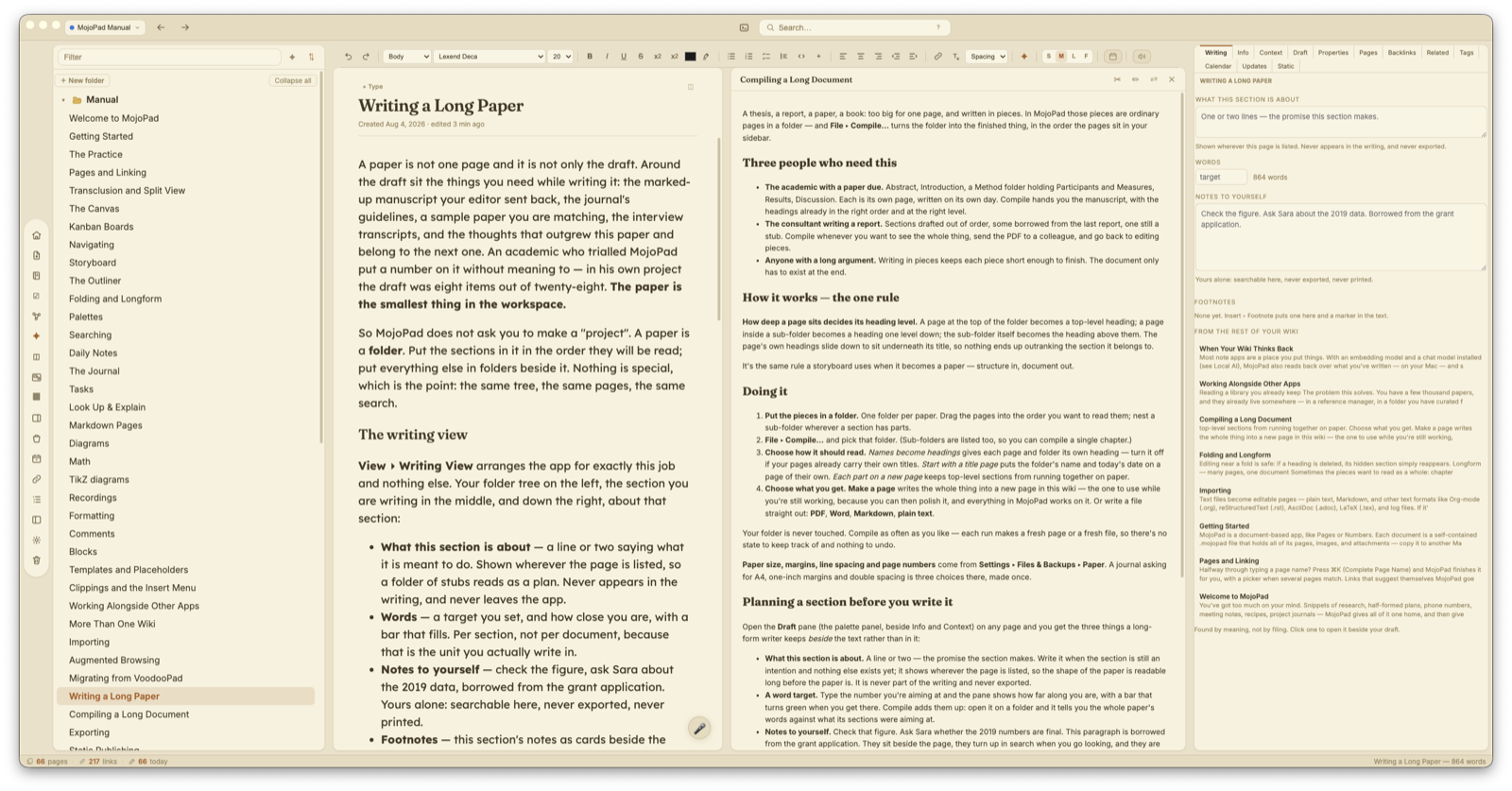
- Your private notes were printing. Notes to yourself and What this section is about promise they are never exported and never printed — and every export honored that, but printing did not: they came out on the paper in a column beside the page, under the very hint that promised they would not. Anyone who has printed a page with notes on it has printed the notes. Fixed, along with the toolbar and a small window's title bar, which were printing too.
- Clips go where you meant them to. Until now a clip landed in whichever MojoPad window you had used last, so what you clipped while reading depended on which window happened to be in front — fine with one wiki, a filing accident waiting to happen with several. Settings ▸ Web Clipper ▸ Clip to now lets you name one, and every clip goes there whatever you have open. Leave it on Whichever wiki is in front and nothing changes. Underneath it, File clips under folder names the folder they arrive in — and that folder is now created for you if it is not already there, which it never was before, so the setting simply looked broken. (Asked for by a reader who keeps several wikis — thank you.)
- A clip waits for the wiki instead of being lost by it. This is the important one. If the wiki a clip was going to had not finished opening, the clip was thrown away — silently, while your browser said it had been saved. The same thing happened every time to a wiki with a password: the clip arrived while the unlock screen was up, was discarded, and typing the password did not bring it back. Since the browser extension lets go of its copy the moment it hands it over, the article was gone and nothing anywhere said so. A clip is now held until the wiki is genuinely ready — including waiting on the unlock screen and filing itself the moment you type the password.
- A clip that has nowhere to go says so. If the wiki you named has been renamed, moved, or is on a drive that is not connected, MojoPad used to file the clip into whatever window happened to be in front, without a word — so weeks of reading could quietly accumulate in the wrong wiki while Settings still showed the name you chose. It now tells you, and offers to put the clip in a wiki that is open instead. Clips can also no longer land in the manual, which MojoPad replaces whenever the app updates, or in a small reference card, which cannot record where a clip came from.
- The same for everything else that arrives from outside. A line sent to today's note from a launcher or a shortcut, and a page printed with Save PDF to MojoPad, could be dropped the same way — and worse, because there is no browser tab to go back to. They wait now too.
- A clip is never reported as saved when it was not. With a lapsed trial, or with a change from another device still unresolved, a clip appeared in the sidebar and said it had been clipped while nothing was written to disk. It now says plainly that it could not be saved, and why.
- The Web Clipper settings say which tool each one is for. There are two ways to clip and they do not take the same settings, but they were listed together with no indication of which was which — with the bookmarklet's own address sitting at the top, so everything under it read as a bookmarklet setting. They are now grouped by what each applies to, and there is a link to install the extension, which until now the pane described without offering any way to get.
- A small window can be written in, with everything the main window has. Cards could already be edited — the pen in the header — but with no formatting controls and no Find, which made one a place to type rather than a place to write. Turn the pen on and a card now carries the same format bar and the same Find and Replace as the main window; turn it off and it is a clean reading card again. Since each card is its own window, you can draft in one, keep a source open beside it, and work on a translation in a third. (Asked for twice in one letter by an academic who translates quotations while he writes — thank you.)
- Quick capture waits too. A thought typed into the quick-capture panel (⇧⌘7) while its wiki was still opening, or sitting on its password screen, was thrown away while the panel closed as though it had saved. There is no browser tab to go back to for a thought, which makes it the worst place to lose one. It now waits, and if nothing can take it the panel keeps your words on screen instead of closing on them.
- The panel no longer says "saved" before it is. It cleared the box and reported success the instant you pressed Return, while MojoPad was still deciding where the thought should go.
- A dismissed format question no longer reports success. Clipping a whole page asks whether you want it clean or as a snapshot. Dismissing that question threw the clip away and the status line still said it had been clipped.
- Clipping several pages at once keeps all of them. Clips taken in quick succession into a wiki that was not open arrived together and asked their format question over the top of one another; one was answered and the rest were lost.
- Links to a page open the page. A link made with Copy Link to Page, clicked from an email or another app, waited half a second and then gave up — which is nowhere near long enough for a wiki that asks for a password, so it opened the wiki and sat on the home page instead. It now waits properly.
- Turning a Markdown page into plain text no longer leaves backslashes behind. Markdown pages store a backslash in front of characters you typed as text but Markdown would otherwise read as formatting — so that
*like this*comes back as you wrote it rather than turning into italics and losing the asterisks. Once a page is no longer Markdown those backslashes mean nothing, and they used to come across as literal text. (Reported by a reader writing Org-mode inside MojoPad, where asterisks are the formatting and this was exactly the wrong way around — plain-text pages are the answer there, and now the conversion tidies up after itself.) - What a document password covers, stated honestly. Setting a password encrypts your pages and everything about them. It does not encrypt whole files you brought in — an attached PDF, a saved snapshot of a web page, a recording — which sit inside the document readable, under the name they arrived with. The manual said otherwise, which was wrong, and it now says exactly what is and is not covered and what to use when the file itself is the secret. Encrypting those files is being worked on.
1.54.1 — August 4, 2026
- The menus fit on a laptop screen again. The View menu had grown to thirty-eight items at its top level and the File menu to thirty-three — taller than a 13-inch screen once the display is set to anything but the smallest text, so the bottom of the menu was simply out of reach. Nothing has been removed and no shortcut has changed: the commands that belong together are now in submenus (Outline and Show in View, Import and Files on This Mac in File, Rows and Links in Edit), which takes View from thirty-eight items to twenty-one. (Reported from a laptop screen — thank you.)
- Kagi works with a key bought today. MojoPad asked Kagi's Enrichment index, which is only reachable by their older keys — and a key created now cannot be given access to it at all: Kagi's own key screen offers Search and Extraction, and Enrichment is not on the list. So a subscriber who set this up correctly got nothing, four times per lookup, with no way to tell why. MojoPad now asks whichever of the two your key can actually reach. (Reported by a subscriber who traced it to Kagi's own v0/v1 split before writing in — thank you.)
- When a search provider refuses, it now says what the provider said. The log recorded "key refused, rate limited, or offline", which is three guesses and no answer. Kagi replies with a real explanation, and that is what gets written down now.
- Clipping a page a site will not hand over says so. "Check the URL and your connection" was the wrong advice for a news site refusing anything that is not a browser, or a page behind a subscription — the address and the connection are the two things that are fine. It now says what happened and points at the two ways around it: the browser extension, or selecting the part you want first.
- The thick cursor follows a card across the canvas. Type in a card, drag it, and the cursor stayed behind at the spot the card used to be. It also now keeps up when the board is panned or zoomed, and when a card is resized.
1.54.0 — August 3, 2026
Bring your own model. MojoPad's AI runs on your Mac, and that is still the default and still where most people should leave it. But a model needs memory — roughly three quarters of a gigabyte for every billion parameters — so on a Mac with 8 GB the only models that fit are ones that summarize English tolerably and are genuinely poor at rephrasing, at translating, and at answering in most other languages. That is not a setting anybody got wrong. It is the memory.
So Settings ▸ AI now tells you in one line how large a model this Mac can actually run, and what a model that size will and will not do well. Underneath it is the way around: Bring your own model lets the questions you ask be answered by a model somewhere else, using your own key. Pick your provider from the list and the address is filled in for you.
It is decided per wiki, which is the part worth knowing. Turning it on does not open everything you keep — the first time you ask a question in a particular wiki, MojoPad asks whether that wiki may send, and remembers the answer for it alone. A personal journal can stay on your Mac permanently while a research wiki answers from your model, on one key and one setting.
What leaves, and what does not:
- Only the questions you ask, from the wikis you permitted. Nothing else.
- Never anything automatic — indexing, search by meaning, resurfacing, the thinking that happens while you are away all stay on your Mac whatever this is set to. Nothing goes out while nobody is looking, and you are never billed for work you did not ask for.
- Never a page with a password on it, from any wiki, with this on or off.
- The Ask drawer says which model answered, every time it is not your own Mac.
Comments — a note in the writing that is not part of it. The paragraph you are unsure about and why. The source you still need to check. Write %% like this %% and it becomes a comment as you close it, or press / and choose Comment — either way the note sits beside your sentence, dimmed and in italics. It is never counted in the word count, never found by search, never part of what "search by meaning" reads, never shown to the AI or to a connected assistant, and it comes out of every export — PDF, ePub, Word, a published site, a page you share, the feed. The one exception is exporting as Markdown files, which keeps them, because that export exists to hand your writing to another editor and losing your own notes on the way would make it the one export that quietly threw something away.
Video in a page. You have a screencast of the bug, a voice memo from the walk, an interview you are transcribing. Until now those sat beside your writing as files to be opened somewhere else. Drop one into a page and it plays where you put it.
A copy goes inside the document, which is the point — the recording travels with your wiki, into your backups and onto another Mac, and it still plays. It also means the document grows by that much, so short screencasts and voice memos are what this is for; MojoPad tells you what a large file will cost before it goes in, and for a two-hour film a File link points at where it already lives and costs your document nothing.
Seeking stays quick regardless: drag the scrubber deep into a long recording and it jumps there, because MojoPad hands the player only the stretch it asked for rather than pulling the whole file first. Hover a clip and a speed chip appears — a screencast is usually watched faster than it was recorded and a passage you are transcribing slower, and no built-in player puts that within reach. Hover also brings up the resize handle at the corner — drag it to set the width. Neither needs a click on the clip first, so nothing starts playing while you are trying to size it.
The size is part of the page and survives saving, reopening and export. A page you share on your network arrives with its clips playable, scrubbing and all, and a published site carries the file out beside the page. Where a clip cannot play — a PDF, a Word file, an ePub — the page names the recording in its place, so a reader still knows what was there. Drop a recording onto the page list instead and it becomes a page in its own right, which you can link to like any other.
Your Mac's calendar, beside the day. You are writing up a Tuesday and cannot remember what filled the afternoon. Turn on Show your Mac's calendar in the Journal in Settings ▸ Journal and the day's events sit at the top of its card as you write: the time, the title, and a dot in the calendar's own color. Add something in Calendar and switch back and it is there — MojoPad reads the day again whenever you return to its window. It only ever reads: MojoPad never changes an event, never adds one, and nothing about your wiki reaches your calendar.
Kagi for web suggestions. The suggestions that appear beneath a page can now come from Kagi, whose index deliberately favors the pages an ad-funded engine buries. Kagi bills for every search, so a key sitting in Settings does nothing until you turn it on as well — nobody should discover afterwards that they were paying. Answers are kept for a week, so the same question is never bought twice.
Where a clipped page came from. A page that arrived from the web used to look like a page somebody typed. It now carries a small badge with the site's name beside its title; click it to open the original. Every clip already in your wiki gains one the moment its page is opened.
What you just selected. Highlight a passage and the status line reads "120 of 1,430 words selected", so you can size a section without counting it.
Small windows can stop floating. The little peek windows sat above everything, which is right when you are referring to one and wrong when you are not. There is now a preference.
The task pane. Task groups are cards now, overdue work carries an edge, the add row lines up with the list, and an empty list says what is actually true rather than looking misconfigured.
Fixes.
- The AI answers in the language you are writing in. Answers could come back in a language you had not written in and did not speak. Nothing in MojoPad had ever told the model which language to use — not in one of the three dozen places it asks a model anything — so it was left to the model to guess, and some lean toward the language of whoever trained them. It is now asked explicitly, everywhere, and it follows you: ask in Dutch and the answer is in Dutch. And because being told is not the same as obeying — a small model can ignore an instruction — there is now Answer in under Settings ▸ AI, which names one language and leaves the model no say in it.
- A checkbox inside a transcluded page no longer swallows the check. Checking it appeared to work and changed nothing, because the click was being read as belonging to the page you were reading rather than the page it came from. Underneath were two further faults with the same cause: a guard that named the wrapper instead of the box, and a tidy-up pass that took embedded content apart when it happened to contain a single list — which silently disarmed fifteen other guards that all depended on it.
- Settings had grown past its own frame. The editing pane was cramped and one of the options ran off the edge.
- The Journal stops offering back the panel it just put away.
- Cross-wiki pairing now only happens on one of two conditions, rather than whenever two wikis were merely open.
1.53.1 — August 2, 2026
A fix for palette buttons that did nothing, and three for the paths to getting help.
- Buttons in the palettes work again. Select in the Pages palette — and any other button that redraws its own palette — did nothing at all. The panel refuses to rebuild itself while something inside it has focus, so that a save running in the background cannot destroy a box you are typing in and take the words with it. That guard was right but too broad: clicking a button focuses the button, so a button could never cause its own panel to redraw. The click worked, the setting changed, and the panel sat there looking untouched. It now only holds back for something that actually holds text.
- Email Support shows the address. Choosing Help ▸ Email Support used to hand the click to whatever your Mac has set as its mail handler — which for many people is a browser, so the menu item opened a browser window instead of telling you where to write. It now shows the address, with a button to copy it, and still offers to open your mail app if that is what you want.
- The diagnostic report says where to send it. The whole point of the report is to be emailed to support, and it never named the address — you only saw it in the dialog that made the report, which is gone once the file is saved. It now says, at the top, to send it to [email protected].
- The report stops crying wolf. Two ordinary notices from the local-AI models — the kind a model prints every time it loads — were being recorded as errors, which made a working setup look broken to anyone reading their own report. They are recorded at their true, quieter level now, and a genuine failure is still flagged as one.
1.53.0 — August 2, 2026
Float the panels. For anyone who finds a wall of panes divided by hairlines hard to read at a glance, there is now a second way for MojoPad to sit in its window. Turn on Float the panels at the top of Settings ▸ Appearance and the page list, the page you're writing in, the split view, the palettes and the AI drawer each lift onto their own panel with a little space between them — so you can see where one thing ends and the next begins without a line being drawn to tell you. The icon rail comes along as a rounded dock rather than a fourth panel. It works with every theme, because it uses the colors your theme already has: a light theme stays light, a dark one stays dark, and the background you chose shows through the gaps. The gaps cost a small amount of width, which is worth knowing on a laptop screen, and turning it off puts everything back exactly as it was. It is off unless you ask for it.
Every panel now opens and closes the same way. Hover the divider beside the page list, the palettes or the AI drawer and a small chevron appears; click it, or double-click the divider, and the panel goes away with its width remembered. The page list and the palettes each leave a button on the window edge to bring them back. The AI drawer returns from ✦ AI. This was three different behaviors before: the AI drawer's divider reset its width instead of closing it and had no chevron at all, the button that brings the palettes back stayed on screen while they were open, and on a fresh launch that button was missing entirely — so the palettes could be closed with nothing on screen offering to reopen them.
A link you can type. Write [the 1987 paper](https://example.org/soc) in a sentence and it becomes a link the moment you close the bracket, right where you typed it. Nothing to select first. It is deliberately fussy about what counts as an address — it wants a real one — so "the result (see below) was clear" stays a sentence and your parentheses stay parentheses. One undo puts the brackets back.
Make Custom URL Link… writes something down. Run it on an empty line and it used to register the rule perfectly and show you nothing, because the rule matches text and there was no text to match: a command that asks for a word and an address, takes both, and appears to do nothing. It now writes the phrase where your cursor is. Underneath that was a second fault — what it inserted was never saved, because writing into a page from code doesn't count as typing. Both fixed.
Markdown export keeps your addresses. Links in MojoPad aren't stored in the page; they're worked out fresh every time a page is drawn, which is why a page you've never opened still shows its links. Export was reading the stored page, finding nothing, and writing plain text. It now does the same work the editor does before writing the file. A link to another page can reasonably come out as words — that page is in the same export. An address can't: strip it and the destination is gone from the file with nowhere to look it up. So addresses always survive, with no setting to find. An export now also carries out what the page actually shows: if a document has automatic linking switched off, or you have unlinked a particular phrase, the file matches.
Sharing on your local network says which document. The checkmark on Window ▸ Share on Web Server was set when you started or stopped sharing and at no other time, so it went on describing whatever you last toggled. Since several documents can be shared at once, that was exactly the case it got wrong: share one, switch to another, and the menu claimed the new one was already being served. It now follows the window in front. And the addresses in the message that confirms a share are links you can click, rather than words you copy off the screen — as are addresses in every other message MojoPad shows you.
Ask your wiki, with cleaner lines. The row under the box you type in had grown to six controls in four different shapes. Where the answer may look — your wiki, this page, the journal, or anything — now shows the choice in force and keeps the other three a click away, which is a better trade for the space when most people set it once. The persona, pinned pages and New conversation lost their outlines, and the microphone only lights up while it is actually listening. The one filled button is Send.
Also: Voodoo Dark got its panels back — in the floating layout they were built out of the page color, and it is the one theme with a white page in dark chrome, so the page list and palettes turned white while their text stayed the pale gray meant for charcoal. A table wider than the editor can be scrolled to again when the panels float. The theme swatches in Settings have room to breathe. The rule under the formatting toolbar no longer crosses the corner it is trying to curve. And the handbook now covers all of the above, including a question it had never answered: what happens to your links when you export.
1.52.1 — August 1, 2026
Corrections to 1.52.0, all of them from two readers asking good questions the day it shipped.
- Citation links now open. Exporting to Markdown writes a reader citation as a link back into your wiki — and clicking one from another editor did nothing at all, because the address it used was never registered with your Mac. It is now, so a citation opens the source at the right page and the right highlight, not merely the page. A citation pointing at a page the open wiki doesn't have says so rather than failing silently.
- Page links can survive a Markdown export. They came out as plain text, because MojoPad makes most of them for you — it recognizes a page name as you type and links it, and redoes that every time it draws the page, so there was nothing fixed to write down. For anyone moving notes to another wiki-shaped editor that was the one thing worth keeping. A new switch under Settings ▸ Links & Pages writes them as
[[Page Name]]instead. It is off unless you turn it on, so nothing you already export changes shape. A link whose wording you edited comes out as[[Page Name|the words you used]], so it resolves at the other end and still reads the way you wrote it. - The two AI settings say what they are. The row that chooses the model for writing was labeled only Model, which is exactly what you would click when wondering which model MojoPad uses — while the setting for finding pages by meaning sits below it under Search by meaning. The first row is now called Writing & answers. With your local AI stopped it also used to say all AI features were off, which stopped being true in 1.52.0: searching by meaning works with nothing installed at all. It now says which half is affected.
- The handbook explains both models properly. The Local AI chapter opened by saying everything ran through the AI program you install yourself, and every feature that mentioned models inherited that. It now begins with the two settings side by side — what each does, where each comes from, what happens without it — and lists every feature under needs a writing model, needs a meaning model, needs both, and needs neither. Several passages elsewhere still told you to install something for searching by meaning; they no longer do.
- What Automatic actually picks, written down. If you already keep your own models, Automatic uses yours — MojoPad's own is the fallback for a Mac with none, and is never chosen for you, so updating never quietly rebuilds an index you were happy with. Also now documented: choosing a model by name is worth doing if you stop and start your local AI, since on Automatic that changes which model is in hand and rebuilds the index each time. And MojoPad's own model reads English, which nothing anywhere said.
1.52.0 — July 31, 2026
- Searching by meaning needs nothing installed. Finding a page by what it is about, rather than by the words that happen to be in it, used to require installing and configuring a separate AI program — so on most Macs the whole of it was simply dark, and a wiki indexed for a year went quiet the day that program stopped running. MojoPad now brings its own small model for this. It comes down once — about 35 MB, roughly a podcast episode — and after that works here with no connection at all and nothing you write ever leaving your Mac. Ask for pottery firing and the note that says fired the kiln overnight at cone six comes back, though it shares not one word with what you typed. If you already run your own models, those are still what gets used — MojoPad's own is the fallback for a Mac that has none, not a replacement for yours. To use ours anyway, choose it by name under Settings ▸ AI ▸ Search by meaning, where all three options now sit: automatic, MojoPad's own, and each model you have installed. Changing that choice rebuilds each wiki's index from scratch, because two models don't measure alike and comparing one against the other produces a confident answer that means nothing.
- Read a library you already keep. Your papers already live somewhere — a reference manager, a folder you have curated for years, a drive. Bringing them in the ordinary way copies every one of them into your wiki: a second copy of everything, and from that moment two versions that drift apart. File ▸ Read a Library… does the other thing. Point MojoPad at the folder and it makes a page for each paper that says where the paper is, reads the words out of each one so it turns up in search and among related pages, and never copies, moves or changes anything. Sub-folders come too. You grant a folder, not a list of files, and that permission stays on this Mac and never travels inside the document — send the wiki to somebody else and they get pages that know a paper's name and nothing they can read until they point MojoPad at their own copy. One thing is still missing: papers read this way can be read, searched, found and quoted, but not yet highlighted. A highlight remembers a place on a page, and a paper you do not own can be re-downloaded or replaced at any moment — a highlight that quietly slid onto the wrong paragraph is worse than none.
- Citations you can check. When you ask your wiki something, the answer names the pages it drew on — and every one of those names is now checked against the pages the answer was actually written from. A name that checks out becomes a link you can click. A name that is a page of yours the answer never read is marked as exactly that: the assistant recognized the name without having read it, which is worth knowing before you lean on the claim. A name that is no page at all keeps its brackets and is marked plainly. Underneath, the sources split into Cited and Also read, because a thin answer sitting under a long list of sources looks better supported than it is. None of this asks the AI anything — it is plain name-matching, so it works the same whatever model you use.
- Questions about your whole wiki now read your whole wiki. Where do my notes disagree with each other? has been offered since the Ask drawer had suggestions, and it was answered from the handful of pages that best matched the words in the question — a question about everything, answered from six pages, with nothing on screen to say so. Ask one of those now and MojoPad says so, and offers the choice: read every page, in stages, which takes some minutes of your Mac's own thinking and can be stopped at any point — or answer from the closest pages, which is quick. Nothing long ever starts without you asking for it, and if the reading turns up nothing it says that too rather than assembling an answer out of whatever it happened to see.
- Where your notes disagree, waiting on the morning you open the Journal. MojoPad has been able to find places where two of your own notes genuinely argue — your March self against your November self — for a long time, but only if you went looking for it in a panel you had to remember. Now it can come to you. Turn on Look for places my own notes disagree in Settings ▸ Journal and anything it finds is waiting at the top of today: the two notes, a sentence naming the argument, and a line saying why they were put together at all. Turn on the second switch and it keeps looking while you are away from the keyboard — which is only affordable because the thinking happens on your own machine. It stops the instant you touch a key, never wakes a model on battery or on a Mac already running hot, does a fixed amount of thinking per wiki each time you sit down and then stops, never interrupts, and runs only while MojoPad is open.
- Importing twenty years of VoodooPad is a wait you can watch. A very large document looked like a hang: minutes of work with nothing on screen, and no way to tell it from a crash. It was reading each page's details with seven separate calls where one would do, and doing the whole thing in one unbroken run that left the window unable to answer. Now it is one call, the window stays alive throughout, and a progress bar says Reading page 3,412 of 11,208 with a rough time remaining. That bar now appears wherever MojoPad knows how much of a job is left, including imports and following a folder.
- A file whose words can't be read now says so. A scanned PDF is a picture of a page — there is no text in it to find. MojoPad gave up silently and permanently, so that page dropped out of search, related pages, Ask and Rediscover with nothing said anywhere. It now tells you, in the reader, that it looks like a scan and what to do about it.
- Share more than one document, on the port you choose. The built-in web server now serves every open document rather than one, lets you set the port, and announces itself on the network so another Mac on the same Wi-Fi can find it without being told a URL.
- One list of notes for a whole paper, and a compile that says what it left out. Long-form writing keeps a single list of notes across every section, and compiling reports what it skipped rather than quietly dropping it. The Draft pane also no longer swallows what you type into it.
- New Page from a File… accepts everything that following a folder accepts — the same formats, rather than a shorter list.
- A new voice in Ask: The Gardener, for asking about your own accumulation — what has grown, what has gone to seed, and what keeps coming back. The Ask suggestions now start from your own material rather than from "my notes" in general.
1.51.0 — July 30, 2026
- Changing a password keeps your history. Changing or removing a document's password left every saved version of every page sealed under the old one — the history stayed listed in full, and every single entry answered "could not load that version". For a wiki kept for a year that is the whole record of how the writing got where it is. Old keys now travel with the document, wrapped under the new password, so everything that was readable before stays readable. Removing a password unseals that history first, while the keys still exist, and says so plainly if any of it can't be reached rather than proceeding anyway.
- A password covers the shape of your thinking, not only the words. Page names and page contents were encrypted; the structure around them was not. Your folder tree carried every page title again in the clear, and belief stamps carried whole sentences about how your mind changed. Now the tree, the stamps, your task areas, projects, goals and labels, your territory names and the paths of any folders the document follows all go under the same password. Documents you locked with an earlier version are brought up to this the first time you unlock them — no action needed, and the password doesn't change. The encryption chapter of the manual now says precisely what is covered and what stays readable, rather than "the whole document".
- An AI agent reads the wikis you open, and no others. MojoPad's agent connection let an assistant read any wiki on your Mac — including ones you'd never mentioned, and ones you keep separate on purpose. The switch that looked like it governed this only ever governed writing. Reading is now limited to the wikis you have actually opened in MojoPad: opening one is what puts it on the list, so a wiki you keep for something private stays out of reach until you open it yourself. Settings ▸ AI Agents ▸ Agents may read widens it to anything on the Mac if that's the arrangement you want.
- A wiki an assistant builds for you, it can't read back. "Make a wiki from the documents in this folder" still works exactly as before. What it can read afterwards is the pages it wrote itself — enough to check and improve its own work — and not the files it gathered on your behalf. Open the wiki yourself and all of it becomes readable.
- A password-protected wiki is left alone entirely. An assistant could previously add a page to a locked document from outside, producing a page sitting in the clear inside an otherwise encrypted package — and the app rendered it normally, so nothing looked wrong. Protected documents are now refused for reading and writing both, with a message pointing at the way that does work: unlock it in MojoPad and ask it there.
- Ask which of your wikis knows about something. A new thing an assistant can do: put a question to your whole shelf and get back which documents relate to it and how strongly —
Home — 78/100, 6 pages match. Names and strengths only; not a page, not a sentence, not even a page title. It is answered by your own local AI, reading the meaning index each wiki already keeps, and it works with MojoPad closed. - And a wiki can answer without being readable. The wiki you'd most like help finding something in is usually the one you haven't opened in a year — which is exactly the one the rule above puts out of reach. So in Settings ▸ AI Agents ▸ Wikis agents may ask you can choose a document, one at a time, that may be asked but never read. Asking really does disclose less than reading; "less" is not "nothing", which is why it's a decision you make about one document rather than one MojoPad makes on your behalf for everything on your disk.
- MojoPad keeps a record of what an assistant did. Which tool, which wiki, and when — never what was in your pages. "Did that thing read my journal?" had no answer anywhere before, for you or for a support report. It's in Help ▸ Diagnostics, under AI agents, along with what all the settings are currently set to.
- What leaves your Mac, said accurately. The AI Agents pane promised that nothing about your wikis leaves your computer — on the one pane where that isn't true. MojoPad's side of it is local and reads nothing but your own files; the assistant is not MojoPad, and what it reads goes wherever it sends it. Ask the open wiki is the real exception and now gets its own sentence, because there your local AI reads your pages and composes the answer here, so only the answer travels.
- Search the other wikis you keep. Search as usual, and under the results there's now Also search your other wikis — pressed, not automatic, and nothing is stored. Results are grouped by wiki with a count for each, and clicking one opens that page in the wiki it belongs to. Choose… picks which wikis a wider search looks in, and remembers. A wiki with a password isn't searched, and says so by name rather than quietly returning nothing. (From the forum — thank you.)
- A sentence that mixes writing systems is read correctly on a Mac running in Japanese too. The voices were the right way around on an English Mac and inverted on a Japanese one, so the Japanese was read by an English voice and the English by a Japanese one. The question asked was "what language is this Mac in?" when it should only ever have been "can the voice in hand say this?". (From a reader writing bilingual papers — thank you.)
- Three things a reader found in an afternoon. A citation link copied from a reference manager survived the paste but not the page — links with schemes MojoPad allows were being unwrapped into plain text. A highlight brought in from another notes app couldn't be removed, because it arrived wearing a shape the highlighter didn't recognize. And dropping a file onto the page list did nothing at all. (Thank you.)
- Connecting a suggestion keeps your place. In the graph, connecting one of the suggested links jumped you back to the top of the article — so linking three meant scrolling back three times. The list now updates where it stands.
- Setting up Claude Desktop no longer risks the rest of your setup. If that app's configuration file couldn't be read — a stray comma, a half-written save — MojoPad started from an empty one, silently discarding every other connection you had. It now backs the file up, and refuses rather than overwriting something it can't understand.
- The diagnostic report tells the truth about your recent documents. It had been reading a file the app never writes, and a stale file of that name was lying around — so it answered confidently and wrongly. It now reads the same list the app does, and shows the wikis an agent may reach alongside it.
1.50.0 — July 28, 2026
- Bring your notes over from another app, pictures and all. Nearly every notes app can export what you've written as a folder — the notes in one place, the pictures they use beside them. Choose that folder with File ▸ Import…, or drop it onto a page, and the whole thing comes in. The pictures are the part that usually goes missing: a note points at them by a path that only means something in the folder it came from, so MojoPad reads them while that folder is still in front of it. It handles the three ways apps write those links — a plain path, a path with its spaces escaped, and the bare-filename style where the picture could be anywhere in the export — and the folders you had are the folders you get, however deep. Settings folders are skipped, so you get your notes rather than an app's configuration. (From a reader with notes scattered across several apps — thank you.)
- You choose what comes in, and where each part of it goes. Notes are rarely one kind of writing: a journaling app often holds a diary in one journal, a notebook in another and half-thoughts in a third, and a folder of notes usually has folders inside it. So choosing an export no longer imports it — MojoPad opens on what it found, a line for each part with its own count, and you say where each one lands: into a folder you already keep, chosen from a list of everything in your wiki, into a new one you name on the spot, or into the Journal as the days it belongs to. Or leave a part behind entirely.
- Dated writing can become Journal days. Entries written on the same day are put together on that day, in the order you wrote them — which is what a diary has always meant. Writing that carries no dates isn't offered the Journal at all, because an offer that can't work is worse than no offer.
- Links and tags survive the move. A link written in double brackets becomes a real link to that page — MojoPad links by name, so once both notes are in, they find each other. A tag written in a note becomes one of the page's tags, and stays in the text where you wrote it.
- Two things arrive switched off unless you ask for them. Some apps record where you were for every single note, and a journal keeps the place and the weather. That isn't usually what anyone means by "import my notes", so it's yours to turn on rather than yours to discover later.
- A sentence that mixes writing systems is read by two voices taking turns inside it. Your main voice reads what it can say; your second voice reads the rest. It works both ways round — so a Mac running in Japanese has its English read by an English voice, and nobody has to swap their two voices over when they change language. The question asked is never "is this Japanese?" but "can the voice in hand say this?".
- The MojoPad Voices speak English, so Japanese in the same sentence goes to your second voice. Until now, choosing one of them quietly switched the second voice off altogether, and Japanese was announced character by character instead of read. The on-device voice and your Mac's own now take turns inside the one sentence, and you hear a sentence rather than a seam.
- A Japanese word of one character is read as a word. 本, 人, 国 and 私 were each being swallowed by the English voice around them — a stretch shorter than two characters was folded into its neighbor, which is right for a stray Latin letter and wrong for a whole word.
- Both voices and the reading speed are in Settings ▸ Reading Aloud. They could only be reached from the bar that appears once a reading had already started — so the way to change them was to begin a reading you didn't want, change them mid-sentence, and start again.
- The page title can have a face of its own. Settings ▸ Editing ▸ Page title: the same face as your headings (which is what it has always been), the same as your body text, or anything you like. The Heading font setting already promised "headings across every page", and the page's own title — the largest heading on the page — was the one thing ignoring it. (From the forum — thank you.)
- Following a folder no longer rewrites every file in it. Linking a folder of twelve hundred notes re-saved all twelve hundred right away, which on a folder that syncs is twelve hundred re-uploads and a re-index in every other app watching it. The files are left exactly as they were found.
- A folder is followed all the way down, and much further than before. Sub-folders, and sub-folders inside those. If a folder holds more than MojoPad takes, it now tells you how many files it actually found and offers to follow a sub-folder instead, rather than saying only that the folder was large. (From a reader whose folder of twelve hundred showed five hundred — thank you.)
- Each file gets one page, even when a lot arrives at once. Notes dropped into several sub-folders at the same moment could produce a page per sub-folder that noticed — eighteen new files arriving as a hundred pages, several of them writing to the same file.
- Big jobs say what they are doing. Bringing in two thousand notes, or following a folder of a thousand, counts as it goes instead of leaving you watching a still window and wondering. Anything quick still happens without a word — a panel that flashes up and vanishes is worse than none.
- Following a big folder, and removing its pages again, no longer stalls the window, and pages that say the same thing are found again in a large wiki — that check silently found nothing at all above about fifteen hundred pages.
- The diagnostic report answers three questions it couldn't before: whether a followed folder is being followed in full, what an import actually brought in and what it couldn't find, and what a read aloud would sound like on your Mac.
1.49.1 — July 27, 2026
- Read aloud reads Japanese instead of skipping it. Handed a Japanese character, an English voice does not mispronounce it — it makes no sound at all, so 研究 passed in silence and the reading carried on as though it had been read. (Corrected after this release: this note first said your Mac reads out the words “Japanese character” once per character. It does not; that is what MojoPad's own voice did. The fault was real and is fixed — the description of it was wrong.) A sentence is now read in stretches, one per script, each by a voice that can pronounce it: the English in your chosen voice, the Japanese in a Japanese one, and on it goes. The place-marker, the progress count and a book's page-turning still work in whole sentences, so nothing else changes. On a Mac with a Japanese voice installed, a second picker appears beside the first — automatic (which keeps the same person where macOS ships them in both languages), any installed voice by name, or Don't switch, which reads everything with one voice exactly as before. (From a reader writing bilingual papers — thank you.)
- A page of Japanese is no longer zero words. The word count looked for runs of Latin letters and nothing else, so a page written in Japanese counted as empty — and a compiled paper was reported as zero words long. Scripts that put spaces between words are counted in words, scripts that do not are counted in characters, and the two are added. That is also the arithmetic those languages' own publishers use, where a length limit is quoted in characters.
- The buttons say what they do. MojoPad has its own tooltip — quick, styled, and kept on the screen — but it had been wired to three bars, and every other row of small glyph buttons fell back to the system's, which waits about a second of stillness and gives up the moment your hand moves to the next button. That is exactly how a hand reads a row of glyphs, and it ended with a reader emailing to ask what one of ours does. It now covers the whole window: the bar that appears when you select words, the split pane, the journal's mood and energy rows, the canvas menu, the peek window, the task detail header, the AI drawer. Links keep the system's own, since what a link's tooltip holds is a web address.
- A split-view button on the page itself. ◫ at the top-right of the page you are reading opens something beside it. The one in the toolbar stays — that one is about the window, this one is about the page, and it is the one you reach for without leaving what you are writing. (From a reader — thank you.)
- The panel toggles moved to the ends. Pages on the far left of the top strip, Palettes on the far right — the edge each one acts on, rather than somewhere in a row of glyphs. It holds however you have arranged the toolbar; if you keep either in the left rail instead, it stays where you put it. (From a reader — thank you.)
- The split view can open ready to write in. Settings ▸ Two pages at once. For anyone whose work is two documents at once, the pane opening read-only was a click every single time. A PDF, a book or a locked page can only ever be read, so those still open as a reading pane. (From a reader — thank you.)
- A compiled paper leaves the wiki's own links behind. Auto-links are a reading affordance inside a wiki: every phrase matching a page name lights up. Carried into a manuscript they became underlined text pointing at pages that are not in the file — in the prose, inside quotations, and inside the reference list, where an author's name that matches a page turned a citation into a dead link. Compiling to Markdown had always stripped them; PDF and Word had not, and those are the two a paper goes out as.
- A diagram that cannot hold Japanese says so. A TikZ diagram with a Japanese label showed
Package inputenc Error: Unicode character ^^e7^^b5^^82— which is 終. Its drawing engine only accepts the Latin alphabet, so the diagram does not come out as boxes, it does not come out at all. It now says that plainly, and points at Mermaid, which sets Japanese correctly.
1.49.0 — July 26, 2026
- A page can say what it's for, how long it should be, and what you still have to check. The new Draft pane (in the palette panel, beside Info and Context) holds three things every long piece of writing needs and no page could hold before: a synopsis — a line or two saying what the section is about, written while it's still an intention, shown wherever the page is listed; a word target, with a bar that fills as you write and turns green when you arrive; and notes to yourself — check that figure, ask a co-author, this paragraph is borrowed. The synopsis and the notes are yours alone: they turn up in search, and they are never exported and never printed, so the note you'd otherwise scribble in the margin and have to remember to delete can simply stay. Compile adds the targets up, so a folder tells you the whole paper's progress.
- Your papers and books are read for meaning too. The wiki's meaning index quietly skipped every PDF and ePub in it — so the one feature that can say "this relates to that" was blind to your whole library. It reads them now: a paragraph you're writing can surface the paper it belongs beside, Rediscover can hand back a book you skimmed months ago, and asking your wiki a question can answer from a document you'd forgotten you had. A long document is sampled across its whole length, so its findings weigh as much as its opening pages. All of it local, as before.
- Asking a question reads the part that answers it. When a source ran long, the answer was written from its first page or two — a book's title page, in other words. The passage handed to the model is now the one that actually matches what you asked.
- Finding related pages got faster, not slower. Adding books could have made it crawl; a cheaper first pass means it now does roughly a ninth of the work it used to, even with the documents in.
- Stopping a followed folder asks what to do with its pages. It used to keep them, always, and say so in passing — leaving a folder in your sidebar that looked exactly as it had a moment before. Now it asks: keep the pages, each still linked to its own file, or remove them, in which case they go to Recently Deleted (yours for 30 days) and the folder leaves the sidebar with them. The files on your Mac are left alone either way. The same choice is in the folder's own right-click menu, which now says Stop Following rather than Remove Folder — because removing that folder was never a tidy-up; the wiki went on following it, invisibly. (From a DEVONthink reader testing the new linked folders — thank you.)
- Following a folder again brings it back. If a folder had gone from your sidebar while the wiki was still following it, choosing Link a Folder… and picking it again did nothing you could see: the pages were already here, so nothing was created, nothing was said, and the folder stayed missing. Picking it now puts the folder back with everything that came from it inside, and says as much in a dialog rather than a line in the corner. Pages you removed come back from Recently Deleted as the same pages — same links, same place in the tree — instead of arriving a second time beside their own ghosts. (From the same reader, who found both of these in an afternoon — thank you.)
- A page you deleted stays deleted. A page that came from a followed folder reappeared the next time anything in that folder changed, or the next time you opened the document — as a new page, with the old one still in Recently Deleted. Deleting one now means it, and only asking for that folder again brings it back.
- Restoring a page doesn't overwrite its file. A linked page restored from Recently Deleted pushed its own words back over the file — a month later, that's a month of work in another app gone, or a conflict bar out of nowhere. The file is the one that's been in use, so the page now takes what the file says, and returns to its folder in the sidebar while it's at it. If another page has taken over that file in the meantime, the restored one comes back as words alone rather than fighting over it.
- A closed window lets go of the folders it was watching. Closing a document left MojoPad checking its followed folders for the rest of the session — and, if you opened that document again, made Stop Following unable to stop the checking at all. Both end when the window does.
1.48.0 — July 26, 2026
- A followed folder sees more than Markdown. Org-mode, reStructuredText, AsciiDoc, LaTeX, TaskPaper and log files are text files people keep notes in, and Link a Folder walked straight past them. They become pages now, like any other text file — and, unlike a Markdown file, they become plain text pages, so what MojoPad writes back is exactly the characters that were there. An Org file stays an Org file. (From a reader — thank you.)
- Cut, Copy, Paste and Paste and Match Style can be given new keys. They were the only commands missing from Settings ▸ Shortcuts, which made ⇧⌥⌘V a life sentence. Swap it with ⌘V if plain-text pasting is what you do all day; macOS's own behavior follows whichever key you choose. (From a reader — thank you.)
- Paper that looks like paper. Every PDF was US Letter, with whatever margin the renderer chose, no page numbers, and a screen typeface — nothing you could change. Settings ▸ Files & Backups ▸ Paper now sets the size (US Letter or A4), the margins, the line spacing, the typeface, and whether pages are numbered, and everything printed or written to PDF follows it: one page, a whole document, or a compiled folder. A journal asking for A4, one-inch margins and double spacing is three choices, made once.
- ⌘P prints the page, not the application. Printing sent the sidebar, the toolbar and every open panel to the printer along with your writing. It prints the page you're reading, on white, with headings kept with the text beneath them.
- Compile a folder into one document. A thesis, a report, a paper: too big for one page, so you write it in pieces. Put the pieces in a folder, drag them into the order you want them read, and File ▸ Compile… hands you the whole thing — with how deep a page sits deciding its heading level, its own headings sliding down to sit under its title, and sub-folders becoming the headings above their parts. Choose a title page, a page break between parts, and whether names become headings at all. Then take it as a new page in your wiki to polish, or straight out as PDF, Word, Markdown or plain text. Pages you've marked Skip on export stay out, so your research and scratch notes can live in the same folder as the writing. Your folder is never touched, and you can compile as often as you like.
- Read aloud reads the pane you're in. With a source open beside your writing in Split View, selecting words in that pane and pressing the speaker read the other page from the top — the reading always belonged to the main editor. Now it follows the pane you acted in, whether you select words there, put the cursor there, or right-click in it. Listening to a source on one side while drafting on the other was the whole point. (From a reader — thank you.)
- Japanese reads as sentences. Read Aloud looked for a period followed by a space, which Japanese never provides — so a Japanese page arrived as one enormous block and was chopped every 280 characters, mid-word, with the follow-along highlight covering whole paragraphs. It now ends a sentence at 。!? and, in a long stretch without one, breaks at a natural pause instead of mid-character.
- The Journal button closes the Journal. Every other panel button in the toolbar shuts its panel when you click it again; Journal rebuilt itself on top of itself instead — leaving an extra "↑ Today" button behind each time. Clicking Home while you're already home no longer rebuilds the page under your cursor either; it takes you back to the top. (From a reader — thank you.)
- Split view has a button. ◫ in the toolbar opens a page beside the one you're writing, and closes it again. It was previously only in a menu, a right-click, or an ⌥-click on a link — easy to miss if you use it constantly. (From a reader — thank you.)
- An excerpt says which page it came from. Dragging a passage out of a PDF leaves a quotation and a citation link; the citation now reads ↩ Source · p. 47 rather than just the paper's name, so a draft full of quotes can be read without clicking each one to find out where it came from.
- Embedded pages appear in exports. A page embedded with
![[Page name]]exported as an empty box — in HTML, PDF, Word, ePub and published sites alike. A manuscript assembled out of embeds exported as a page full of holes. The embedded words now come through, as a quoted passage under the name of their page. - Footnotes point at their own notes. In a whole-document PDF every page numbered its footnotes from 1, so every reference in the book jumped to the first page's first note. Each page's notes are now its own. That export also no longer ends with a blank sheet.
1.47.0 — July 25, 2026
Storyboard — some writing is too big to hold in your head: a novel, a thesis, a forty-minute talk. Lay it out as cards, write inside the structure, and see the whole of it while you work on any one part.
- A tree of cards, in columns. File ▸ New Storyboard gives you a board where the first column holds your top-level cards — chapters, acts, sections — the next column their children, and so on as deep as the work needs. Click a card and it lights up with everything that belongs to it while the rest of the board recedes, so brightness answers "what am I looking at, and what belongs to it" at a glance. Whatever you select stays centered: the card, its parents, and its children all line up in the middle of the window, however deep you go.
- Grow it from the keyboard. Return writes in a card, Esc when you're done. ⌘↓ adds a card below, ⌘↑ above, ⌘→ a child — and a new column opens the first time you go deeper. ⌥arrows move a card, with its whole branch traveling along; ⌘⇧↓ merges two cards when the thoughts turn out to be one; ⌘Z undoes any of it, drags included. Prefer the mouse? Point at a card and insert tabs grow on its edges — above, below, and a child on the right, each naming its shortcut as you reach for it — and every card drags by the ridged handle on its left.
- A card is a page in miniature. Markdown as you type —
##becomes a heading,-a list — and / opens the command menu for anything markdown can't say: callouts, equations, diagrams, videos, links, images, a transclusion of another page. The format bar wakes up as you write in a card and the floating bar appears when you select words, ✦ AI button and all. Name another page inside a card and it links, exactly as it would anywhere else. ⇧Return opens one card fullscreen when it stops being a note and becomes the draft. W shows live word counts for the card, its branch, and the whole board. - See what you'll get before you commit to it. The Send to… button in the board's top-right corner opens a panel beside the board showing the finished thing. Choose the shape — a paper page or an outline page — and watch the preview change. Choose how much: everything, this card and everything under it, the deepest cards only, or just the column you're in. The board stays live beside the panel, so clicking a different card moves the preview with it — which is how you send one chapter of a long board rather than the whole thing. Create page makes what you're looking at, as a new page; the board itself is never touched. An outline page gives one row per card with its prose in the row's note. A paper page turns the structure into a document: how deep a card sits becomes its heading level, its title becomes that heading, and the rest becomes the prose beneath. Draft a book in cards; hand in a manuscript.
- Or export the board itself. You don't have to make a page first. Export Page As — PDF, HTML, Markdown, plain text — reads a board as the document it describes, by the same rule the paper page uses. So do the whole-document exports, the ePub, the Word files and the website. Cards holding a picture, a table or a checklist come through as what they are. A board is a manuscript wherever you send it.
- Bring a board in from elsewhere. Copy a tree out of another card tool or outliner, click the board's background, and paste: the whole thing arrives nested exactly as it was, markdown rendered, web addresses linked, and the stray markup other apps leave in their text cleaned away rather than showing up mid-sentence. Exported files work too,
.jsonor OPML — so anything that can write an outline can hand you a board. - A sample storyboard to poke at. Help ▸ Add a Sample Storyboard drops a board called Welcome to Storyboards into your wiki — a storyboard about storyboards, whose every card is real and yours to edit, move or delete. Reading about a new way of writing only gets you so far; this one you learn by pressing the keys. Delete the page when you're done with it.
- Choose the board's mood. A swatch in the corner sets the backdrop: ocean, indigo, slate, graphite, forest, moss, plum, ember, or your own color. Each board remembers its own, so a novel can sit on midnight blue while a research board sits on moss. A shortcuts panel sits along the edge while the grammar becomes muscle memory; ? tucks it away.
Your pages can live in files on your Mac. A DEVONthink user asked for this, and it was built with that arrangement in mind: point MojoPad at a folder your document manager already indexes and the same notes are live in both places at once. Write here, and the file in your library changes. Write there, and the page catches up. Nothing is copied, nothing is converted, and your library stays the source of truth — thank you for asking.
- A page that is a file. File ▸ New Page from a File… asks for a markdown or text file anywhere on your Mac and gives you a page whose words are that file. It links, it's found by search, it takes backlinks, it shows up in the graph — like any other page. But type here and the file changes; change the file in another app and the page catches up, usually before you've looked back at it. Nothing is copied and nothing is converted. Use it when a note already lives somewhere it needs to stay: a folder DEVONthink or another document manager indexes, a shared folder, a project's notes, something you also edit on a phone. MojoPad writes the file in place, so an indexed item stays the same item and the links your library holds to it keep working.
- Follow a whole folder. File ▸ Link a Folder… takes a folder of notes and makes a page of every text file in it, with the folders inside it becoming folders in your sidebar. Files you add to that folder later turn up as pages on their own — whether they appear while you're working or while MojoPad is closed. Clip something into the folder from another app, and a minute later it's a page here, searchable and ready to link. Stop Following a Folder… ends the arrangement whenever you like; the pages stay, each still tied to its own file.
- Send a page you already have out to a file. The other direction: open any page and choose File ▸ Move This Page to a File…, say where it should live, and its words go there — page and file are the same thing from then on. Its name, tags, properties and backlinks stay in the wiki; the file gets the writing.
- A page tells you when it reaches outside. Any page whose words live elsewhere carries a small mark under its title naming its file; click it to show that file in the Finder. If the link isn't live — the folder wasn't approved, or the file has gone — the mark says not connected instead, so you always know which pages are talking to disk and which aren't.
- Neither side gets overwritten. If a page and its file are both changed while they're apart — you wrote here, something else wrote there — MojoPad won't pick a winner. A bar offers Use the file's or Keep mine, with both versions intact until you choose.
- You're asked before anything on disk is touched. A MojoPad document is a folder you can send to someone, so opening one that came from elsewhere asks first, naming every folder it wants to reach — and approving only the folders it named. Say no and those pages still open, from the copies stored inside the document, and nothing on your disk is read or written. Only text files can be linked at all, a link that turns out to point somewhere else is refused, and a document with a password can't have linked pages, because those files would sit unprotected.
- Your words stay yours even when the file doesn't. Every linked page keeps a copy inside the document, so it still opens, still searches and still appears in the graph when the file is on a disconnected drive or has been deleted. Put the file back and the page reconnects to it.
And the rest of it —
- A backslash does what it should in Markdown. Writing
\*now shows an asterisk instead of starting italics — the standard way to say "treat this character as itself". It works for every punctuation mark, in Markdown pages and in cards, and what you wrote stays that way when the page is saved and opened again. - Markdown reads more of what you write. Written-out characters like
&and—now come through as the characters themselves rather than as the code for them;__bold__works alongside**bold**; a heading that closes with its own hashes drops them; and a code block indented under a list item stays with that item instead of spilling backticks into the text. - A heading no longer runs into the paragraph under it. Exporting to Markdown ran two blocks together whenever they sat inside the same list item — "Why it mattersRisks grow…" — so an exported page could arrive with sentences fused. Every block now gets the blank line it's owed. This affects any page with paragraphs inside list items, not only boards.
- Code blocks wrap on paper. A long line in a code block used to run off the right edge of a PDF or a printed page, taking the rest of the line with it and printing a scrollbar where the words should have been. On paper it wraps; on screen it still scrolls, which reads better there.
- Outlines show their structure. A faint line now runs between the rows of a branch, so a deep outline reads at a glance. It appears wherever a row has children, stays clear of every bullet, and vanishes with the branch when you collapse it.
- Collapse arrows work where you see them. Clicking the little triangle beside a parent row did nothing until you'd first moved the pointer onto the row itself — the triangle you were aiming at was a picture, not a button. It's the button now.
- The chevron you click stays under your finger. Collapsing a section near the end of a long page dragged the whole document downward — the branch appeared to fall away rather than close up into its heading, and the chevron ended up somewhere other than where you clicked it. Rows now hold their place through both collapse and expand, whether they are outline rows, bulleted items or headings.
- Highlight a passage in a PDF. Select text and a small bar of colors floats above it — amber, yellow, green, pink or blue. Until now the only way to leave a mark was to quote the passage into a note; you can simply mark it while you read. Right-click a mark to recolor or remove it, or clear them all from the toolbar. Anywhere else in the page the usual right-click menu is back — Copy, Look Up, Read Aloud — and it now looks up whatever word is under your pointer, without your selecting it first.
- Exporting a long document to PDF works. Sending a large document — one with images, or simply a lot of pages — to PDF asked where to save it and then quietly wrote nothing at all. It exports properly now, and if an export ever does fail it says so instead of leaving you looking at an empty folder.
- Keep the manual in your own wiki. Help ▸ Add the Manual to This Wiki drops the whole manual in as a single page with a table of contents, so the documentation turns up in search beside your own notes and you can scribble on it. Delete that one page to remove it.
- MojoPad opens wearing your theme. Launching flashed the default look for an instant — theme, spacing and toolbar — before snapping to yours. The window now arrives correct from the first frame. (From a reader — thank you.)
- Carry your settings between two Macs. MojoPad ▸ Settings File ▸ Export Settings writes your preferences to a small file; put it in whatever folder you already sync, and Import Settings on the other Mac brings across theme, fonts, layout, spacing, shortcuts and the rest. Your license, your open documents, each machine's window positions, any search key you've pasted in, and the folder permissions you've granted for linked files all deliberately stay put — those belong to the Mac you're sitting at. (From a reader working across a laptop and a desktop — thank you.)
- The diagnostic report says more, and gives less away. Help ▸ Save Diagnostic Report now tries the update address from inside the app and writes down exactly what happened — reached in so many milliseconds, or the precise reason it failed — alongside a second, unrelated address, so a report tells us in one line whether a Mac can't reach anything or only can't reach us. It also records where the app is installed from (the usual reason a Mac can never update itself), your storyboards and how big they are, how many reading highlights a document holds, and the state of every page linked to a file. Any key you've pasted into settings is named but never printed, and a folder nobody has approved is never read.
- The update check keeps trying. Checking for updates at launch made a single attempt a few seconds in; if the network wasn't ready — waking from sleep, a VPN still connecting — it gave up until the next restart, which on a Mac left open for weeks reads as "it never updates." It now retries until it reaches the server, and checks again quietly through a long session. And if it truly can't get through, it now names the reason and offers the download page, rather than saying "try again later." (From a reader who noticed and then pinned it down — thank you.)
1.46.0 — July 23, 2026
Writing with sources — footnotes that keep up, scripts, templates anywhere, and a page in its own window.
- Footnote numbering keeps up with your writing. Insert a citation between two earlier ones and every reference renumbers to reading order on the spot — the new one takes its rightful place, the later ones step up, and the notes list reorders to match. Writing was never linear; now the numbering knows it. (From a reader — thank you.)
- Cite the same source twice. When a page already has footnotes, the footnote command first asks: a new note (just press Return — it's preselected) or reuse any existing source, listed by number with a snippet of its text. A reused source shows the same number at both places, with a single definition at the foot of the page.
- Superscript and subscript. x² and H₂O, from the format bar, the floating bar, or the / menu. On Markdown pages they travel as
^x^and~x~— with markers that hug the text, so prose about prices and paths never turns into stray scripts. - Insert a template into any page. A page born from a link never offered a template; the workaround was delete, recreate, re-link. Now: stand on the page, type /template, pick one — it expands at your caret with this page's name and date filled in, on any page, whenever you decide it needs a shape.
- A page in its own small window. Right-click a page ▸ Open in Small Window: a compact card that floats above your other windows — even other apps — so the reference stays in view while you write. It opens in a blink, updates live as the page changes, and the ✎ pen in its header makes it editable right there (eyeglasses to go back to reading). If the same page ever has unsaved changes in two windows at once, MojoPad never guesses: a small bar asks — Use theirs, or keep mine.
- Books show their pictures. An ePub's illustrations and diagrams now appear in the book reader, sized to the reading column. Only images carried inside the book itself are shown — anything a page tries to fetch from the web is quietly left out, so reading never phones anywhere. (From a reader — thank you.)
- Zoom a PDF. The small − 100% + pill at the reader's corner, ⌘+/⌘− over the pages, ⌘0 for fit width, or a trackpad pinch. Pages re-render sharp at any size, highlights stay exactly on their words, and every document remembers its zoom along with your reading place. The document toolbar — Reload, Book Notes and friends — now stays put while you scroll, too.
- The manual protects your imports. The built-in manual is a reference copy that app updates replace — importing files into it would quietly lose them on the next update. MojoPad now declines, explains why, and points you to your own wikis.
1.45.6 — July 23, 2026
The graph opens instantly — and two fixes from a reader.
- The graph appears the moment you ask for it. Opening the map used to sit frozen for several seconds before anything moved — and showing the whole wiki froze it again. The map now appears and starts moving immediately, with its connections right there; on the full map, the territories and the discovered connections fill in behind a map that's already alive. The larger your wiki, the bigger the difference.
- Styling a line keeps your place. Choosing a paragraph style with ⌃⌘S applied the style but threw the page back to the top, leaving you to scroll down and find your line again. You now stay exactly where you were, caret in place. (From a reader who described it precisely — thank you.)
- Close buttons near the top edge work again. In full-screen views — the mind map, presentations, image previews and the like — controls sitting in the window's top strip could swallow your click without doing anything, because that strip doubles as the window's drag handle. Every full-screen view now takes back its own clicks.
- The meaning index saves far less often. MojoPad keeps an index of what your pages are about; it was rewriting the whole of it after every burst of editing. It now waits and writes at most once every few minutes — easier on your battery, and much easier on a wiki kept in a synced folder, where every rewrite was re-uploaded.
1.45.5 — July 22, 2026
Big wikis stop freezing when you add a page.
- Creating a page no longer stalls the app. On a wiki of several hundred pages, adding one — a new note, a wiki link, a clipped article, the first journal entry of the day — locked everything up for over a second: text stopped appearing mid-word, and anything moving on screen stuttered. Adding a single page was quietly re-reading and re-indexing every other page in the wiki. Now only what actually changed is re-examined, and the wiki-wide catch-up runs a little at a time between frames, so nothing stops while it works. The larger your wiki, the bigger the difference.
- The meaning index saves without interrupting you. Every time a page was re-read for meaning, MojoPad rewrote its entire index in one go — on a large wiki, a visible hitch each time. It now writes in small pieces in the background, and waits for a burst of edits to settle instead of rewriting once per page.
- Typed formulas appear as you type them. Writing an inline equation the plain way —
$a^2 + b^2 = c^2$— left the dollar signs sitting there as text. On a Markdown page it only turned into a real formula once you toggled Formatted and back; on an outline it never did, no matter how many times you left the page and returned, until you converted the page to Markdown and back. Now the formula typesets the instant you type the closing dollar sign, on rich-text, Markdown, and outline pages alike. Prose about money is still left alone — “it costs $5 and $10” stays plain text — and if you did mean the dollar signs literally, ⌘Z once puts them back. (From a reader who pinned down both cases and exactly what made each one render — thank you.) - The map's new-node animation plays smoothly. When a page springs into the graph, the gold orb and its sonar rings had been competing with all of the above. They now have the frames to themselves, and the map wakes to full speed the moment a node is born rather than easing in from its idle check.
1.45.4 — July 22, 2026
Four fixes, three of them from readers.
- Updating keeps the document you were in. Choosing Restart Now for an update could bring MojoPad back to the new-document screen instead of the page you were working on. Your work was never lost — the list of what to reopen was being wiped a moment after it was written, as the update closed the windows. It's kept now. (Because the old version does the writing, the update onto this one is the last time it can happen.)
- The paragraph style palette leaves your text alone. With ⌃⌘S, choosing a style added an extra empty line above the one you were on — and if you had words selected, it deleted them. The Enter that picks the style was also reaching the page behind the palette. (From a reader who reported both halves precisely — thank you.)
- New Page from Clipboard works again. ⌥⌘V reported "the clipboard has no text to paste" even when ⌘V pasted the same clipboard happily. It was asking the wrong part of the app for the clipboard. (Thank you for the clear report.)
- No more red flash in the page list. Clicking a page briefly drew a red bar on the row above or below it — the keyboard-navigation highlight appearing where a mouse click didn't need one.
1.45.3 — July 22, 2026
Switching columns keeps your place. In Side by Side — two pages open as editable columns — pressing ⌥⌘O to jump between them sent the cursor to the top of the page every time, losing your spot mid-document. Each column now remembers where your cursor was, so switching back lands you exactly where you left off, with the view held in place. (From a reader who caught it — thank you.)
1.45.2 — July 22, 2026
Documents in iCloud reopen right away after an update. On a Mac where your wiki lives in iCloud Drive and hasn't been opened in a while, MojoPad could sit for up to a minute after an update before your document appeared — long enough to think it had opened to an empty launcher and lost your work. It never had: the app was waiting on a slow iCloud disk check before it would even show the window. The window now opens immediately and fills in as iCloud downloads your pages. (This is the real fix for the reopen delay 1.45.1 reached for and missed — that one addressed a case that doesn't actually occur.)
1.45.1 — July 21, 2026
A wiki kept in iCloud reopens after an update. If your MojoPad document lives in iCloud Drive — the Desktop & Documents folders sync there by default — a Mac that hadn't opened it in a while can hold the file as a not-yet-downloaded placeholder to save space. After updating, MojoPad would then land on the launcher instead of reopening it, as though the wiki were gone. It never was: your notes are safe, on disk and in iCloud. MojoPad now recognizes a document iCloud hasn't downloaded yet and opens it — which prompts macOS to pull it back — so your wiki comes back on its own.
1.45.0 — July 21, 2026
A full task manager, born inside your wiki. Empty your head from any app (⇧⌘7, start with "task:"), run your morning from Today with one-click Reschedule for the overdue, and plan on a board or calendar — while every task remains a plain checklist line on a page, right next to the thinking that produced it. The sidebar reads as a philosophy: Goals → Projects → Areas → Tags — the outcomes you're steering toward, the finite efforts that serve them, the parts of life they belong to, and the threads that cut across. Link a project to a goal and the goal's count rolls up everything beneath it — and a task can serve a goal directly, no project wrapper needed.
- ✦ Break it down — tasks that arrive prepared. Right-click any task and your local AI reads it — its notes, and your own pages around it — then proposes the concrete next steps. Wrote "get an estimate to replace the electrical panel" and your notes mention the insurance deadline and your budget? The proposed steps will too. Keep the ones that are right and they land as real sub-tasks, nested under the task on its page; an unfiled task also gets a filing suggestion — the project or goal it clearly serves, from your own shelves. Entirely on your Mac, like all MojoPad AI.
- Finishing feels finished. Checking a task off pops the circle with a small ring and the row settles away — and completing the last open task in Today, the Inbox, or a project takes a quiet serif beat across the screen: Today, cleared.
- Reminders are real. Give a task a reminder and macOS notifies you at the moment — app open or not; click the notification and you're on your tasks. Remind before the task (10 minutes, an hour, a day) and the reminder follows when the task reschedules — or name any date and time in plain words.
- Everything a task app owes you: natural-language capture, priorities in the circle (Critical → Low), the calendar date picker with time and duration, repeats that count from the due date — or from the moment you finish ("every 3 days after done"), for habits.
- Make it yours, in color. Creating a project, goal, area, or tag opens a proper little dialog — name, eight color swatches plus a full color wheel, and a live preview. Colors tint each entry's mark in the sidebar (projects wear a folder, goals a target, tags a #), right-click recolors, hides, or deletes — deleting an area or tag sweeps it off every task carrying it, with a count before you commit — and the views themselves wear color-coded icons.
- The task view: click any task for its detail window — rename in place, add sub-tasks under a Sub-tasks heading that shows a done count (2/5) and folds behind a chevron, and keep a timestamped comment log that lives in the page itself. Existing tasks nest too: drag any row onto another and it becomes that task's sub-task (the target row lights up as a container), or right-click ▸ Make sub-task of… to pick the parent from a searchable list — even one on a different page — and it travels with its own sub-tasks and notes; Promote to full task lifts it back out, one level at a time. And the lists show the tree: sub-tasks sit indented under their parent, as deep as you nest them — and when a sub-task earns its own place in Today but its parent isn't due, it appears as a full row wearing a ⤷ breadcrumb back to its parent (click it for the parent's detail). A sub-task never hides just because its parent didn't make the cut. When the tree gets tall, fold it: a parent carries a disclosure chevron — click ▾ and its sub-tasks tuck away behind a small done-count badge on the title (0/5), which turns red when something behind the fold is due, so a fold can never make you miss a date silently. Folds are remembered. Links in comments are clickable, commented tasks show a 💬 count, and Delete task (right-click) names what it takes with it.
- The Inbox is a place. It holds exactly the tasks you haven't filed onto a project or goal — dated or not — so a task has one home, never two. Unfiled tasks read "⌂ Inbox" everywhere.
- List, Board, Calendar. Boards re-file tasks when you drag across lanes — including a Status board (To do · Doing · Done · Parked); the Day calendar is an hour grid where durations size the blocks — set times and durations and it's your day plan; Manual sorting drags a project's actual lines into your order. Save any arrangement as a named view. The sidebar resizes to taste.
- Clear separation, honest bridge. Checklists in your notes stay notes. "Import tasks from pages…" moves the ones that are really tasks; filing a task onto any page makes that page a project. Pages born on the task surface file themselves into a Task Board folder — no clutter in Unfiled.
Your second brain follows you around the web.
Turn on Augmented Browsing and pages you read in your browser quietly show you where they touch your own notes. A phrase that matches one of your wiki's page names gets a soft dotted underline — hover it and a small card shows your note's opening lines and how connected it is; click and the page opens in MojoPad. The Clip to MojoPad extension's toolbar icon counts each page's connections, and its panel lists them all — with Clip and Mute a site right there.
- Related by meaning. With your local AI running, the panel also suggests pages of yours that are about what you're reading even when no title appears in the text — your wiki's semantic index, pointed at the open tab.
- Quiet by design. First occurrence of a term only, a hard cap per page, nothing inside forms, editors, or code — and single common words ("Ideas") stay out entirely. Hide any term forever from its hover card; mute any site from the toolbar panel.
- Aliases are the lever. Highlighting matches page names — give an important page a short alias and it starts lighting up everywhere. Captured pages match cleanly too: a page saved as "Permaculture - Wikipedia" also lights up plain "Permaculture".
- Off by default, and truly local. Nothing happens on any page until you flip the switch in Settings ▸ Web Clipper. Your page names flow out to the extension; nothing about your browsing flows back. Matching runs inside your browser, the related-by-meaning digest goes only to the app on your own Mac, and turning the switch off deletes the exported list on the spot.
Requires the Clip to MojoPad browser extension (the same one that clips pages — one extension, both jobs).
Your pages as a live table, board, or gallery — Database Views. Your pages already carry structure — tags, Page types, and your typed properties. Database views turn that structure into something you can see: run New Database View… and every page becomes a row you can filter, sort, and group, updating live as you write. "Books I'm still reading, by rating" or "every meeting this quarter, grouped by person" — built in a minute, saved forever.
- Filter, sort, group, choose columns. Stack filters as removable chips; click a column header to sort; group by any field for per-group counts. Columns include your properties, tags, Page types (drawn as their colored chips), dates, word counts, and task counts.
- Computed columns — a formula of your own.
daysBetween([Modified], today())for "days since I touched this";if([Rating] > 4, 'great', 'fine')for verdicts. Checked as you type, sorting and grouping like any other column — and a typo can never break a row, only mark its own cell. - One view, three faces. The Table is joined by a Board — lanes from any select property, for pages that move through stages (a reading pipeline, a writing pipeline, a note-maturity garden). Dragging a card between lanes changes the property itself, and double-clicking a lane renames it for every page at once. And a Gallery — a wall of cards wearing each page's cover image and key values; grouped, it reads as shelves.
- Views live inside pages too. Type
/and choose Database view (or write![[view:Reading list]]on a Markdown page) and a compact live table lands right in the page — a project page that opens with its own task list.
Your whole wiki as a wall you can actually read. Press Gallery and every page becomes a card — the title, a real slice of what's written on it, its key values. It's for the moment you know something exists but not what it's called: a month of clippings you never filed, the reading pile, everything in PKM Research. Click a card and it opens over the wall, full size and readable, with ‹ › to walk to the next card — so you can triage twenty pages without losing your place once. Open the page properly when you find the one you wanted, or close and carry on.
- A door on every folder. Hover any folder in the sidebar and a small ▦ appears: that folder's pages as a wall, its own pages only. Nothing to set up, no view to name or clean up afterwards.
- Files open as files. A PDF card opens as the PDF, an ePub as the book, a saved article as the article — the same readers the page uses, with page position and zoom for a PDF, text size for an ePub, and a way out to your system viewer. A card that says "go elsewhere" isn't a preview.
The Journal gets a face. Every day is now a card — a bordered sheet with the day's name in serif and the date in quiet small caps — with today's card wearing a warm tint: the standing invitation. Under each header sit two one-tap instruments: MOOD (five faces) and ENERGY (five rising pips). They store as tidy metadata on the day's page, never in your prose — and Ask your journal and ✦ Reflect read them beside your words, so "how was my week?" can notice that your energy dipped the days you wrote about staying up late. Opening the Journal now lands the caret ready to write — a blank day in the compose line, a written day at the end of your last line.
The Graph's controls come home. Every control now lives in one stack down the canvas's left edge — same pills, same labels, one width — so nothing hides in an overflow menu on a smaller screen: a MacBook Air sees exactly what a big display sees.
Also in this release:
- Present any page as slides. Run Present This Page (View menu or the command palette) and the page takes over the window as a slide deck, drawn in your theme — no export, no reformatting. Headings start slides; type
---to split without one. Arrows, space, or a click advance; Esc leaves; and MojoPad remembers the slide you were on per page, so stepping out and back resumes where you stopped. - Capture from anywhere with a link. Two new
mojopad://links make any launcher a capture tool:mojopad://today?text=…appends a line to today's daily note, andmojopad://new-page?name=…&text=…creates a page and opens it. Wire them into Raycast, Alfred, or Shortcuts — or tryopen "mojopad://today?text=hello"in Terminal. Text arrives exactly as written, as plain text. - Two ways to work in two pages, both easy to reach. The read-only split pane (reading beside your writing) and Side by Side (two fully-editable columns, each saving to its own page) are first-class now: View ▸ Open Page in Split View… or ⌥⌘O for a split, View ▸ Open Side by Side (Second Editor)… for two editors — no hunting for a right-click or a hidden ✏ button.
- The toolbar docks left. Your tools now live in a slim icon rail down the left edge — clean lines, more room for your words up top. Rearrange freely in Settings ▸ Appearance ▸ Toolbar: drag any tool between the rail and the top bar, in your order, or restore the classic everything-on-top look with one click. Navigation and search stay in the top bar, where the steering wheel belongs.
- Two new light themes. Ivory — near-white pages, warm cream chrome, one confident red, the very light look task-manager fans know. Panda — charcoal toolbar and rail, white paper, red links, for fans of a certain beloved bear.
- Journal comforts. Opening the Journal folds the Pages panel away (and brings it back when you leave), and the Journal opens cleanly from the Tasks view, the graph, and database views. The Journal greets each day with a Due-today card you can complete from (off in Settings if you prefer a quieter page).
- Missed reminders now catch up. A reminder that came due while the app was closed or asleep shows once on the next launch, marked as from earlier — previously it could be silently swallowed.
- A long-standing bullet quirk, gone. Making a bullet on an empty line could draw the cursor on the wrong side of the dot (and in the journal, briefly swallow what you typed next). Fixed at the root, everywhere lists are made — and pages that saved the broken shape heal themselves on open.
- Images resize everywhere. Click any image and drag its corner handle — on rich text pages, Markdown pages, and journal days alike. Markdown carries the width honestly in the text itself (
, the dialect other Markdown wikis speak), so a resize survives every reload and export. And pasted photos now store at screen resolution instead of camera resolution — visually identical in a note, dramatically lighter to open, save, and search. - Potential pages whisper now. The dotted underline under CamelCase words goes quiet gray — the red returns on hover, when you're actually considering the page.
- Right-click menus are fully clickable again. A long menu (say, a page's menu with many "Move to…" folders) could push up over the toolbar — and those top items, sitting over the window's drag area, quietly stopped responding to clicks and hover. Fixed: menus now sit above the toolbar and take every click. They also open with the first item right under your cursor, ready to pick. And a menu taller than the window now scrolls instead of running its lowest items off-screen — so "Delete" stays reachable no matter how many folders you have.
- Settings knows where things live. Settings had grown by accretion, and some of it was filed by how it was built rather than what you'd go looking for — four daily-note settings (what your daily note is called, its pattern, its template, the weekly review day) sat under Locale & Dates, where nobody would think to look. The Journal now has its own place holding all of it, WikiWord highlighting sits with Links, external editors sit with Files, and the panes run in the order you'd think: look, write, navigate, journal, dates, capture, AI, files, app.
- A canvas wears your theme. Boards follow your theme now, the way the graph does — no more bright rectangle when you're working in a dark theme at night. Paper is still there and still the best surface for color-coded, spatially grouped work: the new Board color control on any board offers Follow my theme, Paper, or Dark, and a board only stops following once you say so. (Boards you'd previously switched to dark will follow your theme again; pin them if you liked them dark.)
- Mood and energy are optional. Everything else the Journal adds to a day could be turned off; the two one-tap rows couldn't. Now they can, in Settings ▸ Journal. Turning them off hides the taps only — anything you've already recorded stays on the day's page and comes back if you turn them on again.
- One full-pane view at a time. Opening the graph from Tasks left the task list painted on top of it, and searching from any full-pane view left that view behind the results. Tasks, the graph, database views and search now each take the pane cleanly, whichever one you came from.
- A new tool joins the side you use. If you've moved your tools to the rail, a tool added in a later release now arrives in the rail with them rather than appearing in a top bar you'd deliberately emptied — and it shows up as a draggable chip in Settings, so it can always be moved.
- Also: Help ▸ Report a Bug copies an AI-ready report prompt with your versions pre-filled, the Tasks button and the Journal both open instantly on large wikis, reminder times display per your system clock, and the tasks sidebar's create rows retire behind a tidy + once each section has its first entry.
1.43.5 — July 21, 2026
Three fixes from three readers. Small things that were quietly in the way — a layout that forgot itself, a cursor in the wrong place, and voices that were there all along.
- Side by Side stays put, and ⌥⌘O moves between the two. Two pages open as two editable columns now come back after you quit and reopen — the arrangement is remembered along with your tabs. And Focus Other Pane (⌥⌘O) finally works there: it only ever understood the read-only split pane, so in Side by Side it saw nothing to move to and offered to open a split instead. It now hops the caret between the two columns. The command was also called "Focus Split Pane / Editor", which said it didn't apply here — it's now simply Focus Other Pane, because it applies to both. (From a reader who found both — thank you.)
- The thick cursor stays in the page. With a bold cursor set (Settings ▸ Editing), scrolling the cursor up out of view left a stray bar drawn over the toolbar at the top-left of the window. It now disappears when the cursor leaves the page, and returns in place when you scroll back. (Different from the graph-view stray fixed in 1.43.0 — this one needed only a scroll.)
- Read Aloud voices say what language they speak. Your Mac ships voices in many languages — Japanese, French, Chinese and more — and MojoPad always offered them. But the picker trimmed each name down, and that trimmed part was the only thing telling the languages apart: macOS has an Eddy, a Flo, a Reed and a Sandy in several languages, so the list read as a wall of duplicates with nothing marking any of them. Every voice now names its language, so reading a Japanese page aloud in Japanese takes one glance. (From a reader who writes in Japanese and thought we had no Japanese voices — thank you.)
1.43.4 — July 20, 2026
Tables that keep your data, and read the way you built them. If your documents lean on wide tables — a chronology with one row per event, a source list with a citation in the last column — three things just got better, and one of them was losing data quietly.
- Line breaks inside a cell. A cell no longer has to be an unbroken wall of prose. Put
<br>where you want a break — the same mark other Markdown tools understand — and several short lines render as several short lines inside the one cell. A dense findings cell becomes scannable without giving up the table around it. - A literal “|” no longer splits the row. A pipe typed inside cell text used to be read as a new column, shoving everything after it one cell to the right — so a trailing citation ended up in a phantom, headerless column. Write
\|for a literal pipe and it stays where you put it, with no stray backslash and no extra column. - Rows stop vanishing. Certain invisible line-separator characters — the kind that ride along in text generated or pasted from other tools — could silently eject a row from a table and drop every row beneath it, leaving a document that looked fine until a reader reached the gap. Those characters now become ordinary line breaks, and the table stays whole.
With thanks to the customer whose meticulous report pinned down all three.
1.43.3 — July 19, 2026
App links now work everywhere they appear. 1.43.1 taught MojoPad to open bookends://, x-devonthink-item://, and other app links — but only links that had arrived one particular way. A link stored in the web's own format — the form imports and pastes produce — could still look like a link and do nothing when clicked: a Bookends group link sitting dead while the citation link beside it worked. Now every link with a real destination is clickable the moment the page appears — imported pages included, before you've ever edited them — and such links survive into HTML, ePub, and PDF exports too. The safety model is unchanged: script-style link types stay blocked always, and the first click on each new link type still asks before another app opens.
Thanks to the same sharp-eyed user for the follow-up report.
1.43.2 — July 18, 2026
Your documents come back after an update restart. Choosing "Restart Now" when an update was ready could forget which documents were open — if you kept two wikis side by side, only an empty launcher greeted you after the restart. The restart now snapshots your open documents before the windows close, so everything reopens exactly as you left it. (Updating to this version is the last time the old bug can bite: if you have documents arranged just so, choose "On Next Quit" for this one update.)
Thanks to the user who reported it.
1.43.1 — July 18, 2026
Links to your other apps now open. Click a bookends://, x-devonthink-item://, drafts://, or any other app link in a page and MojoPad now hands it to the right app — the first click on each link type asks for a quick confirmation (with "always allow"), so a wiki someone shares with you can't quietly reach into your other apps. Email (mailto:) links open again too. Dangerous link types (scripts, raw data, executables) remain blocked, always.
Thanks to the user who sent the crisp report — if you build wikis from your reference manager, your citation links now round-trip.
1.43.0 — 2026-07-18
Bring your own AI agent.
MojoPad now ships a local MCP server — a bridge that lets an AI agent build and search your wikis for you. Point Claude, Claude Code, Cowork, or Dispatch at MojoPad and say “make a wiki from the documents in this folder,” or “what does my wiki say about onboarding?” It all runs on your Mac; nothing about your wikis leaves your computer.
- One-click setup. In Settings ▸ AI Agents, click Add to Claude Desktop or Add to Claude Code and you're connected — no separate install, nothing to run yourself. Setting up Claude Desktop also lights up Cowork and Dispatch, which share its connections. A Copy config button covers any other MCP client.
- Build a wiki from your documents. An agent can create a wiki and fill it from a folder — Markdown and text become editable pages, images are embedded, and PDFs, EPUBs, and Word files come in as attachments you can open and read. It can also add pages and list, read, or search a wiki on disk, whether or not MojoPad is open.
- Ask the wiki you have open. With the live connection on, an agent can ask a question of your open wiki and get a cited answer from your pages, search it by meaning (not just keywords), and add a page that appears as it's written — all through your own local AI.
- You hold the keys. Two switches, both off until you choose. “Let agents reach the wiki that's open right now” turns on the live features; the connection runs only on your own computer, guarded by a private key, so a web page can't reach it. “Allow agents to modify wikis you already have” is separate — off by default, an agent can create new wikis and read yours, but not change them.
Also in this release:
- Poster export. Click ⤓ Poster on the graph and the view you're looking at — same camera, same theme — becomes a high-resolution image, stamped with the document's name and the date. Share it, print it, or keep one a month as a time-lapse of your wiki growing up.
- The graph learned to sleep. The memory diet continues: after a couple of minutes of stillness the map's ambient shimmer drops to a slow check, cutting its processor draw to a fraction, and a hidden window paints nothing at all. Touch it and it wakes instantly — you'll never see it sleeping, but your battery will.
- Big wikis stop being hairballs. Past a few hundred pages the graph now spends its ink wisely: the weakest incidental links stop drawing (hover still reveals them), page names go first to the hubs and recently-touched pages that give the map its shape, and lonely pages you haven't opened in weeks settle into a quiet dust of stars — present, clickable, but no longer shouting. Small wikis are untouched.
- ⏺ Film the replay. The Timeline's play button has always let you watch your wiki grow, page by page, in creation order. Now one more button records that replay straight off the canvas and saves it as a video — a year of thinking as a twenty-second time-lapse, ready to share.
- The Atlas. Big wikis stop shrinking and start ZOOMING: past a few hundred pages, territories come on by themselves, and zooming out turns your themes into named landmasses — sized by their pages, joined by bundled routes carrying the link traffic between them — while only each region's anchor pages remain as stars. Zoom in and streets return: hubs first, then every page and edge. A five-hundred-page wiki finally looks like what it is — a world, not a hairball.
- ✂ The Garden. Five unhurried minutes, staged on the living map: orphans drift to a nursery row and offer their best homes (Plant it / Leave wild / Compost), a brittle bridge asks for a second road, and fading pages offer themselves for watering. One card at a time, a visible end, an honest count — maintenance that finally feels like gardening.
- 🏛 Load-bearing pages. A structural lens that finds the pages holding your wiki together — remove one and a whole neighborhood breaks away. Each keystone is lit on the map with how many pages it carries, and Build a second road adds one connection around it so no single page is a point of failure. Honest graph math, no AI required.
- ✦ Strange bridges. The inverse of search: one click finds two pages that read as completely different worlds yet sit only a couple of links apart — the route lights up, and your local AI names the hidden thread in a sentence (“both are systems you feed on a schedule…”). Not “find me this” but “show me something I didn't know I knew.”
- Trails — desire paths on the graph. Parks planners know: people walk where they need to go, and the grass remembers. Click ⋱ Trails on the graph and the routes you actually travel between pages appear as worn amber footpaths — daily routes burn bright and wide, abandoned ones grass over and fade within weeks. And when a well-worn trail connects two pages with no link between them, MojoPad points at it: you've walked this 14 times — pave it? One click turns your habit into a real connection.
- Your split-view layout survives a restart. Reading in the split pane on one side and taking notes on the other? MojoPad now remembers that two-pane setup per document — reopen the document after quitting and the same page returns to the split pane, at the width you left it. (A reader keeps an EPUB open beside their notes — thank you.)
- Readers remember where you left off. Open a PDF or an EPUB, read partway in, quit — and next time it resumes right where you were: a PDF at the same page, an EPUB at the same spot (anchored to the chapter, so it survives a resize or a font change). Works whether the book is in the main editor or the split pane, so the reading-beside-notes setup comes back exactly as you left it. (The same reader's follow-up — thank you.)
- Ask your journal. The AI drawer has a fourth scope — Journal — that answers only from your daily notes (there's a ✦ Ask button in the Journal's masthead too). Time phrases in the question pick the days: “how was my week?”, “what was on my mind in June?”, “what changed since April?” — and every written day in that window is read, not a search's best guesses. Short stretches are read whole; a whole year is read in stages so nothing gets skipped. Answers cite the days they drew from — click a chip to jump to that day. Ask it for patterns, for open loops, for the things you said you'd do and never mentioned again — your journal finally talks back.
- Pick a paragraph style without leaving the keyboard. Press ⌃⌘S and the whole style dropdown becomes a little list — Body, six headings, Quote, Code block, and the three list kinds — with your current style preselected. Type a few letters to filter, Enter applies, and your cursor lands exactly where it was, even mid-word. It also lives in Format ▸ Paragraph Style and the command palette. (Asked for, by people who would rather not reach for the mouse.)
- A cursor you can actually find. Settings ▸ Editing now has Cursor thickness and Cursor color: choose Medium, Bold, or Extra bold and the text cursor becomes a solid bar in the color of your choice — easy to spot on a busy page, still blinking, still exactly where you type. Native thin remains the default. (Also asked for — the native cursor is thin, and easy to lose on a busy page.)
- ⌥⌘O hops between the editor and the split pane — and now the pane really listens. Focus Split Pane / Editor previously landed focus on the pane's frame, so the arrow keys did nothing; now it lands on the reading surface itself — arrows, space, and page keys scroll the book or page — and a quiet ring shows which side owns your keyboard.
- MojoPad updates itself now. No more trip to the website, no DMG, no dragging to Applications: when an update is out, click Update Now and the new version downloads in the background while you keep working — verified, then a single question: Restart Now, or install quietly the next time you quit. (Straight from your feedback. This release is the last one you'll install by hand.)
Also fixed:
- The thick cursor no longer strays onto the graph. With a bold cursor set (Settings ▸ Editing), leaving a page for the graph or search could leave a stray cursor bar floating at the top of that view. It now clears the moment you switch away and returns to your place when you come back. (Spotted by our reviewer — thank you.)
- The image-resize handle shows up on tall images. Drop a portrait photo and click it: the resize handle lives at the image's bottom-right corner, which on a tall image sat below the visible area — so it looked like there was no handle at all (until a right-click size change shrank the image enough to bring the corner back on screen). The handle now stays within view no matter how tall the image, and scrolling keeps it pinned to the corner instead of hiding it. (Reported by a user — thank you.)
- The image-resize arrow points the right way. The little diagonal-arrows handle on an image's corner drew its arrows along the wrong diagonal — now it runs top-left to bottom-right, the direction you actually drag. (Spotted by a reader — thank you.)
- Headings obey the heading settings — always. Text that carried its own font or size (a paste, a font picked mid-writing) kept that styling when turned into a heading, so two identical headings on one page could render in different fonts. Converting to a heading now sheds those leftovers, and existing pages heal themselves as you open them. Color and highlights on headings are untouched — this is only about font and size, which belong to Settings ▸ Editing. (Reported by our reviewer — thank you.)
- The command palette remembers. ⇧⌘P now floats your three most recently used commands to the top, marked with a small ↺ — because the most common reason to open the palette is to run the same command you just ran. (A forum ask.)
- “On this day” can now be closed. The Journal's recall card was the one thing at the top of today without a ✕ — the manual promised every card was dismissable, and now it is. Close it and it stays away for the rest of the day; tomorrow brings tomorrow's memories.
1.42.1 — 2026-07-16
Fixes
- A lighter footprint. The start of a memory diet, straight from reader feedback: every MojoPad window now loads roughly a tenth of the code it used to at launch, and the MojoPad Voice engine — a hefty passenger — loads only the first time you actually ask it to speak, instead of riding along in every window's memory.
- Text color and highlight now stick on Markdown pages. Coloring or highlighting text on a Markdown page used to vanish the moment you left the page and came back — Markdown has no color syntax, so it was dropped on save. Now it's preserved as a small inline span in the Markdown, round-tripping cleanly through save, reload, and the source view (safely — only plain color values are kept).
1.42.0 — 2026-07-15
Sharper lists, and the outline everywhere.
A round of editor improvements, straight from your feedback.
- Mix numbered and bulleted rows in one list. A list can now switch between bullets and numbers partway through — number a run of items in the middle and the bullets above and below stay bullets. Select the rows and pick Numbered (or Convert List to Numbered); in the Markdown source view, just type
1.on the lines you want numbered. The formatted view renders each run correctly, and it round-trips through Markdown. - The outline moves now work in the Markdown source view too. Tab and ⇧Tab nest and un-nest the row you're on (or every row you've selected), and New Row as Child / at Parent Level / Above insert a row at the right depth — the same moves the formatted outline has, now on raw Markdown. ⇧⌘8 / ⇧⌘9 / ⇧⌘L and Convert List To work across a whole selection here as well, renumbering as they go.
- Word completions, tuned to taste. Under Settings ▸ Editing, two new controls sit beneath the completions switch: start suggesting after 2, 3, or 4 letters (wait longer to keep it quieter), and include common English words — off by default, it lets a longer word you haven't typed yet fill in, always ranked beneath your own vocabulary so it never buries your names and jargon.
- Move a folder to another document. Right-click a folder and Move or Copy it — with its sub-folders, pages, and attachments — into another MojoPad document. Pick the destination and MojoPad grafts the whole branch in, carrying every page's images and files along.
- Undo works after a paste again. The toolbar Undo (and ⌘Z) could do nothing right after you pasted into a page — a stray tangle with the auto-linker. Fixed, and freshly-opened Markdown pages now undo cleanly too.
1.41.0 — 2026-07-15
Checklists that add up, and words that finish themselves.
A round of editor polish, straight from your feedback.
- Checklists now hold sub-tasks. Nest a checklist under any checklist item and that item becomes a parent: it shows a running count — like 4/6 — of the tasks beneath it, and checks itself off the moment they're all done. Check or uncheck a parent and its whole group follows. Sub-tasks can have sub-tasks of their own; the count rolls it all up.
- Word completions. As you type, MojoPad can suggest words you've already used across your wiki — press Tab to accept, or keep typing to ignore. It draws only from your own notes, never a generic dictionary, so it stays quiet and personal. Switch it on or off under Settings ▸ Editing (on by default). Page links still live on
[[. - “Mark Row Done / Not Done” fixed. It was missing from the command palette — it's back (alongside “Hide / Show Completed Rows”). And ⌘Return now marks off a checklist item on Markdown pages too, where it round-trips as
- [x]. - Outline View on a Markdown page used to do nothing; now it offers to convert the page into a formatted outline you can fold and nest, keeping all your text.
- Dropping an EPUB into a folder now files its chapter pages into that folder instead of leaving them in Unfiled.
1.40.0 — 2026-07-13
Walk the board.
- A guided tour of any canvas. On a Canvas or a Learning Playground, press the ▶ button in the canvas controls and MojoPad walks you through the board — gliding the camera from card to card along your connections and reading each one aloud, in story order (roots first, then depth-first along the trails; islands and loops last, so nothing is missed). Right-click a card for ▶ Walk the trail from here to tour just that card and what grows out of it. Page cards read a taste so the tour keeps moving; sticky and AI cards read in full with the follow-along highlight, and the speaking card wears a ring.
- Pause and resume. While walking, the ▶ button becomes ⏸ — pause to hold your place on the current card, then resume from exactly there (it stays in sync with the reading bar's pause). Speed and voice come from the reading bar, MojoPad Voice included; the ◼ there ends the tour, and leaving the canvas stops it cleanly.
1.39.0 — 2026-07-13
Three big ones — a canvas that thinks with you, AI for whole books, and a MojoPad that reads back.
🎓 Learning Playground
- Explore a topic down the rabbit hole. Choose ✦ New Playground, type a topic, and your local AI deals you a knowledge card — a short, rich, written answer. Press ✦ Grow on any card and it deals another from it; ask a follow-up from any card's foot; click a bold keyword to grow a card about exactly that. One thought leads to the next, as far as your curiosity runs — all on your Mac, nothing looked up online.
- A board you can read. Trails color-code themselves so each line of inquiry is distinct, the freshly-grown frontier carries a soft amber tint, cards size to their content (never a tiny box with a scrollbar), and the view pans to each new card without ever changing your zoom.
- Cards illustrate themselves. Turn on Photos and cards pull openly-licensed images (Openverse, Wikimedia Commons), chosen for real relevance, each with attribution in a click-to-enlarge lightbox. A Playground is a Canvas underneath, so it saves, searches, and grows like any page.
📚 Book AI
- Point AI at a whole book. Drop an imported ePub or PDF onto a canvas and its ✦ menu opens the book's AI powers, all on your local model:
- ✦ Summarize the book — a faithful overview of the whole thing. - ✦ Unpack the book — cards mapping its parts, chapters, and the shape of its argument. - ✦ Key claims — the main assertions, each with a deep-link back to the exact passage where it's argued. - ✦ What does this add to my wiki? — reads the book against your own notes and tells you what's genuinely new, and where it connects. - Ask the book — a question bar, answered from the book with links back into the reader.
- Long books are read in passes (map-reduce) so the whole text is genuinely covered; answers deep-link to the source. (DRM-protected books can't be read.)
🔊 Read Aloud & MojoPad Voice
- MojoPad reads to you. Press ⌥⌘R (or the speaker in the format bar) and any page, web clip, PDF, or ePub is read aloud, with the sentence and word you're hearing highlighted and the page scrolling to keep up. Start from your cursor with Read Aloud from Here (⇧⌥⌘R) to skip a book's front matter. A reading bar gives you play/pause, place, speed (0.8×–2×), and the voice picker.
- Two kinds of voice. Every system voice on your Mac, or MojoPad Voice — a warm neural voice (Heart, Bella, Nicole, Michael, Fenrir, Emma, George) that runs entirely on-device. It downloads once, with your OK, then nothing you read aloud ever leaves the machine. Follows along in notes, web captures, PDFs, ePub books, and canvas cards.
1.36.4 — 2026-07-13
A quick fix.
- The toolbar search keeps a sensible width. On a wide window it no longer stretches across the whole bar (a 1.36.3 regression) — the button groups sit at the edges and the search stays put. It still narrows, then folds surplus buttons into the ⋯ menu, as the window gets tight.
1.36.3 — 2026-07-13
A handful of fixes — from testing feedback.
- A tidier top bar on small screens. On a narrow window — a MacBook Air, or a split-screen — the toolbar's buttons could overlap each other and the search box. The buttons that don't fit now fold into a ⋯ menu at the end of the bar and come back the moment there's room again; nothing overlaps at any width.
- Outdent works on Markdown outlines. On a Markdown page, Outdent (⌥⌘[) and "New Row at Parent Level" did nothing on a nested bullet, even though "New Row as Child" worked. Nested lists now sit properly inside their parent bullet, so every outline move behaves the same as on a formatted page.
- Web capture leaves the chrome behind. On some article pages — responsive WordPress layouts that set the story and a promo column side by side inside one content area — the clipper swallowed the whole column too: newsletter sign-up forms, "sponsored content", a "Further Reading" rail of other posts. It now recognizes that column as chrome and clips just the article.
- A clearer image resize handle. The drag-to-resize grip on an image is now a diagonal two-headed arrow instead of a plain dot — it reads as "drag to resize" at a glance.
- Open Tasks stays inside its panel. The task dashboard's list keeps its rows inside the popup instead of spilling past the bottom edge onto the page, the "Show done" toggle no longer runs off the right border, and the scrollbar sits inside the panel. The dashboard also gets a bit more room.
1.36.2 — 2026-07-13
A quick Journal fix.
- No more doubled date when a day is born. Starting today's note by typing straight into the Journal's compose line no longer shows the date twice — once as the day's header and again next to your first line. The heading tucks away the instant you begin writing, the same as it does when you reopen the Journal. (1.35.1 fixed this for reopened days; this closes the gap for a day created live.)
1.36.1 — 2026-07-13
Outliner & folder fixes — a round of bug fixes reported in testing.
- Return keeps a row's note and children. Pressing Return at the end of an outline row that has a note or sub-rows now keeps them with that row and opens a clean new sibling after them — instead of splitting them off into a stray, label-less row (which showed a doubled bullet + a misplaced fold chevron, and leaked unrelated rows into Focus). Any document already in that state self-heals.
- Add / Edit Note on Row → ⌥⌘N. Moved off ⇧⌘↩, which some setups wouldn't fire.
- Find in Page matches across formatting. ⌘F now finds a phrase even when bold, italics, or a link splits it into pieces — while still respecting line and paragraph boundaries.
- "Move to" a folder moves. Right-clicking a page that's already inside a folder and choosing a destination now moves it (single membership) rather than leaving a duplicate in the old folder. The menu reads "Move to …" to match.
1.36.0 — 2026-07-12
Room beneath the bullet. A batch of outliner answers from a keyboard-happy reader.
Outliner
- Row notes. ⇧⌘↩ on a row opens a note — multi-line prose that belongs to the row itself, not its children. It's the OmniOutliner/Workflowy convention: quieter and indented beneath the row's line, Return inside stays in the note (never a new row), esc returns to the row. A note folds with its row — collapse the row and the note tucks away with the children. Notes travel with the file and export as indented text under the bullet.
- Focus In / Focus Out on Item. What was "Zoom In/Out on List Item" is now Focus In on Item (⌘.) and Focus Out of Item (⇧⌘.) — the item and everything under it fill the view, nothing else. Distinct from Focus Mode (⇧⌘F), the writing dimmer.
- Jump to Row or Heading. The jump list (formerly Jump to Row) now includes every heading (▸), not just list rows — a section jump on any prose page, this manual included.
Everywhere
- Keyboard Shortcuts Reference. Help ▸ Keyboard Shortcuts Reference writes a page listing every command by section with its current key — or a — where none is set. A printable cheat-sheet and a map of what's still unbound; regenerate it any time to reflect your own remaps.
- Cleaner web clips. Sites built with Elementor and similar page builders wrap related-post teasers in
<article>tags while the real body sits in plain divs — so the clipper used to grab a two-line teaser. It now scores the actual prose and clips the real article.
1.35.1 — 2026-07-12
Journal fixes. Two rough edges from daily use.
- The first note of the day is instant. Writing into the journal for the first time each day used to stall for a few seconds while the wiki caught up behind the scenes — that pause is gone, and every new page (⌘N, wiki links, imports) opens faster too.
- No more doubled date. In the journal, today's date could reappear as a second heading below your writing; it now stays a single heading at the top.
1.35.0 — 2026-07-12
Sharper outlining, calmer capture. A feedback-driven follow-up to The Outliner — link any row, edit links in place, build trees without the Tab dance, and capture from anywhere without losing your place.
Links
- Insert Link to Row… (⌥⌘K) — link to any row on any page, or drop a live mirror of it, without leaving the keyboard. Pick the page, pick the row from a fuzzy list, then choose a plain link or an always-current mirror. Encrypted pages are never offered as targets (a row must never be written in plaintext beside a locked page's ciphertext).
- Edit a link in place — right-click any link, to a page or a web address, and change where it points. No unlink-and-redo. (Web addresses are validated: only http, https, mailto, and mojopad links are accepted; anything else is refused rather than quietly rewritten.)
Building the tree
- A new row in any direction, in one keystroke. Return already makes a sibling below; three new commands round out the rest and land the caret in the fresh row so you keep typing: New Row as Child (nested one level in), New Row at Parent Level (one level out, after the branch), and New Row Above. All three ship unassigned — give them keys in Settings ▸ Shortcuts (a builder's pick: ⌥⌘I for child, ⌥⌘O for parent level).
Fixes
- Quick Capture returns focus. Press ⇧⌘7 from another app, jot a thought, and MojoPad hands focus straight back to where you were instead of surfacing itself. Captured while MojoPad is already frontmost? Nothing changes.
- Zoom shows only the row's branch. Zooming into a row no longer leaks stray content that had drifted after the row's children — that content is healed back into its own row, so both the zoom and the normal view stay clean.
1.34.0 — 2026-07-12
The Outliner. A full outliner now lives inside MojoPad — not a separate mode you visit, but powers your existing pages gain, plus a dedicated page for when you want nothing but the tree. It synthesizes what we admired most in the best outliners around, then adds the one thing none of them have: an AI bridge between outline and prose that runs entirely on your Mac.
Every page is a little bit outliner
- Collapse any branch. Hover a parent bullet and a triangle appears — click to tuck the branch behind a ⋯. Collapse travels with the document: reopen it and your branches are as you left them. ⌥-click folds every nested level at once, and View ▸ Collapse/Expand All Rows works the whole page.
- Restructure from the keyboard. Tab nests a row under the one above; ⇧Tab promotes it back — the subtree always travels, and the tree always stays a tree (a first child politely refuses; so does a top-level row).
- Zoom into a branch. Click a bullet (or ⌘.) and that branch becomes the whole view, with a breadcrumb — page ▸ ancestors ▸ here — to step back out. ⇧⌘. pops one level. Zooming is a way of looking, never an edit.
- Drag a bullet to move a row. Drop on another row's top or bottom edge to land beside it (a thin line shows where); drop on its middle to nest inside (a filled box). A row can never be dropped into its own branch.
Outline pages
- File ▸ New Outline creates a page that IS an outline — every line a row, marked with ≣ in the page list.
- View ▸ Outline View turns any formatted page into an outline (paragraphs become rows) — and back. Same content, two ways of looking; nothing is ever migrated.
- Paste understands outlines. Multi-line text pastes as rows, nested by indentation — an outline exported from Workflowy, Logseq, or any plain-text editor arrives as the same tree. Rich content keeps its formatting.
Work the outline
- ⌘Return marks a row done (☑ and strike-through, saved with the page); View ▸ Hide/Show Completed Rows sweeps the finished ones out of sight while you work the rest.
- Move Row to… (⇧⌘M) teleports a row — subtree, checkmarks and all — to the end of another page, picked from a fuzzy list.
- Jump to Row… (Go menu) fuzzy-finds any row on the page and lands the caret there, opening collapsed branches on the way.
- Selection that understands the tree: ⇧⌘B selects a branch; ⌃⌥↑ grows the selection a level at a time (word → line → branch → parent → page) and ⌃⌥↓ shrinks it back. Duplicate Row and Delete Row (Edit menu) work whole branches.
- Mirror a row anywhere: Copy Link to Block on a row, paste the embed on any page — a live, always-current copy of that row and its subtree.
✦ The outline–prose bridge (local AI)
- ✦ Outline This Page reads any text page and distills it into a nested outline on a new page, opened in outline view. The original is untouched.
- ✦ Draft from This Outline walks your tree and writes a flowing first draft on a new page — top-level rows become sections, nesting becomes the flow.
- Both run on your local AI. Nothing leaves your Mac, and every generated page is marked so you always know what the machine wrote.
For the keyboard devoted
- The ⌥⌘1–9 pinned-page chords now have a row in Settings ▸ Shortcuts — record any combination once and the digit stands for all nine. (Thanks to a sharp-eyed reader for the report.)
Fine print
- Collapse and row completion persist on formatted pages; Markdown files have no place to store those marks, so MojoPad doesn't pretend otherwise (restructuring, zoom, and Jump to Row work everywhere).
- The whole feature went through a dedicated audit round before release — an eight-angle code review plus a scripted regression suite over every gesture — because an outliner is only as good as your trust in it.
1.33.0 — 2026-07-11
One tree for your whole wiki. The sidebar's separate Pages and Folders tabs collapse into a single tree — folders and pages together, the way the Finder and Obsidian show them — and organizing becomes one fluid drag.
The unified tree
- Folders and pages in one list. No more toggling between a Pages tab and a Folders tab. Every folder wears a warm amber icon, folds and expands (click the row, or →/← from the keyboard), and an Unfiled group at the bottom holds every page you haven't filed — so nothing ever disappears from the nav.
- Prefer a flat list? The ⇅ sort menu gains Flat — ignore folders, showing every page in one run by name or date, without touching your folders.
Drag to file, reorder, or nest
- Where you drop decides what happens. Drag a folder onto the middle of another folder and it nests inside as a sub-folder — a filled highlight box means "in." Drag it onto the top or bottom edge and it reorders as a sibling, before or after — a thin line shows exactly where it will land. Pages, and files dragged straight from the Finder, always file into the folder.
- Safe by construction. Nothing is copied and no note moves on disk — folders hold only titles and references, so a drag just rearranges the outline. MojoPad won't let you drop a folder into itself or one of its own sub-folders.
Pins
- Pin folders to the top. Right-click a top-level folder ▸ 📌 Pin folder to top and it rises above the rest; the folders below keep their order. Unpin to send it back.
- Jump to a pinned page. ⌥⌘P opens a fuzzy list of every pinned page — type a few letters and Return. It's the keyboard-bookmark companion to ⌥⌘1–9, and it scales past nine.
Housekeeping
- New wikis no longer open with an empty Table of Contents folder — export order has always come from the whole tree, so the folder never did the job its name implied. Any wiki that still has one can remove it from the folder menu.
1.32.0 — 2026-07-11
Every command, one keystroke away. Settings ▸ Shortcuts now lists every command in MojoPad — not just the ones that ship with a key. Commands without a shortcut sit blank until you give them one: Unlink, Edit Page in External Editor, Duplicate Page, every export, the view toggles, the list conversions — sixty commands join the panel, grouped and searchable, and an assignment takes effect everywhere at once, menus included. (Value pickers — themes, zoom presets, layout, density — aren't commands, so they stay out; and Undo, Redo, Close, and Settings stay fixed on purpose, as ever.)
1.31.0 — 2026-07-11
The reading room. Two readers wrote in — a veteran wiki keeper who reads his books inside MojoPad, and an academic who lives in rich text — and this release builds what they described: the book on one side, your notes on the other, and everything in reach without leaving the page.
Read with your notes beside you
- 📓 Book Notes. Every PDF and ePub now has a Book Notes button: one click opens (creating it the first time) the book's own notes page, docks the book beside it in the split pane, and files the pair under Books ▸ that book — every book its own shelf, and nothing you've already organized gets moved. Drag a passage across and it arrives quoted, with a link back to the exact spot.
- Hop panes by keyboard. View ▸ Focus Split Pane / Editor (⌥⌘O) moves focus between your notes and the book, so scrolling the reader never means reaching for the mouse.
- Sub-folders. Right-click any folder ▸ New Sub-folder — folders nest as deep as you like.
Rich text, first class
- Footnotes everywhere. The + and / insert menus now offer Footnote (and Embed page) on rich-text pages too — the tooltip always promised it; now it's true.
- Papers with faces. Embed a PDF in a note and it shows its first page as a small card — the literature note carries the paper itself; click to open the reader.
- Grab an image and size it. Click any image on a rich-text page and a corner handle appears — drag to exactly the size you want, shape kept. (Markdown pages keep the preset sizes: plain image syntax has nowhere to write a width.)
The window, out of your way
- Panels get door handles. Hover the divider beside the Pages panel or the palettes and a small chevron appears — click it (or double-click the divider) and the panel slides away, width remembered. While it's hidden, a slim tab peeks from the window edge to bring it back exactly as it was. View ▸ Hide/Show Side Panels (⇧⌘\) puts both away in one stroke.
- A visible way out of Focus Mode. A small ✕ focus pill sits top-right in Focus Mode — because reaching for the window's close button to leave focus quits the whole app, and more than one person has done it.
- Jump to your pins. ⌥⌘1–9 go straight to your pinned pages in pin order — the keyboard twin of ⌘1–9 for tabs.
Fixes
- Unassigned modifier-arrow chords (⌥⌘←, and friends) are now consumed by the editor instead of falling through to macOS's key-binding tables — where custom Emacs-style setups could turn them into delete commands. A reader lost text this way; nobody else will.
- Quick Open's Create page row now leads whenever your search only loosely matches existing names — Enter creates the page you typed instead of opening a page that happens to share its letters.
1.30.0 — 2026-07-11
The method release. Most note tools explain their buttons and never say what to do with them — it's the top reason people give up on a second brain. MojoPad 1.30 answers with a practice built in: what to capture, how to organize it, and when to come back. Alongside it, search learns to understand time, and a round of navigation comfort from reader feedback.
A practice, not just a tool
- Choose a starting shape. A fresh wiki now opens with a question — how will you use this? — and four shapes to pick from: Journal first, Study & research, Projects & life, or Blank, with a guide. Picking one plants a small working structure: an Inbox, a Start Here page that teaches the shape's workflow, and the Field Guide — the whole practice on one page. Everything planted is ordinary pages and folders, yours to rename or delete. Already have a wiki? Help ▸ Set Up a Practice… runs the same setup any time, strictly additively.
- An Inbox, and a one-minute triage. Clips and captures wait in the Inbox instead of demanding a filing decision at capture time. When something's waiting, today's Journal shows a quiet count; Triage walks the pile one item at a time — file it, connect it to pages it belongs near, or let it go. One input asks for a line in your own words — the smallest act that turns a bookmark into knowledge. (The inbox only wakes up in wikis that have an Inbox folder — nothing changes until you opt in.)
- A weekly review. Once a week the Journal offers fifteen unhurried minutes: inbox to zero, tasks that have waited too long, notes slipping down your forgetting curve, orphan pages worth connecting, and your week reflected back by your local AI. Every step is skippable, waving it off is guilt-free, and finishing stamps a one-line record into today's note. Pick the day — or turn it off — in Settings ▸ Locale & Dates.
- The Practice — a new manual chapter — walks the whole method, including what happens when you fall behind (nothing; that's the point).
The Journal pitches what you don't have
- ✦ Beyond your notes. Once a day, your local AI reads your recent themes and pitches a few ideas that live squarely in your territory but missing from your wiki — the concept you almost chased and then lost. Each pitch is checked against your pages first, so it never suggests something you already keep. Click one to explore it in an Ask conversation; pitches wait until you deal with them.
- Both of the Journal's idea cards — Worth revisiting and Beyond your notes — now have their own switches in Settings ▸ AI.
Search understands time
- Time terms.
during:july,during:2025-q3,after:2026-01-15,before:march,created:2025,edited:week— add a window to any search, alone or alongside words. Dated results read as a timeline, newest first. about:— what a note discusses, not when you touched it. A page that mentions March 2024 matchesabout:march-2024even if you wrote it yesterday. Dates written in your notes finally count.- Ask does it too. "What was I working on in July?" scopes the AI's reading to July, and follow-ups inherit the window until you name a new one.
- History that thins instead of ending. Page versions now keep everything from the last two days, then daily for a month, weekly for a year, monthly beyond — so old questions still have answers without the document swelling.
Search rounded out
- Field terms.
tag:client,in:research(subfolders count),type:pdf,name:budget, andsort:edited/created/name. - ☆ Save any search as a smart folder. It re-runs live, so a saved
during:weekis always this week. - A cheatsheet where you type. The ? on the search box shows the whole grammar at a glance.
- Joined names are findable. A bare search word now matches the beginning of longer words — searching mojo finds a page named MojoPadReview. Quoted phrases stay exact. (This fixes real searches that silently found nothing in WikiWord-heavy wikis.)
- Results you can read. The search results wear a larger type size, and the whole results view follows View ▸ Page Zoom.
Getting around
- You land where you left off. Switching back to a page puts the caret and scroll at your last edit, not the top of the page.
- Fuzzy, finally. The ⇧⌘O quick switcher and the ⌘J page-list filter both forgive word order, spaces, and abbreviations — list grocery finds GroceryList, and a capital inside a joined name counts as a word start.
- A default persona. If one AI persona has become your voice, set it in Settings ▸ AI — every fresh conversation opens wearing it, and the ✦ chip still switches per conversation.
Fixes
- The Journal no longer leaves a stray dash below your last bullet, and a day's own date heading (from ⌘T's template) no longer duplicates the Journal's day header or slides beneath your first line.
- AI replies stay in the language of your question — no more drifting mid-answer.
- The press-/ hint dismisses when a list or heading arrives, not just typed text.
- Journal pitch and dismissal state now stays with its document instead of leaking between open wikis.
1.29.0 — 2026-07-09
Imports that file themselves. Three improvements from reader feedback — bringing a whole library in without the busywork, and two paper cuts smoothed over.
- Import into any folder. File ▸ Import… now asks where the new pages should go: pick any folder (the list filters as you type), keep them Unfiled to sort out later, or type a name that doesn't exist yet and MojoPad creates the folder on the spot. Two thousand files can arrive already filed — no moving them one at a time afterwards.
- Drag files onto a folder. Drop files from Finder straight onto a folder in the sidebar's Folders view and they import into that folder, one motion. Right-clicking a folder offers the same through the file picker: Import Files Here…
- Plain-text lists continue themselves. On a plain-text page, end a line like
- milkor3. pack the carand press return — the next line starts with the next marker, numbers counting up on their own. Return on an empty item ends the list. It's all still plain text: the markers are just characters. (This also fixes a real bug the report uncovered: lists typed into plain-text pages could come back scrambled the next time the page loaded.) - The Window menu lists your open windows. Every open document appears at the bottom of the Window menu, a check on the front one — along with the Mac's full set of window controls.
1.28.0 — 2026-07-09
Your keyboard, your rules. Every shortcut in MojoPad is now remappable.
- Settings ▸ Shortcuts lists every command, grouped and searchable. Click a shortcut, press the new keys, done — the menus, the command palette, and the editor's own key handling all follow immediately, no restart.
- Honest conflicts. Assigning a combo that's already taken tells you exactly which command owns it, so you can move that one first. Keys macOS owns (like full screen) are refused, and bare letters are blocked so nothing ever fights your typing.
- Yours to keep, safely. Only the shortcuts you change are stored — everything you didn't touch keeps up with future versions. Press Delete while recording to remove a shortcut, ↺ any row to restore it, or Reset All to start clean. Undo, Redo, Close, and Settings stay fixed on purpose.
- The Quick Capture key is remappable too — the Bucket's system-wide shortcut re-registers with macOS when you change it.
1.27.0 — 2026-07-09
Markdown feels at home. A round of fixes and polish for people who live in Markdown — every one of them from reader feedback.
- Headings, your way. Settings ▸ Editing gains a Heading font and Heading size, applied to every heading on every page at once. This is the right way to restyle headings — per-page hand-styling can't survive on Markdown pages, whose storage keeps structure, not decoration. The theme's serif stays until you choose.
- Daily notes follow your default format. A Markdown-first wiki now gets Markdown daily notes automatically — no more converting each morning. Set the document's default page format once and forget it. (A custom daily template keeps its own format, the way New Page does.)
- Unlink sticks. Unlinking a word on a Markdown page is now remembered for that page — it stays plain text after you leave and come back, automatic links and WikiWords alike. (The unlink marker used to be dropped by Markdown storage, so the word quietly re-linked itself.)
- ⌃⌘P — Formatted / Markdown Source. The view toggle existed all along under the name "HTML Preview" — it's now named what it does, in the View menu and the command palette.
- ⌘J is a real quick-switcher. Go ▸ Go to Page now lands in the page filter with its text selected: type to narrow, arrows to pick, Enter to open. (It used to focus the list invisibly, which read as "does nothing.")
- The command palette learned Unlink, Link Selection to Page, and Move Selection to Page.
- The keyboard shortcuts page in the manual is complete — text size, list markers, alignment, AI editing, dictation, the Journal, and table navigation were missing.
- List autoformat gained a second trigger, so
-starts a bullet no matter how the space arrives (some input sources deliver it unusually).
1.26.0 — 2026-07-09
Your editor, your way. Five improvements shaped by reader feedback — how the page reads, where your safety copies live, and a writing posture your neck will thank you for.
- Line & paragraph spacing. Two new sliders in Settings ▸ Editing set how tall each line sits and how much air separates paragraphs. They apply live — keep a page visible while you drag and watch it change. Paragraph spacing stays out of the raw Markdown source view, where blank lines carry meaning.
- Typewriter scrolling. View ▸ Typewriter Scrolling keeps the line you're writing pinned near the middle of the window instead of the bottom edge — the page slides up underneath you as you type, the way a typewriter feeds paper. It only moves when you type or travel; reading and scrolling are never hijacked. MojoPad remembers your choice.
- Move lines with ⌃⌘↑ / ⌃⌘↓. Lift the current line up or down and the cursor rides along — a list item moves within its list, a paragraph among the page's blocks, and in the Markdown source view the literal text line. Fully undoable, in both views, and also under Format ▸ Move Line Up / Down. (Blocks still have their own move: ⌥⌘↑ / ⌥⌘↓.)
- Choose where backups live. Settings ▸ Backups points MojoPad's automatic document backups at any folder — an external drive, a NAS, or a synced folder so copies leave the machine. If the folder ever isn't reachable, backups fall back to the built-in location instead of being skipped.
- A font for the Markdown source view. Raw Markdown editing gets its own typeface in Settings ▸ Editing — any installed font, separate from your writing font.
1.25.1 — 2026-07-08
Fixes for the raw Markdown editor and font detection. Several 1.25.0 features worked in the formatted view but not the raw Markdown source view — now they work in both.
- Lists work in the Markdown source view. Start a line with
-,*,1., or[]and press Enter to continue the list — numbered lists renumber as you go, and Enter on an empty item exits the list. ⇧⌘8 / ⇧⌘9 / ⇧⌘L insert or toggle the bullet / numbered / to-do marker on the current line. - Text size now applies in the Markdown source view. ⌘+ / ⌘− and Settings ▸ Text size were stuck at a fixed size in source view; they now resize it like everywhere else.
- Page Zoom goes past 150% — up to 300% now (175 / 200 / 250 / 300% added).
- The font menu lists every font macOS knows about. The previous version scanned only a few folders and formats and missed many installed fonts (especially non-
.otf/.ttfformats and Font Book locations). It now reads the system font database — matching what other editors show — cached for speed.
1.25.0 — 2026-07-08
Type the way you think — and use your own fonts.
Type Markdown, get Markdown
- Start a list, heading, or quote just by typing. Begin a line with
-,*, or+then a space for a bullet;1.for a numbered list;#through######for a heading;>for a quote;[]for a to-do;```for a code block — and MojoPad turns the marker into the real thing as you type. Works on rich-text pages and the Markdown view. - Keyboard shortcuts for lists — ⇧⌘8 starts a bullet, ⇧⌘9 a numbered item, ⇧⌘L a to-do.
Text you can actually read
- ⌘+ / ⌘− resize your writing — everywhere, including Markdown pages, where per-word sizes can't apply. (Or set it once in Settings ▸ Text size.) These menu shortcuts did nothing before; now they work.
Use any font on your Mac
- The font menu lists every font you have installed, not a short built-in set — pick any of them, including fonts you added yourself. (The picker was silently falling back to a handful of built-ins; now it reads your whole library.)
Deeper, clearer headings
- Six heading levels, not three. The Paragraph style menu, the floating format bar, the block ▸ Turn into menu, and the / menu now offer Heading 4, 5, and 6 — room for deep outlines in long documents.
- The hierarchy reads at a glance again. Each heading level renders at its own clearly distinct size, so a Heading 1 looks bigger than a Heading 2, on down the line. (Fixes a bug where the first levels all looked the same size.)
More kinds of text open as text
.orgfiles open as editable text instead of being filed away as an attachment — along with.rst,.adoc,.tex,.log, and other plain-text formats.
Web capture keeps the math
- Clip an article and keep its equations. Clip or import a page with mathematical notation — a Wikipedia article, a paper — and MojoPad now captures the real equations and rebuilds them as live, crisp formulas in your note, instead of dropping them or leaving a fuzzy image. They're then yours to edit like any other math, and they travel into your exports.
1.24.0 — 2026-07-07
Read, search, and quote your PDFs. Every PDF and book you import is now searchable to its last word, findable with ⌘F, and one drag from becoming a cited quote in your notes.
Search inside your PDFs and books
- Search reads the words inside them, not just the file name. Import a PDF or book and a moment later a phrase buried deep in it turns up in search, with a snippet — like any note. (A scanned PDF with no real text has only its name to go on.)
- Land on the word. Click a PDF or book search result and it opens right at the match, highlighted — no scrolling to hunt for it.
- ⌘F inside a PDF or book. Hover a document and ⌘F opens a find bar for it: jump to the first hit with every match highlighted, ⏎ / ⇧⏎ to step through them, with a running count. Works in the main reader or the split pane.
Quote a source straight into your notes
- Open a PDF or book beside your writing — right-click it in the Pages panel ▸ ⇄ Open in Split View, or the ⇄ button on its reader toolbar — and read on the right while you write on the left.
- Drag a passage onto the page (or copy and paste it) and it lands as a quote, with a ↩ backlink to the source and a highlight left in the document. Click the ↩ and the source reopens at that exact spot, a thread drawing from your quote to the highlight.
- It leads back from anywhere — the same excerpt works on a note, a Markdown page, or a canvas card, so an idea always remembers where you found it.
- Clear highlights in one go — a Clear highlights button on the reader toolbar (and ⌫ in the split header), instead of removing them one at a time.
Your AI chats remember themselves
- Every conversation files itself — the moment it has an answer it's saved in history and stays there, even if you close the drawer, start a new chat, or quit and come back.
- The 🕘 history reads like a research log — each conversation listed by its opening question, with when it was, how many questions it holds, who answered, and the trail of questions you followed.
- Find any chat by any question in it — the filter matches your follow-ups, not just the first question, so a thread you half-remember is one word away.
Little things
- Cleaner book imports — ePub titles containing an "&" (or other punctuation) now read correctly, and a book whose front matter repeats its title no longer prints it two or three times over.
Everything here — search, find, and your AI — runs locally, on your Mac. Nothing about your PDFs or your chats leaves the machine.
1.23.0 — 2026-07-07
The Journal. All your days on one scrolling page — write today, glance up at yesterday, and keep a running thread without ever opening a note.
A river of your days
- Open the 📔 Journal (toolbar, Go ▸ Journal, or ⇧⌘J) and every day you've written on flows together, newest at the top. Today is always there with a blank line waiting — start typing and the day quietly becomes real.
- Each day is a full page, not a text box — headings, checklists, tables, images, "/" commands, block dragging, and live auto-linking (type a page's name and it links itself). It wears your chosen theme, and S · M · L · F sets the writing width.
- A day in the Journal is its daily note — the same page ⌘T opens — so links, tags, templates, versions, and export all just work. Nothing new to file.
Move through time
- Calendar jump. Click the calendar icon and a month opens beside your writing: days with entries are marked, today is highlighted. Click a day to glide to it if it's in view, or open it if it isn't — even one long past.
- Filter the river. ⌘F narrows the stream to just the days that mention a name, project, or phrase — the fastest way to trace an idea across your days.
- ↑ Today floats up whenever you scroll away, and the Journal rolls over on its own at midnight if you leave it open.
What today brings you
- On this day — what you wrote on this date in months and years past. Carry over — unfinished to-dos from recent days, gathered so nothing slips off the bottom. Worth revisiting — a note your recent writing has drifted near, surfaced by on-device intelligence (and dismissable for the day).
- ✦ Reflect over this week, this month, or the last 90 days — your local AI hands back the themes, the open loops, and a thing or two worth sitting with, with ↳ Insert into today to keep it.
- Capture into today from anywhere — Send to today on the block ⠿ menu, a canvas card, or a selection; Capture to Today… in the command palette for a quick one-liner. Everything lands in today's note whether the Journal is open or not.
- Linked references under each day — every page that points back to that day, with a snippet of context, so a daily note becomes a hub you can navigate backwards from.
Understanding a word
- ✦ Explain — select a word and your on-device AI gives a plain, in-context definition in a popover, right where you're reading.
- Look Up — right-click a selection for macOS's own dictionary, thesaurus, and reference panel. Quick gloss or formal reference, whichever fits.
A highlighter for every theme
- Highlights now come in a small palette — amber, green, pink, blue — with a remove option. On the floating bar, H applies your last color and toggles off; ▾ opens the palette.
- They read well on every theme. The tint is translucent, so your text shows through and a highlight stays clear whether you're in a light or dark theme — and it still looks right if you switch. Older highlights refresh to match when you open the page.
Safe on a shared or synced drive
- Every save is all-or-nothing, so a sync service (Dropbox, iCloud, a network volume) copying your document mid-save can never grab a half-written file.
- MojoPad notices edits from another machine. If the document changes on a second computer while it's open here, a quiet bar offers Reload or Keep mine — and holds your own saves until you choose, so two machines can't silently overwrite each other.
Little things
- Web addresses link themselves. Paste a URL and it drops in as a clickable link (paste it over selected text to link that text); type one and press space or return and it links, without carrying onto the next line.
- Link to a file on your disk. Format ▸ Link to a File… (or the "/" menu) points a link at any file — click it to open the file in its default app.
Everything here — Reflect, Explain, resurfacing — runs locally, on your Mac.
1.22.0 — 2026-07-07
Hands on. Reach into a page and move a block with your cursor; run a real task board right on a canvas. Direct manipulation for the two things that were still a little stiff.
Blocks — pick up any block
- A ⠿ handle in the margin. Hover any block — a paragraph, heading, list item, quote — and a grip appears. Drag it to reorder (a line shows where it lands), or nudge the current block with ⌥⌘↑ / ⌥⌘↓. One ⌘Z to undo.
- Click the handle for the block menu: Turn into (Body, Heading 1–3, Quote, Bulleted/Numbered/Checklist) reshapes the block in place; Copy block link yields a live
![[Page#^id]]transclusion; Send to canvas drops it as a live card; plus Duplicate and Delete. - It's all just your page — no hidden block model, so Markdown, exports, and portability stay exactly as clean as before. And a block you send out stays connected to its source, not a dead copy.
Kanban boards on the canvas
- Right-click a canvas ▸ New kanban board… — a real board with To Do / In Progress / Done lanes, or Turn into a kanban board on any frame.
- Cards you actually drag between lanes, smooth at any zoom. Click a card to edit its title, due date, priority, life area, notes, subtasks, color, and cover — the face lays them out cleanly, with a plain-language due chip (Tomorrow, in 6d, 3d overdue) and a subtask progress pip.
- Lanes are yours to shape: add, rename (double-click), reorder (drag the header), color, and delete them from the ⋮ menu, each with a live count. Mark a lane as a done column and its cards read as completed.
- Long lanes scroll (cards keep their size), and a wheel over a lane scrolls that lane and stops at its edges — the board never slides out from under you. Color lands at three levels: card, lane, and whole board.
A dark desk
- A light/dark ground toggle in the canvas zoom pill (☾/☀). Dark is a deep charcoal with a faint grid — a per-canvas choice, saved with the board. Your colored cards, kanban lanes, and picked board colors keep their true faces and glow against it.
Fixes
- Themed tooltips no longer clip off the window edge — the toolbar's Delete tooltip and the canvas frame/card controls now stay fully on-screen.
1.21.0 — 2026-07-07
The outside world, losslessly. Two ways to bring what you read and watch into your wiki — whole, clean, and yours.
Web capture that keeps what matters
- Import a URL and get the article, not the wreckage. MojoPad renders the page, then extracts a clean, editable copy that keeps the things other readers lose: real tables, blockquotes, figures and captions, nested lists; the sharpest images (full-resolution originals, never thumbnails or lazy-load placeholders); a quiet byline (author · date · site, from the page's own metadata); and embedded videos — they arrive as players you can actually play.
- The clutter stays behind — ads, share bars, cookie banners, newsletter sign-ups, and "related articles" rails are stripped, and on-device AI trims to just the article. This lifts every capture surface at once: Import URL, web pages on the canvas, the bookmark cards, and the Clip to MojoPad extension.
Talk to your videos
- Fetch a transcript — hover any YouTube, Vimeo, or TED video and click 📄 Transcript. The captions lay out beneath the player as timestamped paragraphs: real, searchable text that becomes part of the page, travels into your exports, and renders even on a canvas card. Search now finds talks by what was said in them.
- Every timestamp is a link — click one and the player jumps to that moment. No more scrubbing to re-find the ten seconds you wanted.
- Pull a quote onto a board — and jump back to hear it. Open a talk beside a canvas and drag a transcript line onto it: the sticky is stamped from 🎬 the talk · 12:34. Click that stamp and the talk opens beside the board, the video seeks to the exact moment those words were spoken, and a thread draws itself from your note to the video. Your notes remember not just where an idea came from, but when.
1.20.0 — 2026-07-07
The Canvas. A spatial board for the thinking that doesn't want to be a list — your pages become movable cards you can arrange, connect, resize, and edit right where they sit. And because a canvas is just a page in your wiki, it links, versions, exports, and encrypts like everything else.
A board of live cards
- File ▸ New Canvas (⌃⌘N, the toolbar's Canvas button, or the command palette) opens a dot-grid board. Drag any page in from the Pages panel and it lands as a card showing the live page — never a copy: change the page anywhere and every card showing it updates. Remove a card and the page is untouched.
- The board is always paper. Whatever theme the app wears, the canvas is a fixed warm-light ground — the convention every serious spatial tool converged on — so card colors truly read: pick a color and the card gets a tinted header band over a soft wash. Visual grouping, unlocked.
- Three card sizes — pill, preview, full (▤ to cycle) — plus free resizing from the edge or corner grip; long content scrolls inside the card with a normal mouse wheel. Right-click for colors and actions.
- Edit right on the board. Double-click a card's text and write — you're in the real page, with the full editor behind you: links, formatting, everything. Esc or click away when done. Double-click the title to open the page in the main editor instead.
- Photos show, PDFs read, videos play. Drop files straight from Finder — they import as real file pages and land as cards; YouTube, Vimeo, and TED talks play in place.
- Smooth in the hundreds of cards — off-screen cards cost nothing, and pan/zoom is engineered to never repaint what you're not touching.
Stickies, arrows, frames
- Double-click empty board = a sticky — and a sticky is a markdown note card:
#headings,-lists, bold, plus the same / insert menu pages have, rendering beautifully when you click away. It lives only on this canvas, in no page list; when it earns it, right-click ▸ Make page… graduates it to a real markdown page, formatting intact. - Drag an edge dot card-to-card for an arrow; double-click the arrow to label it. Arrows are board-local sketches until you right-click ▸ Make real — then the relationship joins the wiki itself and shows up in the graph.
- Connectors take color and direction. The same 8-color picker the cards use, right in the connector menu (arrowheads follow the line's color) — and choose where the arrow points: end, start, both ends, or none.
- A connector library, not just arrows. Right-click any connector: Branch builds a true mind-map tree — every branch child hangs off one point at the parent's bottom, and the connector forks (trunk, bar, drop into each child's top, MarginNote-style), re-routing live as cards move. The upper card is always the parent, whichever way you dragged. Plus Line and Dashed, and Use this style for new connectors so a whole map never means restyling each limb. More looks to come.
- A zoom pill sits at the board's bottom-left — − / % / + / ⊡ fit / ▦ minimap — for everyone who reaches for a visual control before ⌘-scroll. The percentage snaps back to 100% with a click.
- Lasso a group (⇧-drag) and frame it — a titled region that moves as one. Name the neighborhoods of your thought.
A board that behaves like a grown-up tool
- ⌘Z undoes the board. Moves, deletes, connectors, colors, even a full ✦ Arrange — ⇧⌘Z redoes. Text keeps its own undo while you're typing in a note, and the camera never jumps on restore.
- ⌘D duplicates, ⌘C/⌘V copy and paste cards — at your pointer, on this board or any other, connectors riding along between copied cards.
- Align and distribute from the right-click menu once 2+ cards are selected — and a dragged card snaps to its neighbors' edges and centers, hairline guides showing the match (⌥ drags free).
- Frames grew up: color chips of their own, Fit to contents to shrink-wrap, and Collapse to a pill that folds a whole neighborhood away — double-click to reopen. Big boards stay readable.
- Lock a card in place (drags, group moves, and aligns leave it be) and settle overlaps with Bring to front / Send to back.
- ⌘F finds cards — matches light up, Return glides match to match — and a minimap floats at the bottom-right with a live viewport rectangle: click it to jump.
- Export board as PNG from the background menu — the whole board, fit to view, on paper.
- Every card is linkable (right-click ▸ Copy link to card — opens the board centered on that card), and the Context palette's new On boards section shows every board the open page sits on.
- Canvas pages export properly: in HTML/EPUB/Word/site exports a board renders as a clean map plus a linked list of its cards — never raw layout data.
A PDF reader of our own
- The Chromium plugin viewer is gone. PDFs now open in MojoPad's own reader — clean pages on the warm background, no gray chrome — everywhere they appear: the main window, the split pane, canvas cards, the graph pane. Powered by pdf.js, vendored offline like Mermaid and KaTeX: zero runtime dependencies, nothing fetched.
- Real text. Select and copy straight off the page; drag a selection to the board. Long documents open instantly — pages draw as you scroll to them.
- Excerpts leave ink. Copy or drag a passage from a PDF to the board and it's highlighted in the source — permanently, saved with the page, visible in every view. The card's chip reads from Paper.pdf · p.12; click it and the source opens beside the board, scrolls to the spot, the highlight pulses, and a thread draws itself from your note to the exact passage. Right-click a highlight to remove it.
- Selection that behaves. The invisible text now sits exactly on the printed letters, and dragging past a line's end no longer lassoes the next block — what you see highlighted is precisely what you get.
Books read like books
- ePub attachments open in MojoPad's own book reader — the whole book as one warm serif column with chapter dividers, in the main window, the split pane, and on canvas cards. No plugin, no network, DRM-free books only (as everywhere).
- The full excerpt loop, for books. Select in the book, copy or drag to a board — the passage stays highlighted in the book, the card's chip reads from Book · ch.3, and clicking it threads back to the exact sentence. Highlight anchors are text-based, so they survive any window size.
The board thinks ✦
All of it local — your models, your Mac, nothing sent anywhere.
- Ghost threads. Drop or pick a page card and faint dashed threads reach out to the cards it's semantically related to — the board suggesting connections from your wiki's own meaning index. Click a ghost to make it a real connector; click away and they vanish.
- ✦ Suggest label. Right-click a connector and the local model reads both cards and proposes relationship labels — supports, contradicts, elaborates on… Pick one, it's on the arrow.
- ✦ Synthesize a selection. Gather cards (⇧-click or lasso), right-click ▸ Synthesize — the full Synthesis engine writes a new note from exactly what you gathered. Read → excerpt → arrange → write, without leaving the board.
- ✦ Arrange by meaning. One click and the cards glide into topic blocks, clustered by what they actually say. Undo arrange puts everything back.
- Graph → board. ⇧-drag a box around a graph neighborhood and spill it onto a canvas as cards (or make a Map of Content, as before).
Feeding the board
- Just type. Click the board and start typing — a note is born at the pointer, first keystroke included. Type / and the whole creation catalog opens right there.
- Show wiki links (right-click menu): faint lines between cards whose pages already link to each other — your knowledge structure showing through the layout.
- The right-click is the whole catalog. Everything that can land on a board is in the background menu: new sticky, new page, new canvas (a board within the board), a sketch; an existing page, an image or file, a video (YouTube, Vimeo, or a TED talk), a captured web page — or just Paste, and the clipboard finds its shape (image → image card, video link → playing video, text → sticky).
- Send Block to Canvas… — from any page, the paragraph at the caret becomes a live, in-sync card on the canvas you pick.
- Drag highlighted text from the split pane, a browser, anywhere — it lands as a sticky, with a from chip when the source is known. Drag a YouTube, Vimeo, or TED link and it becomes a video page playing right on the card (also: right-click ▸ Add video here…). Images arrive by Finder drag, right-click ▸ Add image / file here… (picker), or right-click ▸ Paste image straight from the clipboard.
- Excerpt mode ✂ — open a PDF beside the board in the split pane and click ✂: every ⌘C in the pane lands on the board as a card automatically, each remembering its source. Take a paper apart without leaving the board.
- The split pane itself learned to show PDFs and images, canvas or not.
1.19.0 — 2026-07-06
The Memory Release. Your wiki can now make sure you remember what's in it — flashcards that live inside your pages, scheduled by the algorithm behind modern Anki, graded by a local model that actually checks your answer, healed when your notes move on, and mapped onto the graph as a living landscape of what's fading. Every word of it on your Mac; no deck app, no subscription.
Flashcards in pages
- Cards are blocks. The question is the title, the answer is the body;
/flashcardinserts one anywhere. On Markdown pages a card is plain text (> [!card] Question ^id), so it travels with your files. - Remember This. Select any sentence — the local model drafts the question, the selection becomes the answer, and the card lands under its source. Reading to remembering in one gesture.
- Cloze. Select the words to hide; the surrounding sentence becomes the question with […] where they were. Instant, no model needed.
- ✦ Flashcards from this page. The model proposes Q&A cards from the page; keep the good ones.
Review that exceeds the genre
- FSRS scheduling — the modern spaced-repetition algorithm, implemented in-house, showing each card just before you'd forget it. Grade Again/Hard/Good/Easy with true interval previews; space reveals then grades Good, 1–4 grade directly, U undoes the last grade; forgotten cards return the same sitting.
- Type your answer, get graded. Answer from memory before flipping and the local model judges it on meaning — one line of feedback and a suggested grade, yours to confirm. Free recall beats flip-and-guess.
- Living cards. If the page a card came from changes, review says "your notes moved on" — ✦ Check verdicts it against the source and one click heals the card in place. Cards can't quietly rot.
- Reflections — spaced thinking. 💭 open questions with no fixed answer, on the same schedule; whatever you jot lands back in the source page, timestamped. Grade Punt/Soon/Later/Much later.
- Interleaved queues — consecutive cards change topic (the research says mixing beats blocking), and today's daily note greets you with what's due.
An algorithm fitted to YOUR memory
- Memory Stats & Optimizer — cards, reviews, recall rate, half a year of reviews as a heat-map with your 🔥 streak. After 200 scored reviews, one click re-derives all nineteen FSRS parameters from your own history — intervals stretch where your memory is strong, tighten where it isn't — entirely on-device. Honest, too: if the standard model already fits you, it says so.
The graph remembers
- 🎴 Memory Map — pages painted by the live recall probability of their cards, with a 30-day forgetting forecast and one-click "Review the fading pages".
- 🌒 Fading knowledge — the whole wiki on its forgetting curve: visits and edits strengthen a page, time fades it. Bright where you work, dark where you've drifted.
- 🌊 The Undertow — from the page you're on, threads of light reach across the dimmed map to old notes related to your current thought. A panel lists them with last-touched dates; "Bring them back" reopens them in tabs.
- Rediscover, sharper. Resurfacing now measures "forgotten" on the real curve (reading counts, not just editing) and "relevant" against what you've been reading and writing lately.
Housekeeping
- Browse Flashcards… — search every card, jump to its page, ⏸ suspend/resume.
- Import from Anki — File ▸ Export ▸ "Notes in Plain Text" comes straight in (decks become pages); any two-column CSV/TSV works too.
- Schedules and the complete review log live in
srs.jsoninside the document package; reviews never modify pages. The diagnostic report now covers the whole memory subsystem.
1.18.0 — 2026-07-06
The Longform Release. Write small pages, read one big document — and collapse what you're not using. Plus the Bucket grows up.
Folding
- Collapse any section under its heading. Hover a heading and click the chevron in the margin — everything down to the next same-level heading tucks behind a
⋯. ⌥⌘. folds the section at the caret; View ▸ Fold All / Unfold All works the whole page. - View state, never content. Folded sections are still saved, searched, exported, and shared in full — and each page remembers its folds.
Longform — many pages, one document
- Open Folder as Longform… (command palette) stacks every page of a folder into one scrolling document — each page a sheet under a slim named divider. Ulysses' glued sheets, for your wiki.
- Or hand-pick the pages. In the Pages palette, tap Select, check any pages — A, C, Y, Q, wherever they live — and click ⧉ Longform: they compose into one document in the order you picked them.
- Everything stays editable. Type into any sheet and the change saves to that sheet's own page — one reading surface over your real pages, never a copy. Click a divider to open that page alone; ✕ Exit (or any navigation) returns to normal.
- Side by Side — a second editor. Open Side by Side… (command palette) puts two pages in two columns, both fully editable — the caret decides which page you're writing in, each column saves to its own page, and each scrolls on its own. The read-only split pane gains a ✏ button that promotes it to a real editor.
The Bucket grows up
- 📌 Pin it. The capture panel can now float over every app: each ↩ saves and clears for the next thought, clicking away no longer dismisses it, esc closes it. Drip-capture through a call or a video.
- Explode Page… turns a capture page into real pages: check the pieces, name them (same name = same page), and a → link stays behind for each. ✦ Group with AI proposes the whole triage from your local model — yours to adjust before anything moves.
- Create Page from Selection — select any passage anywhere; it becomes a new page and leaves a link where it stood.
1.17.0 — 2026-07-05
AI Personas. Expert answers without expert prompting: pick who answers, and the prompting technique comes baked in. Plus a smarter AI panel all around. As always — every word of it runs on your Mac.
Thirteen personas
- Pick who answers. The ✦ Persona chip beside the scope picker offers 🧑🏫 Explain It Simply, 🔬 Research Analyst, ✍️ Writing Partner, 😈 Devil's Advocate, 🎯 Just the Answer, 🎓 The Professor, 🧭 Socratic Guide, 🪶 Line Editor, 📅 Action Planner, ⚖️ The Judge, 🦆 Rubber Duck, 📖 The Storyteller, and 💡 Brainstorming. Each suggests six things to ask — and writes its answer the way its name promises.
- Wiki-grounded, scope-smart. On My wiki, the Devil's Advocate argues from your own notes and the Analyst names your pages; on Anything, each persona runs at full strength from general knowledge. Same persona, tuned instructions — you never see the switch.
- Fast or deep, automatically. 🎯 answers from your fastest installed model, 🎓 from your deepest that actually fits your Mac's memory.
- ⇄ Second opinion. Re-ask any answer as a different persona; every answer is tagged with the persona that wrote it, and saved answers record it too.
- One conversation at a time. + New returns to the plain assistant, so yesterday's Devil's Advocate never colors today's answers.
- Make your own. A scaffolded editor with per-scope variants, your own starter suggestions, and model pairing — or describe the persona in a sentence and ✦ AI drafts it all (instructions, wiki variant, and six suggestions) on your local model.
- Voices on the tools. Edit with AI and Synthesize notes take a persona too — a ✍️ synthesis reads nothing like a 🔬 one, with identical sources and citations.
A smarter AI panel
- ⊕ Pin pages. Pin pages to the conversation and every answer draws on them — guaranteed context, whatever the search would have picked.
- Follow-ups suggest themselves. Up to five tappable next questions appear under every answer.
- ✦ Catch me up. One tap briefs you on everything you edited this week — grouped by theme, cited, loose ends called out.
- Peek at citations. Hover any source chip to preview the page without leaving the conversation.
- ⤵ Insert. Drop an answer into the page you're writing, right at the caret. ↳ saves the whole conversation as a page.
- 🕘 Past conversations. The last twenty conversations survive restarts and restore with a tap.
Also
- If a model can't respond (say, one too large for your Mac), the panel now says so after two minutes instead of thinking forever — with a hint to pick a smaller model.
1.16.0 — 2026-07-04
Deep structure. A wiki gets its power from reuse — so MojoPad now lets you embed a single section or a single paragraph anywhere, and open a second page beside the one you're writing. All live, all local.
Embed a section
![[Page#Heading]]shows just that section — the heading and everything under it — as a live embed. Type it on its own line, or type/→ Embed page and pick the whole page or any single section.- Copy it from the Outline. Open the Outline (⌃⌘O), hover any heading, click the ⧉ — then paste on any page and it becomes the live embed.
Embed a single block
- Copy Block Link. Click into any paragraph, run Copy Block Link (⇧⌘P), paste —
![[Page#^id]]embeds just that block, live. - It's just Markdown. On Markdown pages the id is a plain trailing marker (
Some paragraph. ^ab12cd) — hidden when rendered, travels with your notes, and you can write your own memorable ids (^budget). - Connected. Section and block embeds count as backlinks and show on the Graph; click an embed's title to jump straight to that spot on the source page, highlighted.
Split view
- A second page beside the editor. ⌥-click any page link — or run Open Page in Split View… — and the target opens in a pane on the right.
- Live. The pane re-renders whenever the page it shows is saved — edit a page in the editor and watch its pane copy follow.
- In control. Links inside the pane navigate the pane (⌘-click sends to the editor), ⇄ swaps pane and editor, ✕ closes, and the divider drags to resize — the width sticks.
Also
- Pasting a lone
![[…]]line now renders as a live embed immediately, on rich text and Markdown pages alike.
1.15.0 — 2026-07-03
MojoPad now speaks LaTeX — typeset math anywhere in a note, and draw TikZ diagrams that only real TeX can make. Both run on a genuine engine bundled into the app, entirely on your Mac: no account, no server, no internet.
LaTeX math, right in your notes
- Inline and block. Wrap an expression in
$…$for inline math in a sentence, or$$…$$for a centered display equation, and MojoPad typesets it live with KaTeX — the fonts are bundled, so it works offline everywhere. - Click to edit. Click a block equation for an inline editor with a live preview; click an inline formula to fix its LaTeX in a quick box. A slip renders in red, right where it is — never a broken page.
- Smart about dollars. Everyday prices — “it costs $5 and $10” — stay plain text; only real math is typeset. The
/menu also has Equation and Inline math so you needn't type the dollar signs. - It travels. On Markdown pages math is just
$…$/$$…$$in the source, and it's baked into your PDF, HTML, and static-site exports (fonts embedded) and as MathML in ePub.
TikZ diagrams
- Draw with LaTeX. Type
/and choose TikZ diagram (or the Insert + menu), pick a starter — Nodes & arrows, Flowchart, Graph, Tree, Function plot, Bar chart, Geometry, or Commutative diagram — and a real TeX engine renders it live in the page. Write ordinarytikzpicturecode; the surrounding document, common libraries, and pgfplots are handled for you. - Click to edit. Click a diagram for the TikZ source on top and a live preview below. A syntax mistake shows a friendly note with your code intact.
- Resize, enlarge, export. Hover for a toolbar: set its size (S/M/L/XL), open it full-screen to zoom and pan, or export/copy it as a PNG or SVG — with its fonts embedded, so it's correct anywhere you paste it.
- ✦ Draft with AI. Describe a figure in words — “a labeled right triangle with the hypotenuse marked” — and your local model drafts the TikZ for you to refine.
- It's just Markdown. On Markdown pages a diagram is a
`tikzcode block, so it round-trips cleanly and travels with your notes as plain text. Node labels can even use$…$math.
Beautiful everywhere
- Themed to match. A diagram's default ink follows your active theme — light or dark — and re-colors instantly when you switch, while any explicit colors you set are kept exactly.
- In your exports too. Every diagram is baked to a self-contained vector image at export time, so it appears correctly, with fonts embedded, in your PDF, ePub, HTML, Word, and static-site exports — offline, exactly as on screen.
- Local and lean. The TeX engine is bundled and runs on your Mac; MojoPad still makes no network calls and phones nothing home.
1.14.0 — 2026-07-02
MojoPad now draws diagrams from text — flowcharts, sequence diagrams, mindmaps, and more — live in your pages, and even drafts them for you with local AI. As always, everything runs on your Mac: no account, no server, no internet.
Diagrams, right in your notes
- Draw with text. Type
/and choose Mermaid diagram (or use the Insert + menu), pick a starter — flowchart, sequence, class, state, Gantt, pie, mindmap, timeline, user journey, quadrant, XY chart, entity-relationship, C4, requirement, kanban, block, Sankey, or git graph — and MojoPad renders it live in the page. No blank-box staring; you begin from something that already works. (Any Mermaid type works, even ones not in the list.) - Click to edit. Click any diagram to open an inline editor: the source on top, a live preview below that updates as you type. Escape, ⌘Return, or Done closes it. A syntax slip shows a friendly note with your source intact — never a broken box.
- Resize, enlarge, export. Hover a diagram for a toolbar: set its size (S/M/L/XL), open it full-screen to zoom and pan, or export/copy just that diagram as a PNG or SVG — to a file or straight to the clipboard.
- It's just Markdown. On Markdown pages a diagram is a
`mermaidcode block, so it round-trips cleanly and travels with your notes as plain text.
Draft a diagram with AI
- ✦ Draft with AI. Describe the diagram in words — "my onboarding process as a flowchart" — and your local model drafts it for you to refine.
- Diagram this page. Turn the note you're reading into a diagram of its structure, in one step. The model runs entirely on your Mac; nothing leaves it.
Beautiful everywhere
- Themed to match. Diagrams take on your active theme's colors — light or dark — and re-color when you switch themes.
- In your exports too. Every diagram is rendered to a crisp vector image at export time, so it appears correctly in your PDF, ePub, HTML, Word, and static-site exports — offline, exactly as on screen.
- Zero-dependency, still. The diagram engine is bundled and runs locally; MojoPad adds no network calls and phones nothing home.
1.13.2 — 2026-07-01
The Bucket, easier to find.
- A Bucket button in the toolbar. MojoPad's quick‑capture inbox — jot a passing thought without breaking your flow — is now one click away (and in File ▸ Quick Capture). And ⇧⌘7 still summons it from any app.
1.13.1 — 2026-07-01
A small fix.
- The cursor stays put. Inserting a to‑do — or any block — from the “/” menu on a blank line no longer bounces the cursor up to the line above.
1.13.0 — 2026-07-01
A round of refinements — many straight from your requests — plus a few additions that make everyday writing smoother: your own journal templates, a friendlier Markdown experience, and bulk actions for tidying up. As always, everything runs on your Mac.
Collections are now Folders
- A clearer name. The feature formerly called "Collections" is now Folders everywhere — the sidebar tab, the menus, the prompts, and your exports. Same feature, the word people actually expect. (Saved property queries are now smart folders.)
- Quieter filing. Dragging a page into a folder — or filing it from the right-click menu — no longer pops that folder open, so organizing doesn't keep interrupting you. Prefer the old behavior? There's a toggle in Settings ▸ Documents.
- Collapse all / Expand all. A one-click control at the top of the Folders tree.
Your own journal templates
- Make as many as you like, named how you like. Create daily-note templates with Go ▸ New Journal Template… (or + New template in the ☼ Today picker). Your templates appear in the Today picker and the New Page picker — one set of templates, used everywhere.
- Variables built in. Custom templates expand
$date$,$time$, and$pageName$when each note is created. - Starters still included. The built-in Reflection, Daily Planner, Gratitude, and Bullet log templates remain for anyone who'd rather not build their own.
A friendlier Markdown
- New Markdown pages open ready to write in the visual (WYSIWYG) editor — raw Markdown source is still one keystroke away (⌃⌘P).
- A gentle nudge. An empty Markdown page shows a faint "Press / for quick actions" hint that disappears the moment you start typing.
- Convert a whole document at once. Convert All Pages to Markdown (command palette, or Edit ▸ Convert Page To) flips every rich-text page in one step, behind a confirmation — and conversion now preserves your formatting (headings, bold, lists, links) as Markdown instead of flattening it to plain text.
Bulk actions in the Pages panel
- Turn on Select, check several pages, and act on all of them at once: Delete (with an "are you sure?" confirmation — pages move to Recently Deleted, recoverable for 30 days), Move into a folder, or Add to the Table of Contents (your export order). These join the existing bulk tag and page-type actions.
More visibility and control
- See what's shared. Window ▸ Share on Web Server now shows its state — a checkmark on the menu item and a live "Sharing" badge in the toolbar while a document is being served on your network.
- Open two documents at once. The document switcher gained "Open in a new window," so you can keep one wiki open while hopping to another.
Everything new runs locally, on your Mac.
1.12.0 — 2026-06-30
The headline: MojoPad gets a fresh, modern look — calm, warm, and flat — and learns to combine your notes for you. It's the biggest visual change since the app began, plus a marquee new feature for research and thinking, and a long list of refinements throughout. As always, the AI runs on your Mac.
A calmer, modern design
- A warm-modern redesign. The whole interface is redrawn flat and warm — calm cream surfaces, a single confident terracotta accent, and a serif title — retiring the dated, gradient-heavy chrome MojoPad inherited from its VoodooPad roots. Less visual noise, more focus on what you're writing.
- Clay, and Clay Dark. A new default theme, Clay, with a matching warm Clay Dark for night — and every other theme modernized to the same flat aesthetic (each keeps its colors; the heaviness is gone).
- A cleaner frame. The native title bar is gone — the warm toolbar now runs edge to edge. Tabs are full-height and squared with a terracotta top-accent, aligned to the page rather than the window edge, so the active tab flows into its page. The search field is centered with crisp icons and gentle, themed hover tooltips.
- A real format toolbar. The editor's formatting controls return as a clean icon row at the top of each note (with show/hide), sitting in its own band between the title and the page.
- Flat all the way down. The page list, side panels, modals, and the graph's panels all lose their old translucent “glass” for solid, crisp surfaces.
Synthesis — notes that combine themselves
- Let your notes write a new note. Select several pages and your local model reads them and writes a brand-new note that genuinely integrates them — not a summary, a synthesis. Choose the lens: thematic, comparative (and where the sources disagree), chronological, by method, by theoretical frame, or “find the gap” (what they collectively leave unanswered).
- Cited, and built for research. Every claim cites its source by name (which auto-links), with a Sources section and graph connections back to the originals. It reads even long papers in full, weighs typed Year/Method properties when present, and orders chronological syntheses oldest-to-newest. Drop in five papers, get one synthesis to build on.
- Reach it from anywhere. Synthesize from the Pages panel's multi-select, from the command palette, or by right-clicking a whole Collection. Each synthesis records the model it used (shown in its Info panel) and wears a marker in the page list — and you can Re-synthesize the same sources in a different lens anytime.
A simpler, smarter side panel
- Opens to Context. The side panel now leads with Context — the note you're on at a glance: its connections, the notes your AI finds related by meaning, and its key details. Everything deeper (backlinks, tags, properties, the thinks-back tools…) is a tab away, or a keystroke away in the command palette.
- Tabs you can arrange. Drag the panel's tabs to reorder them — with a clear drop indicator — and your order sticks.
Move between your documents
- A document switcher. A new chip in the top-left switches between your MojoPad documents in the same window, shows recent ones, and opens or creates others — each document with its own accent color so you always know where you are.
A better writing canvas
- An editorial masthead. Each page now opens with a grounded title block — its type, the serif title, and a meta line ("created… · edited… · N linked here").
- Click to rename. Click a page's title to rename it right there; links and backlinks update with it.
- Set your reading width. An S / M / L / Full control sets the column width, remembered per page (with a global default in Settings ▸ Appearance). Embedded YouTube videos follow the same width.
- Insert blocks with a click. A + on the format toolbar opens a menu of callouts, tables, footnotes, dividers, headings and more — the “/” menu, now clickable.
- A resizable outline. The page outline (⌃⌘O) is now a draggable panel — set its width to taste; double-click the edge to reset.
- A clearer status line. The bottom-left now shows a small stats cluster — pages · links · edited today.
More control, less clutter
- A command button by the search bar. One click opens the command palette (which also jumps to any page) — no keyboard shortcut to remember.
- Show or hide the chrome. Independent show/hide options for the page title, tab bar, format bar, page-type label, dictate button, and graph health badge.
- Tidied up. The old pinned-chips bar is gone (pins live in the page list's Pinned section), and the page-list filter moved to the top of the panel.
Explore
- Works with no setup. "Explore beyond your wiki" now falls back to a keyword search when no local AI is configured, with a clearer caption explaining it runs a real web search.
Fixed
- Underline stays put. On formatted (rich-text) pages, underlining text no longer flashed and then vanished a moment later. (Thanks for the report, Matt.)
- The Type pill stays off the attachment toolbar. With the page title hidden, opening a PDF or other attachment no longer let the floating Type pill cover the “Open in default app…” button. (Thanks, Tony.)
1.11.0 — 2026-06-28
The headline: MojoPad stops being a place you only put things and starts thinking back — bringing forgotten notes back at the right moment, surfacing where your own notes disagree, and giving you a kind of version control over how your mind has changed. Every bit of it runs on your Mac.
The wiki thinks back
- Rediscover — your own notes, exactly when they matter. A new Rediscover tab brings back notes you haven't touched in a while that relate to what you've been writing this week — ranked by how forgotten and how relevant-right-now each one is. Every card explains itself in a line ("you've been writing about onboarding; you worked this out last year"), and a ✦ Why now button asks your local model for a sharper, specific reason. A small count on the tab shows how many are waiting. Open one, draw a connection to the page you're on, or dismiss it for good.
- Provocations — notes that argue back. Backlinks and "related" only ever surface similarity; insight comes from tension. The new Provocations tab reads the notes that relate by meaning and asks your local model where two of them genuinely contradict each other — then states the disagreement in a sentence, so you can reconcile, supersede, or keep both. It's deliberately rare: most notes simply agree, and it tells you when it checked and found none.
Version control for your mind
- Bisect a belief. State something you might have changed your mind about — "remote work hurts cohesion" — and MojoPad lines up the notes about it oldest-to-newest and binary-searches your local model's read of each one to pinpoint the note where your view turned. Like
git bisect, but for your own thinking — and it reads only a handful of notes to find the pivot. - See how your thinking changed. In the Page Versions viewer, pick any past snapshot and click ✦ How my thinking changed: instead of a text diff, your local model reports what shifted in meaning — a claim added, dropped, reversed, softened, or strengthened.
- The Idea Linter. A new Lint tab is a "problems panel" for meaning, not spelling. Check a page and it flags claims stated as fact with no support (a "citation needed"), contradictions with your other notes, and orphan status — each a suggestion you act on or ignore, never an automatic edit.
- Belief-update stamps. A new Shifts tab lets you record a change of mind — what you used to think, what you think now, and why — and they assemble into an "I used to think X, now Y" timeline across your wiki.
Working with many pages at once
- Bulk tag and type editing. Turn on Select in the Pages panel, check as many pages as you like, and add or remove a tag or set their page type for all of them at once — with Select-all and a live count. (Asked for by a MojoPad user — thanks, Michael.)
Fixed
- Graph node names no longer vanish on large wikis. Past a few hundred pages the graph used to hide every label at normal zoom; now names show wherever there's room and thin out gracefully in dense clusters — zoom in to reveal more.
1.10.0 — 2026-06-28
The headline: your graph now thinks in meaning, not matching words — plus a way to explore and grow your wiki from the outside, and another round of PKM depth. As always, everything new runs on your Mac.
A graph that understands your notes
- Connections by meaning, not a shared word. MojoPad used to link two pages whenever one's title appeared in the other's text — so a note called "Ideas" wired up to everything that mentioned the word. Now connections form from what your notes are actually about, using your local embedding model plus the distinctive terms and tags they share. Coincidental single-word matches no longer create links.
- Deep, medium, and low — and the "why." Every connection is graded by how related two notes really are, drawn boldest for the strongest. A depth control shows just the strong links or opens up to all of them, and clicking any connection explains, in a line, why those two pages relate.
- Territories that find your real topics. The graph's named regions are rebuilt from the ground up: instead of forcing your wiki into a handful of clusters, it now discovers your natural topic groups and names each one from its shared ideas. No more mislabeled grab-bags.
- Nine animated graph themes. Give the graph its own look, independent of your app theme: Cosmos, Synapse (a neuron net that fires as you navigate), Thermal (a live heatmap of what you've touched recently), Phosphor (a radar sweep), Aurora, Noir (a spotlight that follows your focus), Cartography, Metro, and Mycelium — each alive with its own motion.
Explore beyond your wiki
- Real pages on your subject. From any page, Explore suggests genuine external articles to deepen it — your local AI distills the page into searches, runs a real web search, and curates the most relevant results with a line on why each connects. Works with no setup (Wikipedia, Hacker News, arXiv), and you can add a Brave or SearXNG key for broader results.
- Preview, clean, and clip — without leaving MojoPad. Preview any result rendered in-app, optionally have the AI clean up the page (strip the nav and ads while keeping the article's images and links intact), then save the keepers. Clips link back to the page you explored from, and anything already in your wiki is marked so you don't clip it twice. More pages capture cleanly than before.
- Watch your graph grow. Save a clip while the graph is open and the new note springs into the map with a little fanfare — your second brain lighting up in real time.
Deeper PKM
- Tasks dashboard, leveled up. Filter to tasks on pages with a given property value, group by a property, toggle done items, and check things off in place.
- Nested tags and a tag browser. Tags split on
/into a tree (area/health/sleep) with rolled-up page counts you can expand and browse. - Page templates, round 2. Any
Template: …page is reusable; ⌘N offers a picker when you have more than one, and a template carries its tags, page type, and property values onto the new page. Turn any page into a template from its menu. - A nicer Page Versions viewer. Browse a page's history with the saved snapshot rendered — headings, lists, checkboxes — and restore.
- Unlinked mentions. The Backlinks panel now also surfaces pages that name this one without linking it.
Video
- Embed YouTube videos inline. Drop a video into a note and play it in place; resize it to taste.
Editor
- Headings and lists in the floating format bar. Select text and turn it into a heading or a list right from the bar.
- The highlighter toggles off. Click it again to remove a highlight.
1.9.0 — 2026-06-27
Three big additions — structured properties, Edit with AI, and Dictation — plus quicker list tools. Everything new runs on your Mac, like the rest of MojoPad.
Properties
- Give your pages structured fields. Beyond a single page type, you can now attach named properties to pages — a Status, a Priority, a Due date, an Owner that links to a person page. Define a property once (text, number, date, checkbox, a select with your own options, or a page link) and it's available everywhere; the values you've set show in a tidy strip above each page and edit right in place. Properties live in the document and are encrypted along with the page.
- Let the AI fill them in. ✦ Fill with AI reads a page and suggests values for your properties — a Status it infers from the wording, a date it spots, the right select option — and you accept the ones you want. Nothing is written automatically, and it won't invent an option or link to a page that doesn't exist. Fully local.
- Collect by a value — and save it. Filter your whole wiki to every page sharing a value ("all the Active projects") from the Properties palette, then click ☆ to save that filter as a smart collection in your Collections sidebar — a saved query with a live count you can re-run any time.
- Color your map by a property. In the Graph, the Lens menu now knows your properties: spotlight one value, or ◑ Color by a property to paint every node by its value, with a color key in the corner. See your wiki by Status or Priority at a glance.
- Markdown frontmatter. Properties round-trip through YAML frontmatter, so your structured fields survive a trip through Obsidian, a static site, or a plain-text backup.
Edit with AI
- Rewrite text with your local model, right in the page. Select some words, tell MojoPad what to do — tighten this, fix the grammar, make a table, turn into action items, or anything you type — and it proposes a rewrite. You see a before/after diff, removed text in red and added in green, streaming in as the model writes, and nothing changes until you click Apply. Re-run with a different instruction as often as you like first. It's a careful editor that never touches your page without permission.
- Right where you're working. A ✦ appears the moment you select text — no menus, no mode (there's a ⌃⌘E shortcut and a Format-menu item too).
- Just the part you selected. Select a whole paragraph and the whole paragraph is rewritten; select one sentence inside it and only that sentence changes — the rest is left exactly as it was.
- A visible undo. After you Apply, a small Undo appears right at the edit — one click puts it back.
Dictation
- Speak instead of type — on-device. Talk into any page (a floating 🎤, ⌥⌘D, or the / menu) or into the AI chat, and your Mac's built-in speech recognition turns it into text at your cursor. It keeps listening across pauses and adds punctuation as each sentence settles. Strictly on-device — the audio never leaves your Mac.
Lists
- Reshape a list in one step. Format ▸ Convert List To turns a list into a checklist, bullets, numbers, or plain paragraphs — and ⇧⌘L now converts a whole list to checkboxes at once. Select just a few lines and it converts only those, so you can put checkboxes on two items in the middle of a numbered list while the rest keep counting.
Fixed
- Pasted web links are clickable. Links pasted from a web page (or AI output) now work as links instead of just looking like them.
- A clicked graph node's detail drawer follows your app theme — light app, light drawer — instead of the dark graph theme.
1.8.1 — 2026-06-26
A reliability fix for importing VoodooPad documents.
Fixed
- Import no longer stops partway. A single unreadable or unsupported page could throw and abort the entire VoodooPad import, silently losing every page after it. Each page is now converted in isolation — one problem page is skipped, never the rest.
- You can see what was skipped, and why. The old import reported only an opaque count (“9 skipped”). MojoPad now creates a VoodooPad Import Report page listing every page it couldn't bring across with a plain-language reason — encrypted (unlock it in VoodooPad first), an unsupported page type (with its type identifier, so missing formats can be added), or missing page data — and opens it for you.
1.8.0 — 2026-06-26
Themes
- Matrix. A new dark theme — neon terminal-green on near-black, inspired by classic network-thinking tools — with green links and list markers that make the cosmos Graph glow.
AI
- Ask your wiki — now in its own drawer. The AI moves out of the cramped palette into a dedicated ✦ AI drawer that slides in from the right (a new button in the toolbar), and everything the old Ask tab could do comes with it, folded into one chat surface. Pick a scope — My wiki (cited answers from your pages, with follow-up memory), This page (just the open page, PDFs and ePubs included), or Anything (the model's own knowledge) — and the greeting, starter prompts, and placeholder all follow along. In This page scope you get one-tap Summarize this page and Suggest tags; every answer carries a ↳ Save as Page to keep it as a real, linked page; and clicking a citation opens that source in the editor right beside the chat. Answers now render as formatted Markdown — headings, bold, lists, and quotes, not raw text. A + New button sits right by the input to start a fresh conversation without reaching for the header, and a model picker in the drawer's header lets you choose which local model answers — or leave it on Auto. Still fully local, on Ollama.
Graph
- Focus mode — travel your wiki as a "plex". Toggle ◎ Focus and the Graph becomes a place you navigate: click a page and it glides to the center while its neighbors fan out by relationship — backlinks above (where it came from), outgoing links below (where it leads), your hand-drawn connections to the left, and AI-suggested relatives to the right — each zone faintly labeled so the layout reads at a glance, and everything else faded to context. Light even streams down through the page you're on — backlinks pouring in from above, outgoing links flowing out below — so you can feel the inflow and outflow, not just see it. MojoPad even surfaces pages related by meaning but never linked, as faint dashed connections in the fan — hidden links your on-device AI finds that you'd never have drawn yourself. Click any neighbor to re-center on it and keep exploring, page by page — and a breadcrumb trail remembers the route you took, so you can retrace your steps with a single click. It's the second-brain way to think with your map instead of just looking at it.
- A theme just for the Graph. A new picker at the top of the Graph gives the cosmos its own dark theme — Midnight, Cobalt, Matrix, and the rest — independent of your app theme. Keep your favorite light theme for writing and still open into a glowing galaxy. Defaults to Match app theme.
- A legend for the map. A faint key in the bottom-left corner decodes the symbols — a solid line is a link you made, a dashed cyan line is an AI-spotted relationship you never linked, and colored dots are page types. It brightens when you hover and otherwise stays out of the way (and the page-type row only appears once you've made some).
Page Types
- Give your pages a color-coded identity. Define your own page types — Person, Project, Idea, Reference, whatever you think in — each with a color and an optional emoji, then tag any page from the + Type pill above the editor (create a type right there, name it, pick a color). Typed pages get a colored dot in the sidebar, and — the real payoff — their nodes light up in that color in the Graph, so your map reads as clusters of meaning at a glance. Types live in the document, so they travel with it.
- Manage your types — and spotlight them on the map. Rename, recolor, or delete a type any time from the + Type pill (recoloring restyles every page of that type at once; deleting just clears it from them) — and you can set or change a page's type straight from its right-click menu in the sidebar. Then in the Graph, Lens ▸ Page type spotlights one type, lighting only those pages and fading the rest — so "where's all my Research?" is a single glance.
Pins
- A pin bar for your anchor pages. Pin a page (right-click it ▸ Pin to Top) and it now also rides in a slim pin bar across the top of the window — always visible, one click to jump there from anywhere, wherever you are in your wiki. The current page's pin highlights; hover a pin to unpin it. The bar stays hidden until you've pinned something.
1.7.0 — 2026-06-25
The Graph stops looking like a diagram and becomes a place — a living night sky of your ideas that you'll actually want to open. And your pages get a proper home: Collections move into the left sidebar as a foldered browser. Everything still runs on your Mac.
A graph worth staring at
- A living cosmos. Pages glow as soft stars, connections curve as luminous filaments with light flowing along them, and the whole map breathes over a faint starfield. It's the same force-directed map — rendered as a galaxy.
- Constellations from your themes. Each AI-named territory is now drawn as an actual constellation: its pages joined by faint star-lines into a figure, a nebula glowing behind it, the AI's name as the label. It's the one thing no other graph can copy — it rides on MojoPad naming your clusters.
- Thought-flow. Open or select a page and a pulse of light races outward along its links — you watch an idea radiate to everything it touches. Focus that lights up your connections instead of hiding them.
- A cinematic Timeline. Scrub or play and your wiki forms like a time-lapse galaxy: each page flares the moment it's born, a shockwave rippling outward, then settles into its recency color; territories condense as their pages appear.
- Pick your level — Cosmos · Dots · No animation. A new control in the Graph toolbar lets everyone choose: the full animated galaxy, the classic calm moving dots, or a completely static graph. MojoPad also honors your Mac's Reduce Motion setting — with no choice saved yet, the Graph opens calm.
- The Graph dresses for the theme. That cosmos is for dark themes. On warm, light themes — Parchment, Sepia, Linen — the Graph becomes an illuminated manuscript instead: ink-stroke links, ink-wash nodes, and soft watercolor washes behind your territories, all on paper.
Prune the links that don't belong
- Unlink. Auto-linking connects every mention of a page's name, which sometimes ties together pages that don't really relate — and now the explainer's "these don't relate" verdict is something you can act on. Every connection in a page's list gains Unlink: it records a permanent exclusion so that pair never auto-links again — live, and on every future scan. (A link you typed by hand is left alone; MojoPad points you to the page so you can remove it yourself.)
Collections move to the left
- A foldered browser where navigation belongs. A Pages | Collections toggle at the top of the left sidebar turns the flat page list into your Collections tree — folders fold and expand, pages nest beneath them, and an Unfiled group catches everything not yet in a collection, so nothing ever disappears from view.
- Edit right there. Right-click any page to Add to a folder (or a brand-new one); a folder's menu offers Rename, Add Page Here, New Page Here, and Remove; drag a page onto a folder to file it; + New folder sits at the foot of the tree. Filtering keeps the structure — folders with a match auto-expand, the rest hide — and → / ← expand and collapse the focused folder.
A journal that starts with structure
- Daily-note templates. A new day no longer has to be a blank page. Pick a daily note template in Settings ▸ Locale & Dates — Reflection (highlights · on my mind · grateful), Daily Planner (priorities · tasks · notes), Gratitude, or Bullet log — and every ⌘T opens that structure with the caret already waiting in the first prompt. Stay on Blank if you'd rather.
- Pick a template for the day. Click the ☼ Today button and a picker opens with your default pre-selected — choose how this day starts without changing your default. (⌘T still opens today instantly from the default; the picker is also on Go ▸ New Daily Note from Template… and the ⇧⌘P palette.) A Template: Daily page still overrides everything for full control.
- A tidier cursor. Opening a daily note now drops the caret a blank line below the date, ready to write — instead of in front of it.
Checklist polish
- Bigger, easier checkboxes. Checklist boxes are larger and sit even with the text — a clearer, easier target in the editor, the Tasks dashboard, and exported HTML.
- Completed items strike through. Checking an item now draws a line through its text as well as dimming it, so done reads as done at a glance.
1.6.0 — 2026-06-24
Your wiki gets a brain. The Graph grows up from a pretty picture into a place you can think — see your themes, ask it questions, build maps by hand, and let it suggest links as you write. Everything runs on your Mac through Ollama; no page content ever leaves your machine.
The Graph turns semantic
- Territories. The Graph groups related pages into glowing, AI-named regions, so you can see what your wiki is about at a glance, not just how it's wired. ⌘-click a territory to spin up a Map of Content for it; Explain why a region was grouped and named the way it was; Rename a region and the name sticks.
- Semantic overlay. Toggle ◌ Semantic to lay dashed "these read alike" lines over the whole map — a slider sets how alike counts, with looser/stricter cues and a live link count so it never reads backwards.
- Explain-a-connection. Click any edge — solid link or dashed suggestion — and the local model reads both pages and tells you, in a sentence or two, why they relate, with buttons to connect or disconnect the pair.
- Connections panel. The node preview now lists everything a page links to, everything that links back, your hand-drawn connections, and AI-Suggested links — each row carrying Why?, Connect, and Disconnect.
- Richer nodes and node summaries. Pages wear their emoji icon and a circular thumbnail of their cover image, and — with an embedding model — a one-line AI summary of the page that appears when you hover.
- A living canvas. The Graph breathes: gentle motion, edge particles along the busiest links, a focal glow on the page you're previewing, and a soft depth vignette.
Ask, command, and converse
- Chat with your wiki. A real, multi-turn conversation grounded in your own pages — follow-ups like "tell me more about the third one" keep their context — with every answer citing the pages it drew from as clickable chips that light up on the map.
- Conversational commands. The same box drives the map in plain language: "show me what changed last week", "path from A to B", "find duplicates".
- Explain this graph — a plain-language read of what you write about most and what's being neglected.
- Suggest links and Suggest pages to create — the model proposes connections worth making and pages worth writing, from the shape of what you already have.
- AI Index Builder — turn a thought into a living, organized index page (a Map of Content) for the whole document or a slice of it.
- Smarter model selection. MojoPad now defaults to the newest capable chat model you have installed — Qwen 3, gpt-oss, Gemma 3, Llama 3.3 — instead of an older fixed default. (Bigger models want more memory; pick a size your Mac can handle, or set one in Settings ▸ AI.)
- Snappier answers. Reasoning models (Qwen 3 and the like) no longer pause to "think" silently before responding to MojoPad's quick tasks — the answer starts right away.
Build and tend
- Build maps by hand. Drag one node onto another to link them; ⌥-drag to merge two pages into one (links repointed, leftover cleared); double-click empty space to create a page there; shift-drag a box around a cluster to gather it into a new Map of Content.
- Proactive wiki health. A badge on the Graph button counts the loose ends worth tending. Find issues to fix lists likely duplicates (one-click Merge), untagged pages (one-click Tag), and orphans — each orphan offered a one-click Link to its nearest page by meaning — under a one-line health summary.
See your wiki differently
- Timeline. Heat-map pages by recency and scrub a slider that replays your wiki growing, page by page — at a playback speed you choose (½×–4×).
- Lenses. Re-color the graph by tag or page type, with a legend.
- Pathfinding. Trace the shortest chain of links between any two pages.
Write as you think
- Links suggest themselves as you write. Pause mid-sentence and MojoPad surfaces existing pages your paragraph relates to by meaning — click one to drop in a link, right at your cursor. (Needs an embedding model.)
Themes and polish
- Linen theme. A warm, light theme — cream paper, charcoal ink, and a soft clay accent, in the spirit of a clean minimal notebook.
- Harvest theme. A warm dark theme (NotePlan-inspired): orange headings and list markers, green bold, with tinted numbers in clipped numbered lists.
- AI-built pages are marked — auto-built index pages (✦), Maps of Content (✧), and saved Ask answers — with a list filter, so you can always tell what you wrote from what MojoPad assembled.
- The Cobalt dark theme's body text is softer and easier on the eyes.
Embeds (also delivered in 1.5.2)
- Embedded pages count as links. An
![[embed]]makes the embedded page appear in its Backlinks and on the Graph, so embedding connects two pages the same way a link does. - Sturdier embed rendering. Embeds that could previously fail to draw — or drop their content — now render reliably.
Privacy
- Every AI feature here is local — Ollama against
127.0.0.1, no accounts or keys. Encrypted pages are excluded from indexing and retrieval, and in password-protected documents the semantic index is itself encrypted.
Fixed
- The page list no longer jumps when you select a file after scrolling away from the current page — it stays exactly where you left it.
1.5.2 — 2026-06-23
Embeds now count as connections.
Changed
- Embedded pages count as links. An
![[embed]]now makes the embedded page appear in its Backlinks and on the Graph, so embedding a page connects it the same way a link does.
Fixed
- Sturdier embed rendering. Embeds that could previously fail to draw — or drop their content in some cases — now render reliably.
1.5.1 — 2026-06-22
A fix for page embeds.
Fixed
- Page embeds render as you type. Finishing
![[Page Name]]on its own line now turns it into a live, rendered embed immediately — and it works on rich text pages, not just Markdown Pages. Previously the syntax only rendered on Markdown pages, and only after reopening the page.
1.5.0 — 2026-06-22
A command palette, an outgoing-links view, and page embeds.
Added
- Command palette. Press <kbd>⇧⌘P</kbd> to search every command by name and run it — switch themes, export, convert a page, jump around, and more, without hunting through menus.
- Outgoing links. A new palette tab mirrors Backlinks: every page the current one links out to, with the sentence around each link.
- Page embeds (transclusion). Write
![[Page Name]]— or type/and choose Embed page — to render another page inline, read-only, in a titled box you can click to open. Great for dashboards and maps of content; round-trips through the Markdown source. - Local HTML files render. Importing a
.htmlfile now offers the same Clean & editable / Original snapshot choice as a web archive (with its folder's images and CSS pulled in), instead of dropping in the raw source. - Toggle blocks. Collapsible sections — type
/▸ Toggle (or> [!toggle] Title) to fold long content away, Notion-style. - Bookmark cards.
/▸ Bookmark turns a URL into a rich card with its title, description, and thumbnail; click it to open. - Page covers. Give any page a banner image — right-click it in the list ▸ Set Cover. Right-click the banner to resize it (Short/Medium/Tall/Full); right-click ▸ Reposition to drag the image to the spot you want, then Save position.
- Cobalt theme. A new dark theme — deep navy with glowing-cyan accents, a sci-fi HUD look. Settings ▸ Appearance, or View ▸ Theme.
- Floating format bar. A modern-editor touch — turn it on in Settings ▸ Editing and a compact Bold / Italic / Underline / Strikethrough / Highlight / Link bar pops up right above whatever text you select.
1.4.1 — 2026-06-20
The manual catches up with 1.4.
Improved
- The built-in manual now covers the 1.4 features — the "/" command menu, the Clip to MojoPad Chrome extension, ⌘J to keyboard-navigate the page list, and the smarter web capture (Import URL now renders JavaScript pages).
1.4.0 — 2026-06-20
A "/" command menu, a Chrome web clipper, and smarter web capture.
Added
- "/" command menu. Type
/at the start of a line to open an inline, Notion-style menu — headings, lists, checkboxes, tables, code blocks, callouts (7 tones), footnotes, links, page links, and images, grouped and searchable. Filter by typing, arrow to choose, <kbd>Return</kbd> to insert, <kbd>Esc</kbd> to dismiss. Works on Markdown and rich-text pages. - Clip to MojoPad — a Chrome extension. Save the page you're reading — fully rendered, in your own logged-in session, images and all — straight into MojoPad in one click, over a private local connection (nothing is sent to a server). Now on the Chrome Web Store →
Improved
- Smarter web capture. Importing a URL now renders the page first, so JavaScript-built articles and pages behind a login or cookie wall come through as real content instead of an empty shell — and a capture can no longer hang on a slow page. Images that can't be read directly are fetched and embedded, so a clip is complete offline.
- Keyboard-navigable page list. Press <kbd>⌘J</kbd> (View ▸ Go to Page) to jump to the page list with the current page selected — <kbd>↑</kbd>/<kbd>↓</kbd> move, <kbd>Home</kbd>/<kbd>End</kbd> jump, start typing to filter, <kbd>Return</kbd> opens, <kbd>Esc</kbd> returns to the editor.
- Default font picker. Settings ▸ Editing ▸ Default font now lists every font installed on your Mac, matching the format bar's picker.
Fixed
- Tabs no longer jump. A page with an icon made its tab taller than a plain one, so switching tabs nudged the whole left pane up and down — tab height is now fixed.
1.3.0 — 2026-06-19
Outline, a tasks dashboard, any installed font, and more.
Added
- Outline panel. A jump-to-heading sidebar for the page you're editing — click any heading to scroll to it. Open it from the new Outline toolbar button (left of Graph) or <kbd>⌃⌘O</kbd>; the button lights up while it's open.
- Open Tasks. <kbd>⇧⌘T</kbd> (or View ▸ Open Tasks) opens a dashboard of every unchecked checkbox across your whole wiki, grouped by page. Click a task's box to check it off in place, or click its text to jump to the page.
- Any installed font. The font picker now lists every font installed on your Mac instead of a short fixed set — so accessibility faces like Atkinson Hyperlegible just work.
- Page icons. Right-click any page and choose Set Icon to give it an emoji, shown in the page list, on its tab, and in its title (and in exports / published sites).
- Markdown footnotes.
Some text.[^1]with[^1]: the noterenders numbered footnotes with back-links. - Syntax highlighting. Fenced code blocks with a language (
``js`,`python`, …) are color-highlighted — in the editor, exports, and published sites. - Checkbox shortcut. Make Checkbox Item now has a keyboard shortcut, <kbd>⇧⌘L</kbd>.
- Roomier AI. The Ask box in the inspector opens taller by default, and the tab is now labeled Ask AI to make clear it's the on-device AI.
Fixed
- Find-in-page now highlights and scrolls. <kbd>⌘F</kbd> highlights every match on the page (the current one in a stronger color) and scrolls to it as you step through with the arrows or <kbd>Return</kbd> — previously it advanced the "N of M" counter invisibly, without moving the view or marking the hit. (Highlights are painted over the text and never saved into your page.)
- The Outline could go blank after switching pages — it now rebuilds reliably on every navigation.
- Bold / italic / underline / strikethrough now work on Markdown pages from both the format bar and the Format menu — in the formatted view they previously did nothing (only the keyboard shortcuts applied). Bold, italic, and strikethrough now also round-trip to the Markdown source.
- Insert Table (Format ▸ Table) now works on Markdown pages — it did nothing there before, and now serializes to a pipe table in the source.
- Exports no longer double the title. When you export a page (HTML, PDF, Markdown, or plain text), the page name is added as the title only if your content doesn't already begin with a heading — and all four formats now behave the same (plain text used to skip the title).
- Dialogs now close on <kbd>Esc</kbd>.
Several of these came from reader suggestions and bug reports — thank you.
1.2.2 — 2026-06-18
Site search, pinned pages, callouts, and Markdown export.
Added
- Site search. A published static site now includes a search box on every page — type for instant, highlighted results across your whole wiki. It's entirely client-side (a small prebuilt index plus a few KB of JavaScript), so your site stays a fast, private folder of files with nothing to host or configure. Press <kbd>/</kbd> (forward slash) to jump to it.
- Pinned pages. Right-click any page and choose Pin to Top to keep it in a Pinned section above the rest of the page list.
- Callouts. In Markdown,
> [!note],> [!tip],> [!warning],> [!danger](and more) render as colored, icon-topped boxes — in previews, exports, and published sites. - Markdown export. File ▸ Export Page As ▸ Markdown… and Export Document ▸ Markdown Folder… write clean
.mdfor Obsidian, Joplin, and friends.
Fixed
- The Return-key cursor jump addressed in 1.2.1 could still appear on a brand-new page — now fully resolved.
- The Markdown source ⇄ formatted pill now always appears on a Markdown page (it could stay hidden on a new page you were still editing), labels the view you're currently in — Markdown or Formatted — instead of the one you'd switch to (which read backwards on a new page), flips on the first click (it used to take two on a brand-new page), and its hover tooltip now appears reliably instead of only when you nudged the mouse just right.
Several of these came from reader suggestions — thank you.
1.2.1 — 2026-06-17
Annotate your PDFs, plus a Return-key fix.
Added
- Annotate imported PDFs. PDF pages now have an Open in PDF editor… button — it opens the PDF in your default app (Preview, Acrobat, …) to highlight and annotate. Because the file lives inside your document, your edits save straight back into it; press Reload to see them. (Other attachments get an Open in default app… button too.)
Fixed
- The cursor could jump back to the previous line when pressing Return on a page with automatic linking turned on — it now stays on the new line.
Both sparked by user feedback — thank you.
1.2.0 — 2026-06-16
Linking and clipping, smoother.
Page links
- Type
[[anywhere in a page to open a quick picker — link an existing page, or create a new one on the spot, inserted right at your cursor. No more selecting text and pressing ⌘L.
Web Clipper
- Set a default clip format (Clean & editable, or Original snapshot) in Settings ▸ Web Clipper, so you're no longer asked Clean-vs-Snapshot on every clip.
- Auto-file clips into a collection — name a Collections folder (default "Clippings") and new web clips are filed under it automatically, while still appearing in your page list.
Appearance
- Three new themes: two dark — Ember (cool graphite panels, warm red accent) and Harbor (deep blue-slate, clean azure accent) — plus Blossom, a soft blush-rose light theme with teal links.
Fixed
- Drag-and-drop images now work — drop an image onto a page and it lands inline right where you let go (previously nothing happened). Pasting images already worked.
- The online manual is now readable on phones — the chapter list no longer fills the whole screen and pushes the page content out of view.
More requests from the community — thank you.
1.1.0 — 2026-06-16
Collections, reimagined — plus an in-app "What's New".
Collections
- The Palettes toolbar button now opens straight to Collections (your table of contents), so the wiki's structure is one click away instead of hidden behind a tab.
- Nest pages under pages, not just folders — build subpages as deep as you like.
- Expand/collapse any branch, and the fold state is remembered.
- Name folders when you create them, and double-click to rename — so multiple collections are actually distinguishable.
- The Add page picker can now create a new page on the fly when you type a name that doesn't exist yet.
- Selecting an item is snappier (the list updates in place instead of rebuilding).
Elsewhere
- A "What's New" screen now appears once after you update.
- Empty-state hints in Collections explain how to get started.
All sparked by feedback right after launch — thank you.
1.0.0 — 2026-06-15
The first official release of MojoPad: a local-first personal wiki for your Mac, and the spiritual successor to VoodooPad. Type the name of a page and it becomes a link — no folders, no filing, no friction. Everything lives in a plain folder on your machine, and the AI runs entirely on your Mac.
Highlights
Linking that just happens
- Every page name, alias, and
WikiWordlights up as a live link wherever you
type it. Select any phrase and press ⌘L to create a page.
- Custom URL phrases, automatic URL detection, and
mojopad://deep links.
Write your way
- Rich text, Markdown (with a live formatted view), or plain text — per page.
- Tables, checklists, inline images, and a Sketch canvas.
- New-page templates with placeholders, and a self-building daily journal (⌘T).
Find anything
- Search as you type, with quotes, wildcards, and boolean operators.
- Semantic search that finds pages related by meaning, even when no words match.
- A fuzzy quick-switcher, a filtering page drawer, and an explorable force-directed
Graph that scales to thousand-page wikis.
On-device AI (via Ollama)
- Ask your wiki and get grounded answers with clickable sources.
- Import a PDF or ePub and question the whole book — the index persists inside your
document, so later sessions start warm.
- Summarize pages, suggest tags, and ask anything. No accounts, no API keys, nothing
leaves your machine.
Coming from VoodooPad?
- One menu item imports your entire
.vpdoc— rich text with its images and
diagrams, web archives (faithful snapshots or cleaned-up editable pages), PDFs, and bookmarks. Links reconnect themselves by name. There's even a Voodoo theme.
Everything in, everything out
- Import web archives, URLs, PDFs, ePubs, images, and files.
- Export to PDF, EPUB, HTML, Word, and plain text, or publish a static site with RSS.
- Your data is never stuck.
Privacy and safety, built in
- Lock a single page or a whole document with AES-256; auto-relock when idle.
- Automatic backups, per-page version history, a 30-day trash, and an undo toast.
- Nine themes, three page layouts, and deep customization.
- No sync service, no subscription, no telemetry. The app phones home for exactly
one thing — a version check against a static file — and you can turn that off.
Pricing
- Free, full-featured 14-day trial — no signup, no email, no card.
- One-time license, $59, covering 2 Macs. Keys never expire.
- Universal binary (Apple silicon & Intel), macOS 12 (Monterey) or later.
0.1.0 was an early pre-release build. 1.0.0 adds polish across the editor and new-page templates and marks the official, paid launch.